
Введение
Thank you for choosing the INPHIC PM-9 Wireless Rechargeable Silent Mouse. This manual provides detailed instructions for setting up, operating, and maintaining your new mouse. Please read this manual carefully before use to ensure optimal performance and longevity of your device.
Содержимое упаковки
Проверьте комплектацию на наличие следующих предметов:
- 1 x INPHIC Wireless Mouse
- 1 x USB Nano-receiver
- Зарядный кабель USB - Micro-USB - 1 шт.
- 1 х Руководство пользователя
Продукт болееview
Familiarize yourself with the key components of your INPHIC PM-9 mouse:

Image: Underside of the INPHIC PM-9 mouse, highlighting the USB receiver storage, ON/OFF switch, Micro-USB charging port, and DPI adjustment button.
- Порт зарядки Micro-USB: Размещено на передней части мыши для зарядки.
- Переключатель ВКЛ / ВЫКЛ: Located on the bottom of the mouse to power the device on or off.
- DPI Setting Button: Located on the bottom of the mouse, allows adjustment of cursor sensitivity.
- Разъем для USB-приемника: A dedicated compartment on the bottom of the mouse for storing the USB Nano-receiver when not in use.
Инструкции по установке
Follow these steps to set up your INPHIC PM-9 wireless mouse:
- Locate and Connect the USB Receiver:
Gently slide down the back cover on the bottom of the mouse to reveal the USB Nano-receiver. Remove the receiver from its slot.
Image: Visual guide for locating and removing the USB Nano-receiver from the mouse.
Plug the USB Nano-receiver into an available USB port on your computer (PC, laptop, or MacBook). If your device only has USB-C ports, use the included USB-C adapter (if applicable) to connect the receiver.

Image: The USB Nano-receiver connected to a laptop, illustrating the 2.4G wireless transmission.

Image: Instructions for connecting the USB receiver to devices with traditional USB ports and to MacBooks with USB-C ports using an adapter.
- Включите мышь:
Flip the ON/OFF switch on the bottom of the mouse to the "ON" position. The mouse should now be connected to your computer.
- Зарядите мышь:
Before first use, or when the mouse battery is low, connect the provided Micro-USB charging cable to the charging port on the front of the mouse and to a USB power source (e.g., computer USB port, USB wall adapter). A full charge can last up to 500 hours of use.

Image: The INPHIC mouse being charged via its Micro-USB port, indicating its rechargeable battery feature.
Видеоруководство по установке
Video: This video demonstrates the initial setup of the INPHIC PM-9 wireless mouse, including locating the USB receiver, connecting it to a laptop, and basic operation.
Инструкция по эксплуатации
- Настройка DPI:
The mouse features 3 adjustable DPI levels (1000, 1200, 1600) to change cursor sensitivity. Press the DPI setting button on the bottom of the mouse to cycle through the available DPI settings. Choose the sensitivity that best suits your needs.

Image: Illustration of the adjustable DPI settings (1000, 1200, 1600) and the location of the DPI button on the mouse.
- Функция бесшумного нажатия:
The INPHIC PM-9 mouse is designed with silent click technology, providing a noiseless experience. This is ideal for environments where quiet operation is preferred, such as libraries, offices, or late-night use. Please note that only the left and right main keys support silent click.
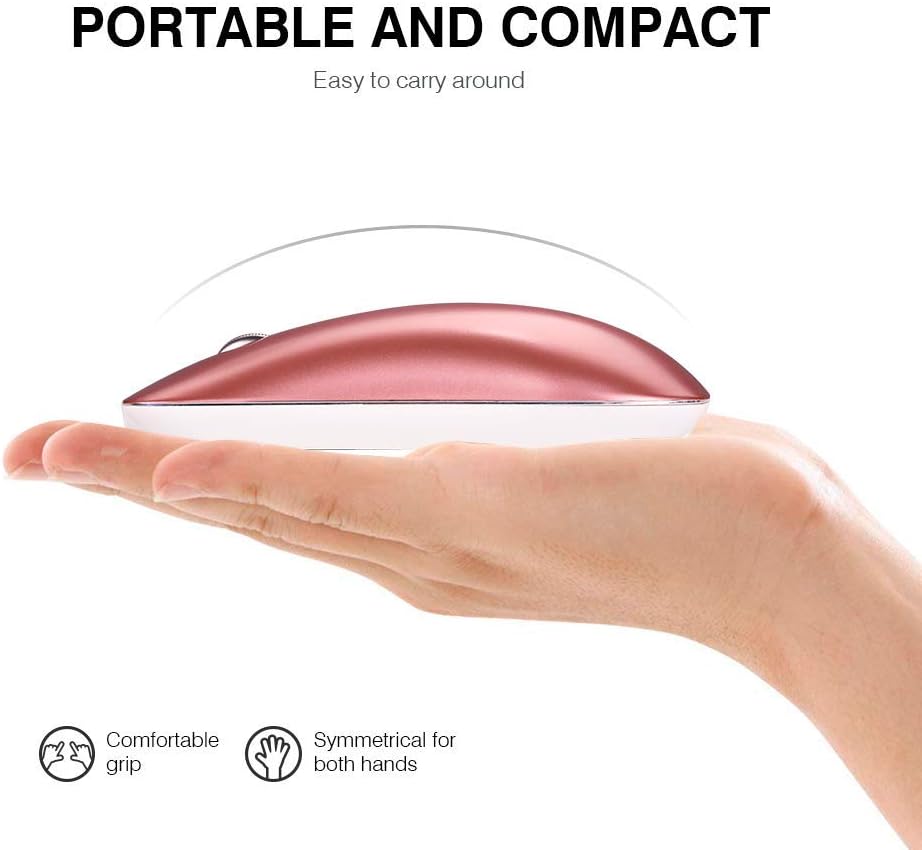
Image: A user operating the mouse quietly, with an icon indicating silent operation, highlighting the silent click feature.
- Автоматический спящий режим:
To conserve battery life, the mouse will automatically enter sleep mode after 3 minutes of inactivity. To wake the mouse, simply move it gently. For extended periods of non-use, it is recommended to turn off the mouse using the ON/OFF switch on the bottom.
Обслуживание
- Уборка: Для чистки мыши используйте мягкую сухую ткань. Избегайте использования едких химикатов и абразивных материалов.
- Хранилище: When not in use, store the USB Nano-receiver in its dedicated slot on the bottom of the mouse to prevent loss. Store the mouse in a cool, dry place.
- Уход батареи: Recharge the mouse regularly to maintain battery health. Avoid fully depleting the battery frequently.
Поиск неисправностей
- Мышь не отвечает:
- Убедитесь, что мышь включена.
- Check if the USB Nano-receiver is securely plugged into your computer's USB port.
- Попробуйте подключить приемник к другому USB-порту.
- Если аккумулятор разрядился, зарядите мышь.
- Прерывистое соединение:
- Убедитесь, что мышь находится в пределах 10-метровой зоны действия приемника.
- Avoid using the mouse on metallic surfaces, which can interfere with the wireless signal.
- Remove any large metal objects between the mouse and the receiver.
- Движение курсора хаотичное:
- Очистите оптический датчик в нижней части мыши.
- Попробуйте использовать мышь на другой поверхности или на коврике для мыши.
- Если курсор слишком чувствителен, уменьшите значение DPI.
Технические характеристики
| Особенность | Деталь |
|---|---|
| Номер модели | ПМ-9 |
| Технология связи | Беспроводная связь 2.4G (USB-приемник) |
| Обнаружение движения | Оптический |
| Уровни DPI | 1000 / 1200 / 1600 (регулируемая) |
| Кнопки | 3 (влево, вправо, колесо прокрутки) |
| Тип батареи | Литий-ионный аккумулятор |
| Время зарядки | 2-3 часа |
| Срок службы батареи | До 500 часов (после полной зарядки) |
| Дальность беспроводной связи | До 10 метров (33 фута) |
| Размеры продукта | 4.33 x 2.48 x 0.91 дюйма (110 x 63 x 23 мм) |
| Вес товара | 2.57 унции (72.86 г) |
| Совместимость | Windows 10/8/7/XP, Vista, Linux, Mac OS |
Гарантия и поддержка
The INPHIC PM-9 Wireless Mouse comes with a standard warranty. For specific warranty details, returns, or technical support, please refer to the product packaging or contact your retailer. You may also visit the official INPHIC webсайт для получения дальнейшей помощи.