
Excelvan EHD11
Руководство пользователя мини-светодиодного проектора Excelvan EHD11
Model: EHD11
1. Введение
This manual provides detailed instructions for the setup, operation, and maintenance of your Excelvan EHD11 Mini LED Projector. Please read this manual thoroughly before using the projector to ensure proper operation and to extend the product's lifespan. Keep this manual for future reference.
2. Важные инструкции по технике безопасности
To prevent fire or electric shock, do not expose this appliance to rain or moisture. Observe the following safety precautions:
- Не закрывайте вентиляционные отверстия. Обеспечьте достаточное пространство вокруг проектора для надлежащей циркуляции воздуха.
- Не устанавливайте проектор на неустойчивую тележку, подставку или стол.
- Do not operate the projector near water or moisture.
- Используйте только те насадки/аксессуары, которые указаны производителем.
- Отключайте проектор от сети во время грозы или при длительном неиспользовании.
- По всем вопросам обслуживания обращайтесь к квалифицированному персоналу.
- Не смотрите прямо в объектив проектора, когдаamp включено.
3. Содержимое упаковки
Пожалуйста, проверьте наличие всех предметов и их хорошее состояние:
- Excelvan EHD11 Projector
- Силовой кабель
- Дистанционное управление
- AV-кабель
- Руководство пользователя
4. Продукт закончилсяview
4.1 Projector Front and Top View

Изображение 4.1: Вид спереди и сверху view of the Excelvan EHD11 projector, showing the lens, ventilation, and control buttons (Source, Menu).
4.2 Задний проектор View и порты

Изображение 4.2: Сзади view of the Excelvan EHD11 projector, highlighting the dual built-in speakers and various input/output ports including USB, HDMI, VGA, AV, and audio out.
4.3 Варианты подключения

Image 4.3: Diagram illustrating the wide range of devices compatible with the projector, such as PCs, smartphones, USB storage, TV set-top boxes, game consoles, DVD players, digital cameras, and external speakers.
5. Настройка
5.1 Размещение и проекционное расстояние
Position the projector on a stable, flat surface. The projection distance directly affects the screen size. Refer to the diagram below for recommended distances and corresponding screen sizes.

Image 5.1: Chart detailing the relationship between projection distance (in meters) and screen size (in inches) for a 16:9 aspect ratio, ranging from 32 inches at 1.2 meters to 200 inches at 6 meters.
5.2 Подключение питания
Connect the power cable to the projector's power input and then to a power outlet. The power indicator light will illuminate.
5.3 Подключение источников входного сигнала
The projector supports multiple input sources. Connect your desired device (e.g., PC, DVD player, game console, USB drive) to the corresponding port on the rear of the projector using the appropriate cable (HDMI, VGA, AV, USB).
5.4 Регулировка фокусировки и трапецеидальных искажений
After powering on, adjust the focus ring around the lens until the image is clear. If the image appears trapezoidal, use the keystone correction dial to square the image. The projector supports a ±15° keystone adjustment.
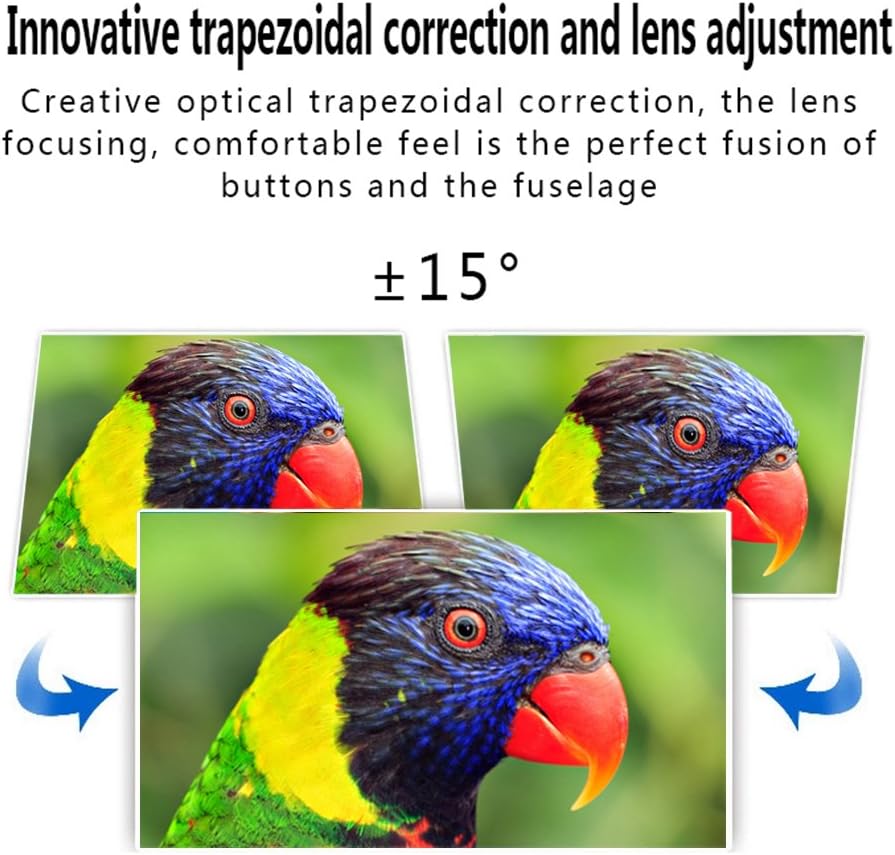
Image 5.4: Visual representation of the ±15° trapezoidal correction and lens adjustment feature, showing how to correct distorted images.
6. Инструкция по эксплуатации
6.1 Включение/выключение питания
Нажмите кнопку питания на проекторе или пульте дистанционного управления, чтобы включить или выключить устройство.
6.2 Выбор источника
Press the 'Source' button on the projector or remote control to cycle through available input sources (HDMI1, HDMI2, USB1, USB2, VGA, AV, YPbPr, TV/DTV). Select the input corresponding to your connected device.
6.3 Навигация по меню
Press the 'Menu' button to access the projector's settings. Use the arrow keys on the projector or remote to navigate, and 'OK' or 'Enter' to confirm selections. Adjust settings such as picture mode, aspect ratio, sound mode, and language.
6.4 Аудиовыход
The projector features built-in speakers. For enhanced audio, connect external speakers to the 'Audio Out' port using a 3.5mm audio cable.
7. Техническое обслуживание
7.1 Очистка линз
Use a soft, lint-free cloth and a specialized lens cleaning solution to gently wipe the projector lens. Avoid abrasive materials or excessive pressure.
7.2 Вентиляция
Regularly check that the projector's ventilation openings are clear of dust and debris. Blocked vents can lead to overheating and affect performance. Do not place the projector on soft surfaces that may obstruct airflow.
8. Поиск Неисправностей
| Проблема | Возможная причина | Решение |
|---|---|---|
| Нет изображения на экране | Power cable disconnected; Incorrect input source selected; Input device not powered on or connected properly. | Check power connection; Select correct input source; Ensure input device is on and cables are secure. |
| Изображение расплывчатое | Фокус не настроен. | Отрегулируйте кольцо фокусировки на объективе проектора. |
| Изображение искажено (трапециевидная форма). | Коррекция трапецеидальных искажений не производилась. | Отрегулируйте диск коррекции трапецеидальных искажений. |
| Нет звука | Volume too low; Audio cables not connected; Incorrect audio output selected on source device; External speakers not connected or powered. | Increase volume; Check audio cable connections; Ensure source device is outputting audio; Connect external speakers if desired. |
| Input source needs to be set every time | Projector defaults to a specific input or does not save last setting. | Manually select the desired input source after powering on. Check menu settings for an 'Auto Source' or 'Last Input' option if available. |
9. Технические характеристики
- Бренд: Эксельван
- Модель: EHD11 (FBA_151224-F6)
- Тип дисплея: ЖК-дисплей
- Разрешение экрана: 1920 x 1080 (поддерживается Full HD)
- Технологии подключения: HDMI, USB, VGA, AV
- Особая особенность: 3D-Ready, Portable
- Вес товара: 6.49 фунта
- Размеры упаковки: 16.9 x 13.1 x 8.5 дюйма
- Производитель: Эксельван
- Дата первой доступности: 8 ноября 2014 г.
10. Гарантия и поддержка
Информацию о гарантии или техническую поддержку можно получить в документации, предоставленной при покупке, или у продавца. Сохраните чек в качестве подтверждения покупки.
Ask a question about this manual
Ask about setup, troubleshooting, compatibility, parts, safety, or missing instructions. Manuals+ will review the question and use this page’s manual context to help answer it.