
Введение
This manual provides detailed instructions for the setup, operation, maintenance, and troubleshooting of your Canon XC10 4K Professional Camcorder. Please read this manual thoroughly before using the camcorder to ensure proper and safe operation.

Figure 1: Canon XC10 4K Professional Camcorder.
Настраивать
Follow these steps to prepare your Canon XC10 camcorder for first use.
1. Распаковка и первоначальный осмотр
Осторожно извлеките все компоненты из упаковки. Убедитесь, что все перечисленные ниже предметы присутствуют:
- XC10 body
- Вытяжной блок
- Viewискатель
- Ремень
- Remote controller (RC-6)
- Compact Power adapter (CA-570)
- Battery Pack (LP-E6N)
- High Speed HDMI cable (HTC-100/S)
- Interface Cable (IFC-300PCU/S)
- Sandisk 64GB Cfast Card
- Sandisk Cfast card reader
2. Прикрепление бленды объектива
Align the lens hood with the front of the lens and twist gently until it locks into place. This helps to reduce glare and protect the lens.

Рисунок 2: Сторона view of the Canon XC10 with the lens hood attached.
3. Прикрепление Viewfinder Unit
Прикрепите viewfinder unit to the designated slot on the camcorder body. Ensure it clicks securely into position for stable viewинж.

Рисунок 3: Сторона view of the Canon XC10 with the viewfinder unit attached.
4. Установка аккумуляторной батареи
Insert the LP-E6N battery pack into the battery compartment. Ensure it is fully seated and locked into place. Charge the battery using the Compact Power adapter (CA-570) before first use.
5. Inserting the CFast Card
Locate the CFast card slot on the camcorder. Insert the Sandisk 64GB CFast Card with the label facing the correct direction until it clicks into place. The camcorder also supports SDHC/SDXC cards.
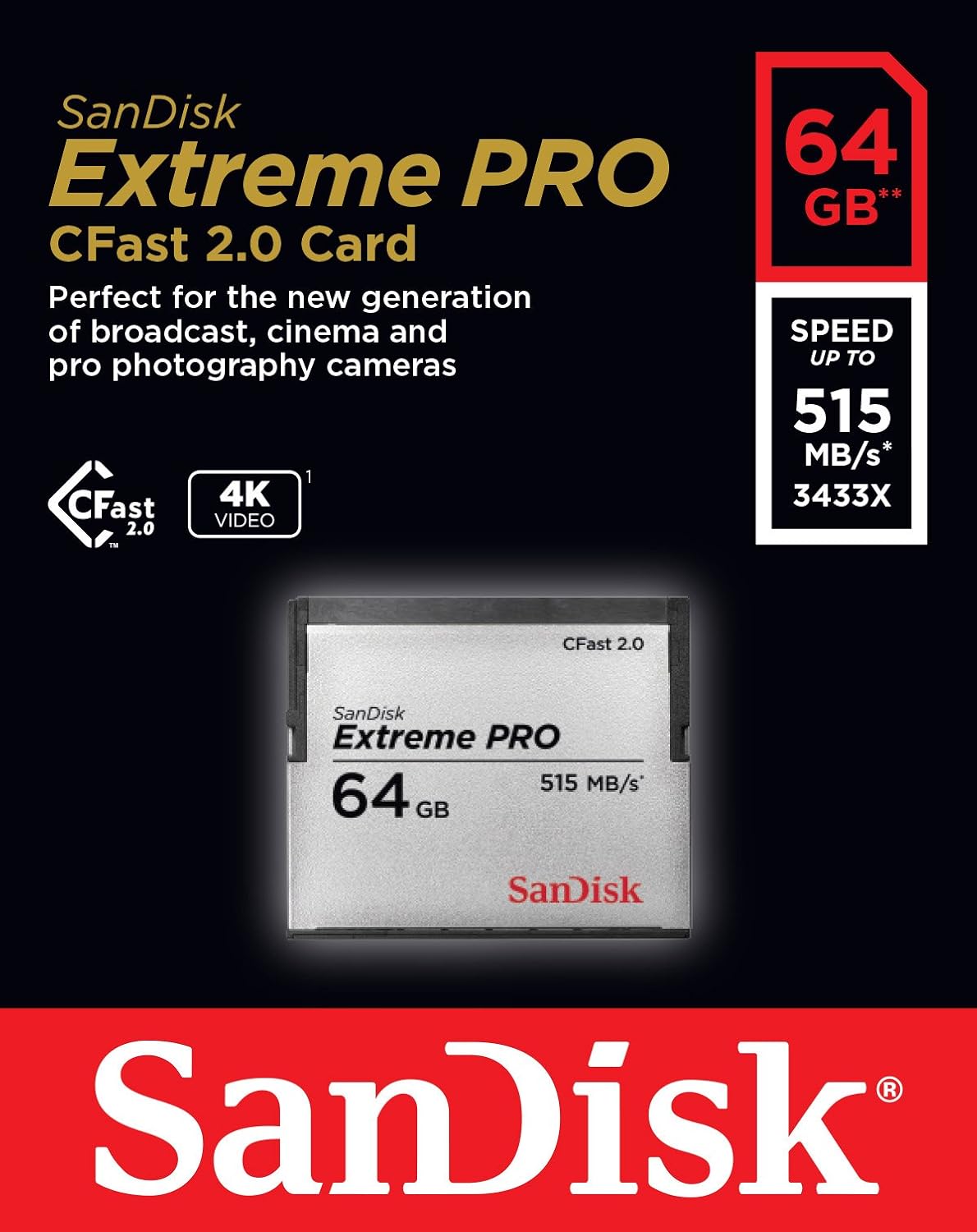

Figure 4: Sandisk CFast 2.0 Card (left) and CFast 2.0 Card Reader (right).
6. Прикрепление ремешка
Attach the provided strap to the camcorder's strap lugs for secure handling.
7. Подключение к внешним устройствам
- HDMI-выход: Use the High Speed HDMI cable (HTC-100/S) to connect the camcorder to an external monitor or recording device for 4K monitoring.
- Интерфейсный кабель: Use the Interface Cable (IFC-300PCU/S) for data transfer to a computer.
- Wi-Fi-подключение: The camcorder supports Wi-Fi for wireless control and file transfer. Refer to the on-screen menu for Wi-Fi setup instructions.
Управление видеокамерой
This section covers the basic operation of the Canon XC10.
1. Включение/выключение питания
Locate the power button on the camcorder body. Press and hold to power on or off. The camcorder can be powered by the LP-E6N battery or continuously via the CA-570 power adapter.

Рисунок 5: Вверху view of the Canon XC10, highlighting the power button and other controls.
2. Запись видео
The XC10 supports 4K 30p and Full HD 60p recording using the XF-AVC codec. Multiple recording modes and frame rates are available. Use the menu system to select your desired settings.
- 4K Видео: Records UltraHD 4K at 29.97/23.98p.
- Видео в формате Full HD: Records 1080p60.
- Высокая частота кадров: Supports 720p120 for slow-motion effects.
The camcorder features a 12 Megapixel One-Inch 4K-Compatible CMOS Image Sensor and a DiG!C DV 5 Image Processor for high-quality output.
3. Lens and Zoom Operation
The integrated 4K Wide-Angle 10x Zoom Lens offers a focal length of 8.9 to 89mm (24-240mm equivalent) with an aperture range of f/2.8 to 5.6. Utilize the zoom ring on the lens for optical zoom. The lens includes Image Stabilizer technology to reduce camera shake.

Рисунок 6: Сторона view of the Canon XC10, showing the lens and zoom controls.
4. Focus and Exposure
The camcorder offers both manual and autofocus options. Use the touch screen for precise focus adjustments. Exposure settings can be managed through the menu, including Canon Log and Wide Dynamic Range Gamma for enhanced post-production flexibility. Image settings are compatible with Cinema EOS cameras.
5. Ergonomics and Viewискатель
The XC10 features a compact and ergonomic design with an adjustable handle and a large, clear viewfinder on the back. The viewfinder can be adjusted for comfortable viewing angles, enhancing usability during handheld shooting.
Обслуживание
Proper maintenance ensures the longevity and optimal performance of your camcorder.
- Очистка линзы и корпуса: Use a soft, lint-free cloth to clean the lens and camcorder body. For stubborn smudges on the lens, use a specialized lens cleaning solution.
- Уход батареи: Store batteries in a cool, dry place. Avoid fully discharging lithium-ion batteries frequently to prolong their lifespan.
- Хранилище: When not in use, store the camcorder in a protective case to prevent dust accumulation and physical damage.
- Обновления прошивки: Периодически проверяйте поддержку Canon. website for firmware updates to ensure your camcorder has the latest features and bug fixes.
Поиск неисправностей
This section addresses common issues you might encounter with your Canon XC10.
| Проблема | Возможная причина | Решение |
|---|---|---|
| Видеокамера не включается. | Battery is depleted or not inserted correctly. Power adapter is not connected. | Charge the battery or ensure it is properly inserted. Connect the power adapter. |
| Запись неожиданно останавливается. | CFast/SD card is full or too slow. Battery is low. | Replace the card or delete files. Use a faster card (e.g., CFast 2.0 for 4K). Charge or replace the battery. |
| Изображение размыто. | Incorrect focus setting. Lens is dirty. | Adjust focus manually or use autofocus. Clean the lens. |
| No image on external monitor via HDMI. | HDMI cable is not connected properly or is faulty. Monitor input is incorrect. | Check HDMI cable connections. Select the correct HDMI input on the monitor. |
If you encounter issues not covered here, please refer to the official Canon support resources.
Технические характеристики
Key technical specifications for the Canon XC10 4K Professional Camcorder.
| Особенность | Деталь |
|---|---|
| Номер модели | 0565C013 |
| Размеры продукта | 4.92 x 4.02 x 4.8 дюйма |
| Вес товара | 2.05 фунта |
| Технология фотодатчика | CMOS (1-inch, 12 Megapixel) |
| Разрешение видеозахвата | 4K (UltraHD) |
| Максимальное фокусное расстояние | 89 мм (эквивалент 35 мм: 240 мм) |
| Минимальное фокусное расстояние | 8.9 мм (эквивалент 35 мм: 24 мм) |
| Максимальная диафрагма | f/2.8 |
| Минимальная диафрагма | f/5.6 |
| Тип флэш-памяти | CFast, SD |
| Формат захвата видео | MP4, MOV (XF-AVC codec) |
| Поддерживаемый аудиоформат | ААК |
| Размер экрана | 3 дюйма |
| Технология связи | Wi-Fi |
| Аккумуляторы | Требуется 1 литий-ионный аккумулятор (входит в комплект) |
Гарантия и поддержка
For information regarding the product warranty, please refer to the warranty card included with your camcorder or visit the official Canon website. For technical support, service, or additional resources, please contact Canon customer service or visit their online support portal.
Поддержка Canon Webсайт: www.usa.canon.com/support