
1. Введение
This manual provides essential instructions for setting up, operating, maintaining, and troubleshooting your Kodak Easyshare M763 7.2 MP Digital Camera. Please read this manual thoroughly to ensure proper use and to maximize your camera's performance.
2. Продукт закончилсяview
The Kodak Easyshare M763 is a compact 7.2-megapixel digital camera designed for ease of use and high-quality image capture. It features a 3x optical zoom lens, digital image stabilization, and a 2.7-inch LCD display.
Основные характеристики:
- Разрешение 7.2 мегапикселей: Enables stunning prints up to 20 x 30 inches.
- 3x optical zoom and 5x digital zoom: Brings subjects closer with clarity.
- Захват изображения в формате HD: Records images in 16:9 format for high-definition viewинж.
- Технология распознавания лиц: Automatically adjusts settings for optimal portraits.
- Цифровая стабилизация изображения: Уменьшает размытие, вызванное движением камеры или объекта съемки.
- Технология Kodak Perfect Touch: Enhances picture quality for brighter, more vivid results.
- Высокое значение ISO (до 1600): Улучшает характеристики при съемке в условиях недостаточного освещения и при съемке динамичных сцен.
- VGA video recording: Captures continuous video (640 x 480) at 15 fps with sound.
- 2.7-дюймовый ЖК-дисплей: Large screen for easy viewing and playback, with auto picture rotation.
- Литий-ионный аккумулятор: Provides reliable power with convenient in-camera charging.
- Internal memory plus: 16 MB internal memory with SD/SDHC card expansion slot.
- Кнопка «Поделиться» на камере: Упрощает tagging photos for printing or emailing.
Камера Views:
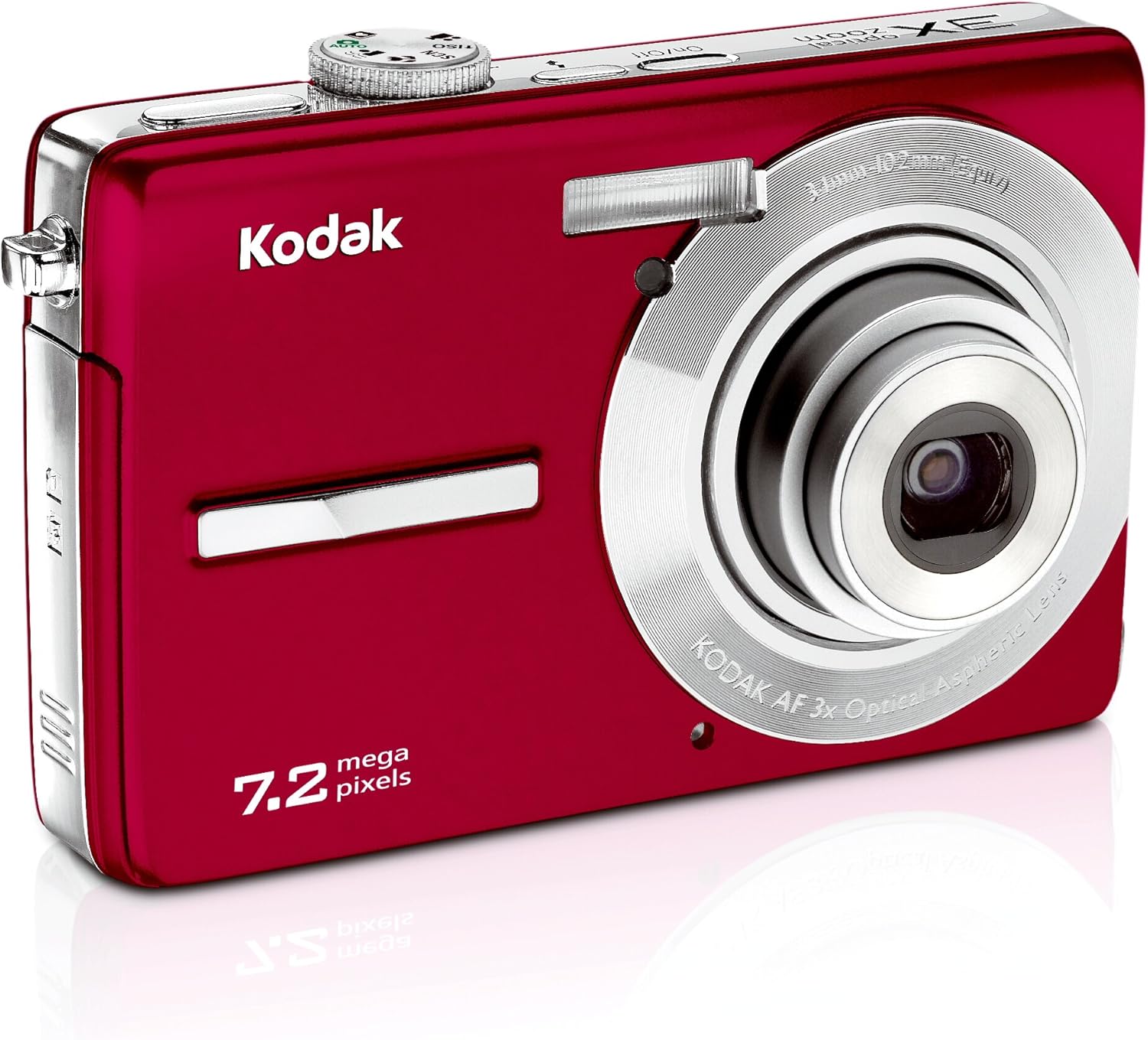
This image displays the front of the Kodak Easyshare M763 digital camera. Visible components include the camera lens, the built-in flash, and the Kodak branding. The camera's compact design and red finish are also prominent.

This image presents the rear of the Kodak Easyshare M763 digital camera. The prominent feature is the 2.7-inch LCD screen, which displays a sample image. Various control buttons, including navigation, menu, and share buttons, are visible around the screen, indicating user interface elements.
3. Настройка
3.1 Установка и зарядка аккумулятора
- Locate the battery compartment door on the bottom or side of the camera.
- Open the compartment door and insert the Li-Ion rechargeable battery, ensuring the correct orientation as indicated by the markings inside the compartment.
- Плотно закройте дверцу батарейного отсека.
- Connect the camera to a power source using the provided USB cable or charger to fully charge the battery before first use. The charging indicator light will show the charging status.
3.2 Установка карты памяти
The Kodak Easyshare M763 supports SD and SDHC memory cards. While the camera has 16 MB of internal memory, a memory card is recommended for extended storage.
- Найдите слот для карты памяти, обычно расположенный рядом с батарейным отсеком.
- Insert the SD/SDHC memory card into the slot with the metal contacts facing the correct direction, as indicated by the diagram near the slot.
- Push the card gently until it clicks into place. To remove, push the card in again until it springs out slightly, then pull it out.
4. Эксплуатация камеры
4.1 Включение/выключение питания
Нажмите Вкл/Выкл button, usually located on the top of the camera, to power the camera on or off.
4.2 Taking Pictures
- Включите камеру.
- Кадрируйте снимок, используя 2.7-дюймовый ЖК-дисплей.
- Используйте W (Широкий) и T (Telephoto) buttons to adjust the optical and digital zoom.
- Press the shutter button halfway down to allow the camera to focus. A green frame or indicator will confirm focus.
- Нажмите кнопку спуска затвора до конца, чтобы сделать снимок.
4.3 Scene Modes and Settings
The camera offers 20 scene modes and 3 color modes to optimize settings for various shooting conditions. Access these modes through the camera's menu system. Examples include Portrait, Children, Snow, Beach, and Backlight.
- Режим панорамной съемки: Combine up to three shots into one large panoramic picture directly on the camera.
- Монтаж на камере: Features like cropping, blurry picture alert, and digital red-eye reduction are available for post-capture adjustments.
- Голос Tagцзин: Record short audio clips to accompany your pictures, useful for remembering names, dates, or events.
4.4 Видеозапись
- Switch the camera to video recording mode (refer to your camera's on-screen icons or mode dial).
- Press the shutter button to start recording. The camera will capture continuous VGA video (640 x 480) at 15 frames per second with sound.
- Нажмите кнопку спуска затвора еще раз, чтобы остановить запись.
4.5 Вновьviewing and Sharing Images
- Нажмите Review кнопка для view your captured photos and videos on the LCD screen.
- Используйте кнопки навигации для прокрутки ваших медиафайлов.
- To share, press the dedicated Делиться button. This allows you to tag pictures for easy printing or emailing when the camera is connected to a computer with Kodak EasyShare Software installed.
- The Избранное feature allows you to mark special pictures without filling up internal memory.
5. Техническое обслуживание
5.1 Чистка камеры
- Корпус камеры: Use a soft, dry cloth to gently wipe the camera body. Avoid using harsh chemicals or abrasive materials.
- Объектив: For the lens, use a specialized lens cleaning cloth and a lens cleaning solution. Never touch the lens surface with your fingers.
- ЖК-экран: Clean the LCD screen with a soft, lint-free cloth. For stubborn smudges, use a screen cleaner designed for electronics.
5.2 Уход за аккумулятором
- Store the Li-Ion battery in a cool, dry place when not in use.
- Избегайте частой полной разрядки батареи, чтобы продлить срок ее службы.
- Recharge the battery as needed, but avoid overcharging for extended periods.
5.3 Хранение
When not using the camera for an extended period, remove the battery and memory card. Store the camera in a protective case or bag to prevent dust accumulation and scratches. Avoid storing the camera in areas with extreme temperatures or high humidity.
6. Поиск Неисправностей
This section addresses common issues you might encounter with your Kodak Easyshare M763 camera.
6.1 Камера не включается
- Убедитесь, что аккумулятор полностью заряжен.
- Verify the battery is inserted correctly into the compartment.
- Попробуйте вынуть и снова вставить батарею.
6.2 Blurry Pictures
- Проверьте наличие достаточного освещения.
- Убедитесь, что объектив камеры чистый и на нем нет пятен.
- Utilize the digital image stabilization feature.
- Hold the camera steady or use a tripod.
- For moving subjects, select a scene mode designed for action shots.
6.3 Ошибка карты памяти
- Ensure the memory card is inserted correctly and fully seated.
- If the error persists, try formatting the memory card (note: this will erase all data on the card).
- Test with a different, compatible SD/SDHC memory card.
6.4 Короткое время работы от батареи
- Перед использованием убедитесь, что аккумулятор полностью заряжен.
- Reduce the brightness of the LCD screen.
- Disable unnecessary features or settings that consume power.
- Рассмотрите возможность покупкиasing a spare battery for extended shooting sessions.
7. Технические характеристики
Below are the technical specifications for the Kodak Easyshare M763 Digital Camera.
| Особенность | Спецификация |
|---|---|
| Название модели | Kodak Easyshare M763 |
| Номер модели | 1030311 |
| Разрешение фотодатчика | 7.2 МП |
| Оптический зум | 3x |
| Цифровой зум | 5x |
| Размер экрана | 2.7 дюйма |
| Тип дисплея | ЖК-дисплей |
| Стабилизация изображения | Электронный |
| Поддерживается File Формат | JPEG, СЫРЬЕ |
| Разрешение видео | 480p (VGA 640x480 at 15 fps) |
| Внутренняя память | 16 МБ |
| Поддержка карт памяти | SD, SDHC (до 32 ГБ) |
| Тип батареи | Литий-ионный |
| Чувствительность ISO | Расширенный стандарт ISO: минимум 80, расширенный стандарт ISO: максимум 1600. |
| Вес товара | 0.4 фунта |
| СКП | 041771030315 |
8. Гарантия и поддержка
For detailed warranty information, please refer to the warranty card or documentation included with your Kodak Easyshare M763 Digital Camera at the time of purchase. For technical support, software downloads, and frequently asked questions, please visit the official KODAK support webсайт или свяжитесь с их службой поддержки.