
Введение
Welcome to the world of portable gaming with your Nintendo Game Boy Color. This manual will guide you through the essential steps to set up, operate, and maintain your system, ensuring an enjoyable gaming experience.
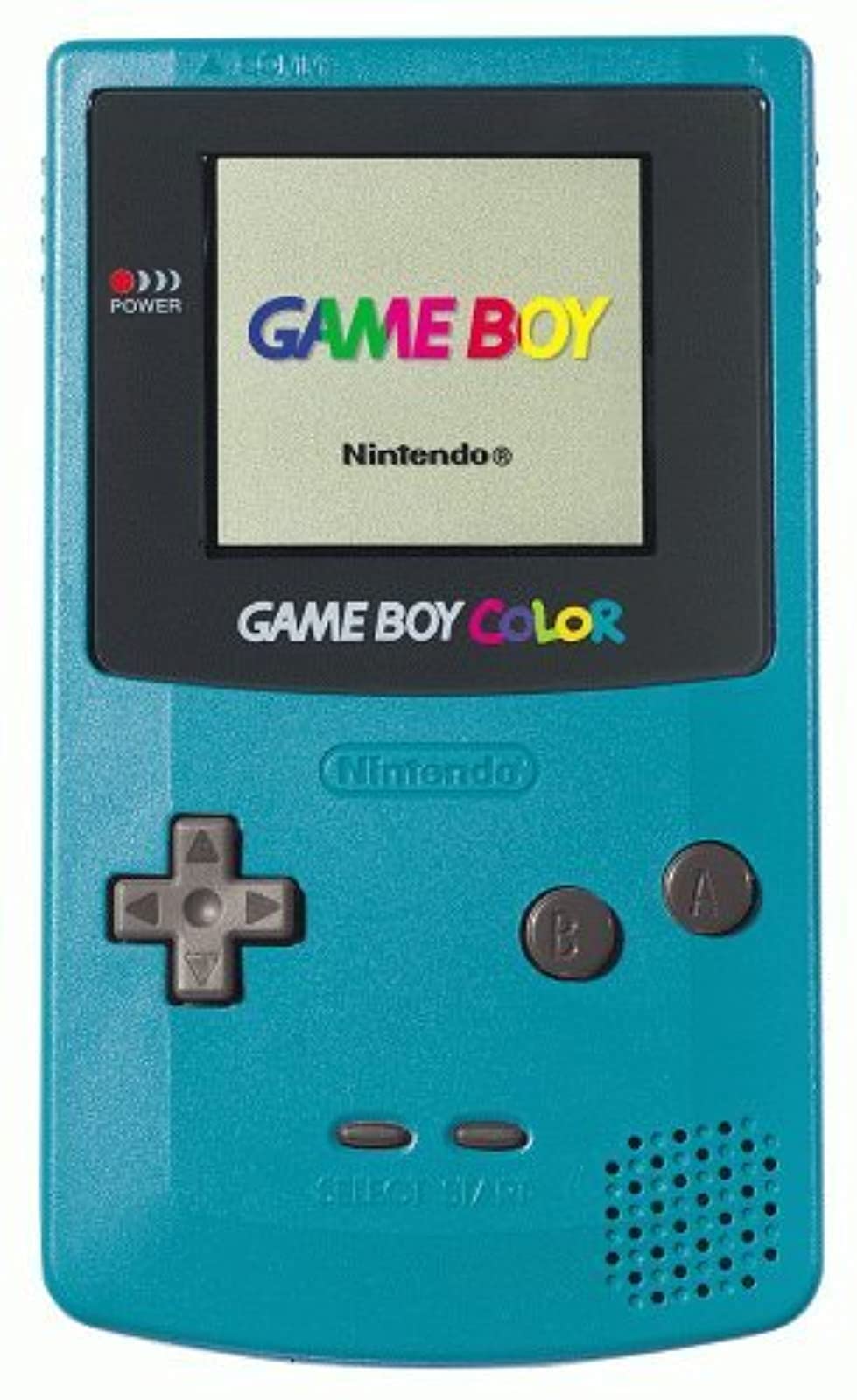
Изображение: Спереди view of the Teal Game Boy Color console, displaying the "GAME BOY" and "Nintendo" logos on its screen, with the D-pad, A/B buttons, Start/Select buttons, and speaker visible.
Настраивать
1. Установка аккумулятора
The Game Boy Color requires two (2) AA batteries for operation. Follow these steps to install them:
- Locate the battery compartment cover on the back of the Game Boy Color unit.
- Чтобы снять крышку, сдвиньте её вниз.
- Вставьте две батарейки типа АА, убедившись, что положительный (+) и отрицательный (-) полюса правильно совмещены с индикаторами внутри отсека.
- Установите на место крышку батарейного отсека, сдвинув ее вверх до щелчка.

Изображение: Назад view of the Teal Game Boy Color console with the battery cover open, revealing two AA batteries correctly inserted. The model number CGB-001 is visible on the label.
2. Inserting a Game Cartridge
To play a game, insert a Game Boy or Game Boy Color cartridge into the slot at the top of the unit. Push it firmly until it clicks into place.
3. Включение
Locate the power switch on the top left side of the unit. Slide it to the "ON" position. The power indicator light (red LED) will illuminate, and the Nintendo logo will appear on the screen.
Operating Your Game Boy Color
Основные элементы управления
- Кнопки управления (D-Pad): Located on the left side, used for movement and menu navigation.
- Кнопка: Обычно используется для подтверждения выбора или выполнения основных действий в играх.
- Кнопка B: Обычно используется для отмены выбора или выполнения дополнительных действий в играх.
- Кнопка Пуск: Используется для приостановки игры или подтверждения выбора.
- Кнопка ВЫБОР: Used for various in-game functions or menu navigation.
- Регулятор громкости: Located on the right side of the unit, rotate to adjust sound output.
- Порт для наушников: Located at the bottom, for private listening with 3.5mm headphones.
Играть в игры
Once powered on with a game cartridge inserted, the game will automatically load. Follow the on-screen instructions and use the controls as described above to play.
Выключение
To turn off the system, slide the power switch to the "OFF" position. Always power off the system before removing a game cartridge.
Обслуживание
Очистка консоли
Use a soft, dry cloth to wipe the exterior of the Game Boy Color. Do not use liquid cleaners or solvents, as they may damage the unit. For the screen, use a soft, lint-free cloth. Avoid scratching the screen surface.
Уход за аккумулятором
- Если устройство не будет использоваться в течение длительного времени, извлеките из него батарейки, чтобы предотвратить утечку.
- Не смешивайте старые и новые батареи или батареи разных типов.
- Утилизируйте использованные батареи ответственно в соответствии с местными правилами.
Хранилище
Store your Game Boy Color in a cool, dry place away from direct sunlight and extreme temperatures. Keep it free from dust and moisture.
Поиск неисправностей
| Проблема | Возможная причина | Решение |
|---|---|---|
| Система не включается. |
|
|
| Game does not load or displays garbled graphics. |
|
|
| Нет звука или тихий звук. |
|
|
| Screen is dark or difficult to see. |
|
|
Технические характеристики
- Номер модели: CGB-001
- Размеры: 5.1 х 3 х 1.1 дюйма (приблизительно)
- Масса: 7.4 унций (без батареек)
- Источник питания: 2 батарейки типа АА
- Отображать: Reflective STN LCD, 160x144 pixels, 56 simultaneous colors from a palette of 32,768
- ПРОЦЕССОР: 8-битный процессор
- Звук: 4-channel stereo sound (via headphones), mono speaker
- Слот для картриджа: Compatible with Game Boy and Game Boy Color cartridges
- Дата выпуска: 18 ноября 1998 г.
Гарантия и поддержка
Specific warranty information for this product is not provided in this manual. For details regarding warranty coverage, repairs, or additional support, please refer to the original product packaging or contact Nintendo customer support directly.
You can visit the official Nintendo store for more information: Nintendo Store.