
1. Introducere
The Gtheos Captain 370 Wireless Gaming Headset is designed to provide a versatile and immersive audio experience across multiple gaming platforms. This manual provides detailed instructions for setup, operation, maintenance, and troubleshooting to ensure optimal performance and longevity of your headset.
2. Conținutul pachetului
Vă rugăm să verificați dacă toate articolele sunt prezente în coletul dumneavoastră:
- Gtheos Captain 370 Wireless Gaming Headset
- Microfon detașabil cu anulare a zgomotului
- Transmițător wireless USB-A de 2.4 GHz
- Cablu de încărcare USB de tip C
- Cablu audio de 3.5 mm
- Manual de utilizare (acest document)
3. Produs terminatview
Familiarize yourself with the key components and controls of your Gtheos Captain 370 headset.
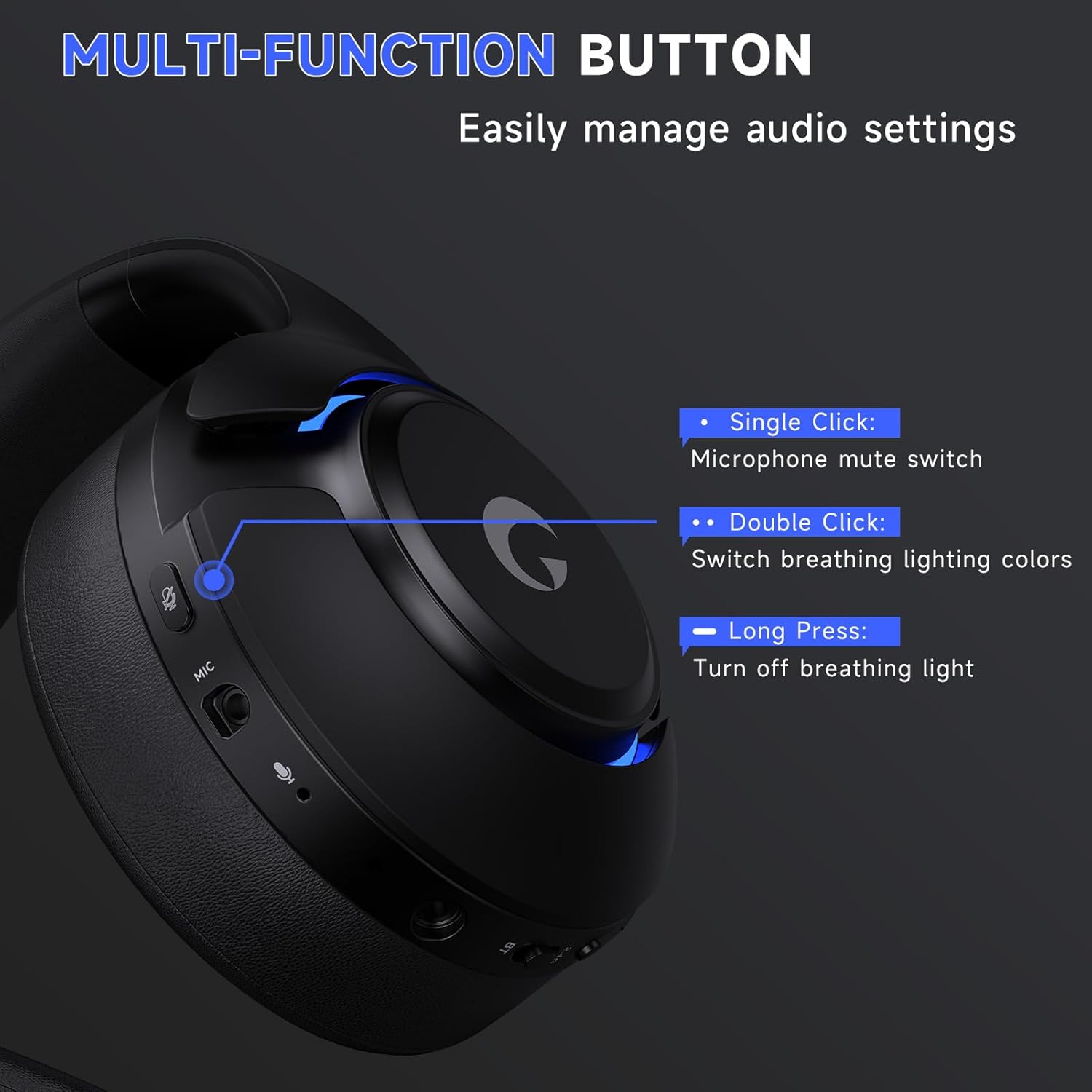
Imaginea 3.1: Multi-function button for audio settings and RGB lights.
The headset features a multi-function button on the earcup for easy control:
- Un singur clic: Comutator de dezactivare a sunetului microfonului.
- Dublu click: Switch breathing lighting colors.
- Apasare prelungită: Stinge lumina de respirație.
Imaginea 3.2: Detachable noise-canceling microphone for clear communication.
The detachable microphone utilizes advanced Environmental Noise Cancellation (ENC) technology to filter out background noise. The headset also includes a built-in backup microphone for calls even when the boom mic is detached.

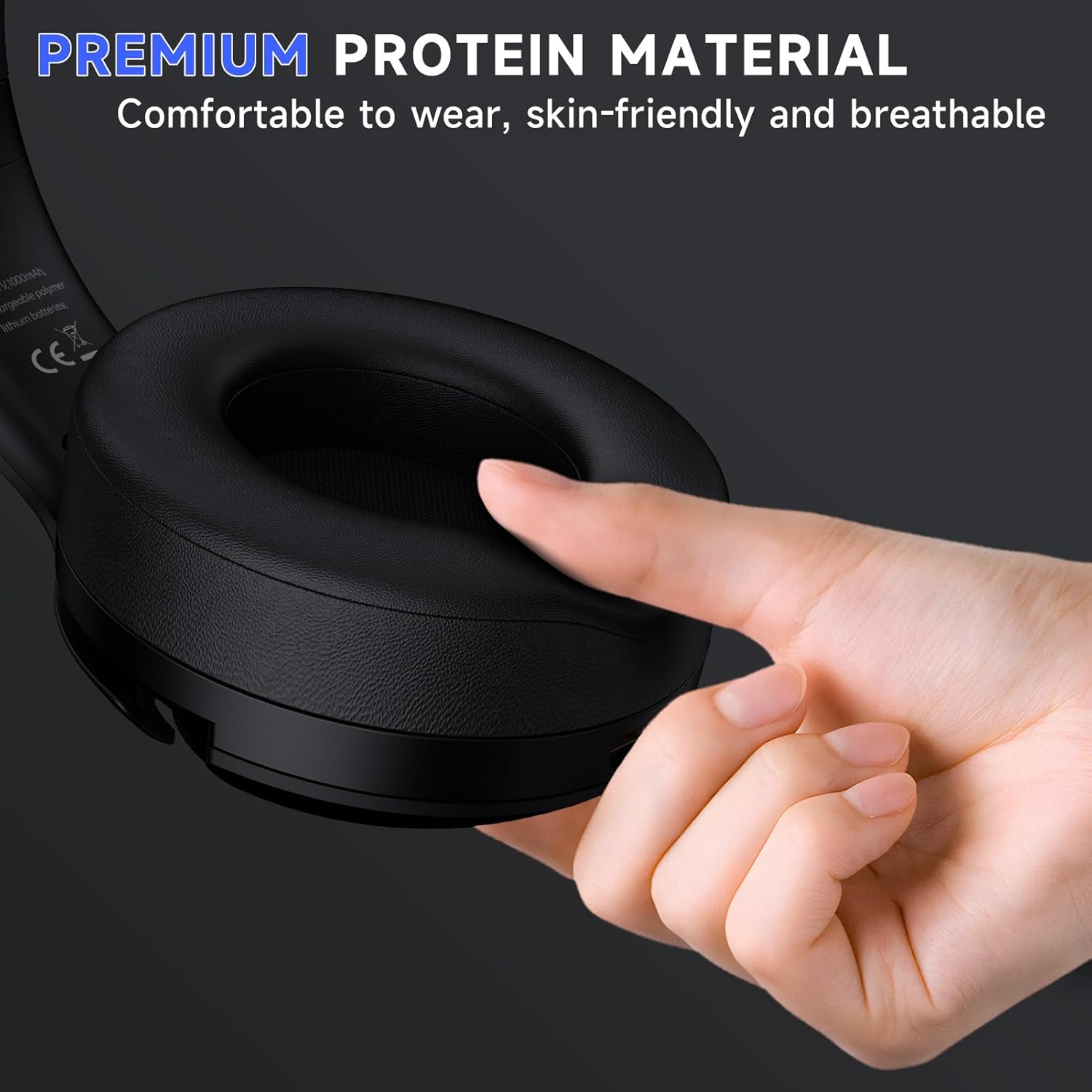
Imaginea 3.3: Premium protein material earcups for comfortable wear.
The earcups are made from premium protein material, ensuring comfort during extended use.
4. Configurare și conectivitate
The Gtheos Captain 370 offers four versatile connection modes:

Imaginea 4.1: Pesteview of the headset's 4-in-1 multi-device connectivity.
4.1. 2.4GHz Wireless Connection (USB-A / USB-C)
This mode is suitable for PS5, PS4, laptops, desktops, and Nintendo Switch (microphone not supported on Switch).
- Insert the 2.4GHz USB transmitter into an available USB port on your device. The transmitter's indicator will flash blue while waiting for pairing.
- Hold down the power button on the headset for 3 seconds to turn it on. The white light on the headset will flash, indicating it is searching for a connection.
- Once successfully paired, the transmitter's indicator light will remain solid blue, and the headset's indicator light will remain solid white.
- For PS5: Navigate to the PS5 settings menu, select "Sound," then "Microphone," and choose "USB Headset (Captain 370)" as the input device. For audio output, select "Audio Output" and choose "USB Headset (Captain 370)." Adjust volume levels as needed.
- For PC: Go to Sound Settings, select "Captain 370" for both output and input, and adjust volume levels.
Video 4.1: Demonstrates the 2.4GHz wireless connection method for the Gtheos Captain 370 headset.
Video 4.2: Guide on connecting the Gtheos Captain 370 headset to a PS5 console.
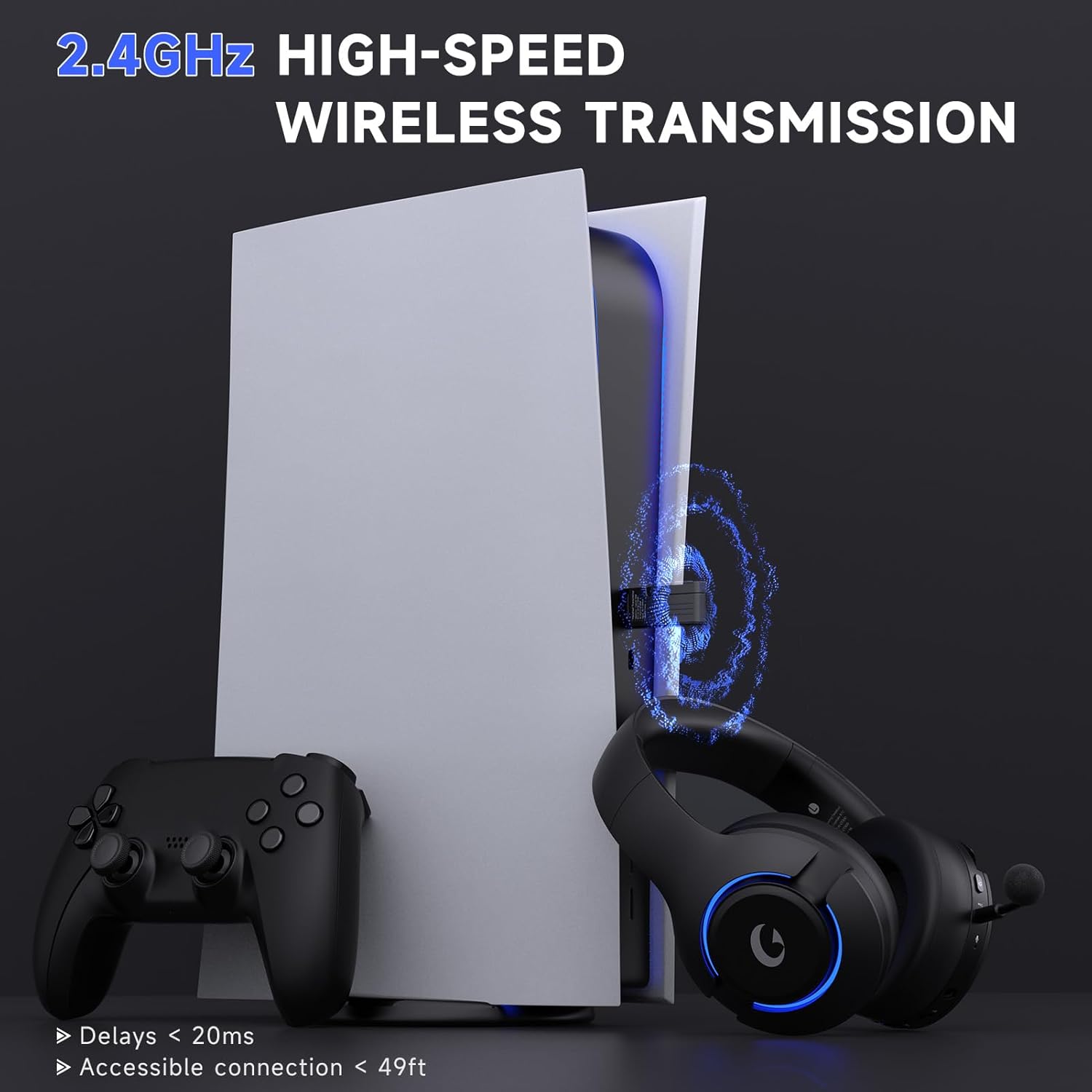
Imaginea 4.2: High-speed 2.4GHz wireless transmission for gaming.
4.2. Conexiune Bluetooth 5.3
This mode is ideal for mobile phones, tablets, and laptops.
- Ensure the headset is powered off. Slide the mode switch on the headset to the "BT" position. The indicator light will flash blue, indicating pairing mode.
- On your device, enable Bluetooth and search for available devices. Select "Captain 370" from the list to pair.
- Once connected, the indicator light on the headset will turn solid blue.
- For Nintendo Switch: Access System Settings, select "Bluetooth Audio," and choose "Captain 370" to pair. Note that Bluetooth microphones are not supported on Switch.
Video 4.3: Short preview demonstrating how to connect the Gtheos Captain 370 headset to a Nintendo Switch via Bluetooth.
4.3. Conexiune cu fir de 3.5 mm
This mode is compatible with Xbox and other consoles that support a 3.5mm audio jack.
- Insert the 3.5mm audio cable into the headset's 3.5mm audio port.
- Connect the other end of the 3.5mm audio cable to your console's controller or device.
- For Xbox controllers, an adapter (not included) may be required as audio cables alone are not directly compatible.
Video 4.4: Instructions for connecting the Gtheos Captain 370 headset to an Xbox console via wired connection.
5. Instrucțiuni de utilizare
5.1. Microphone Installation and Usage
To install the detachable microphone:
- Locate the microphone port on the headset (refer to Image 3.2).
- Introduceți ferm microfonul în mufă până când simțiți un ușor „clic”, care indică o conexiune sigură și corectă.
Video 5.1: Detailed guide on how to properly install the detachable microphone on your Gtheos Captain 370 headset.
To mute the microphone, single-click the multi-function button (refer to Image 3.1).
5.2. Controlul iluminării RGB
The headset features RGB breathing lights:
- Dublu click: Change the color of the breathing lights.
- Apasare prelungită: Turn off the breathing light.
To extend battery usage time, it is recommended to turn off the breathing lights when not needed.
6. Încărcare și durata de viață a bateriei

Imaginea 6.1: Specificațiile bateriei și detalii despre încărcare.
The Gtheos Captain 370 headset offers up to 45 hours of wireless play on a full charge. Charging is done via the included USB Type-C cable and takes approximately 3 hours for a full charge.
- Gaming Time: 40-45 ore
- Timp de încărcare: 3 de ore
- Capacitate baterie: 1000mAh
- Alertă baterie descărcată: Below 3% battery, a voice alert will sound.
7. Întreținere și îngrijire
- Păstrați setul cu cască curat ștergându-l cu o cârpă moale și uscată.
- Evitați expunerea căștilor la temperaturi extreme, umiditate sau lumina directă a soarelui.
- Store the headset in a safe place to prevent physical damage.
- Nu încercați să dezasamblați sau să reparați singur setul cu cască, deoarece acest lucru poate anula garanția.
8. Depanare
- Microphone not working on Switch: The microphone function is not supported when using the 2.4GHz wireless mode with Nintendo Switch.
- Microphone not working (general): Check if the microphone mute button is activated. Switch the "Microphone Button" to unmute.
- Echo when using with PS5: To reduce echo, keep the volume level of the headset at approximately 80%-85%.
- Xbox wired connection: An adapter (not included) is required when using a 3.5mm audio cable to connect to an Xbox controller.
9. Specificații
| Caracteristică | Caietul de sarcini |
|---|---|
| Marca | Gtheos |
| Numărul de model | Căpitanul 370 |
| Conectivitate | 2.4GHz Wireless, Type-C Wireless, Bluetooth 5.3, 3.5mm Wired |
| Șoferii | Drivere dinamice de 50 mm |
| Caracteristici de sunet | Sunet surround 3D |
| Microfon | Detachable Noise-Canceling (ENC) Boom Mic, Built-in Backup Mic |
| Durata de viață a bateriei | Până la 45 ore |
| Timp de încărcare | 3 Hours (Type-C) |
| wireless Range | Până la 49 de picioare |
| Latența | Ultra-low 20ms |
| Caracteristici suplimentare | Iluminare RGB |
10. Garanție și asistență
The Gtheos Captain 370 Wireless Gaming Headset comes with a 1-year warranty from the date of purchase. For any technical assistance, troubleshooting, or warranty claims, please contact Gtheos customer support. We offer 24/7 service and technical support to ensure your satisfaction.
For further assistance, please visit the official Gtheos website-ul web sau consultați informațiile de contact furnizate pe ambalajul produsului.