
1. Produs terminatview
The Philips 55MLED610/94 is a 55-inch 4K Ultra HD QLED Smart QD-Mini LED Google TV. It features advanced display technology, smart connectivity, and integrated audio solutions for an enhanced viewexperiență.

Faţă view of the Philips 55MLED610/94 55-inch 4K QD-Mini LED Google TV.
Caracteristici cheie:
- Afişa: 4K QD-Mini LED Panel, Philips Halo Control Technology, Dolby Vision, Local Dimming, 120 Hz Motion Clarity HSR, HDR 10+, 178 Degree Wide Viewing Angle, MEMC, ALLM.
- Smart TV: Google TV operating system, 2GB RAM, 32GB ROM, Quad Core Processor, Dual band WIFI 5, Hands-Free Voice Control, Screen Mirroring, Google Assistant compatibility.
- Audio: 36 Watts Output, Dolby Atmos, Dolby Audio.
- Conectivitate: 3 HDMI Ports (including HDMI 2.1), 2 USB Ports, 1 LAN Port, 1 Antenna Input, 1 Satellite Input, 1 Digital Audio Out (Optical), 1 AV-IN, 1 Earphone port.
2. Configurare și instalare
2.1 Despachetare și conținut
Carefully unpack the television and ensure all components are present.
- 1N TV Unit
- 2N Stand Bases
- Ghid de pornire rapidă 1N
- Card de garanție 1N
- Telecomanda 1N
- 2N baterii AAA (pentru telecomandă)
- Cablu de alimentare 1N
- Șuruburi 4N (pentru suport/montură)
- 1N AV Converting Cable

Illustration showing the TV unit and its included accessories for setup.
2.2 Instalarea suportului sau montarea pe perete
The television supports both table-top stand installation and wall mounting.
- Montare pe masă: Attach the provided stand bases to the bottom of the TV unit using the included screws. Ensure the stand is stable on a flat surface.
- Montare pe perete: For wall mounting, use a compatible VESA wall mount (not included) and follow the instructions provided with the wall mount. Refer to the TV's back panel for mounting points.

Spate view of the television, highlighting the mounting points and various input/output ports.
2.3 Conectarea perifericelor
Connect your external devices such as set-top boxes, gaming consoles, and audio systems to the TV using the appropriate ports.
- HDMI: Use HDMI ports for high-definition video and audio from devices like Blu-ray players or gaming consoles. HDMI 2.1 supports advanced features.
- USB: Conectați unități USB pentru redare media sau stocare externă.
- LAN: Pentru o conexiune stabilă la internet prin cablu.
- Antenă/Satelit: Conectați antena sau antena satelit pentru transmisii TV.
- Ieșire audio digitală (optică): Pentru conectarea la sisteme audio externe.
- INTRARE AV: Pentru dispozitive mai vechi care utilizează video compozit și audio stereo.
- Cască: Pentru ascultare privată.

Detaliat view of the television's input and output ports, including HDMI, USB, LAN, and audio connections.
3. Instrucțiuni de utilizare
3.1 Pornirea inițială și configurarea Google TV
After connecting the power cord, press the power button on the remote control or TV. Follow the on-screen instructions to complete the initial setup, including language selection, network connection (Wi-Fi or LAN), and Google account sign-in.

Interfața Google TV, care afișează diverse aplicații de streaming și recomandări de conținut.
3.2 Funcții de control de la distanță
The provided remote control uses both IR and Bluetooth technology. Insert the two AAA batteries as indicated.

The remote control for the Philips 55MLED610/94 TV, featuring dedicated buttons for streaming services and Google Assistant.
- Buton de alimentare: Pornește sau oprește televizorul.
- Bloc de navigare: Pentru navigarea și selecția meniurilor.
- Butonul Asistent Google: Activează controlul vocal pentru comenzi și căutări.
- Butoane de volum/canal: Reglează volumul și schimbă canalele.
- Butoane de comandă rapidă pentru aplicații: Direct access to popular streaming services like Netflix and Prime Video.
3.3 Smart TV Features and Applications
The Google TV platform provides access to a wide range of applications and services.
- Aplicații preinstalate: Access popular streaming services such as Prime Video, Netflix, Hotstar, Zee5, YouTube, Eros Now, Hungama, JioCinema, and SonyLiv.
- Asistent Google: Folosește controlul vocal hands-free pentru a căuta conținut, a controla dispozitivele inteligente pentru casă și a obține informații.
- Oglindirea ecranului (Miracast): Cast content from compatible mobile devices to the TV screen.
- Web Browser: Navigați pe internet direct pe televizor.
3.4 Setări de afișare și audio
Ajustați setările de imagine și sunet pentru a optimiza viewexperiență de ing și ascultare.
- Moduri de imagine: Select from various picture modes (e.g., Standard, Vivid, Movie, Game) or customize settings like brightness, contrast, color, and sharpness.
- Dolby Vision și HDR10+: The TV automatically detects and optimizes content for Dolby Vision and HDR10+ for enhanced dynamic range and color.
- Moduri de sunet: Choose sound modes (e.g., Standard, Music, Movie) or adjust equalizer settings. Dolby Atmos provides immersive audio.
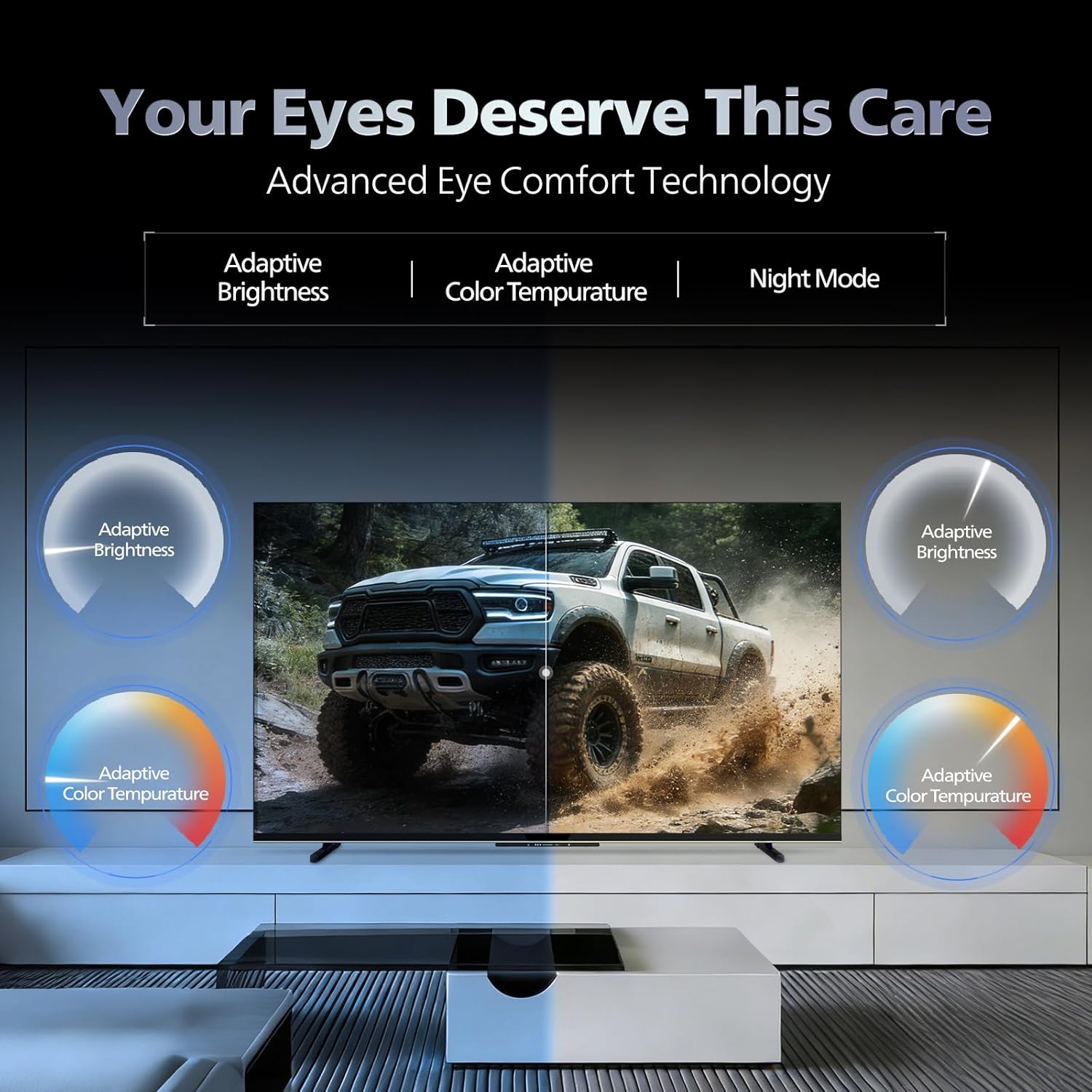
- Tehnologia Eye Comfort: Features like Adaptive Brightness, Adaptive Color Temperature, and Night Mode are available to reduce eye strain.

Visual representation of the TV's advanced eye comfort technology, including adaptive brightness and color temperature.

A visual demonstrating the immersive multi-dimensional audio experience provided by Dolby Atmos on the television.
4. Întreținere
4.1 Curățarea televizorului
To clean the screen and cabinet, first unplug the power cord. Use a soft, lint-free cloth. For stubborn marks, lightly dampClătiți laveta cu apă sau cu o soluție de curățare a ecranului blândă, neabrazivă. Nu pulverizați niciodată soluția de curățare direct pe ecran.
Important: The television is nu este rezistent la apă. Avoid exposing it to liquids.
4.2 Actualizări de software
Ensure your TV's software is up to date for optimal performance and security. The TV will typically prompt you for available updates. You can also manually check for updates in the settings menu.
5. Depanare
If you encounter issues with your television, try the following basic troubleshooting steps before contacting support.
- Fără putere: Asigurați-vă că cablul de alimentare este conectat corect atât la televizor, cât și la o priză funcțională. Încercați o altă priză.
- Fără imagine/sunet: Check all cable connections (HDMI, AV, Antenna). Ensure the correct input source is selected on the TV.
- Telecomanda nu funcționează: Înlocuiți bateriile din telecomandă. Asigurați-vă că nu există obstacole între telecomandă și senzorul IR al televizorului.
- Probleme de conectare la internet: Restart your Wi-Fi router. Check the TV's network settings and ensure it's connected to the correct network. Try a wired LAN connection if possible.
- Probleme de calitate a imaginii: Ajustați setările imaginii (luminozitate, contrast, claritate). Asigurați-vă că sursa de conținut este de înaltă calitate.
The television displaying a fast-paced gaming scene, highlighting its 120Hz refresh rate and gaming optimization features.
6. Specificații
| Caracteristică | Detaliu |
|---|---|
| Numărul de model | 55MLED610/94 |
| Dimensiunea ecranului | 55 inch (138 cm) |
| Tehnologia de afișare | QD-Mini LED |
| Rezoluţie | 4K Ultra HD (3840 x 2160) |
| Rata de reîmprospătare | 120 Hz HSR |
| Format HDR acceptat | HDR10+, Dolby Vision |
| Viewunghiul ing | 178 de grade |
| Ieșire sunet | 36 wați |
| Codificare audio | Dolby Atmos, Dolby Audio |
| Sistem de operare | Google TV |
| RAM | 2 GB |
| ROM | 32 GB |
| Conectivitate | Wi-Fi (Dual band WIFI 5), Bluetooth 5.1, 3 HDMI (1x HDMI 2.1 eARC), 2 USB, 1 LAN, 1 Antenna, 1 Satellite, 1 Digital Audio Out (Optical), 1 AV-IN, 1 Earphone |
| Dimensiuni produs (D x L x H) | 8A x 144.5L x 84Î centimetri |
| Item Weight Without Stand | 9.4 kilograme |
| Consumul de energie | 130 wați |
| Rating energetic | 3 stele |
| Consumul anual de energie | 182 kWh / An |
| Componente incluse | TV Unit, Stand Bases, Quick Start Guide, Warranty Card, Remote, Batteries, Power cord, Screws, AV Converting Cable |

Dimensional drawing of the Philips 55MLED610/94 TV, showing height, width, and depth measurements.
7. Garanție și asistență
7.1 Informații despre garanție
A 1-year warranty is provided by the manufacturer from the date of purchase. Warranty claims can be processed using your Amazon e-invoice.
The warranty covers manufacturing defects but does not cover spares.
7.2 Asistență pentru clienți
For assistance, contact the brand's toll-free number: 18004256396. Please provide the product's model name (55MLED610/94) and seller's details from your invoice. The service center will schedule a convenient service slot.
Producător: Radiant Appliances And Electronics Private Limited
Survey No. 111, 112, S-2 A 1, Ecity, Fabcity, Maheshwaram Mandal Raviryala Village, Ranga Reddy, Telangana- 501141
Importator: TPV Technology India Private Limited
Unit No. 307-308 3rd Floor, SEWA Corporate Park MG Road Gurugram Haryana 122002