
1. Introducere
Mulțumesc pentru achizițieasing the LG 27G411A UltraGear Gaming Monitor. This manual provides essential information for the safe and efficient use of your monitor. Please read it thoroughly before operating the product and retain it for future reference. This 27-inch Full HD (1920 x 1080) IPS display is designed for an immersive gaming experience, featuring a 144Hz refresh rate, 1ms Motion Blur Reduction (MBR), HDR10 support, and compatibility with NVIDIA G-Sync and AMD FreeSync technologies.
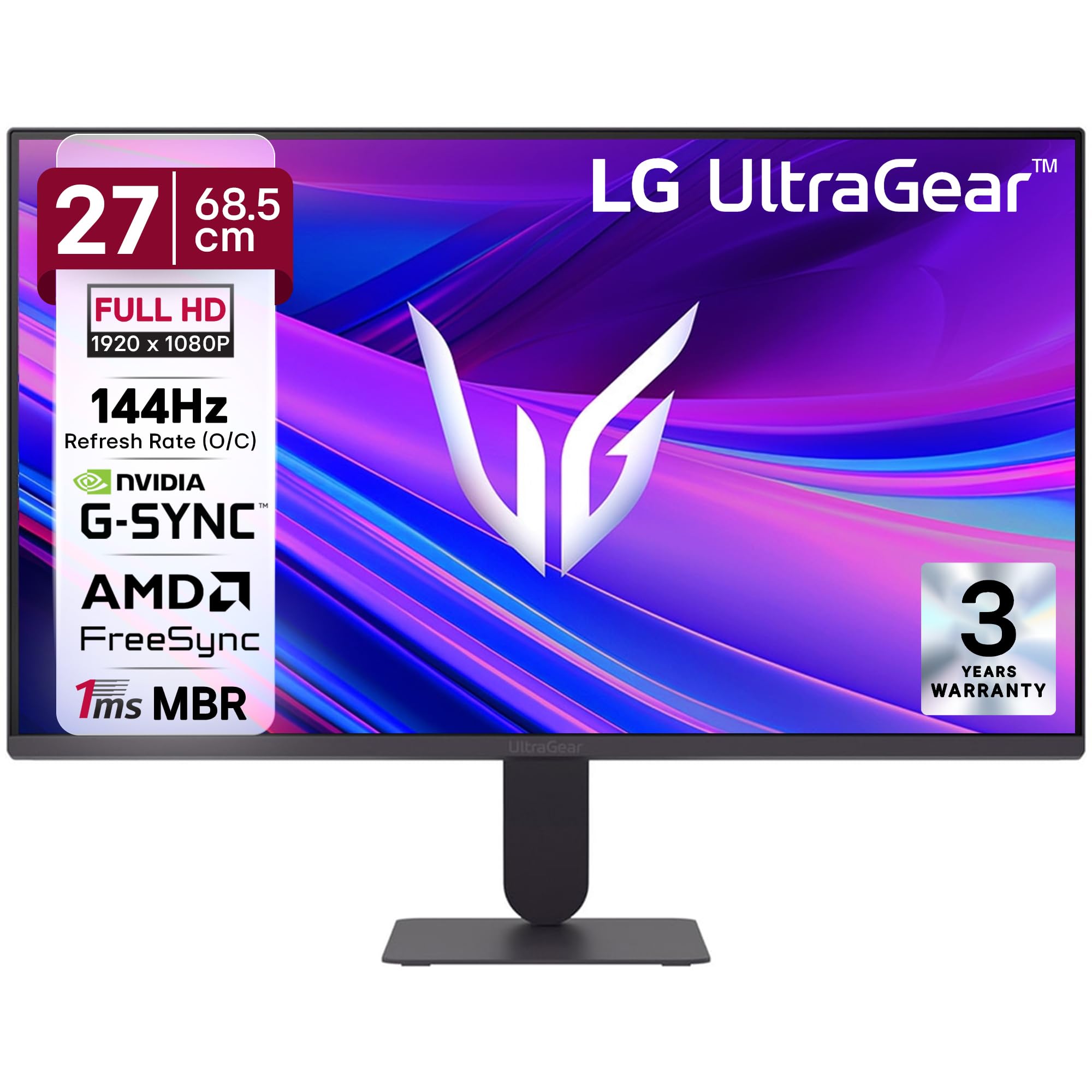
Figura 1: Față view of the LG 27G411A UltraGear Gaming Monitor.
2. Informații de siguranță
Respectați următoarele măsuri de siguranță pentru a preveni deteriorarea produsului sau vătămarea dumneavoastră sau a celorlalți.
- Putere: Use only the power cord and adapter supplied with the monitor. Do not overload power outlets.
- Plasare: Place the monitor on a stable, level surface. Avoid direct sunlight, heat sources, and areas with high humidity or dust. Ensure adequate ventilation around the monitor.
- Manipulare: Do not drop the monitor or subject it to strong impacts. Avoid touching the screen with sharp objects.
- curatenie: Deconectați cablul de alimentare înainte de curățare. Folosiți o cârpă moale și uscată. Nu utilizați agenți de curățare lichizi sau spray-uri cu aerosoli.
- Reparatii: Nu încercați să reparați singur acest produs. Consultați toate lucrările de service către personalul calificat de service.
3. Conținutul pachetului
Verificați dacă toate articolele sunt prezente în cutia produsului:
- LG 27G411A UltraGear Monitor
- Cablu de alimentare
- Cablu HDMI
- Suport monitor (bază și gât)
- Manual de utilizare (acest document)
4. Configurare
4.1 Ansamblul monitorului
Urmați acești pași pentru a asambla suportul monitorului și a-l atașa la panoul de afișare.
- Carefully place the monitor face down on a soft cloth or cushion to prevent scratches.
- Attach the stand neck to the base, securing it with the captive screw.
- Align the assembled stand with the mounting slot on the back of the monitor panel and push until it clicks into place.
- Alternatively, the monitor supports VESA 100x100mm wall mounting. Remove the stand if using a wall mount.

Figure 2: Illustration of the monitor's ultra-slim design, tilt adjustment, and VESA wall mount compatibility.
4.2 Conectarea monitorului
Conectați-vă dispozitivele la monitor folosind cablurile corespunzătoare.
- Conexiune de alimentare: Conectați cablul de alimentare la intrarea de alimentare a monitorului și apoi la o priză de perete.
- Conexiune HDMI: Use the supplied HDMI cable to connect your computer or gaming console to the HDMI port on the monitor.
- Conexiune DisplayPort: For optimal performance, especially for 144Hz refresh rate, connect your computer to the DisplayPort (DP) on the monitor using a DisplayPort cable (not always included).
- Ieșire căști: Connect headphones or external speakers to the 3-pole headphone out port for audio output.

Figura 3: Spate view of the monitor displaying the power input, HDMI, DisplayPort, and headphone out ports.

Figura 4: Detaliat view of the DisplayPort (DP-IN), HDMI, and Headphone (HP) ports.
5. Instrucțiuni de utilizare
5.1 Pornire/Oprire
Press the joystick button located at the bottom center of the monitor to turn it on or off. A short press will bring up the OSD menu, while a long press will power off the monitor.
5.2 Meniul de afișare pe ecran (OSD).
Meniul OSD vă permite să ajustați diverse setări ale monitorului. Folosiți butonul joystick pentru a naviga:
- Mișcați joystick-ul în sus/jos/stânga/dreapta pentru a naviga prin opțiunile din meniu.
- Apăsați joystick-ul pentru a selecta o opțiune sau a confirma o setare.
5.3 Moduri de imagine
The monitor offers several preset picture modes optimized for different content types:
- Personalizat: Permite reglarea manuală a tuturor setărilor de imagine.
- Gamer1/Gamer2: User-configurable modes for gaming preferences.
- FPS/RTS: Optimized for First-Person Shooter and Real-Time Strategy games.
- viu: Enhances color and contrast for general viewing.
- Cititor: Reduces blue light for comfortable reading.
- Efect HDR: Simulează conținut HDR pentru surse non-HDR.
- Slăbiciune de culoare: Ajustează setările de culoare pentru a ajuta utilizatorii cu deficiențe de vedere a culorilor.
5.4 Gaming Enhancements
The LG 27G411A is equipped with features to enhance your gaming experience:
- 144Hz Refresh Rate & 1ms MBR: Experience fluid motion and reduced ghosting. The monitor supports a native 120Hz refresh rate and up to 144Hz in overclock mode via DisplayPort 1.4 (HDMI 2.0 supports up to 144Hz).
- AMD FreeSync & NVIDIA G-Sync Compatible: Sincronizează rata de reîmprospătare a monitorului cu rata de cadre a GPU-ului pentru a elimina ruperea și sacadarea imaginii pe ecran.
- Stabilizator negru: Brightens dark areas to help you spot enemies hiding in shadows.
- Sincronizare dinamică a acțiunilor (DAS): Minimizează întârzierea de introducere a datelor pentru acțiune în timp real.
- Crosshair: Places a fixed crosshair in the center of the screen for improved aiming in FPS games.
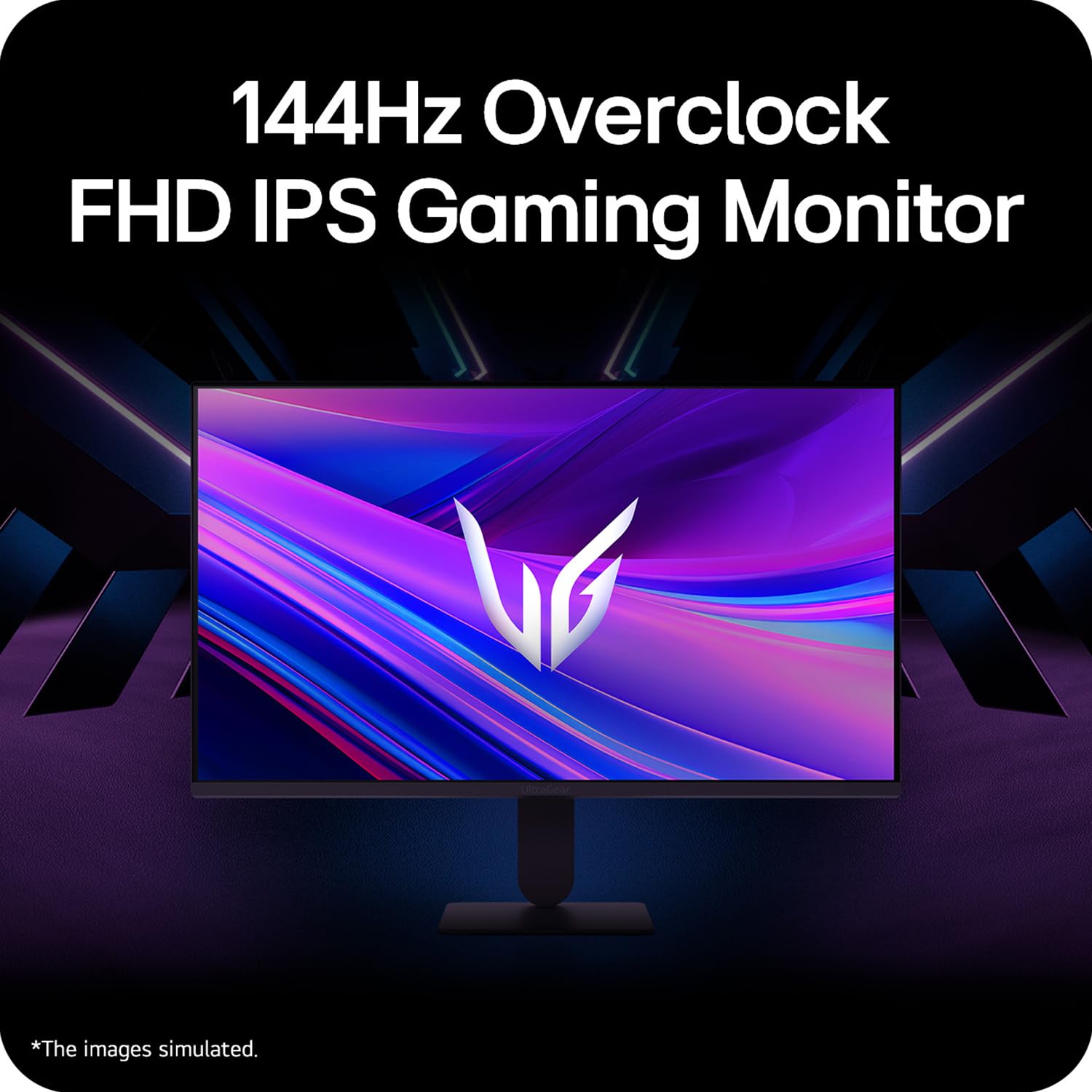
Figure 5: Visual representation of 144Hz overclock for fluid gaming motion.

Figure 6: Illustration of 1ms Motion Blur Reduction (MBR) for fast-paced gaming. Note: 1ms MBR causes lowered luminance and cannot be used with AMD FreeSync/DAS. Flicker may occur during 1ms MBR operation.

Figure 7: The monitor is certified compatible with NVIDIA G-Sync and AMD FreeSync technologies.

Figure 8: Precision Gaming Mode features: Dynamic Action Sync (DAS), Black Stabilizer, and Crosshair.
5.5 Caracteristici de îngrijire a ochilor
To reduce eye strain during prolonged use, the monitor includes:
- Flicker Safe: Reduce pâlpâirea ecranului pentru a minimiza oboseala ochilor.
- Modul cititor: Adjusts color temperature and brightness to simulate paper, making it easier on the eyes for reading tasks.
- Slăbiciune de culoare: Provides color adjustments for users with color vision deficiencies.
5.6 Smart Convenience (LG Switch App)
The LG Switch app offers enhanced control and customization options for your monitor directly from your computer. Features include Dual mode, Smart screen split, Launch a video call, and Personalized Picture Wizard.

Figure 9: The LG Switch app provides smarter control and seamless switching between various display modes and settings.
6. Întreținere
6.1 Curăţarea monitorului
Pentru a menține aspectul și performanța monitorului:
- Deconectați întotdeauna monitorul de la priză înainte de curățare.
- Folosiți o lavetă moale, fără scame, pentru a șterge ușor ecranul și suprafețele exterioare.
- Pentru pete persistente, frecați ușorampClătiți laveta cu apă sau cu o soluție de curățare a ecranului blândă, neabrazivă. Nu pulverizați lichid direct pe ecran.
- Avoid using benzene, alcohol, or other volatile solvents, as they may damage the monitor.
7. Depanare
Dacă întâmpinați probleme cu monitorul, consultați următoarele soluții comune:
| Problemă | Cauză/Soluție posibilă |
|---|---|
| Fără putere | Ensure the power cable is securely connected to the monitor and a working power outlet. Check if the power outlet is functional. |
| Fără semnal / Ecran gol | Verify that the video cable (HDMI or DisplayPort) is securely connected to both the monitor and your computer/device. Ensure the correct input source is selected in the OSD menu. Check if the computer is powered on and not in sleep mode. |
| Imagine pâlpâitoare sau distorsionată | Check the video cable for damage or loose connections. Try a different video cable or port. Adjust the refresh rate settings on your computer. Disable 1ms MBR if flicker is observed. |
| Backlight leakage on corners | Minor backlight leakage can be a characteristic of IPS panels, especially visible on a completely black screen in a dark environment. This is generally not considered a defect unless it significantly impacts normal viewing. |
| Monitor not recognized by PC | Update your graphics card drivers. Restart your computer. |
8. Specificații
Key technical specifications for the LG 27G411A UltraGear Gaming Monitor:
- Dimensiunea ecranului: 27 inch (68.5 cm)
- Tip panou: IPS
- Rezoluţie: FHD (1920 x 1080)
- Raport de aspect: 16:9
- Rata de reîmprospătare: 144 Hz (Overclock)
- Timp de răspuns: 1ms MBR (5ms GTG)
- Luminozitate: 250 cd/m² (tipic)
- Raport de contrast: 1500:1
- Gama de culori: sRGB 99%
- Suport HDR: HDR10
- Sincronizare adaptivă: Compatibil cu NVIDIA G-Sync, AMD FreeSync
- Viewunghi: 178° (H/V)
- Conectivitate: 1 x HDMI, 1 x DisplayPort, 1 x Ieșire pentru căști
- Dimensions (with stand, WxHxD): 61.2 x 45.2 x 22 cm (24.07 x 17.81 x 8.66 țoli)
- Greutate (cu suport): 3.8 kg
- Consum de energie: 20W (tipic)
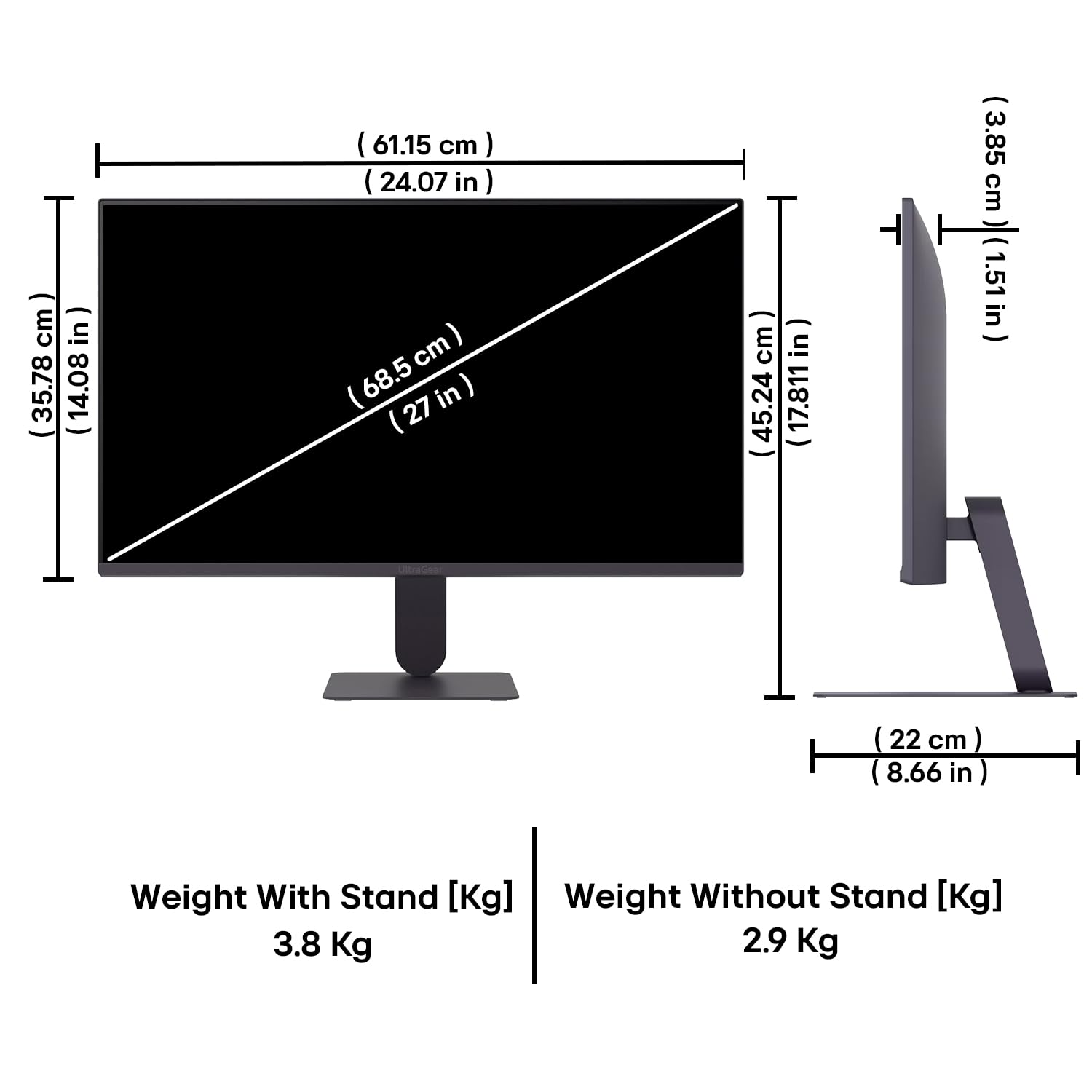
Figure 10: Physical dimensions and weight of the LG 27G411A monitor with and without the stand.
9. Informații despre garanție
This LG 27G411A UltraGear Gaming Monitor comes with a Garanție de 3 ani de la producător covering parts and labor. Please retain your proof of purchase for warranty claims. For detailed terms and conditions, refer to the warranty card included in your product packaging or visit the official LG website-ul.
10. Asistență pentru clienți
Pentru asistență suplimentară, asistență tehnică sau solicitări de service, vă rugăm să contactați Serviciul Clienți LG. Puteți găsi informații de contact pe site-ul oficial LG. website-ul sau în documentația furnizată împreună cu monitorul.
LG Electronics India Pvt. Ltd.
PLOT NO. A-5, MIDC RANJANGAON.
TALUKA SHIRUR, PUNE, MAHRASHTRA (INDIA), 412220