
1. Introducere
This manual provides detailed instructions for the installation, operation, and maintenance of your EZAIoT Smart Radiator Thermostat, model EZ-TRV901W. Please read this manual thoroughly before use to ensure proper functionality and safety. Keep this manual for future reference.
2. Informații de siguranță
- Nu încercați să dezasamblați sau să reparați dispozitivul singur. Apelați la personal calificat pentru toate lucrările de service.
- Țineți dispozitivul departe de apă, umiditate și temperaturi extreme.
- Ensure batteries are inserted with correct polarity. Replace all batteries at the same time with new ones of the same type.
- Acest dispozitiv este conceput numai pentru utilizare în interior.
- Nu lăsați materialele de ambalare la îndemâna copiilor.
3. Conținutul pachetului
Verificați dacă toate articolele sunt prezente în colet:
- Smart Radiator Thermostat (EZ-TRV901W) x 1
- Valve Adapters x 6 (for various valve types)
- AA Batteries x 2 (pre-installed or included)
- User Manual (English) x 1

Image: Contents of the EZAIoT Smart Radiator Thermostat package, showing the main unit, six different valve adapters, and two AA batteries.
4. Produs terminatview
The EZAIoT Smart Radiator Thermostat EZ-TRV901W is a compact, WiFi6-enabled device designed to control your radiator heating system efficiently. It features a clear OLED color display and can be controlled via a smartphone application.
Caracteristici cheie:
- WiFi6 Connectivity: Ensures stable and low-latency connection for remote control.
- Ecran color OLED: Provides clear temperature readings and settings, with a 4-way rotation function for optimal viewunghiuri de ing.
- Design compact: With a diameter of 50mm, it fits into narrow spaces.
- PID Precision Control: Optimizes heating for energy efficiency.
- Controlul aplicației: Manage and program schedules via the Tuya Smart Life app.
- Compatibilitate cu controlul vocal: Funcționează cu Alexa, Google Home și Home Assistant.
- Caracteristici de siguranță: Child lock, frost protection, and automatic anti-calc function.

Image: The EZAIoT Smart Radiator Thermostat displaying its current temperature, alongside a smartphone screen showing the corresponding control interface in the app.

Image: A visual breakdown of the thermostat's features, highlighting its internal components, compact dimensions (50mm diameter), OLED color display, and the ability to rotate the display for better viewing.
5. Instalare
The EZAIoT Smart Radiator Thermostat is designed for easy DIY installation. Follow these steps to replace your existing radiator valve:
- Pregătiți radiatorul: Turn off your heating system and allow the radiator to cool down.
- Scoateți termostatul vechi: Unscrew your existing thermostatic radiator valve head. No need to drain water from the radiator.
- Selectați adaptorul: Identify the correct adapter from the included set that matches your radiator valve. The thermostat is compatible with most common radiator valves (e.g., M30 x 1.5).
- Instalați adaptorul (dacă este necesar): If an adapter is required, screw it onto the radiator valve body.
- Atașați termostatul: Place the EZAIoT Smart Radiator Thermostat onto the adapter or directly onto the valve body and tighten it securely.
- Introduceți bateriile: Ensure the two AA batteries are correctly inserted into the thermostat.

Image: A hand demonstrating the installation of the smart thermostat onto a radiator. An inset displays different types of valve adapters for compatibility with various radiator valves.
6. Conectarea și configurarea aplicației
Control your EZAIoT Smart Radiator Thermostat remotely using the Tuya Smart Life application.
- Descărcați aplicația: Download the "Tuya Smart Life" app from your smartphone's app store (iOS or Android).
- Înregistrare/Autentificare: Creați un cont sau conectați-vă la contul dvs. existent.
- Adăugați dispozitiv: In the app, tap the "+" icon to add a new device. Select "Radiator Thermostat" or search for the device type.
- Mod de asociere: Follow the app's instructions to put the thermostat into pairing mode. This usually involves a long press on a button on the thermostat until a pairing indicator appears on the display.
- Conectați-vă la WiFi: Select your 2.4GHz WiFi network and enter the password. The thermostat will connect directly to your WiFi network without the need for a separate gateway.
- Nume dispozitiv: Once connected, you can name your thermostat (e.g., "Living Room Radiator").

Image: An illustration depicting the smart thermostat wirelessly connecting to a home WiFi router, emphasizing that no additional hub is required for its operation.
7. Instrucțiuni de utilizare
7.1 Control manual
You can adjust the temperature directly on the thermostat by rotating the main body. The OLED display will show the target temperature. The display can be rotated 0°/90°/180°/270° for optimal readability, especially in hard-to-reach areas.
7.2 Controlul și programarea aplicației
Use the Tuya Smart Life app for comprehensive control:
- Temperatura setată: Adjust the target temperature from anywhere.
- Programare pe 7 zile: Create custom heating schedules for each day of the week to match your routine and save energy.
- Mod vacanță: Set a specific temperature for an extended period when you are away.
- Blocare pentru copii: Activate the child lock feature to prevent unauthorized changes to settings on the device.
- Detectarea ferestrei deschise: The thermostat can detect sudden drops in temperature (e.g., when a window is opened) and temporarily pause heating to prevent energy waste.
- Protecție împotriva înghețului: Automatically maintains a minimum temperature to prevent pipes from freezing.
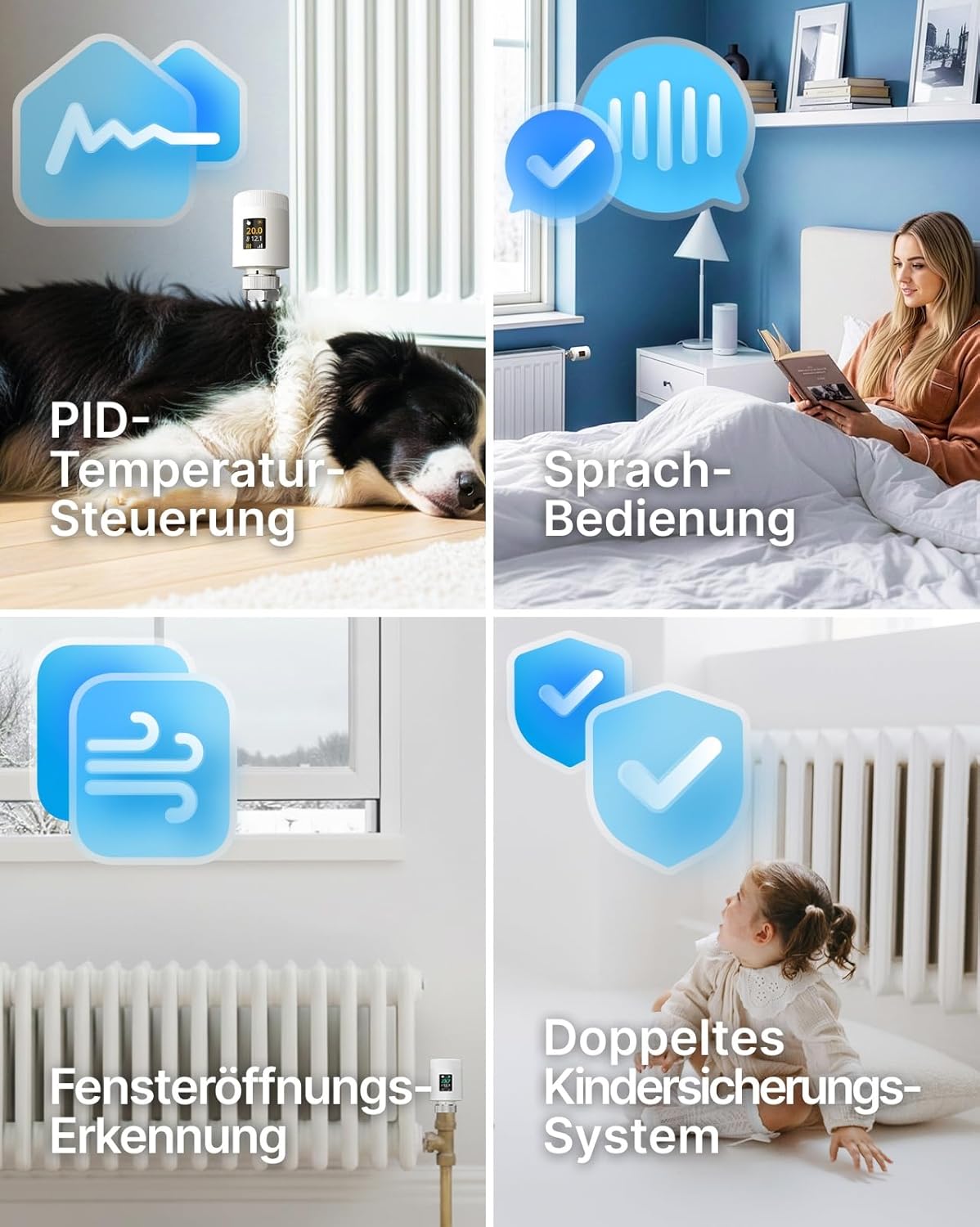
Image: Visual representation of the thermostat's advanced features, including PID temperature control for stable heating, voice control capability, automatic window opening detection, and a robust child lock system.
7.3 Energy Efficiency (PID Control)
The thermostat utilizes precise PID (Proportional-Integral-Derivative) control to minimize temperature fluctuations and optimize heating cycles. This technology, combined with scheduled programming and window open detection, helps reduce heating costs significantly by only heating when necessary.

Image: A graph demonstrating the effectiveness of the PID algorithm in maintaining a stable room temperature, illustrating quick response and precise temperature regulation for energy savings.
7.4 Control vocal
Integrate your EZAIoT thermostat with popular voice assistants for hands-free control:
- Amazon Alexa: Link your Tuya Smart Life account to Alexa. Use commands like "Alexa, set Living Room to 22 degrees."
- Acasă Google: Link your Tuya Smart Life account to Google Home. Use commands like "Hey Google, turn up the heat in the bedroom."
- Asistent acasă: The thermostat is compatible with Home Assistant for advanced smart home setups.

Image: A woman relaxing in bed, using voice commands to control her heating system via a smart speaker, illustrating the convenience of voice operation for the smart thermostat.
8. Întreținere
8.1 Înlocuirea bateriei
The thermostat is powered by two AA batteries. When the battery indicator on the OLED display shows low power, replace both batteries promptly. Ensure correct polarity when inserting new batteries.
8.2 Curățare
Clean the thermostat's exterior with a soft, dry cloth. Do not use abrasive cleaners, solvents, or immerse the device in water.
9. Depanare
| Problemă | Cauza posibila | Soluţie |
|---|---|---|
| Termostatul nu pornește | Baterii descărcate sau introduse incorect. | Înlocuiți bateriile cu altele noi, asigurând polaritatea corectă. |
| Nu se poate conecta la WiFi | Incorrect WiFi password, 5GHz network selected, or thermostat too far from router. | Ensure correct 2.4GHz WiFi password. Move thermostat closer to router. Restart router and thermostat. |
| Temperatura nu se reglează corect | Thermostat not properly installed on valve, or valve stuck. | Check installation and ensure the thermostat can move the valve pin freely. Manually check if the radiator valve is functioning. |
| Aplicația arată dispozitivul offline | WiFi connection lost or internet outage. | Check your home WiFi and internet connection. Restart the thermostat. |
10. Specificații
- Marca: EZAIoT
- Număr de model: EZ-TRV901W
- Dimensiuni: 50 mm (diametru) x 82.7 mm (înălțime)
- Greutate: 128 g
- Material: Acrilonitril Butadien Stiren (ABS)
- Conectivitate: WiFi6 (2.4GHz)
- Sursa de alimentare: 2 x baterii AA
- Caracteristici speciale: Low battery indicator, Temperature indicator, Holiday mode, Programmable, Frost protection
- Tipul controlerului: Smart Life App
- Utilizări specifice: Incalzire cu radiatoare
11. Garanție și asistență
For warranty information and technical support, please refer to the documentation provided with your purchase or visit the official EZAIoT website. Dacă întâmpinați probleme care nu sunt acoperite de acest manual, vă rugăm să contactați serviciul clienți pentru asistență.