
Introducere
This manual provides essential information for setting up, operating, maintaining, and troubleshooting your Apple Watch Series 11 GPS + Cellular 42mm. Please read it thoroughly to ensure proper use and to maximize your device's capabilities.
- Know Your Sleep Score: Track and understand your sleep quality for improved rest.
- Informații despre sănătate: Take ECGs, receive notifications for heart rate irregularities, and monitor blood oxygen levels with the Vitals app.
- Proiecta: The thin and lightweight design ensures comfort for continuous wear, including during exercise and sleep.
- Fitness Partner: Utilize advanced metrics for workouts, including Pacer, Heart Rate Zones, training load, and Workout Buddy powered by Apple Intelligence (requires nearby iPhone).
- Durata de viață a bateriei: Enjoy up to 24 hours of normal use, with fast charging providing up to 8 hours of use in just 15 minutes.

Imagine: Pesteview of Apple Watch Series 11 features including health insights, battery life, sleep score, and 5G connectivity.
Ce este în cutie
Verificați dacă toate componentele sunt prezente în ambalaj:
- Carcasa Apple Watch
- Sport Band (M/L size for 160–210mm wrists)
- Cablu de încărcare magnetică de 1m

Image: The Apple Watch Series 11 packaging contents, showing the watch case, sport band, and USB-C magnetic fast charging cable.
Înființat
1. Atașarea curelei
Introdu cureaua în fantele din partea superioară și inferioară a carcasei Apple Watch până când simți și auzi un clic. Asigură-te că cureaua este fixată bine înainte de a o purta.
2. Încărcarea Apple Watch-ului
Connect the 1m Magnetic Charging Cable to a USB-C power adapter (sold separately) and plug it into a power outlet. Place the back of your Apple Watch on the magnetic charger. The watch will display a charging indicator. Allow the watch to charge fully before initial use.
3. Împerecherea cu iPhone-ul
- Asigurați-vă că iPhone-ul dvs. este actualizat la cea mai recentă versiune de iOS și are activate Bluetooth și Wi-Fi.
- Porniți Apple Watch apăsând lung butonul lateral până când apare logo-ul Apple.
- Bring your iPhone near your Apple Watch. A pairing animation will appear on your iPhone. Tap 'Continue'.
- Poziționează-ți iPhone-ul astfel încât Apple Watch-ul să apară în viewcăutare în aplicația Apple Watch.
- Follow the on-screen instructions on both devices to complete the pairing process, including setting up cellular service if desired.
Instrucțiuni de operare
Navigare de bază
- Coroana digitala: Rotiți pentru a derula, a mări sau a ajusta valorile. Apăsați o dată pentru a accesa fața ceasului sau lista de aplicații. Apăsați de două ori pentru a comuta între ultimele două aplicații. Apăsați și mențineți apăsat pentru Siri.
- Buton lateral: Press once to open the Dock (recent apps). Double-press for Apple Pay. Press and hold for emergency services or to power off.
- Afișaj tactil: Tap to select, swipe to navigate, force touch for additional options (if available).
Monitorizarea sănătății
The Apple Watch Series 11 offers advanced health features:
- Aplicație ECG: Take an electrocardiogram to record your heart's electrical activity. Open the ECG app and follow the on-screen instructions.
- Monitorizarea ratei cardiace: The watch continuously monitors your heart rate. You will receive notifications for unusually high or low heart rates, and irregular rhythms.
- Aplicația pentru oxigenul din sânge: Measure your blood oxygen saturation on demand.
- Urmărirea somnului: Poartă-ți ceasul în pat pentru a-ți monitoriza somnultages and receive a sleep score in the Vitals app.
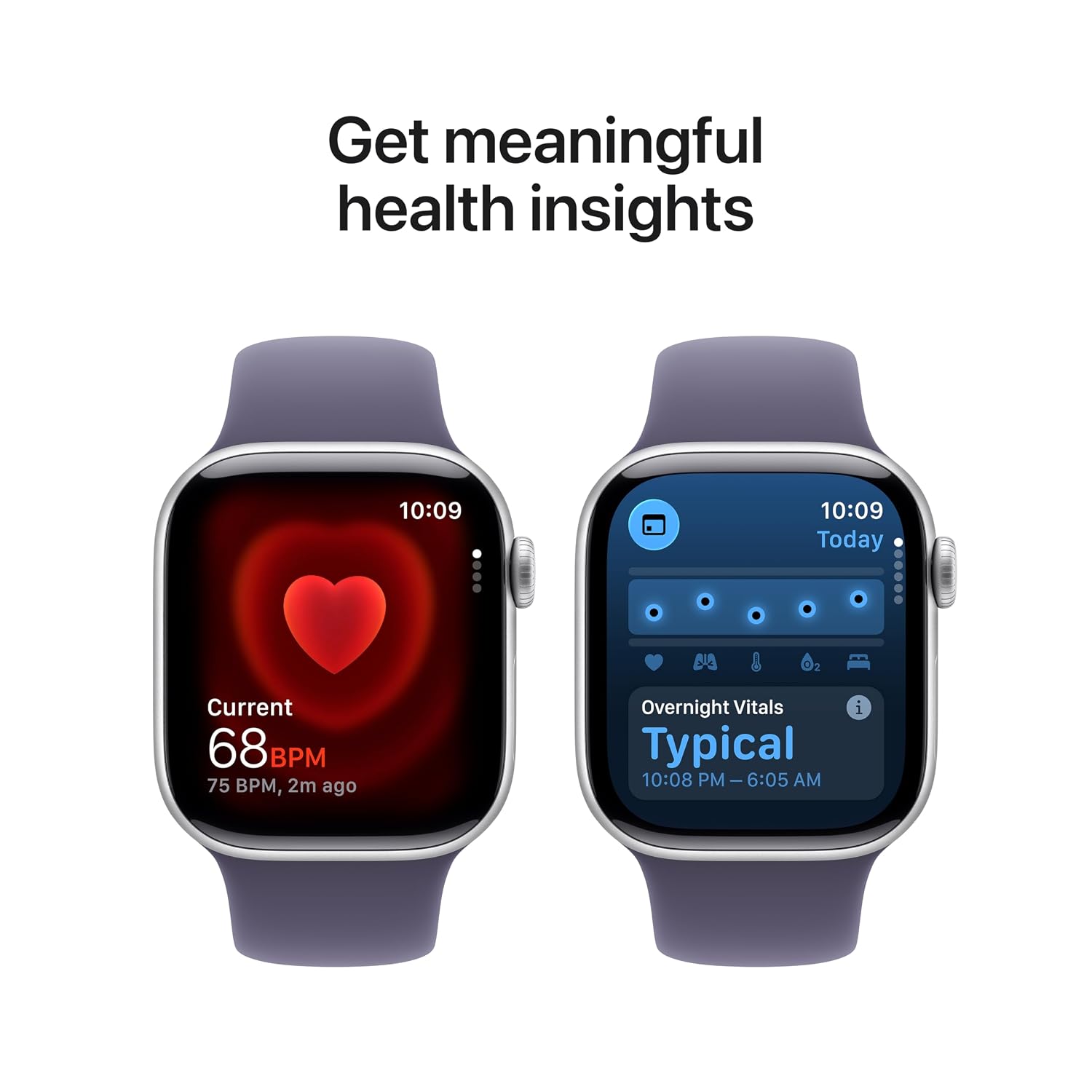
Image: The Apple Watch Series 11 showing current heart rate and overnight vitals within the Vitals app.
Urmărirea fitnessului
Urmărește-ți activitatea zilnică și antrenamentele cu precizie:
- Inele de activitate: Monitor your Move, Exercise, and Stand goals throughout the day.
- Aplicație de antrenament: Select from various workout types, including running, cycling, swimming, and more. The watch provides advanced metrics like Pacer, Heart Rate Zones, and training load.
- Prieten de antrenament: Utilize Apple Intelligence features from your nearby iPhone for enhanced workout guidance.

Image: The Apple Watch Series 11 showing activity rings on one screen and the interface for an Outdoor Run workout on another.
Conectivitate celulară
With GPS + Cellular, your Apple Watch can make calls, send messages, and stream music even when your iPhone is not nearby, provided you have an active cellular plan with a compatible carrier.

Image: A person wearing an Apple Watch Series 11, highlighting its 5G connectivity for independent use.
Întreţinere
Curățarea Apple Watch-ului
- Oprește Apple Watch-ul și deconectează-l de la încărcător.
- Ștergeți ceasul cu o lavetă neabrazivă și fără scame. Dacă este necesar, ștergeți ușorampro pânza cu apă proaspătă.
- For the band, follow specific cleaning instructions based on its material (e.g., silicone bands can be wiped with a damp cloth and mild soap).
- Nu utilizați substanțe chimice dure sau materiale abrazive.
Rezistenta la apa
The Apple Watch Series 11 is water resistant, but not waterproof. It can be used for shallow-water activities like swimming in a pool or ocean. It should not be used for scuba diving, waterskiing, or other activities involving high-velocity water or submersion below shallow depths. Water resistance may decrease over time. Avoid exposing the watch to soap, shampoo, conditioner, lotions, perfumes, solvents, detergent, acids, acidic foods, insect repellent, sunscreen, oil, or hair dye, as these can negatively affect water seals and acoustic membranes.
Actualizări de software
Keep your Apple Watch software updated to ensure optimal performance and access to the latest features and security enhancements. Updates are managed through the Apple Watch app on your paired iPhone.
Depanare
Probleme comune și soluții
- Ceasul nu se pornește: Ensure the watch is charged. Place it on the magnetic charging cable for at least 30 minutes. If it still doesn't turn on, force restart it by holding both the side button and Digital Crown for at least 10 seconds until you see the Apple logo.
- Probleme de asociere: Ensure your iPhone's Bluetooth is on and both devices are close to each other. Restart both your iPhone and Apple Watch. If issues persist, unpair the watch from your iPhone (if previously paired) and attempt to pair again.
- Durată slabă a bateriei: Check for background app refresh settings. Reduce screen brightness. Disable 'Always On Display' if not needed. Ensure software is up to date.
- Aplicațiile nu răspund: Force quit the app by pressing the side button, then swipe left on the app and tap the 'X' button. Reopen the app. If the issue continues, restart your Apple Watch.
- Cellular Connectivity Problems: Verify your cellular plan is active and compatible with Apple Watch. Check your carrier's coverage in your area. Ensure cellular data is enabled on your watch.
Contactarea asistenței
If you encounter issues that cannot be resolved using this guide, please visit the official Apple Support website or contact Apple customer service for further assistance.
Specificații
| Caracteristică | Detaliu |
|---|---|
| Numărul de model | MF8J4HN/A |
| Sistem de operare | WatchOS |
| Capacitate de stocare a memoriei | 64 GB |
| Caracteristici speciale | Activity Tracker, Alarm Clock, Always On Display, Fall Detection, GPS |
| Capacitatea bateriei | 0.1 Miliamp Hours (up to 24 hours normal use) |
| Tehnologia de conectivitate | Bluetooth, Celulă |
| Greutatea articolului | 29.6 g |
| Producător | Măr |
| Țara de origine | China |
Garanție și suport
Informații despre garanție
Your Apple Watch Series 11 is covered by Apple's standard limited warranty. For detailed terms and conditions, please refer to the warranty documentation included with your product or visit the official Apple website. Extended coverage, such as '1 Year Protect+ with AppleCare Service', may be available for purchase separately.
Asistență pentru clienți
For technical assistance, service, or to find authorized service providers, please visit the official Apple Support website (support.apple.com) or contact Apple customer service directly. Have your device's serial number ready when contacting support.