
Dell DC16256
Dell 16 Laptop DC16256 User Manual
Model: DC16256 (LDC16256-A049IND-PUS)
1. Introducere
This manual provides essential information for setting up, operating, maintaining, and troubleshooting your Dell 16 Laptop DC16256. This laptop features an AMD Ryzen 7 250 processor, AMD Radeon Graphics, 16GB DDR5 memory, and a 1TB SSD, designed for enhanced productivity and a comfortable user experience.

Figura 1: Față view of the Dell 16 Laptop DC16256.
2. Produs terminatview și Componente
2.1 Caracteristici cheie
- Afişa: 16-inch FHD+ Anti-Glare Non-Touch 300nits Display with 16:10 aspect ratio for expansive visuals.
- Procesor: AMD Ryzen 7 250 for efficient performance.
- Grafică: Integrated AMD Radeon Graphics.
- Memorie: 16 GB de memorie RAM DDR5 (5600 MHz).
- Depozitare: 1TB SSD for fast boot times and ample depozitare.
- Tastatura: Backlit English Keyboard with Fingerprint Reader and numeric keypad.
- Camera: FHD camera with wide dynamic range and temporal noise reduction for clear video calls.
- Proiecta: Sleek, durable aluminum design with adaptive thermals.
2.2 Porturi și conectori

Figure 2: Port layout of the Dell 16 Laptop DC16256.
- Cititor de carduri SD
- Global Headset Jack
- Port USB 3.2 Gen 1 Type-A
- Blocare slot
- Mufă de alimentare
- Port HDMI 1.4
- Port USB 3.2 Gen 1 Type-A
- USB 3.2 Gen 2 Type-C™ Port (DisplayPort/Power Delivery)
3. Configurare inițială
3.1 Unboxing and Power Connection
Carefully remove your laptop and accessories from the packaging. Connect the 65 Watt AC Adapter to the power jack on your laptop and then to a power outlet. Allow the battery to charge sufficiently before first use.
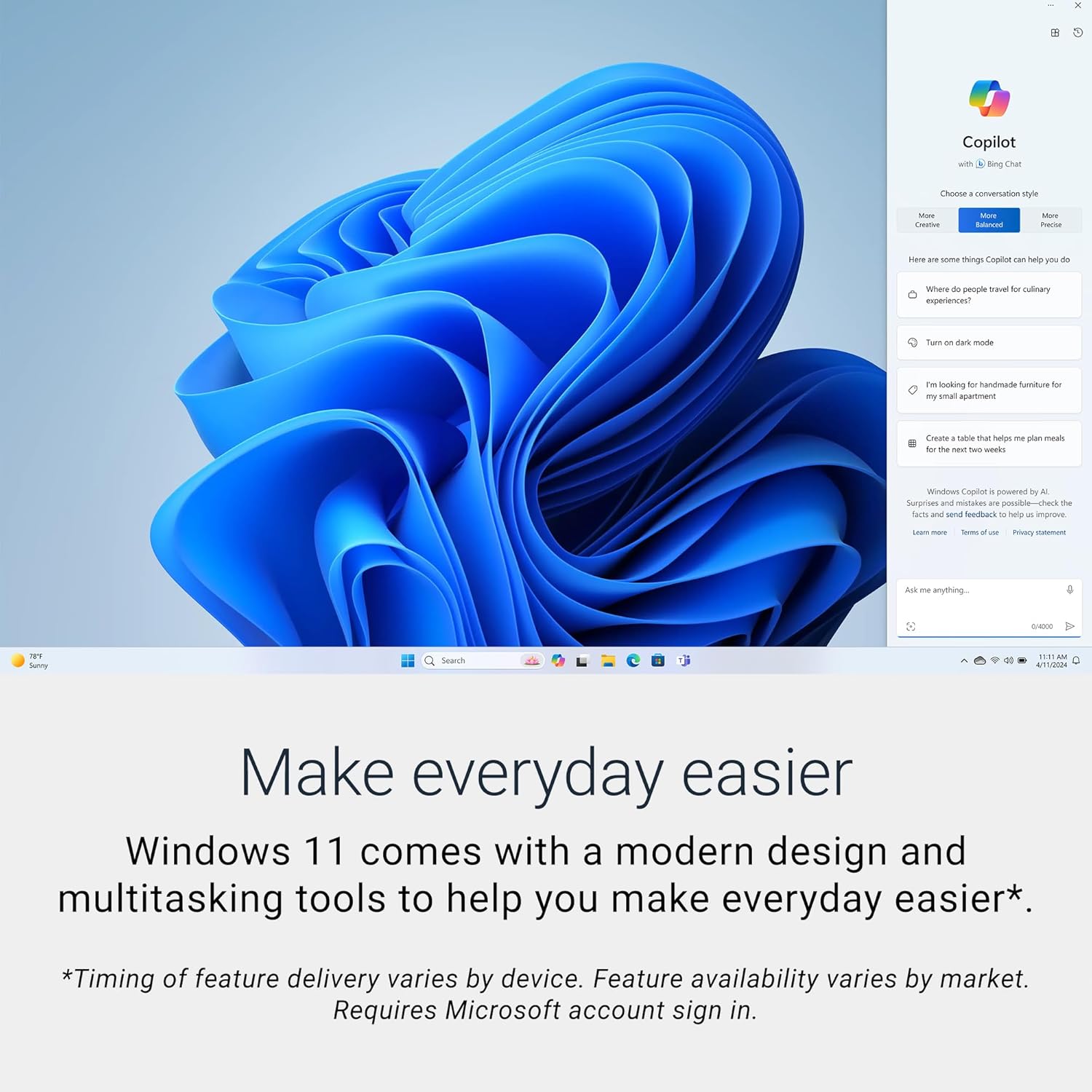
Figure 3: Dell laptop running Windows 11.
3.2 Prima pornire și configurarea Windows
Press the power button to turn on your laptop. Follow the on-screen instructions to complete the Windows 11 Home setup. This includes connecting to a network, creating a user account, and configuring initial settings.
3.3 Configurarea cititorului de amprente
During the Windows setup or afterwards in the system settings, you can configure the integrated fingerprint reader for secure and convenient login.
4. Utilizarea laptopului
4.1 Caracteristici de afișare
The 16-inch FHD+ display offers a 16:10 aspect ratio for an immersive viewing experience. Dell ComfortView technology is integrated to reduce harmful blue light emissions, promoting eye comfort during extended use.

Figure 4: Edge-to-edge clarity on the display.

Figure 5: Dell ComfortView pentru confortul ochilor.
4.2 Cameră și comunicare
The integrated FHD camera is designed with wide dynamic range and temporal noise reduction to provide clear and sharp images, adapting to various lighting conditions for virtual connections.

Figure 6: Laptop optimized for virtual communication.
4.3 Adaptive Thermals
Your laptop includes built-in technology that senses when it is on a stable surface. It automatically adjusts its power and thermal settings to operate more efficiently, optimizing performance and cooling.
5. Întreținere și îngrijire
5.1 Curățarea laptopului
- Folosiți o lavetă moale, fără scame, pentru a curăța ecranul și suprafețele exterioare.
- Pentru pete persistente, frecați ușorampCurățați laveta cu apă sau cu un produs de curățare sigur pentru ecran.
- Evitați să pulverizați lichide direct pe laptop.
5.2 Îngrijirea bateriei
To prolong battery life, avoid extreme temperatures and fully discharging the battery frequently. For optimal performance, keep your laptop connected to power when possible, especially during intensive tasks.
5.3 Responsabilitatea de mediu
Dell is committed to sustainable design, utilizing responsible and recycled materials in products like this laptop. For more information on Dell's environmental initiatives, please refer to official Dell resources.

Figure 7: Dell's commitment to design innovation with responsible materials.
Video 1: Dell's approach to product sustainability and circular design.
6. Depanarea problemelor comune
6.1 Probleme legate de alimentare
- Laptopul nu pornește: Asigurați-vă că adaptorul de curent alternativ este conectat corect atât la laptop, cât și la o priză funcțională. Verificați dacă indicatorul luminos de alimentare este aprins.
- Bateria nu se încarcă: Verify the AC adapter and power cord are not damaged. Try a different power outlet.
6.2 Probleme de afișare
- Fără afișare: Conectați un monitor extern pentru a verifica dacă problema este la afișajul intern al laptopului. Reporniți laptopul.
- Ecran pâlpâitor: Actualizați driverele grafice. Ajustați rata de reîmprospătare a afișajului în setările Windows.
6.3 Probleme de conectivitate
- Wi-Fi-ul nu se conectează: Asigurați-vă că Wi-Fi-ul este activat. Reporniți routerul și laptopul. Verificați setările de rețea în Windows.
- Dispozitivul Bluetooth nu se conectează: Ensure Bluetooth is enabled on both devices. Place devices close to each other.
Pentru depanare mai detaliată, consultați asistența Dell website-ul web sau contactați asistența tehnică Dell.
7. Specificatii tehnice
| Caracteristică | Caietul de sarcini |
|---|---|
| Marca | Dell |
| Numele modelului | Dell 16 DC16256 Laptop |
| Dimensiunea ecranului | 16 inchi |
| Rezoluția ecranului | 1920 x 1200 pixeli (FHD+) |
| Procesor | AMD Ryzen 7 250 (3.3 GHz) |
| RAM | 16 GB DDR5 (5600 MHz) |
| Hard Drive | SSD de 1 TB (Solid State) |
| Coprocesor grafic | Grafică AMD Radeon (integrată) |
| Sistem de operare | Windows 11 Home |
| Tip fără fir | 802.11ax, Bluetooth |
| Porturi USB 3.0 | 3 (including 1x USB 3.2 Gen 2 Type-C with DisplayPort/Power Delivery) |
| Greutatea articolului | 4.36 lire sterline |
| Dimensiunile produsului | 9.82 x 14.05 x 0.75 inci |
| Culoare | Albastru miez de noapte |
| Caracteristici speciale | Anti Glare Coating, Backlit Keyboard, Fingerprint Reader, Memory Card Slot, Numeric Keypad |
8. Garanție și asistență
Your Dell 16 Laptop DC16256 comes with a 1 Year Onsite Service, which provides support when and where you need it. If an issue covered by the Limited Hardware Warranty cannot be resolved remotely, Dell will dispatch a technician to your home, office, or location of choice.

Figure 8: Dell's 1 Year Onsite Service.

Figure 9: Benefits of Dell's onsite support.
Onsite service is provided by Dell Marketing L.P. Availability varies. For complete details and to access support resources, please visit the official Dell website: Suport Dell.
You can also utilize SupportAssist, a tool integrated into your Dell PC, for proactive and predictive support.
Ask a question about this manual
Ask about setup, troubleshooting, compatibility, parts, safety, or missing instructions. Manuals+ will review the question and use this page’s manual context to help answer it.