
1. Introducere
This manual provides essential information for setting up, operating, maintaining, and troubleshooting your HP Chromebook 14a-ne1013dx. This device is designed for productivity and entertainment, featuring a reliable Intel Celeron N4500 processor, a 14-inch HD display, and the Chrome OS operating system.
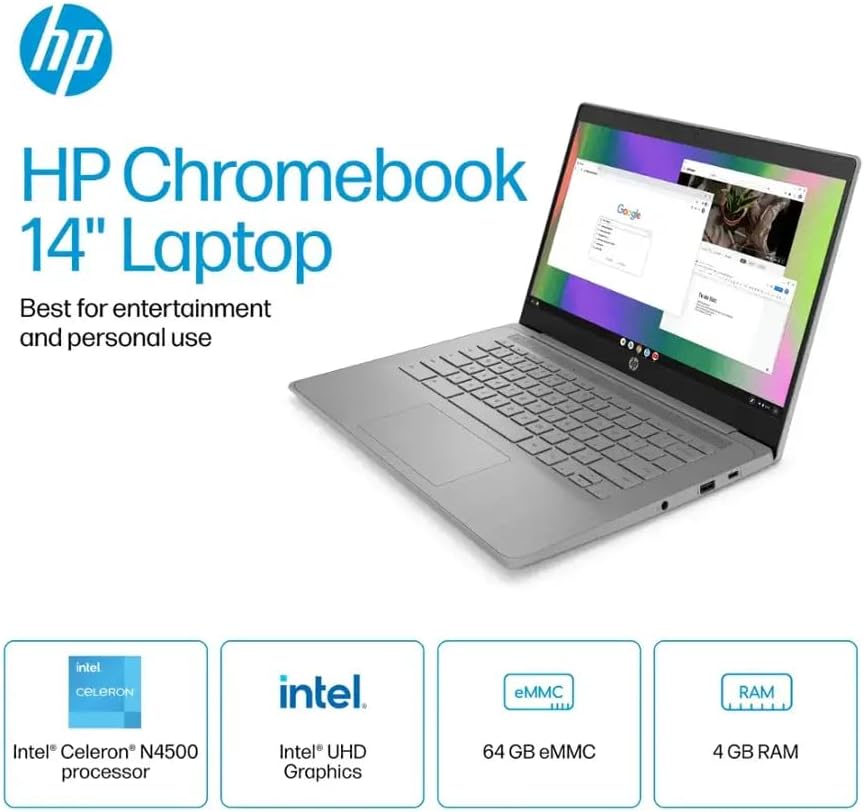
Figura 1.1: HP Chromebook 14a-ne1013dx overview, highlighting its core components: Intel Celeron N4500 processor, Intel UHD Graphics, 64GB eMMC storage, and 4GB RAM.
2. Configurare
2.1 Despachetarea și inspecția inițială
Scoateți cu grijă toate componentele din ambalaj. Verificați dacă toate articolele enumerate mai jos sunt prezente și nedeteriorate.

Figura 2.1: Items included in the box: HP Chromebook 14-inch Laptop, 45W USB Type-C power adapter, and setup instructions.
Ce este în cutie:
- HP Chromebook 14-inch Laptop (Model: 14a-ne1013dx)
- 45W USB Type-C Power Adapter
- Instrucțiuni de configurare
- Integrat Webcam
2.2 Pornirea și configurarea inițială
- Connect the 45W USB Type-C power adapter to the Chromebook and a power outlet.
- Open the laptop lid. The Chromebook should power on automatically. If not, press the power button located on the keyboard.
- Follow the on-screen prompts to select your language, connect to a Wi-Fi network, and sign in with your Google account. A Google account is required to use Chrome OS.
3. Utilizarea Chromebookului
3.1 Chrome OS Basics
Your HP Chromebook runs on Chrome OS, a lightweight operating system designed for speed, simplicity, and security. It integrates seamlessly with Google services and provides access to a wide range of web-based applications and Android apps.

Figura 3.1: Chrome OS security features, including built-in virus protection and automatic updates, ensuring a secure and efficient user experience.
3.2 Afișaj și multimedia
The 14-inch HD (1366 x 768) micro-edge, anti-glare display provides clear visuals for work and entertainment. Dual speakers enhance the audio experience.

Figura 3.2: The 14-inch micro-edge display is ideal for streaming and multimedia consumption, allowing multiple applications to be viewed simultan.
3.3 Porturi și conectivitate
Your Chromebook is equipped with various ports for connecting peripherals and external displays.

Figura 3.3: Port layout of the HP Chromebook 14a-ne1013dx, including HDMI 1.4b, USB Type-A, USB Type-C, and a headphone/microphone combo jack.
- 1x SuperSpeed USB 3.1 Type-C: For data transfer, power delivery, and display output.
- 2x SuperSpeed USB 3.0 Type-A: Pentru conectarea dispozitivelor USB precum mouse-uri, tastaturi și stocare externă.
- 1x HDMI 1.4: Pentru conectarea la monitoare externe sau televizoare.
- 1x Set căști/microfon: Pentru intrarea și ieșirea audio.
Wireless connectivity includes Wi-Fi (802.11a/b/g/n/ac) and Bluetooth for connecting to wireless networks and accessories.
4. Întreținere
4.1 Curățarea Chromebookului
- Ecran: Utilizați ușor o cârpă moale, fără scame dampcurățați ecranul cu apă sau cu un produs de curățare a ecranului special conceput pentru electronice. Nu pulverizați soluția de curățare direct pe ecran.
- Tastatură și șasiu: Folosiți o cârpă moale și uscată. Pentru murdăria persistentă, uscați ușor.amp se poate folosi o cârpă. Evitați substanțele chimice dure sau materialele abrazive.
- Porturi: Ensure ports are free of dust and debris. Use compressed air if necessary, holding the can upright to prevent liquid propellant from spraying.
4.2 Îngrijirea bateriei
- Pentru a maximiza durata de viață a bateriei, evitați temperaturile extreme.
- Se recomandă descărcarea ocazională a bateriei sub 20% și apoi reîncărcarea completă a acesteia.
- The Chromebook supports HP Fast Charge for quick recharging.
5. Depanare
5.1 Probleme comune și soluții
| Emisiune | Soluție posibilă |
|---|---|
| Chromebookul nu pornește. | Ensure the power adapter is securely connected to both the Chromebook and a working power outlet. Try a different outlet. If the battery is completely drained, it may take a few minutes to show signs of charging. |
| Nu se poate conecta la Wi-Fi. | Check if Wi-Fi is enabled in Chrome OS settings. Restart your router and modem. Verify the Wi-Fi password. Try connecting to a different network if available. |
| Afișajul extern nu a fost detectat. | Ensure the HDMI cable is securely connected to both the Chromebook and the external display. Check the input source on your external display. Try a different HDMI cable or port if available. |
| Performanță lentă. | Close unnecessary browser tabs and applications. Clear browser cache and cookies. Ensure Chrome OS is up to date. Consider a powerwash (factory reset) as a last resort, backing up your data first. |
| Webcamera nu funcționează. | Ensure no physical cover is obstructing the webcam. Check privacy settings in Chrome OS to ensure applications have permission to access the camera. Restart the Chromebook. |
6. Specificații
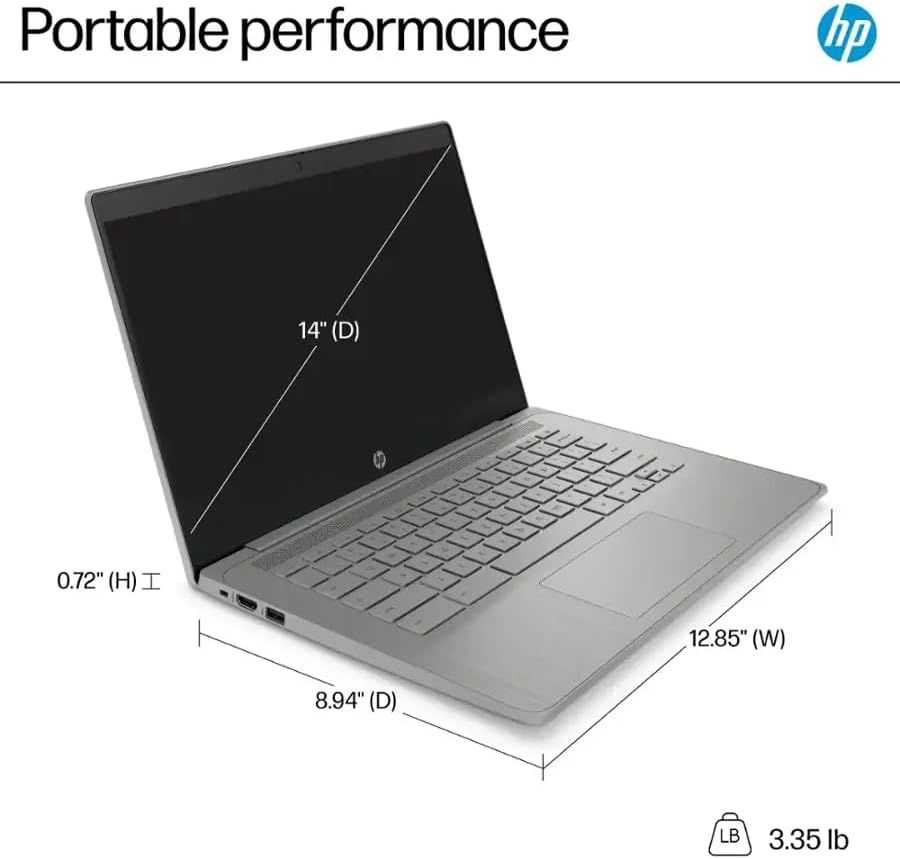
Figura 6.1: Physical dimensions and weight of the HP Chromebook 14a-ne1013dx.
| Caracteristică | Detaliu |
|---|---|
| Numele modelului | 14a-ne1013dx |
| Procesor | Intel Celeron N4500 (1.1 GHz, up to 2.8 GHz burst) |
| Grafică | Grafică Intel UHD (integrată) |
| Afişa | 14-inch diagonal, HD (1366 x 768), micro-edge, anti-glare, 250 nits, 60Hz LCD |
| RAM | 4 GB DDR4 SDRAM |
| Depozitare | 64 GB eMMC |
| Sistem de operare | Sistemul de operare Chrome |
| Conectivitate wireless | Wi-Fi 802.11a/b/g/n/ac, Bluetooth |
| Porturi | 1x SuperSpeed USB 3.1 Type-C, 2x SuperSpeed USB 3.0 Type-A, 1x HDMI 1.4, 1x Headphone/microphone combo |
| Media încorporată | Webcam |
| Dimensiuni (L x l x H) | 12.85" x 8.94" x 0.72" (32.64 cm x 22.71 cm x 1.83 cm) |
| Greutate | 3.35 lb (1.52 kg) |
| Culoare | Gri |
| Caracteristici speciale | Chrome OS, HP Fast Charge |
7. Informații despre garanție
Your HP Chromebook 14a-ne1013dx comes with a garanție limitată de un an. Please refer to the warranty documentation included with your product for full terms and conditions. Keep your proof of purchase for warranty claims.
8. Suport
Pentru asistență tehnică, descărcări de drivere sau informații suplimentare despre produs, vă rugăm să vizitați pagina oficială de asistență HP. website. You can typically find support resources by searching for your model number (14a-ne1013dx) on the HP support portal.
Asistență HP Website: www.hp.com/support


