
1. Produs terminatview
The REOLINK TrackMix PoE is a 4K dual-lens PTZ (Pan-Tilt-Zoom) security camera system designed for outdoor surveillance. It features advanced functionalities such as auto-tracking, smart detection, and flexible storage options, all powered via Power over Ethernet (PoE).
Caracteristici cheie:
- Dual View: Simultan view wide-angle and close-up details on one screen using its 2.8mm wide-angle lens and 8mm telephoto lens.
- Zoom hibrid 6X: The telephoto lens automatically zooms in on detected targets for detailed views.
- Rotație panoramică la 355° și înclinare la 90°: The camera can rotate horizontally and vertically to follow subjects.
- Urmărire automată: Automatically tracks people, vehicles, and pets within its detection zone.
- Detectare inteligentă: Differentiates between people, vehicles, and pets to reduce false alarms.
- Înregistrare 24/7: Continuous recording to a microSD card or Reolink NVR.
- AI Video Search: Quickly locate specific events in recorded footage fără taxe de abonament.
- PoE Convenience: Instalare simplificată cu alimentare și transmisie de date printr-un singur cablu Ethernet.
- Alerte instantanee: Triggers spotlights and sirens upon suspicious motion detection, sending push/email notifications.
2. Configurare și instalare
2.1 Ce se află în cutie
Before you begin, ensure you have all components:
- REOLINK TrackMix PoE Camera
- Placa de montare
- Șablon de montare
- Șuruburi și ancore de perete
- Waterproof Lid for Ethernet Connector
- Ghid de pornire rapidă
Nota: A PoE switch or Reolink NVR (for power and network connection) and an Ethernet cable are required but not included. A DC 12V power adapter is also not included if not using PoE.
2.2 Initial Setup (Power On & App Configuration)
- Conectați camera: Connect the camera to a PoE switch using an Ethernet cable. Then, connect the PoE switch to your router's LAN port with another Ethernet cable.
- Descărcați aplicația Reolink: Scan the QR code in the Quick Start Guide or search for 'Reolink' in your app store to download the latest version of the Reolink App.
- Adăugați o cameră la aplicație:
- Detectare automată: Ensure your phone is connected to the same network as the camera. In the Reolink App settings, enable 'Add Devices Automatically'. The camera should appear in the device list. Tap it to initialize.
- Adăugare manuală: Tap the '+' button in the app, then choose 'Input UID/IP' to enter the camera's UID (found on the camera label) or IP address. Alternatively, tap 'LAN' to find devices within your local network.
- Initialize Camera: Follow the on-screen prompts to create a device password and name your camera.
Video: How to Initially Set up And Install Reolink Trackmix PoE. This video demonstrates the steps for initial setup and physical installation of the camera.
2.3 Instalare fizică
Camera poate fi montată pe perete sau pe tavan. Asigurați-vă că locația de montare oferă un câmp luminos liber. view and is within range of your network connection.

Image: Stable PoE Connection. This diagram illustrates how to connect the camera using a PoE switch to your router for both power and data.
- Pregătiți locația de montare: Use the provided mounting template to mark drill holes on the wall or ceiling.
- Găuri: Drill holes at the marked positions. Insert wall anchors if installing on masonry.
- Atașați baza de montare: Secure the camera's mounting base to the wall or ceiling using the screws.
- Adjust Camera Direction: After mounting, use the Reolink App or Client software to pan and tilt the camera to achieve the desired viewunghiul de ing.
- Waterproof the Connection: Install the waterproof lid over the Ethernet cable connector to prevent water intrusion and ensure long-lasting performance.

Imagine: Detaliată view of the camera's components and ports, including the reset button, microSD card slot, and cable connections.
2.4 Important Notes for Camera Placement:
- Avoid pointing the camera directly at sunlight, mirrors, or glass windows to prevent image quality issues.
- Ensure the camera is mounted securely to prevent accidental falls.
3. Operarea camerei
3.1 În direct View și Dual View
Access the live feed through the Reolink App or Client software. The dual-lens design allows you to see both a wide-angle overview and a zoomed-in detail simultaneously on one screen.

Image: Dual Lens for Immersive Visual Experience. This image demonstrates the simultaneous wide-angle and zoomed-in views provided by the dual-lens system.
3.2 Auto Tracking and Pan-Tilt-Zoom (PTZ)
The camera features 355° pan and 90° tilt capabilities. When motion is detected, the camera can automatically track the subject. You can also manually control the pan and tilt via the app.

Image: 355° Auto Zoom Tracking, Fast Positioning. This image illustrates the camera's ability to automatically track moving subjects across a wide area.
Moduri de urmărire:
The TrackMix PoE offers three tracking modes:
- Digital Tracking: The camera tracks targets only within the range of the wide-angle lens. If the target moves out of this range, tracking stops. Recommended for smaller monitoring areas (up to 100° field of view, ~10m distance).
- Digital Tracking First: The camera first tracks and zooms digitally. When the target approaches the edge of the wide-angle lens's field of view, the camera starts to pan and tilt to keep the target in frame. Suitable for larger areas (>100° field of view, ~10m distance).
- PT Tracking First: The camera tracks and zooms as normal. When the target is about to reach the edge of the telephoto lens's field of view, the camera pans and tilts to maintain tracking. Also suitable for larger areas (>100° field of view, ~10-15m distance).
Video: Introducing Three Tracking Modes. This video explains and demonstrates the different auto-tracking modes available on the camera.
3.3 Detectare inteligentă și alerte
The camera's AI can distinguish between people, vehicles, and pets, minimizing irrelevant alerts. Upon detection, the camera can trigger its built-in spotlights and siren, and send instant push notifications or email alerts to your device.

Image: Harsh Warning for the Unwelcome. This image shows the camera's smart detection capabilities triggering spotlights and sending alerts.
3.4 Vedere nocturnă
The camera provides full-color night vision with 4K clarity, utilizing its spotlights. It also supports infrared night vision for discreet monitoring in low-light conditions.

Image: Full-Color Night Vision with 4K Clarity. This image compares the visual output of the camera with spotlights on versus infrared night vision.
3.5 Înregistrare și stocare
Recordings can be stored locally on a microSD card (up to 512GB, sold separately), a Reolink NVR, or uploaded to an FTP server. No subscription fees are required for these storage options.

Image: Flexible Recording Options. This image displays the various recording and storage methods available for the camera.
3.6 AI Video Search
The Reolink App allows you to search through recorded videos using AI. You can filter by detection modes (people, vehicles, pets) and control the timeline to quickly locate specific events without manually scrubbing through footage.
3.7 Integrare Smart Home
The camera is compatible with Home Assistant, allowing for integration into your existing smart home ecosystem.
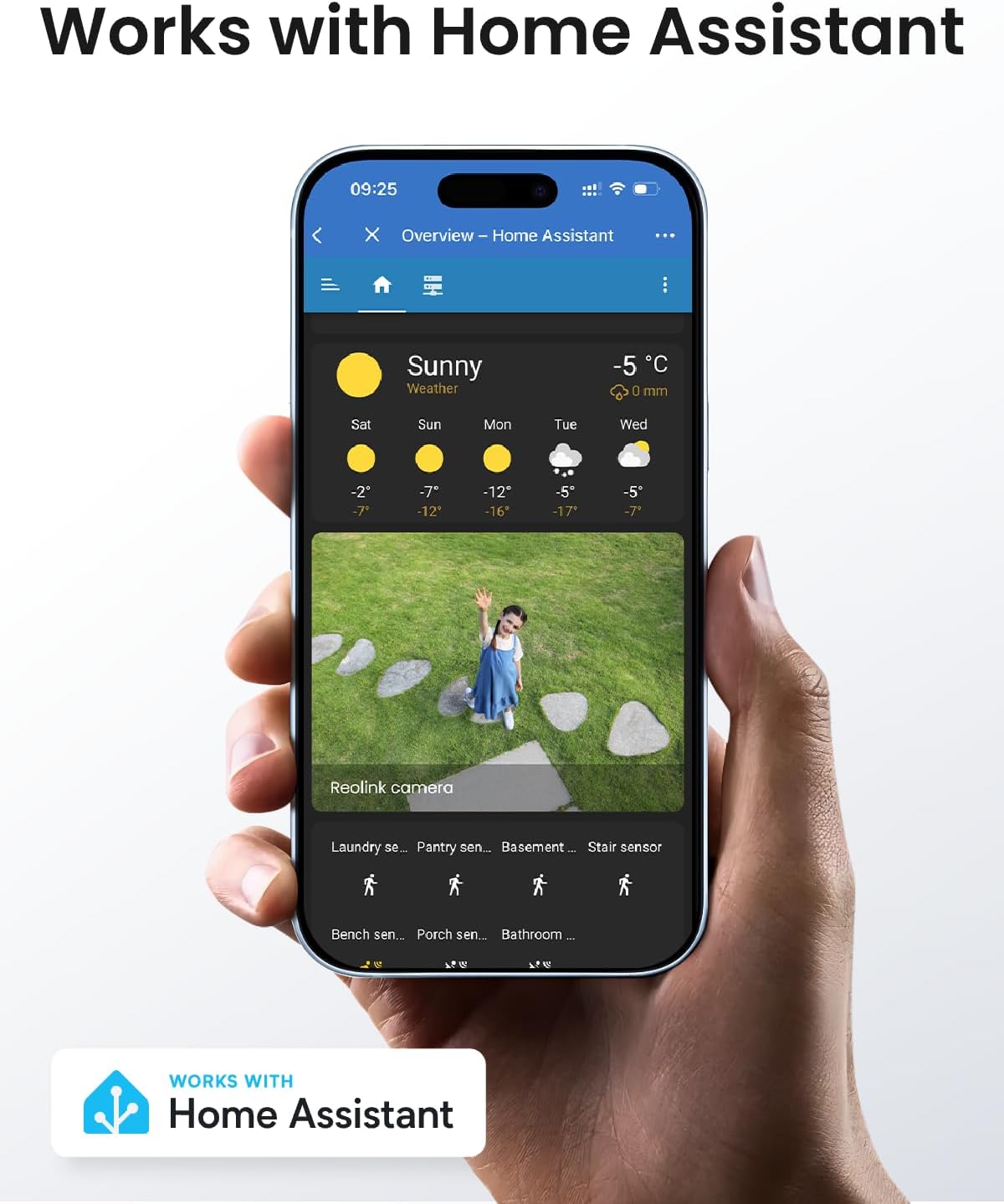
Image: Works with Home Assistant. This image shows the camera's integration with the Home Assistant platform.
Video: REOLINK PoE Security PTZ Camera, TrackMix PoE Grey. This video provides a general overview a caracteristicilor și capacităților camerei.
4. Întreținere
- curatenie: Curățați regulat obiectivul și carcasa camerei cu o lavetă moale șiamp o lavetă pentru a asigura o calitate clară a imaginii. Evitați substanțele de curățare abrazive.
- Actualizări firmware: Check the Reolink App or webperiodic site-ul pentru actualizări de firmware, pentru a asigura performanțe optime și acces la funcții noi.
- Verificarea cablului: Periodically inspect all cables for any signs of wear or damage, especially the Ethernet cable, to maintain a stable connection.
5. Depanare
- Fără alimentare/conexiune: Ensure the Ethernet cable is securely connected to both the camera and the PoE switch/NVR. Verify the PoE switch/NVR is powered on and functioning correctly.
- Lagging Live View: This can be caused by network congestion or insufficient bandwidth. Ensure your network is stable and has adequate bandwidth for 4K streaming. Reduce video quality settings in the app if necessary.
- Alarme false: Adjust the sensitivity of motion detection and configure detection zones in the Reolink App to minimize triggers from irrelevant movements (e.g., swaying trees).
- Compatibilitate NVR: If using with a Reolink NVR, ensure your NVR's hardware version (H3MB18, N2MB02, or N3MB01) is compatible and has the latest firmware update to correctly display dual-lens UI.
- Probleme de calitate a imaginii: Check the lens for dirt or obstructions. Ensure the camera is not pointed directly at strong light sources or reflective surfaces.
6. Specificații
| Caracteristică | Detaliu |
|---|---|
| Utilizări recomandate | Securitate în aer liber |
| Marca | REOLINK |
| Numele modelului | Reolink TrackMix PoE |
| Tehnologia de conectivitate | Ethernet, Wired |
| Caracteristica specială | Vedere de noapte |
| Utilizare în interior/exterior | În aer liber |
| Dispozitive compatibile | Reolink NVR |
| Tip controler | Reolink NVR |
| Tip de montare | Montare pe tavan |
| Culoare | Gri |
| Protocol de conectivitate | Ethernet |
| Sursa de alimentare | Electric cu fir |
| Bateriile necesare | Nu |
| Format de captură video | MP4 |
| Rezoluție captură video | 4K |
| Dimensiunile articolului | 8.15 x 8.07 x 7.48 inci |
| Greutatea articolului | 1.61 kilograme |
7. Garanție și asistență
7.1 Informații despre garanție
The REOLINK TrackMix PoE camera typically comes with a Garanție limitată de 2 an. Please refer to your purchase documentation or the official Reolink website-ul pentru termenii și condițiile specifice de garanție.
7.2 Asistență pentru clienți
For technical assistance, troubleshooting, or product inquiries, please visit the official Reolink support website or contact their customer service through the Reolink App.
Reolink Website: reolink.com