
1. Introducere
This manual provides essential instructions for setting up, operating, maintaining, and troubleshooting your ZOSKVEE DR06 41mm Smart Watch. Please read this guide thoroughly to ensure proper use and to maximize the device's features.

The ZOSKVEE DR06 Smart Watch features a round display and a comfortable beige strap.
2. Conținutul pachetului
Verificați dacă toate articolele sunt prezente în ambalajul produsului:
- ZOSKVEE DR06 Smart Watch
- Urmăriți formația
- Cablu de încărcare
- Manual de utilizare (acest document)
3. Produs terminatview
The ZOSKVEE DR06 Smart Watch is designed to blend style with functionality, offering comprehensive health and fitness tracking alongside smart communication features.

Key features include a bright 1.27-inch display, up to 7 days of battery life, comprehensive health analysis, automatic recognition of 4 sports, compatibility with iOS 9.0+ and Android 6.0+, and a lightweight 41mm stainless steel bezel design.
Afișare și proiectare
- Afişa: 1.27-inch full-touch screen, 360x360 pixel resolution, 450 nits brightness.
- Dimensiunea carcasei: 41mm round dial.
- Material: Stainless steel bezel.
- Personalizare: Dynamic watch faces and customizable themes.

The watch features a 41mm case, 450 nits brightness, and 401 ppi for a clear display.
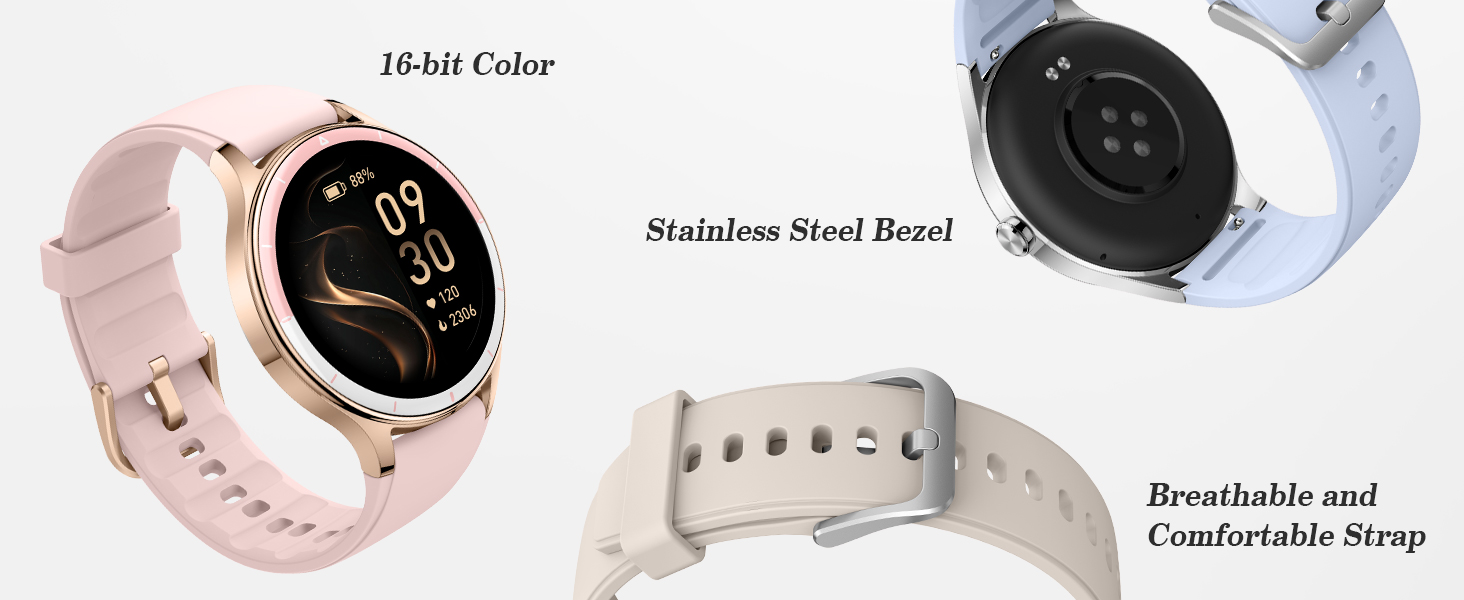
The watch features a durable stainless steel bezel, a comfortable and breathable strap, and advanced sensors on the back for health tracking.
4. Configurare
4.1 Încărcarea dispozitivului
Before first use, fully charge your smartwatch. Connect the magnetic charging cable to the charging contacts on the back of the watch and plug the USB end into a power adapter (not included) or a computer USB port.
- O încărcare completă durează de obicei aproximativ 2 ore.
- The watch has a 290mAh battery, providing 7-10 days of basic usage.
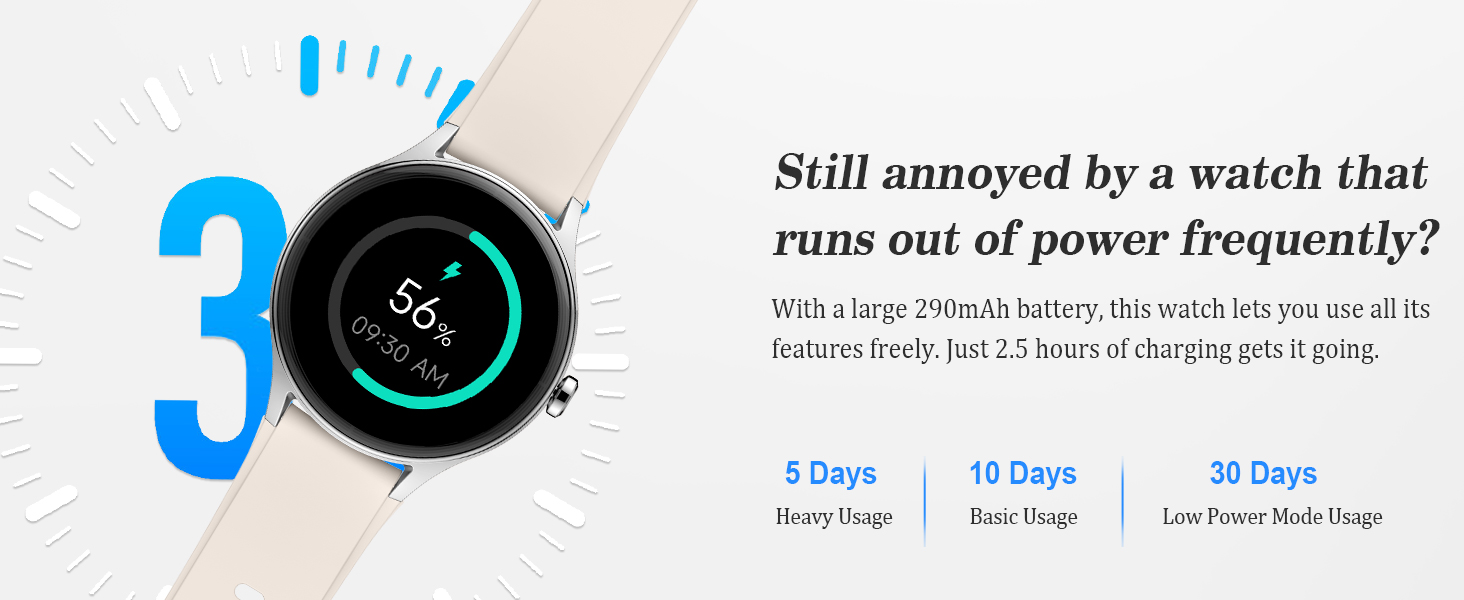
Equipped with a 290mAh battery, the watch offers up to 10 days of basic usage, 5 days of heavy usage, and 30 days in low power mode, with a full charge in 2.5 hours.
4.2 Împerecherea cu un smartphone
To unlock all features, pair your ZOSKVEE DR06 Smart Watch with the VeryFit aplicația de pe smartphone-ul tău.
- Descărcați VeryFit app from your phone's app store (compatible with iOS 9.0+ and Android 6.0+).
- Asigurați-vă că Bluetooth este activat pe smartphone-ul dvs.
- Open the VeryFit app and follow the on-screen instructions to create an account or log in.
- In the app, navigate to 'Device' or 'Add Device' and select your ZOSKVEE DR06 from the list of available devices.
- Confirmați solicitarea de asociere atât pe ceas, cât și pe smartphone.
Nota: The watch is not compatible with tablets or computers.
5. Instrucțiuni de utilizare
5.1 Navigare de bază
- Touch screen: Glisați stânga/dreapta, sus/jos pentru a naviga prin meniuri și ecrane. Atingeți pentru a selecta.
- Buton lateral: Apăsați pentru a reveni la ecranul principal sau pentru a activa afișajul.
- Wrist-Raise-to-Wake: Enable this feature in settings for the screen to light up when you raise your wrist.
5.2 Funcționalitatea apelurilor
Once paired, you can manage calls directly from your watch.
- Efectuați apeluri: Access the dialpad or contacts list on your watch to initiate calls.
- Răspundeți/Respingeți apeluri: Incoming calls will display on your watch, allowing you to answer or reject them.

The smartwatch allows users to make and answer calls directly from the wrist, with access to call history and a dialpad.
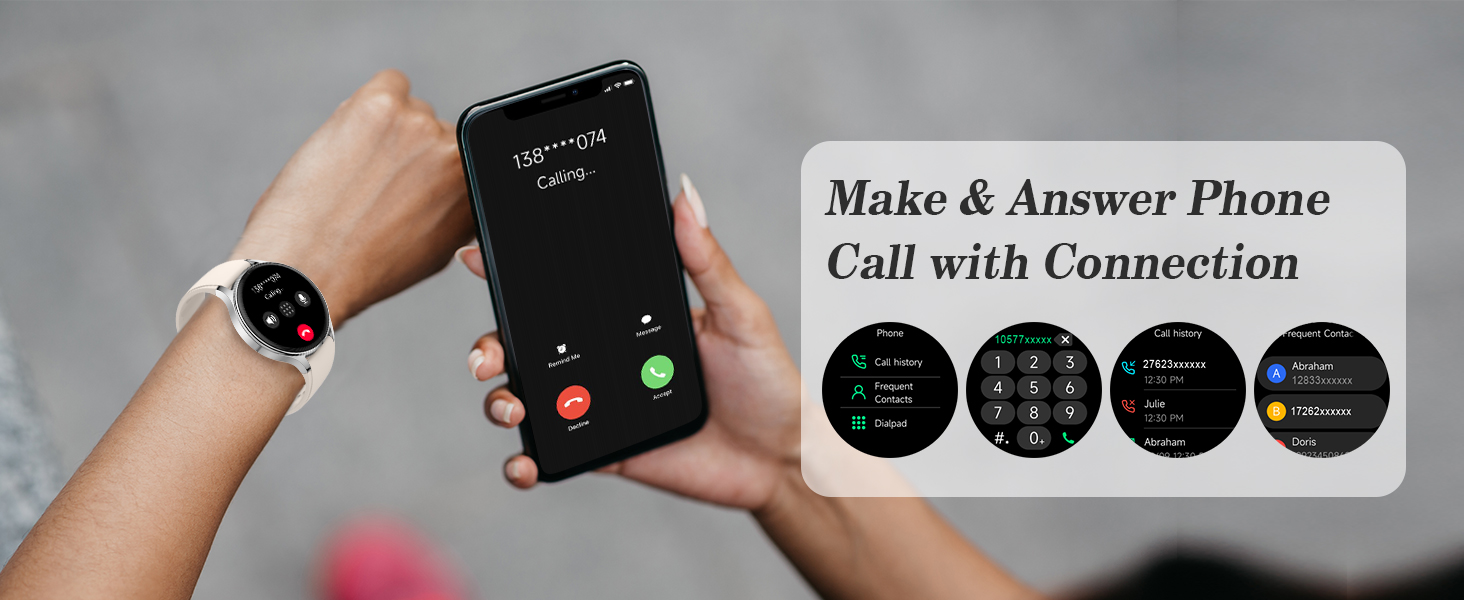
Seamlessly make and answer phone calls directly from your smartwatch when connected to your smartphone.
5.3 Notificări
Receive real-time alerts for messages and social media directly on your watch.
- Enable notifications for desired apps in the VeryFit app settings.
- Răspunsuri rapide: For Android users, preset quick replies can be used to respond to messages directly from the watch.
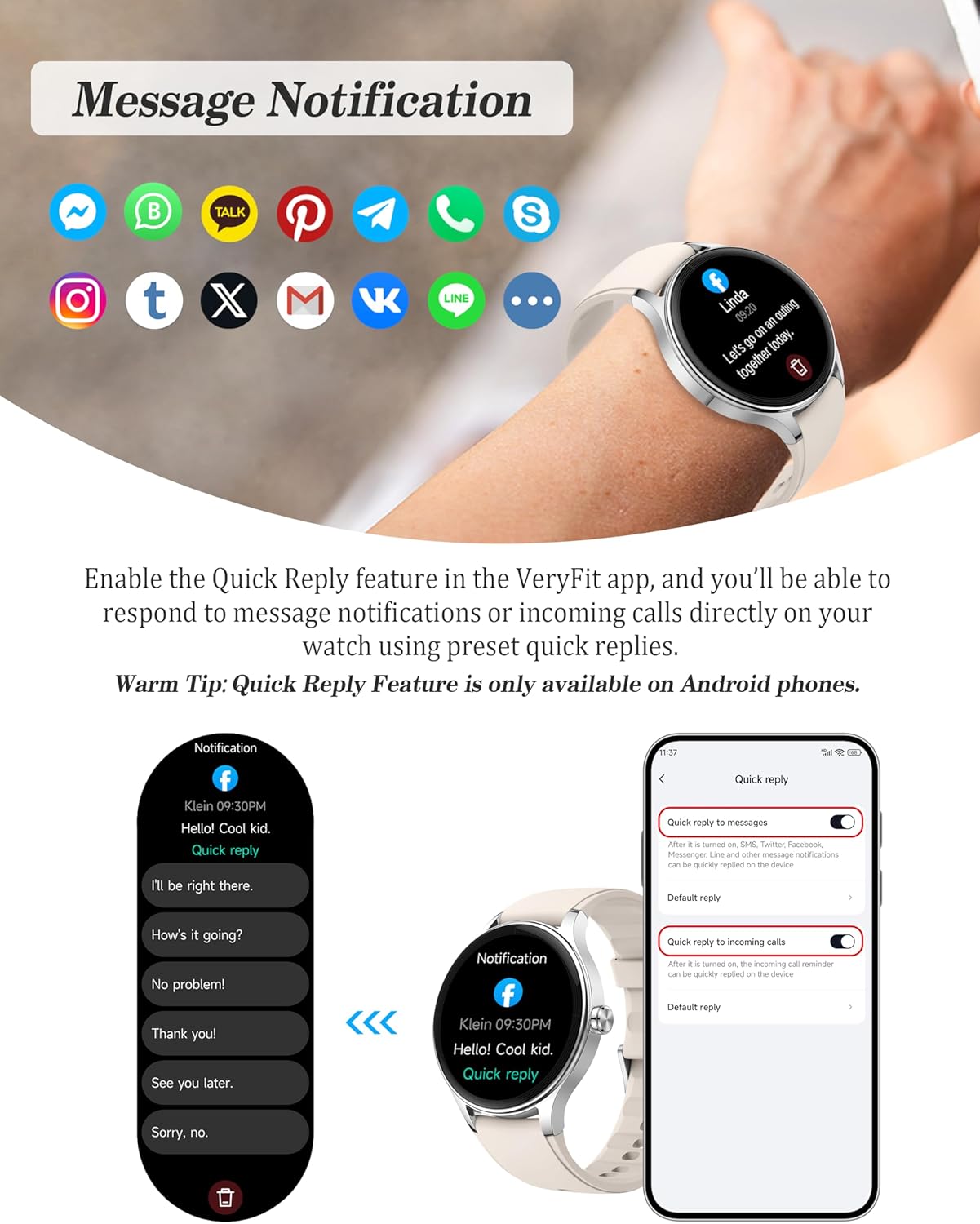
Receive notifications from popular social media and messaging applications directly on your watch. Quick replies are available for Android users.

Receive real-time notifications from various applications, including social media and messaging services, directly on your watch.
Asistent vocal AI 5.4
Utilize your phone's AI assistant (Siri, Google Assistant) through your watch for hands-free commands.
- Activate the AI voice feature on your watch.
- Speak commands to make calls, send messages, check weather, or open apps on your phone.
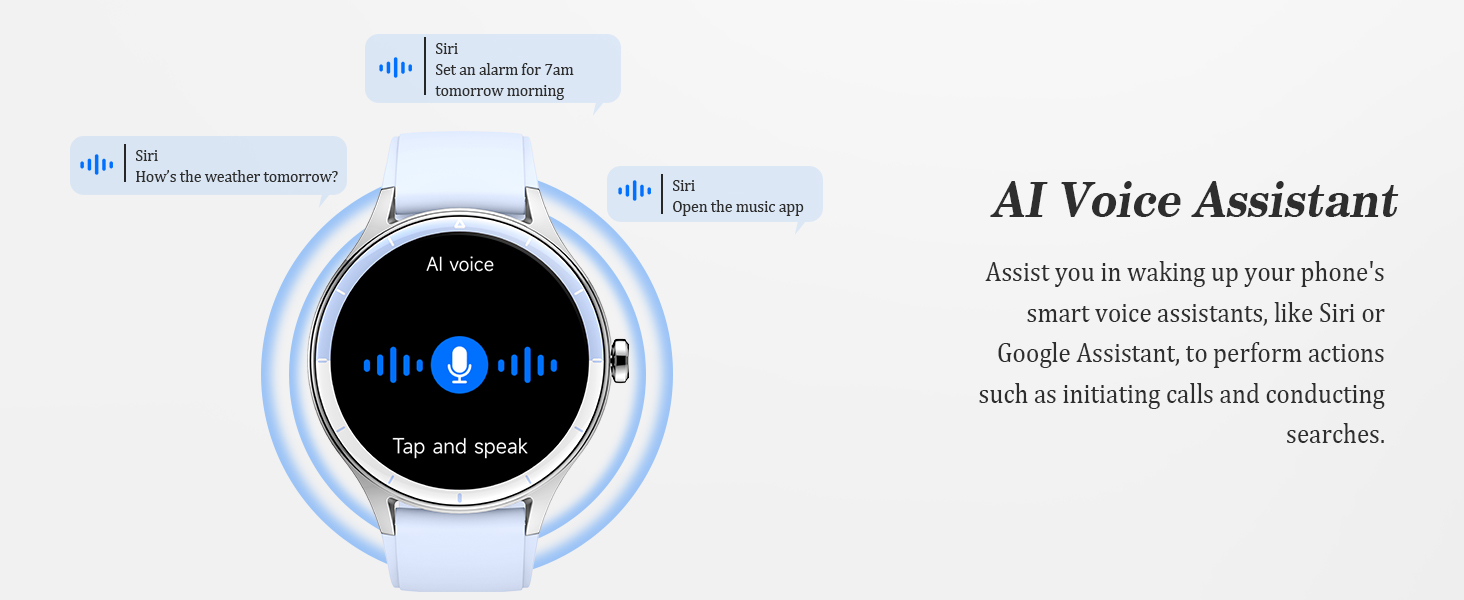
The AI Voice Assistant allows hands-free control by waking up your phone's smart assistant (like Siri or Google Assistant) for calls and searches.
5.5 Controlul muzicii
Control music playback on your connected smartphone directly from your watch.
- Redați, întrerupeți, săriți peste piese și reglați volumul.
Control music playback on your connected smartphone directly from your watch.
5.6 Instrumente zilnice
The watch includes several convenient tools for daily use:
- Calculator: Efectuați calcule de bază.
- Calendaristic: View dates.
- Jocuri: Enjoy mini-games.
- Prognoza meteo: Get current weather and forecasts.
- Lanternă: Folosește ecranul ca sursă de lumină.
- Cronometru și alarmă: Timing functions and customizable alarms.
- Găsește-mi telefonul: Localizați smartphone-ul asociat.
- Fotografie de la distanță: Controlează camera telefonului de la distanță.
- Unwind Time: Guided relaxation sessions.

Access daily tools such as a calendar, calculator, mini-games, AI voice assistant, music control, and unwind timer directly from your watch.
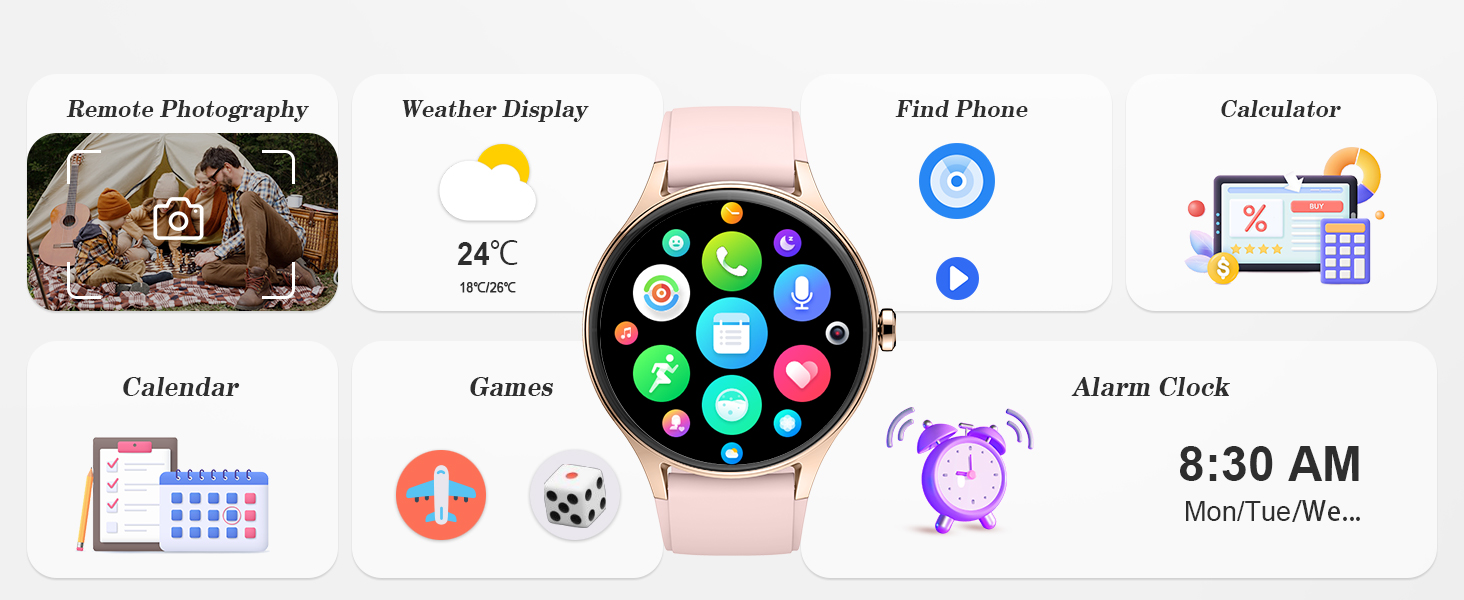
Additional daily tools include remote photography control, weather forecasts, 'find my phone' function, calculator, calendar, games, and alarm clock.
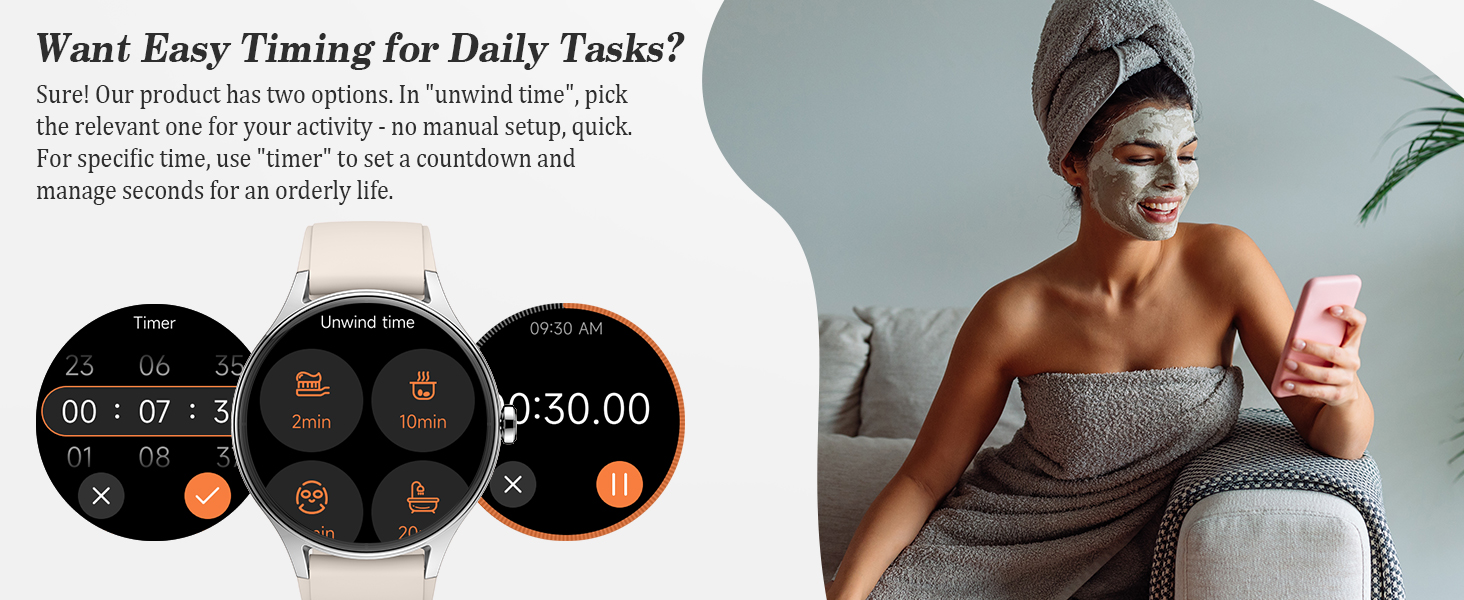
Utilize the timer for specific tasks or the 'unwind time' feature for quick, guided relaxation sessions.
6. Monitorizarea stării de sănătate
The ZOSKVEE DR06 Smart Watch provides comprehensive health tracking features.
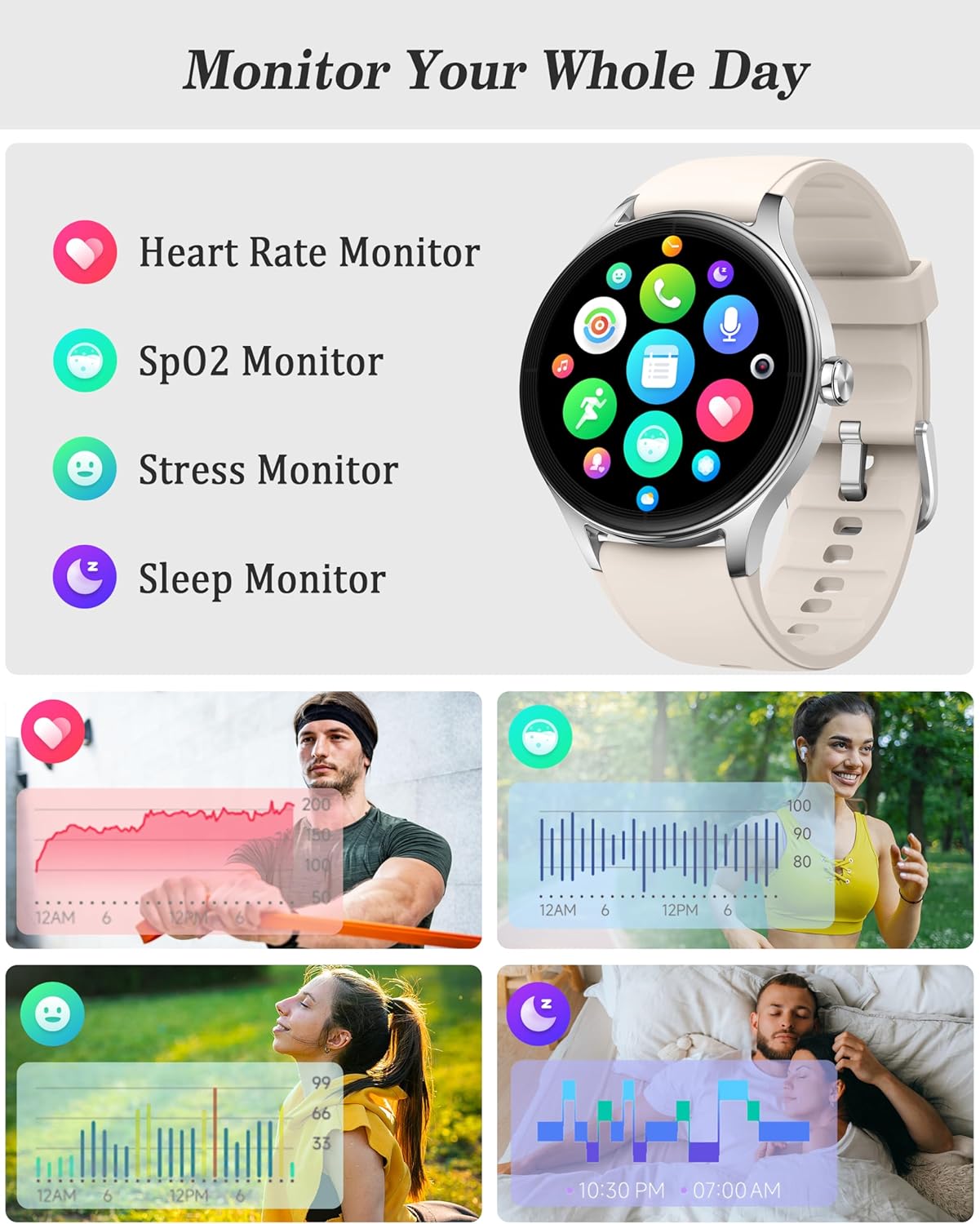
The watch continuously monitors key health metrics including heart rate, blood oxygen (SpO2), stress levels, and sleep patterns.
6.1 Monitor de ritm cardiac
Continuously track your heart rate throughout the day. The watch supports automatic monitoring and provides reminders for abnormal heart rates.
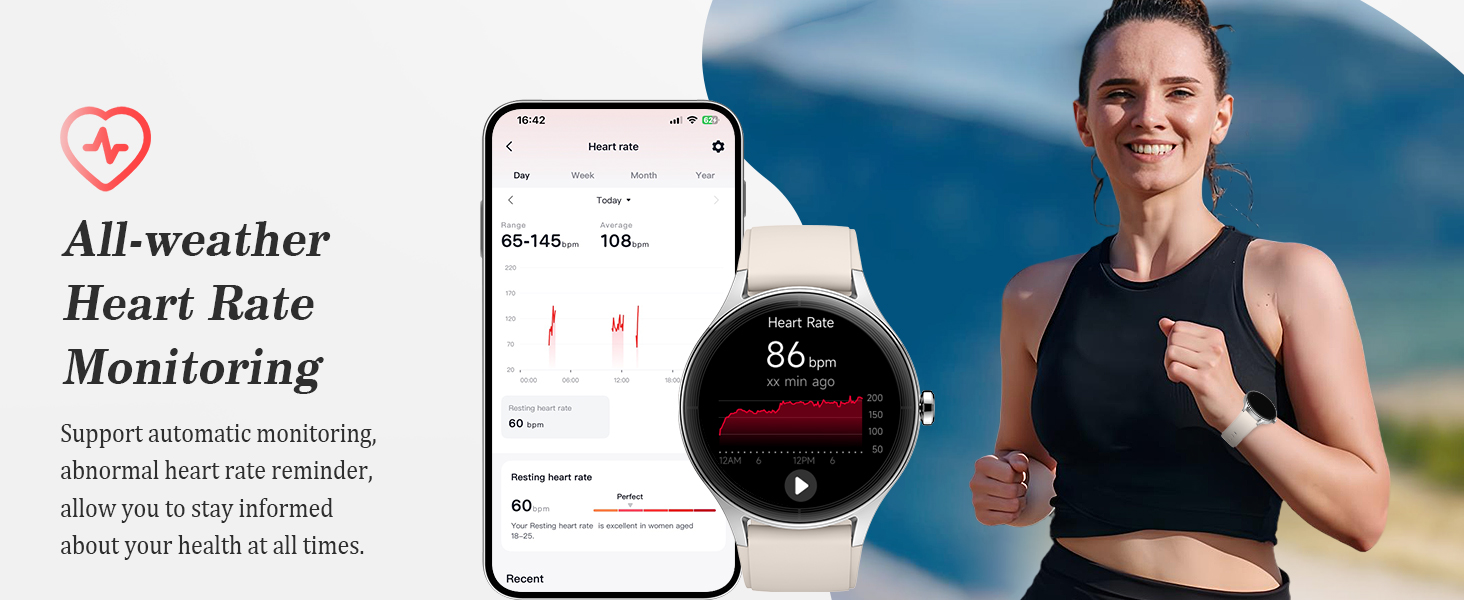
The watch provides all-weather heart rate monitoring, including automatic tracking and alerts for abnormal heart rates.
6.2 SpO2 Monitor (Blood Oxygen)
Monitor your blood oxygen saturation levels. The watch can alert you to low saturation, prompting you to adjust activity or take a break.
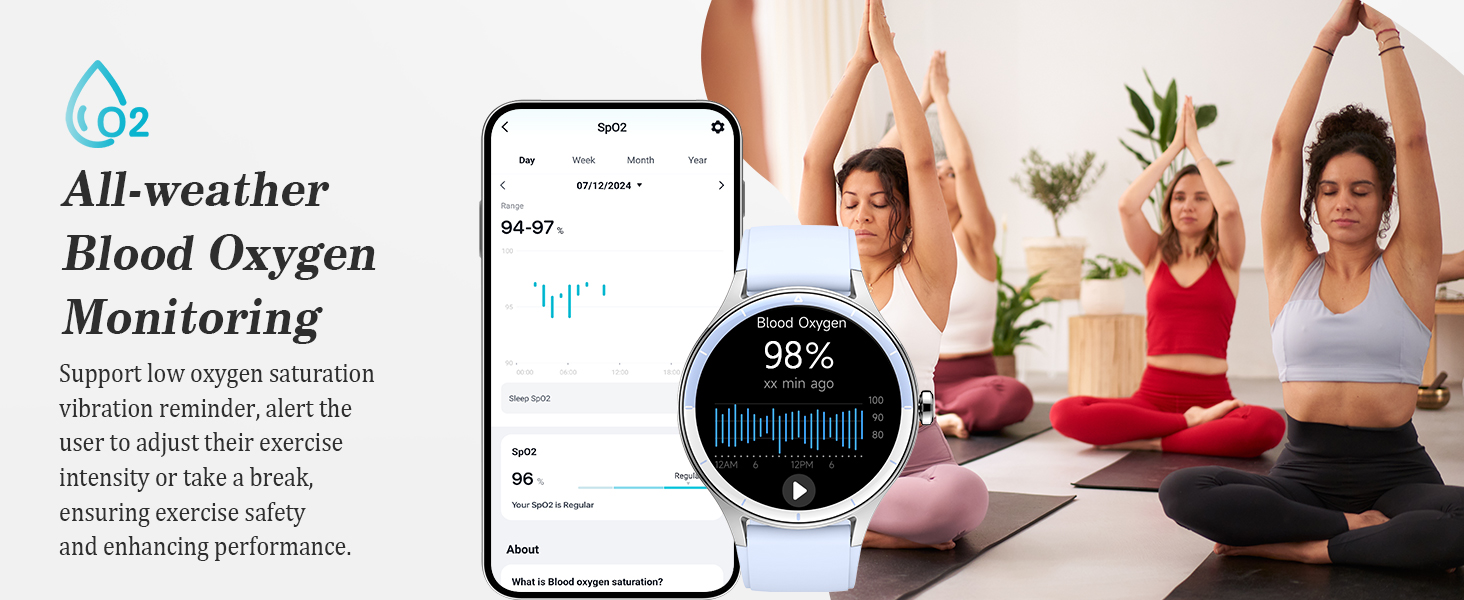
Monitor your blood oxygen levels with alerts for low saturation, helping you adjust exercise intensity and ensure safety.
6.3 Stress Monitor & Breathing Training
Track your stress levels and utilize guided breathing exercises to promote relaxation and reduce stress.
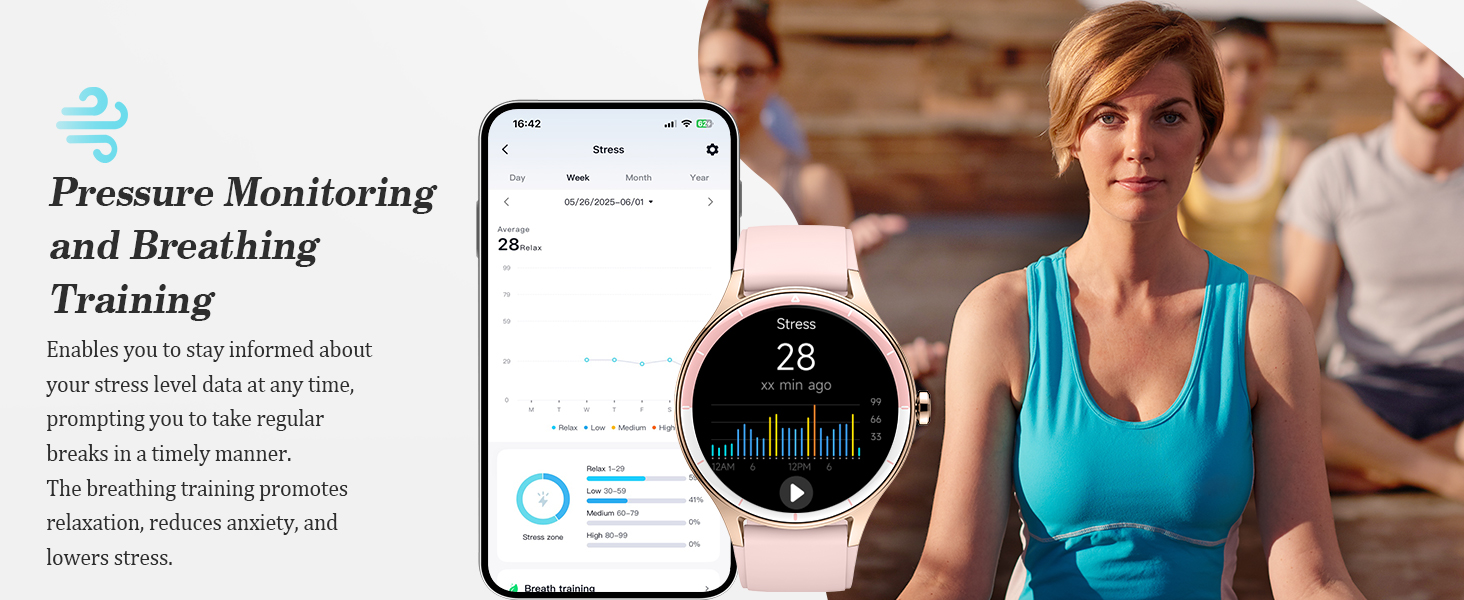
The watch offers pressure monitoring and guided breathing training to help manage stress and promote relaxation.
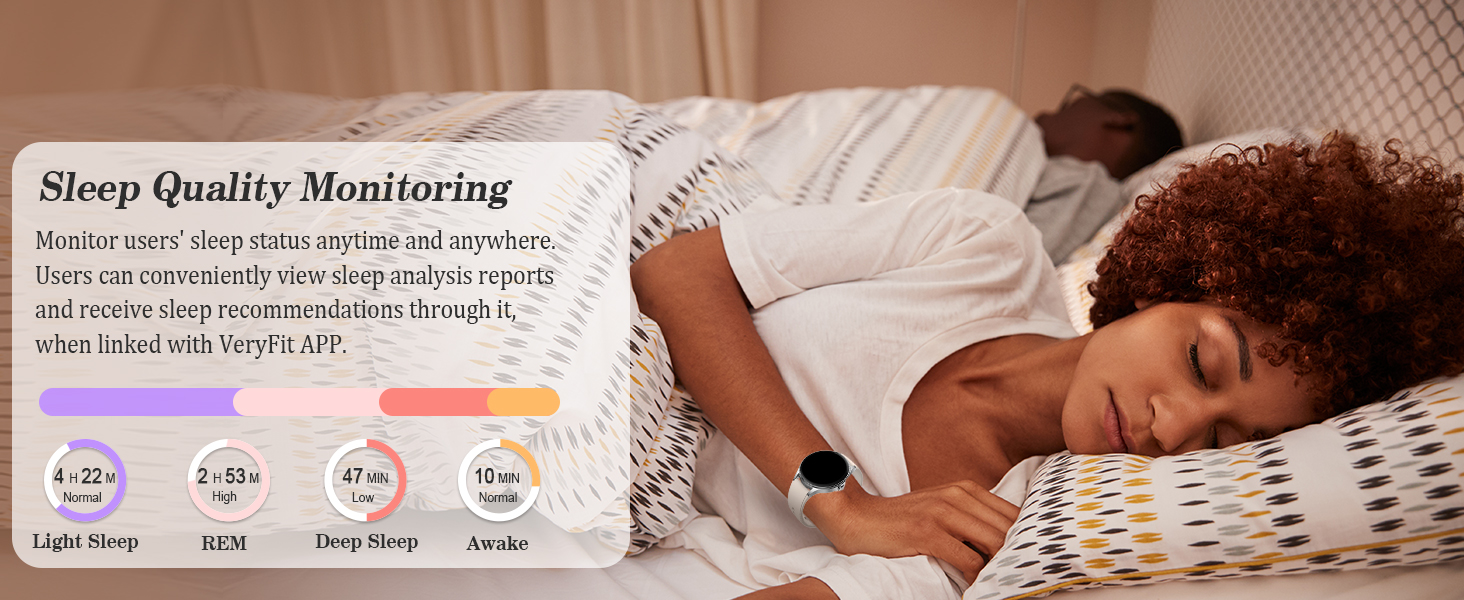
6.4 Monitorizarea somnului
Monitor your sleep patterns, including light, REM, and deep sleep stages. View detailed sleep analysis reports and recommendations through the VeryFit app.
Track your sleep quality, including light, REM, and deep sleep stages, and receive sleep analysis reports through the VeryFit app.
6.5 Managementul sănătății femeilor
The watch includes a menstrual intelligent reminder feature to help users track and understand their physiological cycle.
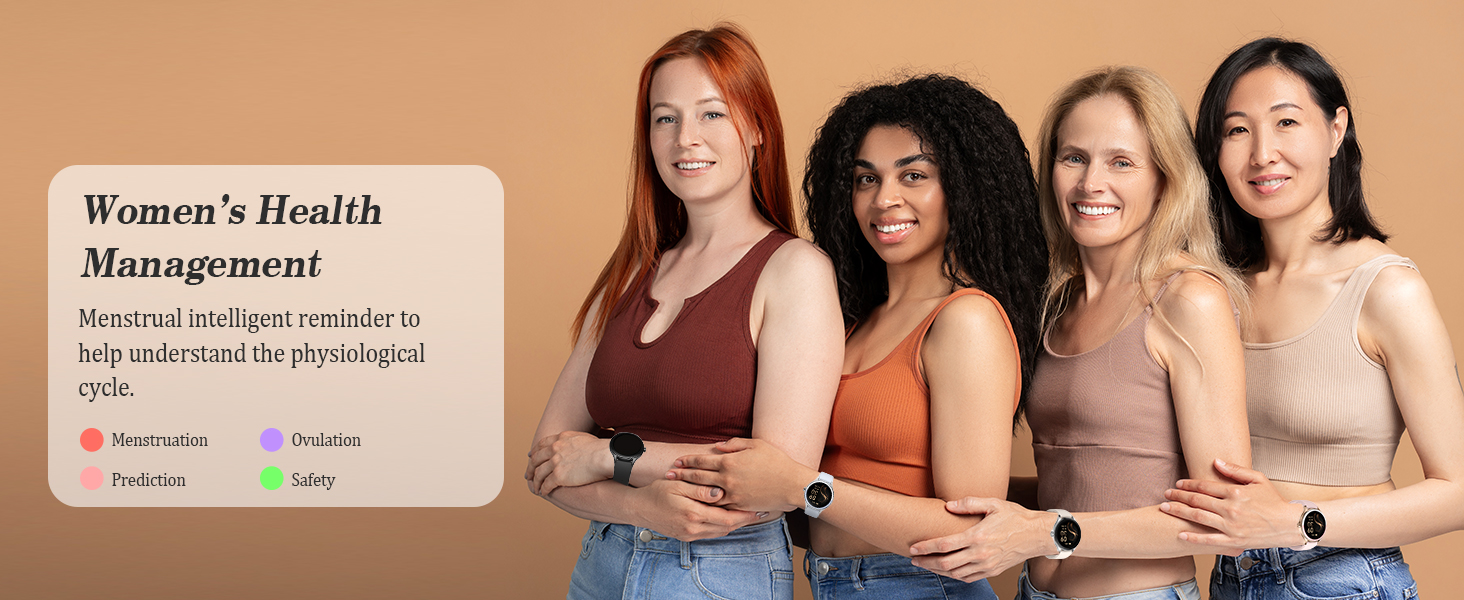
The watch includes a menstrual intelligent reminder feature to help users track and understand their physiological cycle.
7. Monitorizarea fitnessului
The ZOSKVEE DR06 is a comprehensive fitness tracker.
7.1 de moduri sportive
The watch supports over 100 sports modes, with 20 built-in standard modes and automatic recognition for 4 types of activities (running, walking, elliptical, rowing). More modes are available via the VeryFit app.

Track over 100 sports modes, including swimming, with real-time data for heart rate, distance, and pace.

The watch supports over 100 sports modes, with 20 built-in standard modes and automatic recognition for 4 types of activities. More modes are available via the VeryFit app.
7.2 Urmărirea activității zilnice
The watch functions as a step counter and tracks daily movements, including distance covered, calories burned, and average heart rate.
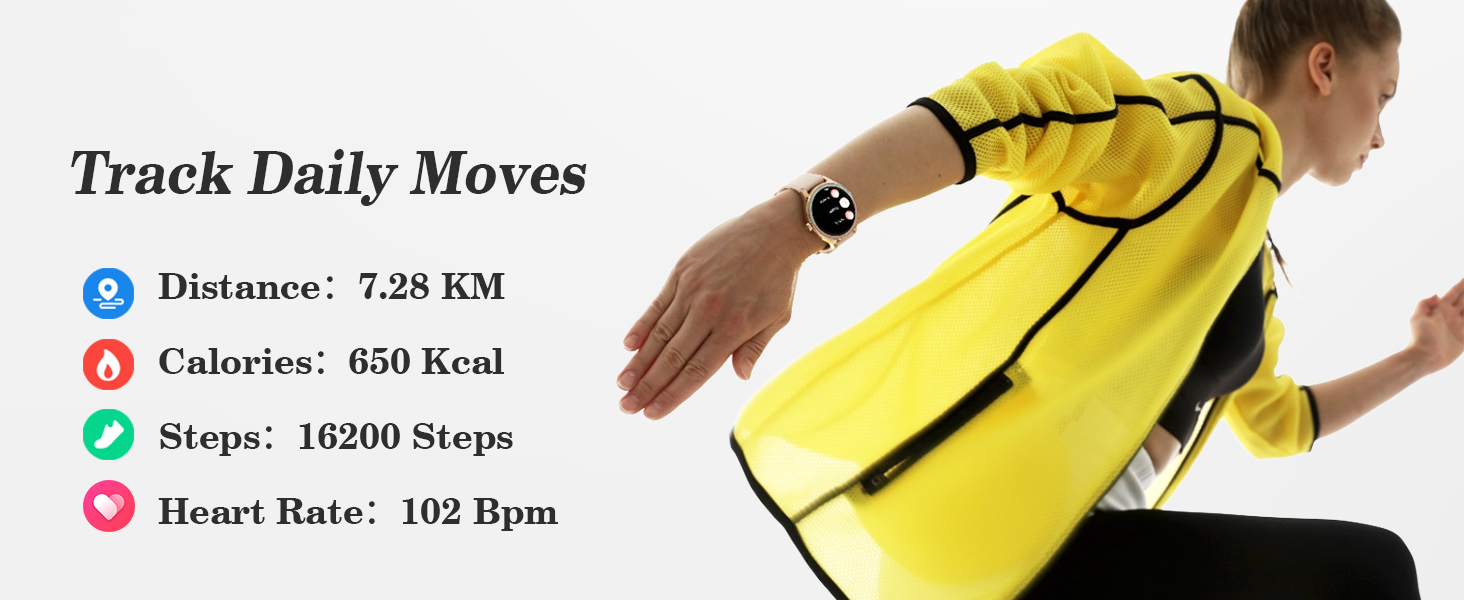
Track daily movements including distance covered, calories burned, steps taken, and average heart rate.
7.3 Running Course
Access new running courses and personalized coaching directly on your wrist to enhance your training.

Access new running courses and personalized coaching directly on your wrist to enhance your training.
8. Întreținere
8.1 Rezistența la apă
The ZOSKVEE DR06 Smart Watch has an IP68 water resistance rating, meaning it is resistant to dust and can withstand immersion in water up to 1.5 meters for up to 30 minutes.
- Suitable for swimming and daily use.
- Important: Avoid wearing the watch during hot baths, saunas, or deep-sea diving, as steam and high pressure can compromise the seals.
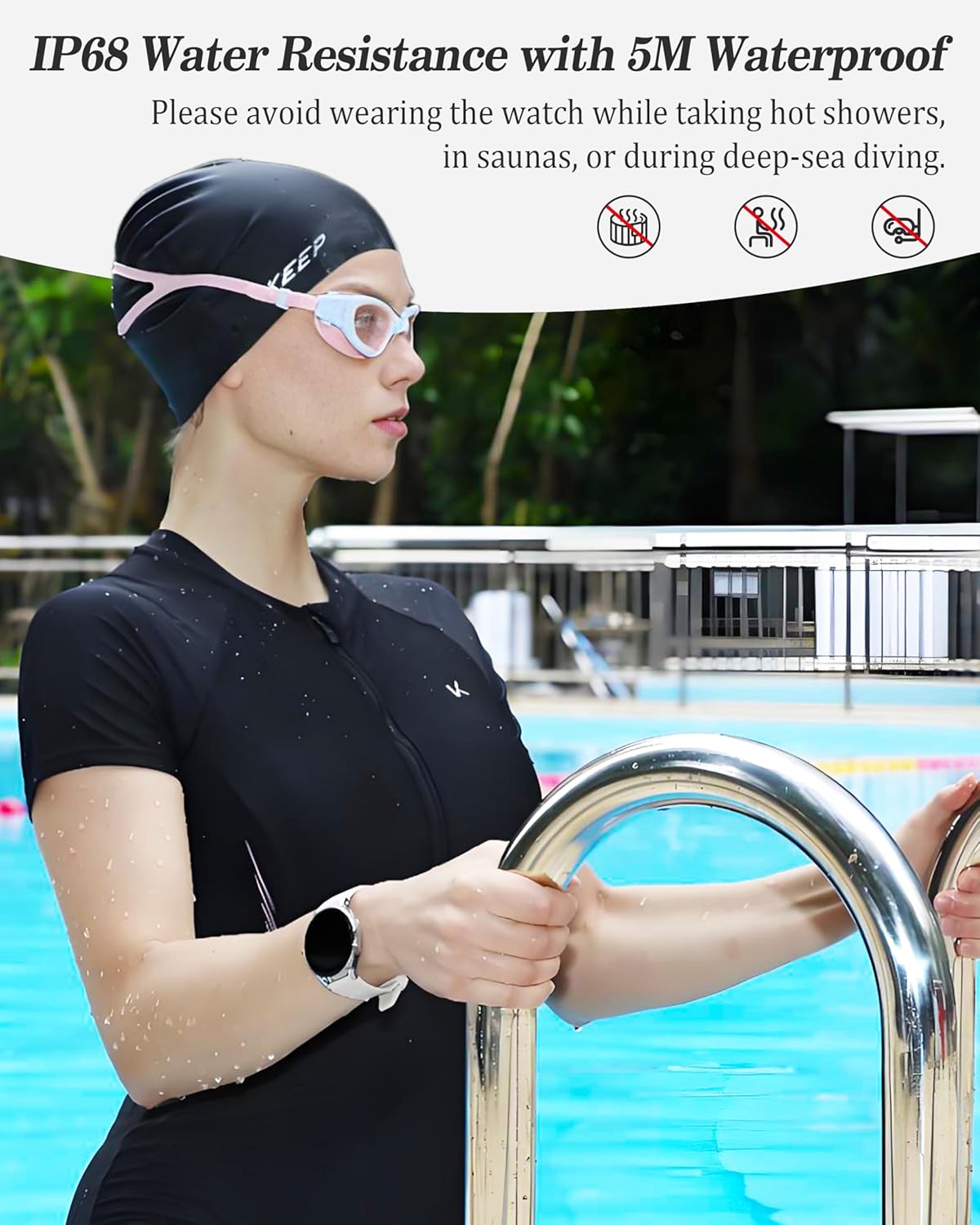
The watch is IP68 water-resistant, suitable for swimming, but should not be worn during hot baths, saunas, or deep-sea diving.
8.2 Curățare și îngrijire
- Curățați regulat ceasul și cureaua cu o lavetă moale șiamp pânză.
- Asigurați-vă că contactele de încărcare sunt curate și uscate înainte de încărcare.
- Evitați expunerea ceasului la temperaturi extreme sau substanțe chimice dure.
9. Depanare
If you encounter issues with your ZOSKVEE DR06 Smart Watch, refer to the following common solutions:
| Emisiune | Soluție posibilă |
|---|---|
| Ceasul nu se încarcă | Ensure the magnetic charging cable is correctly aligned and securely connected to the watch's charging contacts. Try a different USB power source or adapter. |
| Durată slabă a bateriei | Adjust screen brightness, reduce notification frequency, disable continuous heart rate monitoring if not needed, and use power-saving mode. Ensure background app refresh is optimized on your phone. |
| Cannot pair with smartphone / Disconnects frequently | Ensure Bluetooth is enabled on your phone and the watch is within range. Restart both your phone and watch. Unpair the device from your phone's Bluetooth settings and re-attempt pairing through the VeryFit app. Ensure the VeryFit app is updated to the latest version. |
| Watch screen/UI is unresponsive | Attempt to restart the watch by holding down the side button. If unresponsive, allow the battery to fully drain and then recharge to force a restart. |
| Notificările nu apar | Check notification settings in the VeryFit app and your phone's system settings to ensure permissions are granted. Ensure the app is running in the background. |
| Quick replies not working (Android only) | Verify that the Quick Reply feature is enabled within the VeryFit app settings. Ensure the app has necessary permissions to send messages. |
10. Specificații
| Caracteristică | Detaliu |
|---|---|
| Numărul de model | DR06 |
| Dimensiunea ecranului | 1.27 Inches (360x360 pixels) |
| Tip de afișare | TFT-LCD |
| Dimensiunile carcasei | 41mm (Round) |
| Greutatea articolului | 48 de grame (1.69 uncii) |
| Capacitatea bateriei | 290 Miliamp Ore (ion de litiu) |
| Durata de viață a bateriei | Up to 10 days (basic usage) |
| Rezistenta la apa | IP68 |
| Conectivitate | Bluetooth |
| Compatibilitatea sistemelor de operare | iOS 9.0+ și Android 6.0+ |
| Capacitate de stocare a memoriei | 128 MB |
| Caracteristici speciale | Phone calls, message notifications, health monitoring (HR, SpO2, Stress, Sleep, Menstrual Cycle), 100+ sports modes, AI Voice Assistant, Music Control, Daily Tools |
| GPS | Nu (folosește GPS-ul telefonului) |
11. Garanție și asistență
For warranty information and customer support, please refer to the documentation included with your purchase or visit the official ZOSKVEE webPăstrați dovada achiziției pentru reclamații în garanție.
12. Informații importante privind siguranța
- Nu încercați să dezasamblați sau să modificați dispozitivul.
- Keep the device away from extreme heat or cold.
- Consult a medical professional before starting any new exercise regimen or if you have health concerns. The watch is not a medical device and its data should not be used for medical diagnosis or treatment.
- Aruncați dispozitivul și bateria acestuia în mod responsabil, în conformitate cu reglementările locale.