
1. Introducere
Thank you for choosing the Hama Ultimate Pro Portable Bluetooth Speaker. This manual provides essential information for the safe and efficient use of your device. Please read it carefully before use and keep it for future reference.
Continutul pachetului:
- 1x Hama Ultimate Pro Portable Bluetooth Speaker
- 1x cablu de încărcare USB-C
- 1x Carrying Strap
- 1x Manual de utilizare
2. Instrucțiuni de siguranță
- Do not open the device. Incorrect assembly can lead to electric shock, fire, or damage.
- Keep the device away from extreme temperatures, direct sunlight, and humidity.
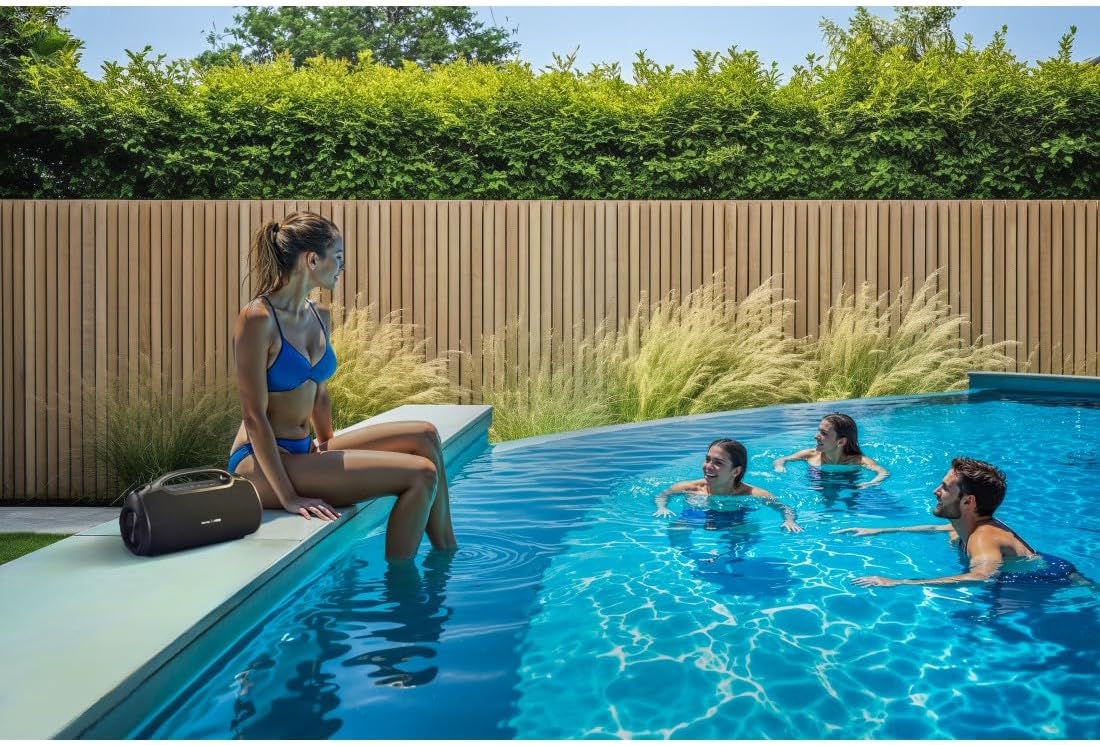
- This speaker is rated IPX6, meaning it is protected against strong continuous rain and splashing water. Do not submerge the speaker in water.
- Folosiți doar cablul USB-C furnizat pentru încărcare.
- Nu utilizați dispozitivul dacă este vizibil deteriorat.
- Protect the battery from overheating.
3. Produs terminatview
Familiarize yourself with the speaker's features and connections.

The Hama Ultimate Pro speaker highlights its key features: 24-hour battery life, IPX6 waterproof rating, Bluetooth connectivity, and 120W sound output.
Panou de control:

Detaliat view of the speaker's top control panel, showing buttons for power, volume adjustment, play/pause, mode selection, and equalizer settings.
- Buton de alimentare: Apăsați și mențineți apăsat pentru a porni/opri. Apăsați scurt pentru a verifica starea bateriei.
- Volum scăzut (-): Scade volumul.
- Buton Redare/Pauză: Redați sau întrerupeți sunetul.
- Creștere volum (+): Măriți volumul.
- Butonul de mod (M): Switch between input modes (Bluetooth, AUX, USB).
- Equalizer Button (EQ): Cycle through equalizer presets (Bass Sound, Power Sound, Balanced Sound).
Porturi și conexiuni:

The speaker's rear port panel includes a USB-C charging port, a USB-A port for external devices, a reset button, and a 6.3mm jack input.
- Port USB-C: For charging the speaker and for Power Bank output.
- Port USB-A: For playing music from USB storage devices or for Power Bank output.
- Intrare AUX (mufă de 3.5 mm): Pentru conectarea dispozitivelor audio externe prin intermediul unui cablu audio de 3.5 mm.
- Microphone/Guitar Input (6.3mm Jack): Pentru conectarea unui microfon sau chitara.
- Buton de resetare: Use a thin object to press and reset the speaker if needed.
4. Configurare
4.1 Încărcarea difuzorului
- Connect the supplied USB-C charging cable to the USB-C port on the speaker.
- Connect the other end of the USB-C cable to a suitable USB power adapter (not included). A 30W charger is recommended for fast charging.
- The charging indicator will show the charging status. The speaker is fully charged in approximately 2.5 hours.
4.2 Pornire/Oprire
- To turn on: Press and hold the Power button for a few seconds until you hear an audible prompt.
- To turn off: Press and hold the Power button for a few seconds until you hear an audible prompt.
4.3 Asociere Bluetooth
- Asigurați-vă că difuzorul este pornit și în modul Bluetooth (indicat de un LED albastru intermitent). Dacă nu este pornit, apăsați butonul Mod (M) pentru a comuta la modul Bluetooth.
- Pe dispozitivul dvs. (smartphone, tabletă, laptop), activați Bluetooth și căutați dispozitivele disponibile.
- Select "Hama Ultimate Pro" from the list of devices.
- După asociere, indicatorul LED va deveni albastru continuu și veți auzi un sunet de confirmare.
4.4 Conectare prin intrarea AUX
- Conectați un capăt al unui cablu audio de 3.5 mm (nu este inclus) la portul de intrare AUX al difuzorului.
- Conectați celălalt capăt la ieșirea audio a dispozitivului extern.
- Press the Mode button (M) on the speaker to switch to AUX mode.
4.5 Connecting USB Storage
- Introduceți o unitate flash USB care conține sunet files into the USB-A port on the speaker.
- Press the Mode button (M) to switch to USB mode. The speaker will automatically begin playing audio from the USB drive.
4.6 Connecting Microphone or Guitar
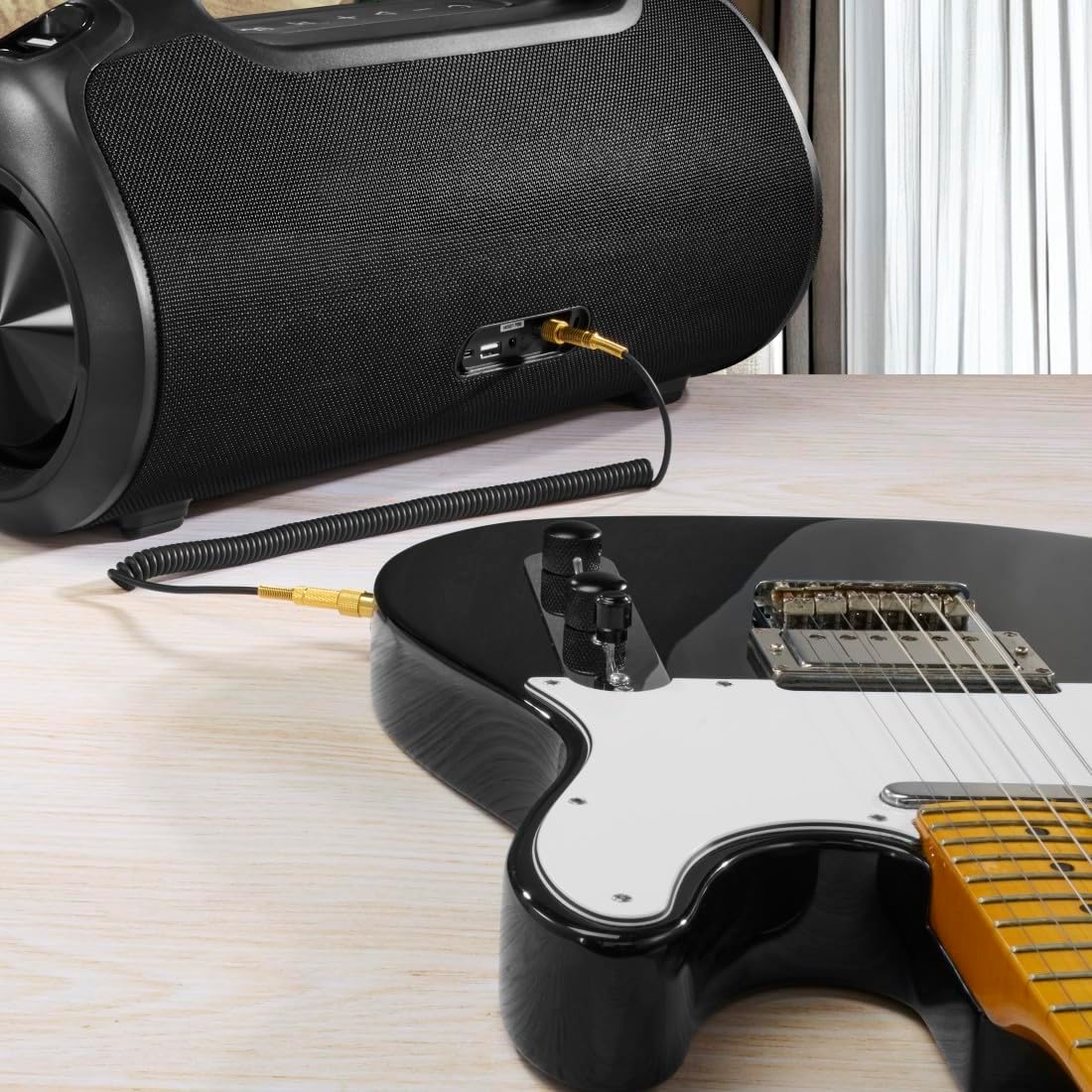
The speaker can be used as an amplifier by connecting an electric guitar via its 6.3mm jack input.
A microphone can be connected to the speaker's 6.3mm jack input for karaoke or public speaking.
- Connect your microphone or guitar to the 6.3mm jack input on the speaker.
- Adjust the volume on your connected device and the speaker as needed.
4.7 Împerechere stereo True Wireless (TWS)
The Hama Ultimate Pro supports TWS for connecting two speakers for a stereo sound experience. Refer to the specific TWS pairing instructions in the full manual if available, as this feature typically involves pressing a dedicated TWS button on both speakers simultaneously.
5. Operarea difuzorului
5.1 Comenzi de redare de bază
- Redare/Pauză: Apăsați scurt butonul Redare/Pauză.
- Creșterea volumului: Apăsați scurt butonul de creștere a volumului (+).
- Volum scăzut: Apăsați scurt butonul de reducere a volumului (-).
- Următoarea piesă: Apăsați lung butonul de creștere a volumului (+).
- Pista anterioară: Apăsați lung butonul de reducere a volumului (-).
5.2 Moduri egalizator
The speaker offers three distinct equalizer modes to optimize your listening experience:
- Sunet bas: Enhances low frequencies for a deeper bass response.
- Power Sound: Provides a balanced, powerful sound profile.
- Sunet echilibrat: Offers a neutral and clear audio output.
To switch between modes, short press the EQ button on the control panel.
5.3 Hama Smart Home App Control

The Hama Smart Home app allows for convenient control and customization of the speaker, including battery status and sound settings.
Download the "Hama Smart Home" app from your device's app store to access additional features:
- Custom equalizer settings.
- Change the speaker's name.
- View precise battery status in percentage.
- Remote control of playback and settings.
5.4 Funcția bateriei externe

The speaker's integrated power bank allows you to charge external devices like smartphones via its USB-C or USB-A ports.
The Hama Ultimate Pro speaker features an integrated power bank function, allowing you to charge other devices:
- Connect your smartphone, tablet, or other USB-powered device to the USB-C or USB-A port on the speaker using a compatible charging cable.
- Bateria internă a difuzorului va începe să încarce dispozitivul conectat.
6. Întreținere
6.1 Curățare
The speaker has a resistant and washable surface. To clean:
- Ensure the speaker is turned off and all cables are disconnected.
- Folosiți un moale, damp cloth to wipe the surface. Do not use harsh cleaning agents or solvents.
- Pentru murdăria persistentă, se poate folosi o soluție blândă de săpun, urmată de ștergerea cu o lavetă curată.amp pânză.
- Allow the speaker to dry completely before use.
6.2 Depozitare
- Depozitați difuzorul într-un loc răcoros și uscat, ferit de lumina directă a soarelui și de temperaturi extreme.
- Dacă depozitați bateria pentru o perioadă lungă de timp, încărcați-o la aproximativ 50% la fiecare câteva luni pentru a o menține sănătoasă.
6.3 Îngrijirea bateriei
- Evitați descărcarea completă frecventă a bateriei.
- Do not expose the battery to heat sources or direct flame.
- Aruncați bateriile în conformitate cu reglementările locale.
7. Depanare
Dacă întâmpinați probleme cu difuzorul, consultați următoarele soluții comune:
- Fără putere: Asigurați-vă că difuzorul este încărcat. Conectați-l la o sursă de alimentare folosind cablul USB-C.
- Nu se poate conecta prin Bluetooth:
- Asigurați-vă că difuzorul este în modul de asociere Bluetooth (LED-ul albastru clipește).
- Make sure Bluetooth is enabled on your device and it is within 10 meters of the speaker.
- Uitați de difuzorul din lista Bluetooth a dispozitivului și încercați din nou asocierea.
- Reporniți atât difuzorul, cât și dispozitivul.
- Fără sunet:
- Verificați nivelurile de volum atât pe difuzor, cât și pe dispozitivul conectat.
- Ensure the correct input mode (Bluetooth, AUX, USB) is selected on the speaker.
- Dacă utilizați mufa AUX, asigurați-vă că cablul este introdus complet și funcțional.
- Probleme de încărcare:
- Verificați dacă cablul USB-C nu este deteriorat și este conectat corect.
- Încearcă un alt adaptor de alimentare USB.
- Speaker Unresponsive: If the speaker becomes unresponsive, use a thin object (like a paperclip) to press the Reset button located on the port panel.
8. Specificații

Physical dimensions of the Hama Ultimate Pro speaker for reference.
| Numărul de model | 00188232 |
| Marca | Hama |
| Culoare | Negru |
| Tehnologia de conectivitate | Bluetooth 5.3 |
| Gama maximă | 10 metri |
| Sistem audio | Stereo |
| Max Music Power | 120 W |
| Tip baterie | Litiu-Ion integrat |
| Capacitatea bateriei | 4500 mAh |
| Volumul baterieitage | 11.4 V |
| Putere baterie | 51.3 Wh |
| Durata maximă de viață a bateriei | 24 de ore |
| Timp de încărcare | Aproximativ. 2.5 ore |
| Suport USB PD | Da |
| Evaluare IP | IPX6 (Protection against strong continuous rain) |
| Dimensiuni (L x l x H) | 46.5 x 19.2 x 25.4 cm |
| Greutate | 5200 g (5.2 kg) |
| Dispozitive compatibile | MP3 Player, Personal Computer, Smartphone, Tablet, Television |
9. Garantie
Hama GmbH & Co KG provides a warranty for this product. Please refer to the warranty card included in your package or visit the official Hama webpentru termenii și condițiile detaliate de garanție specifice regiunii dumneavoastră.
10. Suport
For technical support, troubleshooting assistance, or further inquiries, please contact Hama customer service. Contact details can typically be found on the official Hama website-ul sau pe ambalajul produsului.
You can also visit the Hama website pentru întrebări frecvente și informații suplimentare despre produs: www.hama.com