
Introducere
Thank you for choosing the Parsonver 5ATM Waterproof Smart Watch. This manual provides essential information for setting up, operating, and maintaining your device. Please read it carefully to ensure proper use and to maximize the watch's features.

Image: The Parsonver 5ATM Waterproof Smart Watch, showcasing designul său elegant.
Ghid de instalare
1. Încărcarea dispozitivului
Before first use, fully charge your Parsonver Smart Watch. Connect the magnetic charging cable to the charging contacts on the back of the watch and plug the USB end into a standard USB power adapter (not included).
- O încărcare completă durează de obicei aproximativ 2 ore.
- Afișajul ceasului va afișa starea de încărcare.
2. Descărcare și împerechere a aplicației
To unlock all features, download the official Parsonver app on your smartphone.
- Scan the QR code provided in the watch's packaging or search for "Parsonver" in your smartphone's app store (iOS App Store or Google Play Store).
- Instalați și deschideți aplicația.
- Asigurați-vă că Bluetooth este activat pe smartphone-ul dvs.
- In the app, follow the on-screen instructions to add your device. Select your Parsonver Smart Watch from the list of available devices.
- Confirmați solicitarea de asociere atât pe ceas, cât și pe smartphone.
Note: If you have a 2-pack, repeat the pairing process for the second watch with the same or a different smartphone as desired.
3. Setări inițiale
After successful pairing, you can customize basic settings through the app, such as time format, unit preferences, and personal profile informaţii.
Instrucțiuni de operare
Navigare de bază
- Touch screen: Glisați în sus, în jos, la stânga sau la dreapta pentru a naviga prin meniuri și notificări. Atingeți pentru a selecta elemente.
- Buton(e) lateral(e): Typically, a short press returns to the previous screen or watch face. A long press may access power options or a quick menu. Refer to the watch's on-screen prompts for specific button functions.
Smart Calls & Notifications
Stay connected by receiving call, text, and app notifications directly on your wrist.
- Apeluri primite: The watch will display caller ID. You can reject calls directly from the watch. Answering calls is not supported directly on the watch.
- Mesaje: View SMS, emails, and alerts from apps like WhatsApp, LinkedIn, Instagram și Twitter.
- Înființat: Enable desired notifications through the Parsonver app on your smartphone.
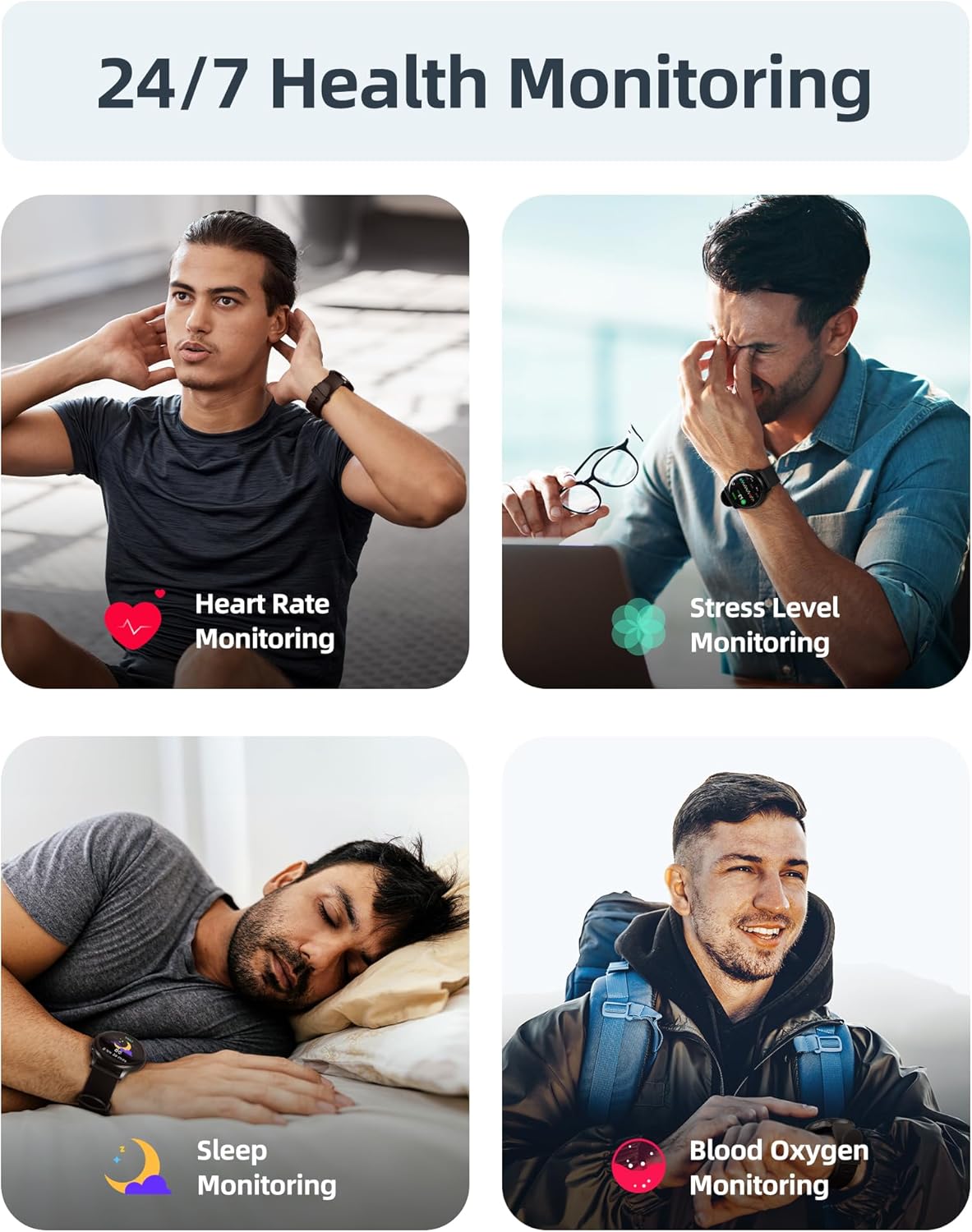
Image: A user interacting with the smartwatch to manage incoming calls and view notificări ale aplicației.
Monitorizare a stării de sănătate 24/7
The watch continuously monitors various health metrics to help you stay informed about your well-being.
- Monitorizarea ratei cardiace: Real-time heart rate tracking throughout the day.
- Măsurarea oxigenului din sânge (SpO2): On-demand or continuous blood oxygen level monitoring.
- Analiza somnului: Urmărește somnultages (profund, ușor, REM) și oferă informații despre calitatea somnului.
- Monitorizarea nivelului de stres: Helps identify periods of high stress.
- Alerte de sedentarism: Îți reamintește să te miști după perioadele de inactivitate.
- Urmărirea ciclului menstrual: Specialized tracking for female users.

Image: Visual representation of the smartwatch's health monitoring capabilities, including heart rate, stress, sleep, and blood oxygen tracking.
110+ Sports Modes & Fitness Tracking
Track your workouts with a wide range of sports modes, both indoors and outdoors.
- Urmărirea activității: Monitors steps, calories burned, distance, and active time.
- Moduri acceptate: Includes walking, running, cycling, swimming, yoga, gym workouts, and many more.
- Sincronizarea datelor: All workout data is synced to the Parsonver app for detailed analysis and progress tracking.

Image: A person cycling while wearing the smartwatch, with an overlay showing different sports modes like treadmill, outdoor running, and yoga.
5ATM Waterproof & Swim Tracking
The Parsonver Smart Watch is rated 5ATM waterproof, suitable for swimming and daily water exposure up to 50 meters.
- Swimming Metrics: Automatically detects swim strokes (Butterfly, Backstroke, Breaststroke, Freestyle) and provides data on stroke count, stroke rate, and SWOLF score.
- Utilizare: Ideal for pool swimming and open water activities. Not suitable for diving or high-pressure water activities.
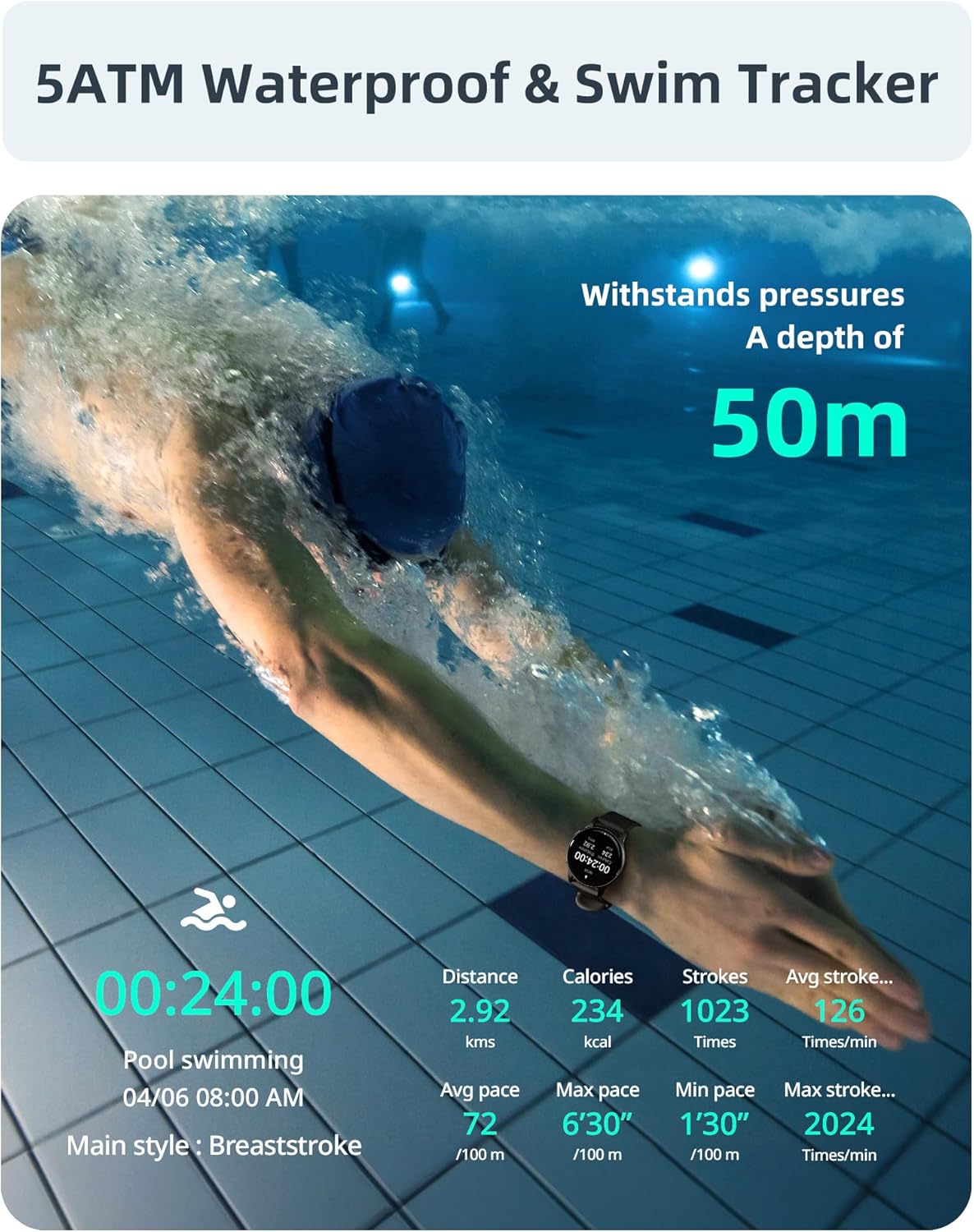
Image: A swimmer in a pool, with the smartwatch displaying swim tracking data such as distance, calories, strokes, and average pace.
Fețe de ceas personalizabile
Personalize your watch with over 200 customizable watch faces available through the Parsonver app.
- Selecţie: Choose from a wide variety of built-in and dynamic watch faces.
- Personalizare: Upload your own photos to create unique watch faces.

Image: The smartwatch screen showing various customizable watch face options, including a photo of a family.
Întreținere și îngrijire
- curatenie: Curățați regulat ceasul și cureaua cu o lavetă moale șiamp Evitați substanțele chimice dure sau materialele abrazive.
- Expunerea la apă: While 5ATM waterproof, it is recommended to rinse the watch with fresh water after exposure to saltwater or chlorinated water to prevent corrosion. Dry thoroughly.
- Îngrijirea curelei: The watch features an anti-allergic, soft, and comfortable strap. Ensure it is not too tight or too loose for optimal comfort and sensor accuracy.
- Îngrijirea bateriei: Avoid extreme temperatures. Do not fully discharge the battery for extended periods. Charge regularly to prolong battery life.
- Depozitare: Depozitați ceasul într-un loc răcoros și uscat atunci când nu îl utilizați.

Image: Close-up of the smartwatch, emphasizing its lightweight design (37g) and the anti-allergic, soft, and comfortable strap material.
Depanare
- Ceasul nu se pornește: Asigurați-vă că ceasul este complet încărcat. Conectați-l la încărcător timp de cel puțin 30 de minute.
- Nu se poate conecta la smartphone:
- Asigurați-vă că Bluetooth este activat pe telefon și pe ceas.
- Asigurați-vă că ceasul se află în raza de acțiune Bluetooth a telefonului.
- Reporniți atât telefonul, cât și ceasul.
- Try unpairing and re-pairing through the Parsonver app.
- Date de sănătate inexacte:
- Asigurați-vă că ceasul este purtat strâns pe încheietura mâinii, dar nu prea strâns.
- Curățați senzorul de pe spatele ceasului.
- Evitați mișcarea excesivă în timpul măsurătorilor.
- Notificări care nu apar:
- Check notification settings in the Parsonver app.
- Asigurați-vă că notificările aplicației sunt activate în setările de sistem ale telefonului.
- Verificați dacă ceasul este conectat prin Bluetooth.
- Resetare din fabrică: If issues persist, you may perform a factory reset via the watch's settings menu. This will erase all data on the watch and restore it to its original state.
Specificații
| Marca | Parsonver |
| Model | Parsonver 5ATM Waterproof Smart Watch |
| Rezistenta la apa | 5ATM (până la 50 de metri) |
| Afişa | Ecran tactil HD de 1.8 inchi |
| Caracteristici speciale | Heart Rate Monitor, Blood Oxygen Monitor, Sleep Tracker, Stress Monitor, 110+ Sports Modes, Smart Notifications |
| Formă | Rundă |
| Greutate | 37g (approximate, watch body only) |
| ASIN | B0DH2P2SJP |
Garanție și suport
For warranty information, please refer to the documentation included with your product or visit the official Parsonver website. If you encounter any issues or require technical assistance, please contact Parsonver customer support through their official channels.
You can often find support contact details on the manufacturer's website or within the Parsonver application.