
Introducere
Thank you for choosing the yAyusi Dual-lamp Video Conference Lighting kit. This product is designed to enhance your video calls, streaming, and content creation by providing optimal illumination. Its dual-lamp design ensures brighter and more even lighting, helping you present your best self in any virtual environment. This manual provides detailed instructions for setup, operation, and maintenance to ensure you get the most out of your new lighting system.

Figura 1: Pesteview of the yAyusi Dual-lamp Video Conference Lighting setup.
Ce este în cutie
Vă rugăm să verificați dacă toate componentele sunt prezente în pachet:
- 2 x Video Conference Lights
- 2 x Standuri de lumină
- 1 x telecomandă
- 1 x adaptor
- 1 x cablu
- 1 x Wire Tie
- 4 x Wire Buckles
- 1 x Manual de utilizare

Figura 2: Toate componentele incluse în pachet.
Înființat
Follow these steps to set up your yAyusi Dual-lamp Video Conference Lighting:
- Atașați lumina la suport: Connect each video conference light to its respective stand. The lights feature a screw mount for secure attachment.
- Choose Installation Mode: The stands support two usage modes:
- Clip-on Mode: For monitors or laptops, position the stand on top of your screen. The adjustable clip ensures a secure fit without scratching your device, thanks to built-in sponge pads.
- Mod desktop: Fold the stand to create a stable base for desktop use. This allows you to place the lights on any flat surface.
- Conectare alimentare: Use the provided USB cable and adapter to connect the lights to a power source. The Y-cable allows both lights to be powered from a single USB connection.
- Reglarea unghiului: The webcam lighting features a rotatable design, supporting 360° horizontal and 180° vertical rotation. Adjust the angle to achieve optimal lighting for your setup.
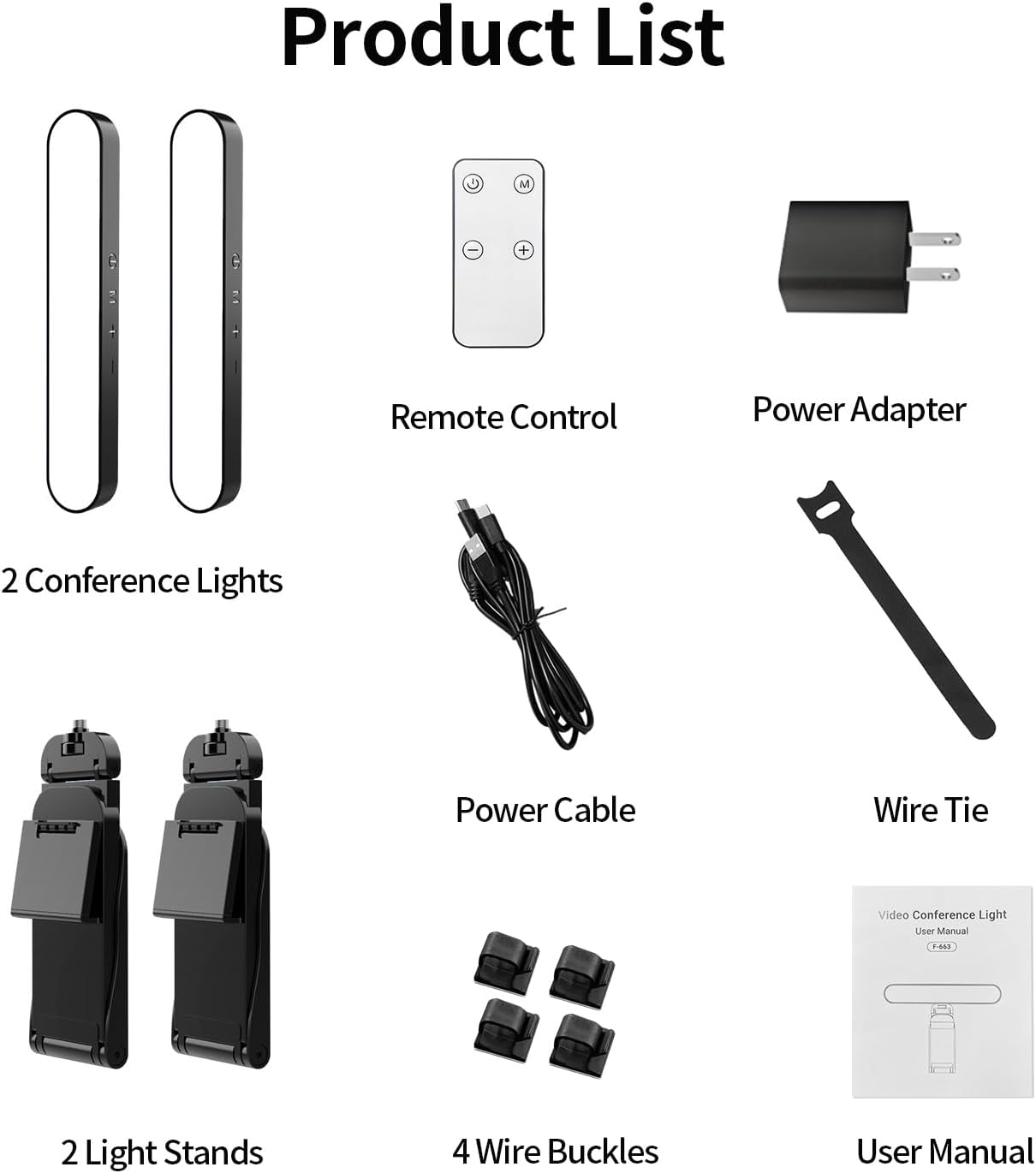
Figure 3: Lights installed in clip-on mode on a monitor.
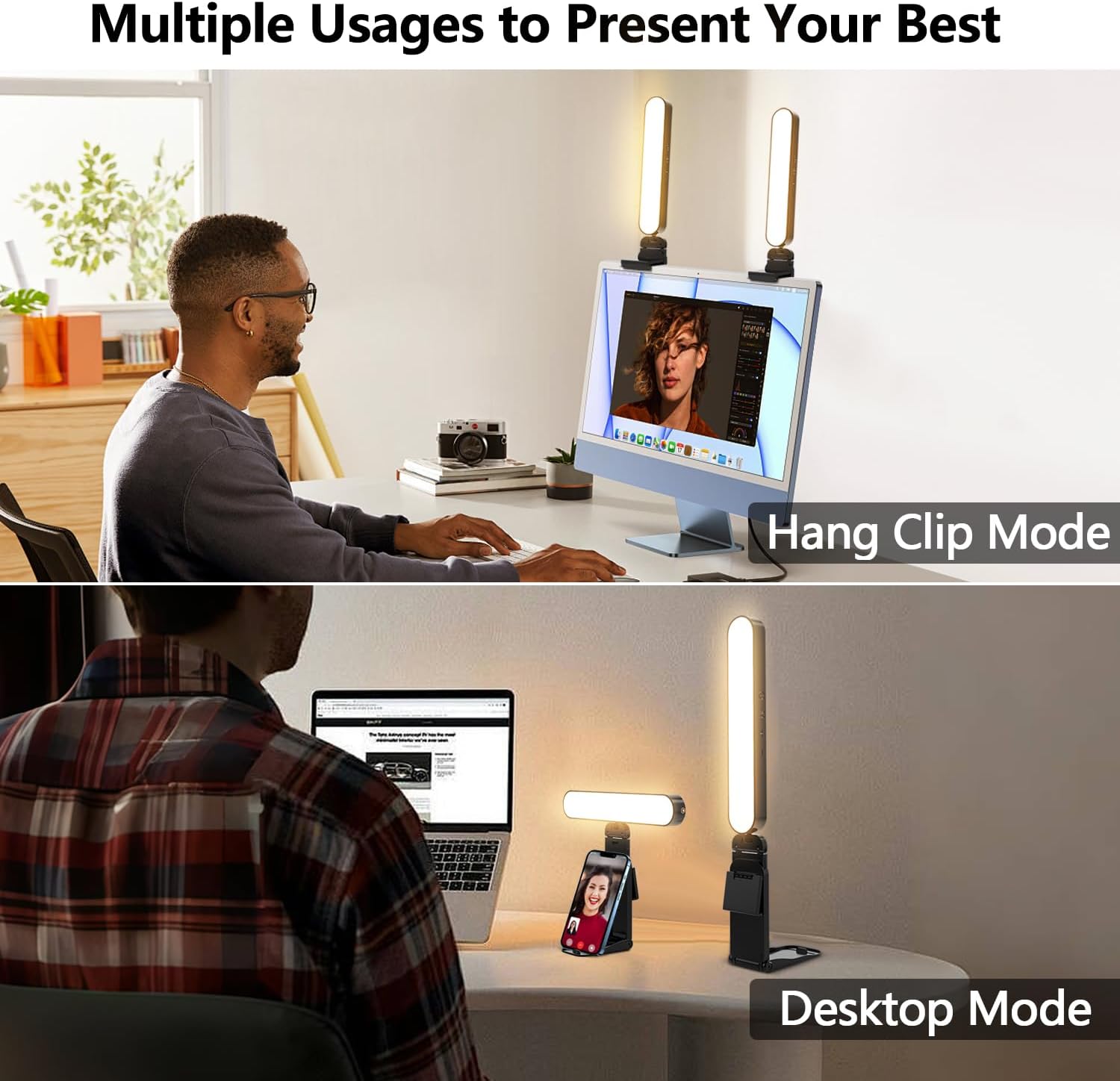
Figure 4: Lights shown in both hang clip mode and desktop mode.
Video 1: Official product video demonstrating the setup and features of the yAyusi Video Conference Lighting.
Instrucțiuni de operare
Your yAyusi lighting kit offers flexible control options and customizable settings:
- Pornire/Oprire: Use the touch control button on the light bar or the power button on the remote control to turn the lights on or off.
- Reglați luminozitatea: The lights offer 10 levels of brightness (0-100%). Use the '+' and '-' buttons on the light bar or the remote control to adjust the intensity.
- Schimbați modul de culoare: Select from 3 color modes (3000K Warm Light, 4500K Neutral Light, 6500K Cool Light) to match your environment or preference. Use the 'M' button on the light bar or the remote control to cycle through the modes.
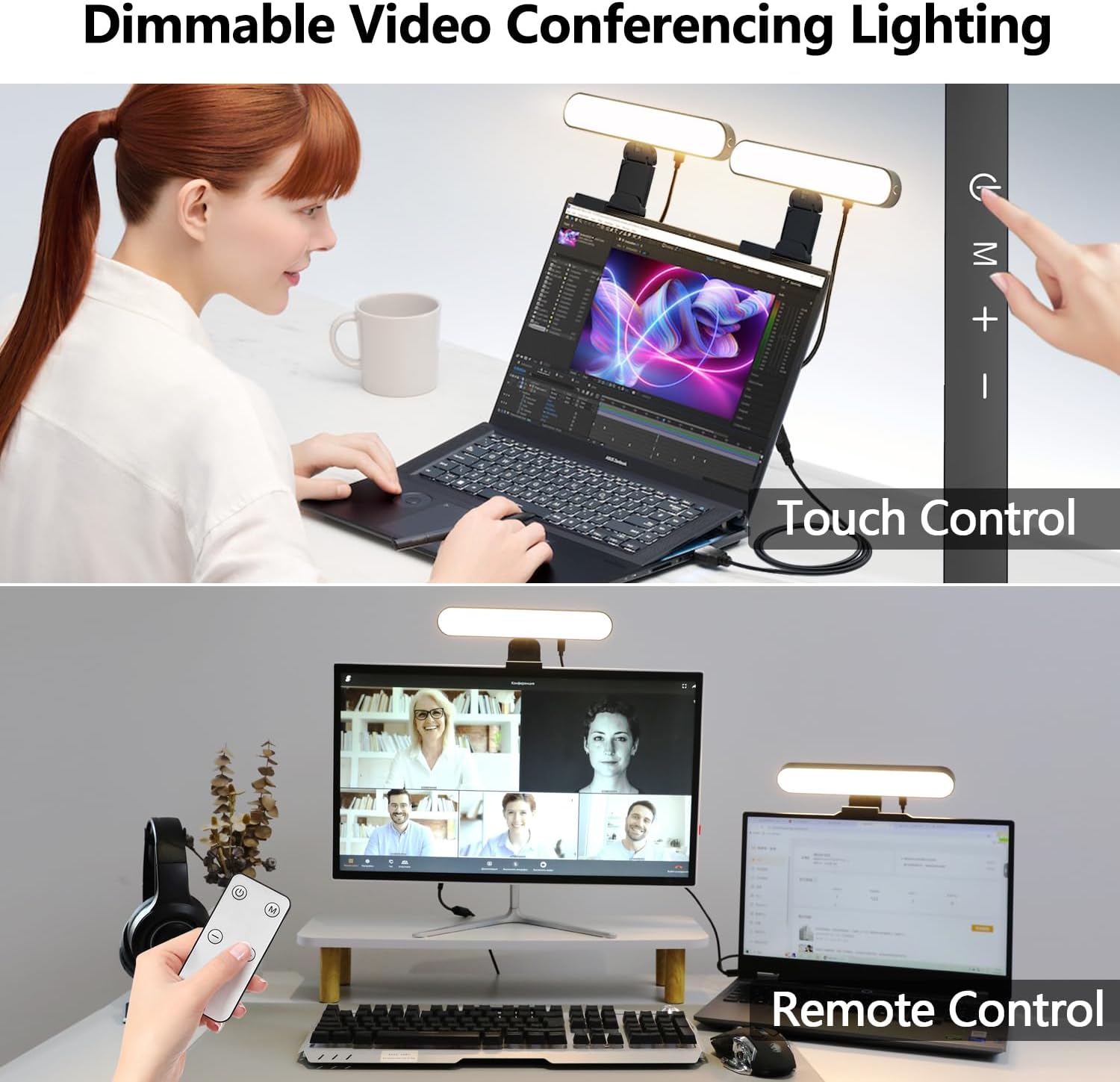
Figure 5: Demonstrating both touch and remote control functionality.

Figure 6: Visual representation of the 3 color modes and 10 brightness levels.
Întreţinere
To ensure the longevity and optimal performance of your lighting kit, follow these simple maintenance guidelines:
- curatenie: Gently wipe the light bars and stands with a soft, dry cloth. Avoid using abrasive cleaners or solvents that could damage the surface.
- Depozitare: Când nu le utilizați, depozitați lămpile într-un loc răcoros și uscat, ferit de lumina directă a soarelui și de temperaturi extreme.
- Îngrijirea cablului: Avoid bending or crimping the USB cable excessively to prevent internal damage. Use the provided wire tie and buckles for neat cable management.
Depanare
If you encounter any issues with your yAyusi lighting kit, please refer to the following common solutions:
- Luminile nu se aprind: Ensure the USB cable is securely connected to both the light bars and the power adapter/USB port. Verify that the power source is active.
- Telecomanda nu funcționează: Check if the remote control's battery (1 A battery, included) is properly inserted and has sufficient charge. Ensure there are no obstructions between the remote and the lights.
- Iluminare neuniformă: Adjust the angle and position of both light bars to ensure even illumination. Experiment with different brightness levels and color modes.
Dacă problema persistă după încercarea acestor soluții, vă rugăm să contactați serviciul de asistență pentru clienți.
Specificații
| Marca | yAyusi |
| Numărul de model al articolului | F-663 |
| Greutatea articolului | 1.1 lire sterline |
| Dimensiunile produsului | 9.29 x 0.79 x 7.09 inci |
| Culoare | Negru |
| baterii | Sunt necesare baterii de 1 A (incluse) |
| Tehnologia de conectivitate | USB |
| Moduri de lumină | White Light, Warm Light, Natural Light (3000K-6500K) |
| Niveluri de luminozitate | 10 levels (0-100%) |
Garanție și suport
yAyusi video conference lighting kit provides 24 months of after-sales service. Our goal is to satisfy every customer. If you are not satisfied, we will provide a 100% refund. If you have any questions or require support, please contact us at your earliest convenience.