
Xiaomi BHR7969EU
Manual de utilizare Xiaomi Robot Vacuum E5
Model: BHR7969EU | Marcă: Xiaomi
Introducere
The Xiaomi Robot Vacuum E5 is designed to provide efficient and convenient cleaning for your home. This intelligent device combines powerful suction with a mopping function to ensure thorough cleaning of various floor types. Equipped with intelligent navigation and obstacle detection, it systematically cleans without getting stuck. This manual provides essential information on setup, operation, maintenance, and troubleshooting to help you get the most out of your robot vacuum.
Instrucțiuni importante de siguranță
Vă rugăm să citiți cu atenție toate instrucțiunile de siguranță înainte de a utiliza aparatul și să păstrați acest manual pentru referințe ulterioare. Nerespectarea acestor instrucțiuni poate duce la electrocutare, incendiu sau vătămări corporale grave.
- Acest aparat poate fi utilizat de copii cu vârsta de 8 ani și peste și de persoane cu capacități fizice, senzoriale sau mentale reduse sau cu lipsă de experiență și cunoștințe, dacă au primit supraveghere sau instrucțiuni privind utilizarea aparatului într-un mod sigur și înțeleg pericolele implicate. .
- Curățarea și întreținerea utilizatorului nu trebuie efectuate de copii fără supraveghere.
- Nu utilizați aspiratorul robot în medii umede sau în apropierea apei.
- Ensure the charging dock is placed against a wall on a level surface and is connected to a power outlet.
- Do not use the robot vacuum to pick up large or sharp objects, liquids, or burning substances.
- Regularly clean the main brush, side brush, dustbin, and filters to maintain optimal performance.
- Before cleaning or performing maintenance, ensure the robot vacuum is turned off and disconnected from the charging dock.
Conținutul pachetului
Verificați dacă toate articolele sunt prezente și în stare bună la despachetare.
- Xiaomi Robot Vacuum E5 (Main Unit)
- Dock de încărcare
- Adaptor de alimentare
- Pensulă laterală
- Coș de gunoi (preinstalat)
- Rezervor de apă cu lavetă de mop (preinstalată)
- Instrument de curățare
- Manual de utilizare
Produs terminatview
Familiarize yourself with the components of your Xiaomi Robot Vacuum E5.

Figura 1: Top-angled view of the Xiaomi Robot Vacuum E5, showing the clean white finish and the power/home buttons on the top panel. The side brush and mop pad are visible at the bottom.
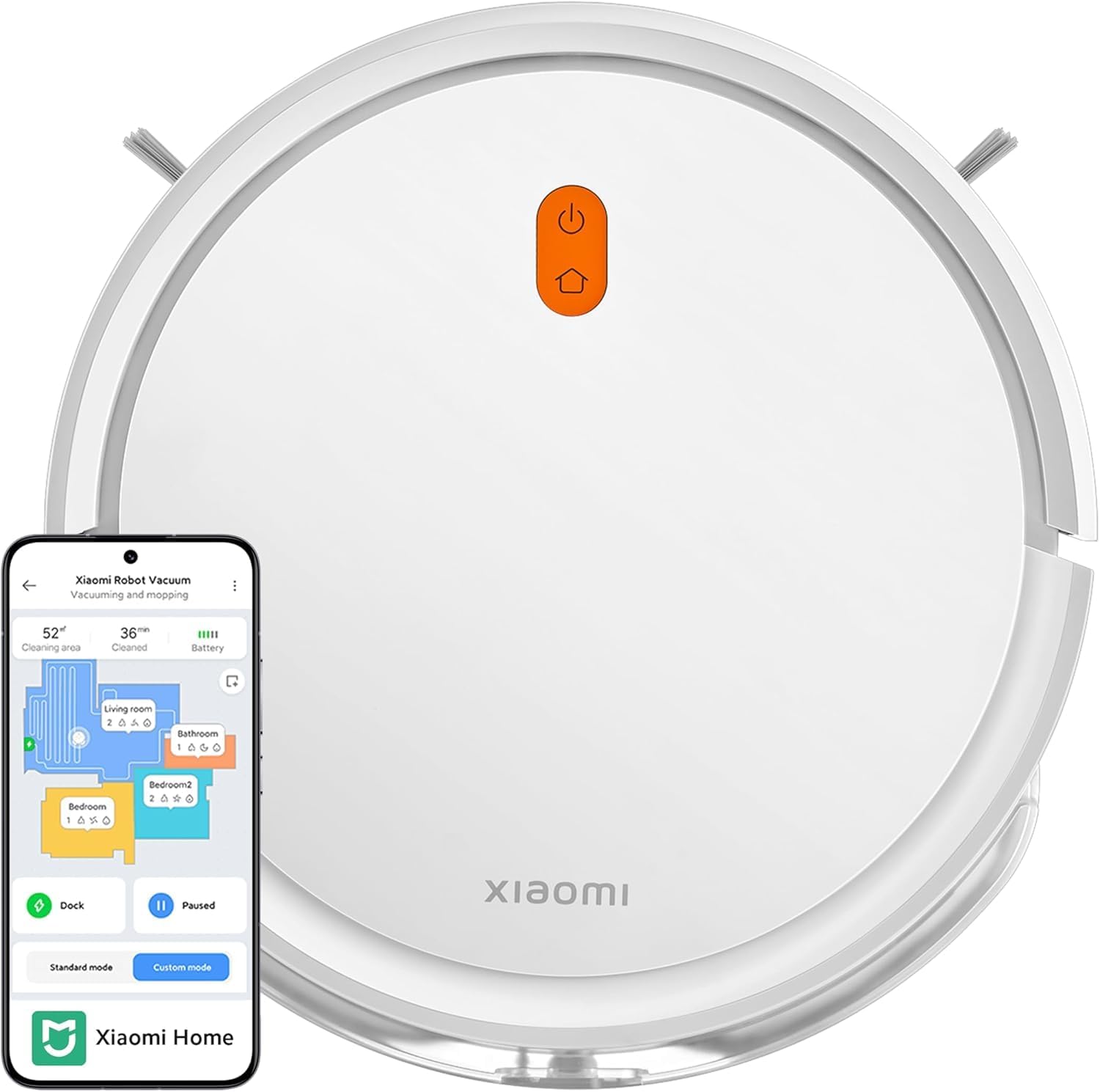
Figura 2: Top view of the Xiaomi Robot Vacuum E5 alongside a smartphone displaying the Xiaomi Home app interface, illustrating app control capabilities and mapping features.

Figura 3: În unghi lateral view of the Xiaomi Robot Vacuum E5, highlighting the side brush and the integrated water tank with mop pad for combined vacuuming and mopping.
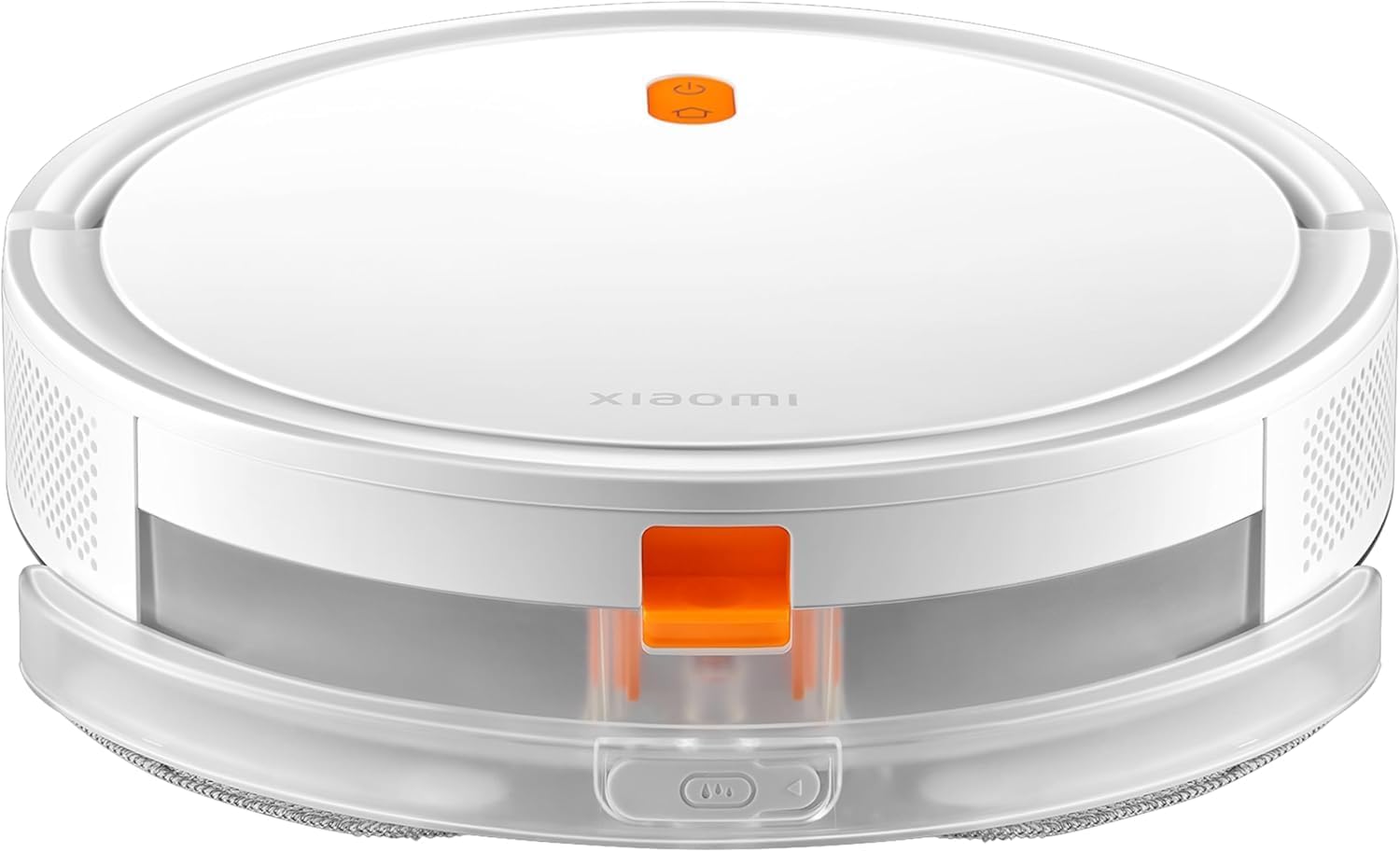
Figura 4: Faţă view of the Xiaomi Robot Vacuum E5, showing the main body and the transparent water tank/dustbin module at the front.
Componentele unității principale:
- Buton de alimentare/curățare: Press to start/pause cleaning. Hold to turn on/off.
- Buton Acasă/Reîncărcare: Apăsați pentru a trimite robotul înapoi la stația de încărcare.
- Dustbin & Water Tank: Integrated unit for collecting dust and holding water for mopping.
- Perie laterală: Sweeps debris from edges and corners into the main brush path.
- Perie principală: Adună praful și resturile de pe podea.
- Contacte de încărcare: Connects with the charging dock.
- Senzori de stâncă: Detects drops to prevent falling down stairs.
- Senzor de perete: Helps the robot navigate along walls.
- Roată universală: Permite mișcare la 360 de grade.
- Roți motrice: Propulsează robotul.
Înființat
1. Preparing the Environment:
- Clear the area of loose cables, small objects, and fragile items that could obstruct the robot.
- Open doors to rooms you want cleaned and remove any temporary barriers.
2. Installing the Side Brush:
- Întoarceți aspiratorul robot cu susul în jos.
- Align the side brush with the square post on the robot's underside and press it down until it clicks into place.
3. Placing the Charging Dock:
- Așezați stația de încărcare lângă un perete, pe o suprafață dură și plană.
- Asigurați-vă că există cel puțin 0.5 metri (1.6 picioare) de spațiu liber de ambele părți ale docului și 1.5 metri (4.9 picioare) în fața acestuia.
- Connect the power adapter to the charging dock and plug it into a power outlet. The indicator light on the dock will illuminate.
4. Încărcare inițială:
- Place the robot vacuum onto the charging dock, ensuring its charging contacts align with those on the dock.
- The robot will automatically turn on and begin charging. The LED indicator on the robot will pulse white during charging and turn solid white when fully charged.
- Pentru prima utilizare, încărcați complet robotul înainte de utilizare (aproximativ 4-5 ore).
5. Connecting to Mi Home/Xiaomi Home App:
- Descărcați aplicația „Mi Home” sau „Xiaomi Home” din magazinul de aplicații (Google Play Store sau Apple App Store).
- Deschide aplicația și creează sau conectează-te la contul tău Xiaomi.
- Atingeți pictograma „+” din colțul din dreapta sus pentru a adăuga un dispozitiv.
- Select "Xiaomi Robot Vacuum E5" from the list of available devices or scan the QR code on the robot.
- Follow the in-app instructions to connect the robot to your Wi-Fi network. Ensure your phone is connected to a 2.4 GHz Wi-Fi network during setup.
Funcționarea aspiratorului robot
Pornirea unui ciclu de curățare:
- De la Robot: Press the Power/Clean button once. The robot will start cleaning in standard mode.
- Din aplicație: Open the Mi Home/Xiaomi Home app, select your robot, and tap "Start Cleaning" or choose a specific cleaning mode (e.g., Standard, Custom).
Pausing/Resuming Cleaning:
- Press the Power/Clean button on the robot or the "Pause" button in the app.
- To resume, press the Power/Clean button again or the "Resume" button in the app.
Sending the Robot to the Charging Dock:
- Press the Home/Recharge button on the robot or the "Recharge" button in the app.
- The robot will return to its charging dock automatically.
Adjusting Suction Power and Water Level:
- Through the Mi Home/Xiaomi Home app, you can select from 3 levels of suction power (e.g., Quiet, Standard, Strong) and adjust the water seepage level for mopping.
Utilizarea comenzilor vocale:
- The Xiaomi Robot Vacuum E5 is compatible with Amazon Alexa and Google Assistant.
- Link your Mi Home/Xiaomi Home account to your voice assistant app.
- Example commands: "Alexa, tell Robot Vacuum to start cleaning," or "Hey Google, ask Robot Vacuum to go home."
Întreţinere
Întreținerea regulată asigură performanțe optime și prelungește durata de viață a aspiratorului robot.
1. Emptying the Dustbin (After each use):
- Press the release button on the dustbin/water tank module and pull it out.
- Open the dustbin cover and empty the contents into a trash can.
2. Cleaning the Filter (Weekly or as needed):
- Scoateți filtrul din recipientul de praf.
- Tap the filter gently to remove dust. You can rinse the filter with water, but ensure it is completely dry before re-installing (allow 24 hours to air dry).
3. Cleaning the Main Brush (Weekly):
- Turn the robot over and remove the main brush cover by pressing the release tabs.
- Lift out the main brush. Use the provided cleaning tool to remove hair and debris tangled around the brush.
- Reinstalați peria principală și capacul.
4. Cleaning the Side Brush (Monthly):
- Gently pull the side brush off its post.
- Remove any hair or debris. If the bristles are bent, you can soak them in warm water for a few minutes to reshape them.
- Reattach the side brush.
5. Cleaning Sensors and Charging Contacts (Monthly):
- Wipe the cliff sensors (located on the bottom of the robot) and wall sensor (on the side) with a clean, dry cloth.
- Clean the charging contacts on both the robot and the charging dock.
6. Refilling the Water Tank and Cleaning Mop Pad (As needed):
- Scoateți modulul recipientului de praf/apă.
- Open the water tank cap and fill with clean water. Close the cap securely.
- Detach the mop pad from the water tank. Rinse it thoroughly with water and allow it to air dry completely before reattaching.
Depanare
If you encounter issues with your robot vacuum, refer to the following common problems and solutions.
| Problemă | Cauza posibila | Soluţie |
|---|---|---|
| Robotul nu pornește. | Baterie descărcată; Butonul de pornire nu a fost apăsat suficient de mult timp. | Place robot on charging dock; Hold Power button for 3 seconds. |
| Robotul nu se poate încărca. | Charging contacts are dirty; Charging dock not powered. | Clean charging contacts on robot and dock; Ensure power adapter is plugged in. |
| Puterea de aspirare este slabă. | Dustbin is full; Filter is clogged; Main brush is tangled. | Goliți recipientul de praf; Curățați/înlocuiți filtrul; Curățați peria principală. |
| Robotul se blochează frecvent. | Too many obstacles; Cliff sensors are dirty. | Clear loose cables and small objects; Clean cliff sensors. |
| Robotul nu se poate conecta la Wi-Fi. | Parolă Wi-Fi incorectă; Probleme cu routerul; Robotul este prea departe de router. | Verify password; Restart router; Move robot closer to router; Ensure 2.4 GHz network. |
| Mopping function is not effective. | Water tank empty; Mop pad dirty or dry; Water outlet clogged. | Refill water tank; Clean mop pad; Check water outlet for blockages. |
Specificații
| Marca | Xiaomi |
| Numărul de model | BHR7969EU |
| Puterea de aspirare | Până la 2000 Pa |
| Capacitatea bateriei | Litiu polimer de 2600 mAh |
| Durata de viață a bateriei | Până la 110 de minute (mod standard) |
| Capacitate gunoi | 0.4 litri (400 ml) |
| Tip filtru | Hepa |
| Caracteristici speciale | Wet/Dry (2-in-1), Auto-Docking, Bagless, LED Charging Indicator Light |
| Navigare | Gyroscope, Intelligent Path Planning (Zigzag) |
| Dispozitive compatibile | Amazon Echo (Alexa), Asistentul Google |
| Dimensiunile produsului | 7.87 x 7.87 x 5.51 inci (aprox. 20 x 20 x 14 cm) |
| Greutatea articolului | 5.06 livre (aprox. 2.3 kg) |
| Sursa de alimentare | Alimentat cu baterie |
| Țara de origine | China |
| Data primului disponibil | 1 martie 2024 |
Garanție și suport
Informații despre garanție:
The Xiaomi Robot Vacuum E5 comes with a garanție de trei ani împotriva defectelor de fabrică de la data achiziției. Această garanție acoperă defectele de fabricație și defectele materialelor în condiții normale de utilizare. Nu acoperă daunele cauzate de utilizarea necorespunzătoare, accidente, modificări neautorizate sau uzură normală.
Asistență clienți:
For technical support, warranty claims, or service inquiries, please contact Xiaomi customer service through the Mi Home/Xiaomi Home app's "Help & Feedback" section or visit the official Xiaomi support website. Please have your product model number (BHR7969EU) and proof of purchase ready when contacting support.
For more information, you may also visit the Magazinul oficial Xiaomi pe Amazon.
Ask a question about this manual
Ask about setup, troubleshooting, compatibility, parts, safety, or missing instructions. Manuals+ will review the question and use this page’s manual context to help answer it.