
Senmeo UML-018
Senmeo Bladeless Tower Fan User Manual
Model: UML-018
Introducere
This user manual provides detailed instructions for the safe and efficient operation, maintenance, and troubleshooting of your Senmeo Bladeless Tower Fan. Please read this manual thoroughly before using the product and retain it for future reference.
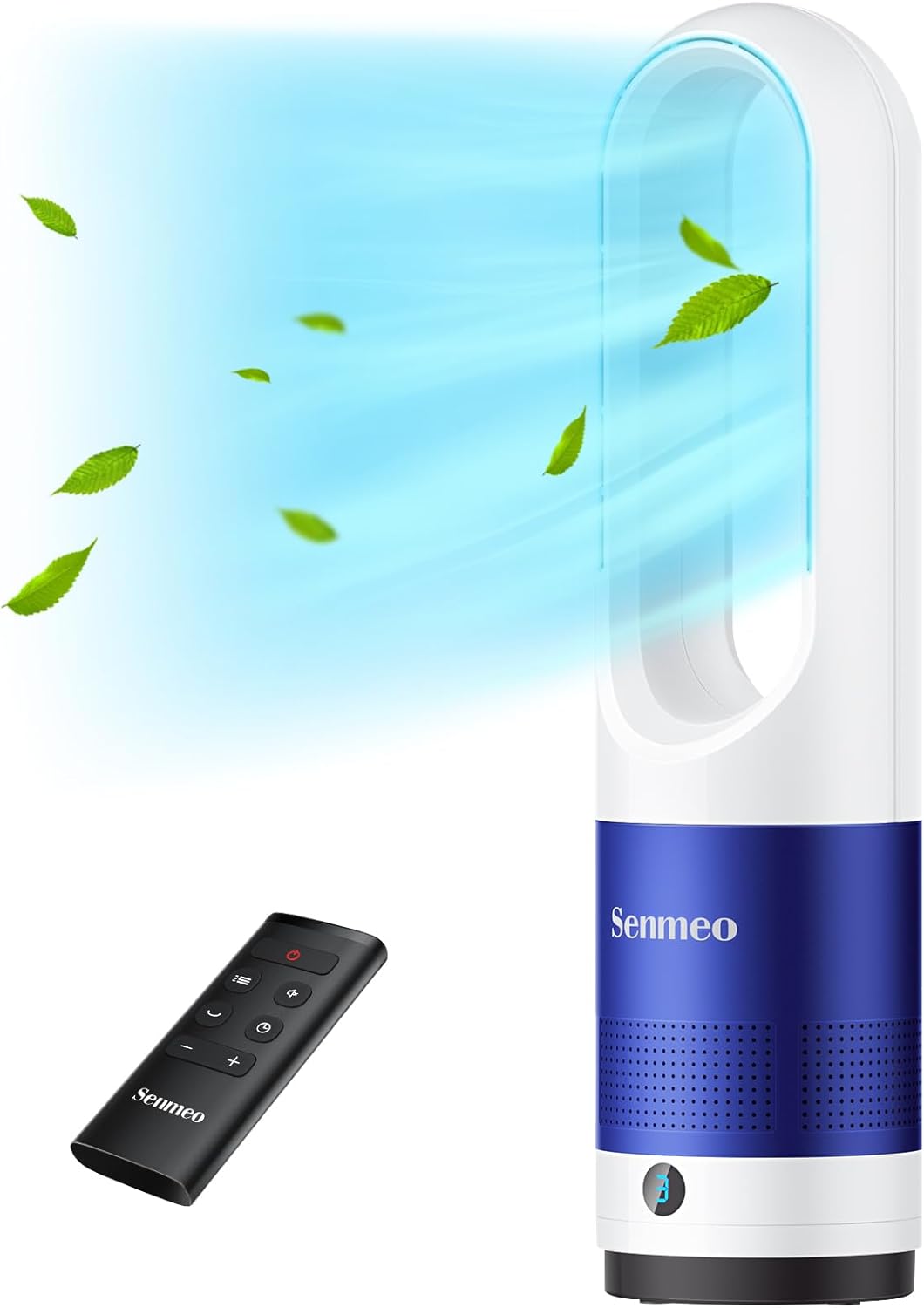
Figure 1: Senmeo Bladeless Tower Fan and Remote Control
Instrucțiuni importante de siguranță
To reduce the risk of fire, electric shock, or injury, always observe basic safety precautions when using this appliance.
- Nu acționați niciun ventilator cu cablul sau ștecherul deteriorat.
- Nu treceți cablul sub covor. Nu acoperiți cablul cu covoare, șervețele sau acoperiri similare. Aranjați cablul departe de zona de trafic și de unde nu se va împiedica.
- Deconectați întotdeauna ventilatorul de la priză înainte de a muta, curăța sau efectua lucrări de service.
- Nu scufundați ventilatorul în apă sau alte lichide.
- Acest aparat nu este destinat utilizării de către persoane (inclusiv copii) cu capacități fizice, senzoriale sau mentale reduse sau cu lipsă de experiență și cunoștințe, cu excepția cazului în care acestea au fost supravegheate sau instruite cu privire la utilizarea aparatului de către o persoană responsabilă pentru siguranța lor.
- Copiii trebuie supravegheați pentru a se asigura că nu se joacă cu aparatul.
- The bladeless design minimizes risk, but keep hands and objects away from the air outlet.

Figure 2: The bladeless design ensures safety, especially around children and pets.
Componentele produsului
Your Senmeo Bladeless Tower Fan package includes the following items:
- 1 x Senmeo Tower Fan
- 1 x telecomandă
- 1 x CR2025 Lithium Battery (pre-installed in remote)
- 1 x Manual de utilizare (acest document)
Înființat
The Senmeo Bladeless Tower Fan features a one-piece design and requires no assembly. Simply place it on a stable, flat surface.
Instalarea bateriei telecomenzii
Before first use, activate the remote control by removing the insulating sheet.
- Deschideți capacul bateriei de pe spatele telecomenzii.
- Remove the plastic insulating sheet.
- Ensure the CR2025 lithium battery is correctly positioned between the positive and negative terminals.
- Închideți bine capacul bateriei.

Figure 3: Remote Control Battery Installation Steps
Instrucțiuni de operare
The fan can be operated using the touch controls on the unit or the included remote control.
Pornire/Oprire
- Apăsați tasta Buton de pornire (
 ) on the fan or remote to turn the unit on or off.
Reglarea vitezei ventilatorului
The fan offers 8 adjustable wind speeds.
- Apăsați tasta Buton de viteză (
 ) on the fan or remote to cycle through the 8 speed settings.
 - The LED display will indicate the current speed.

Figure 4: 8-Speed Customizable Airflow
Funcția de oscilație
Activate the 90° wide-angle oscillation for broader air distribution.
- Apăsați tasta Buton de oscilație (
 ) on the fan or remote to start or stop the oscillation.

Figure 5: Wide-angle oscillation for extensive cooling.
Setarea temporizatorului
Set the fan to automatically turn off after a specified period (up to 9 hours).
- Apăsați tasta Butonul cronometrului (
 ) on the remote control to set the desired operating time. Each press increases the timer by 1 hour.
 - Afișajul LED va afișa timpul rămas.
LED Display Auto-off
The LED display automatically turns off after 30 seconds of inactivity to minimize light disturbance, especially during sleep.
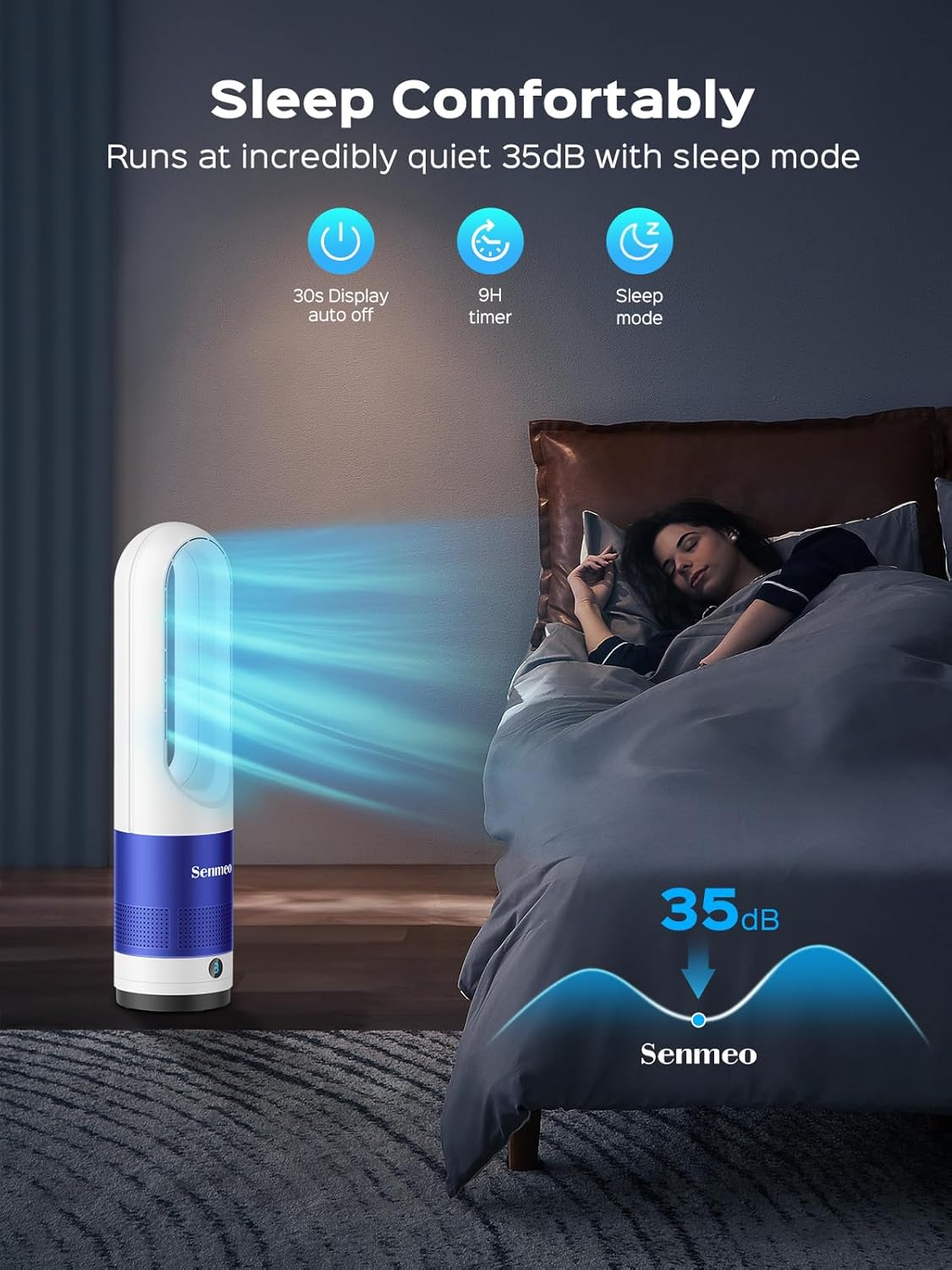
Figure 6: Quiet operation and LED auto-off for comfortable sleep.
Întreţinere
Curățarea regulată asigură performanța optimă și durata de viață a ventilatorului.
Curățarea ventilatorului
- Deconectați întotdeauna ventilatorul înainte de curățare.
- Folosiți un moale, damp o lavetă pentru a șterge suprafețele exterioare ale ventilatorului.
- For dust accumulation within the air inlet or outlet, use a soft brush or a vacuum cleaner with a brush attachment to gently remove dust.
- Do not use abrasive cleaners or solvents, as these may damage the fan's surface.
- Asigurați-vă că ventilatorul este complet uscat înainte de a-l conecta din nou la priză.
Depanare
If you experience issues with your Senmeo Bladeless Tower Fan, please refer to the following common problems and solutions:
| Problemă | Cauza posibila | Soluţie |
|---|---|---|
| Ventilatorul nu pornește. | Neconectat; priză defectă; butonul de alimentare nu a fost apăsat. | Ensure the power cord is securely plugged into a working electrical outlet. Press the power button on the fan or remote. |
| Telecomanda nu funcționează. | Battery insulating sheet not removed; dead battery; incorrect battery installation. | Remove the insulating sheet from the battery compartment. Replace the CR2025 battery if dead. Ensure the battery is installed with correct polarity. |
| Flux de aer slab. | Low speed setting; air inlet/outlet blocked by dust. | Increase the fan speed. Clean any dust or obstructions from the air inlet and outlet. |
| Zgomot neobișnuit. | Ventilatorul nu este pe o suprafață stabilă; obstrucție internă. | Place the fan on a flat, stable surface. If noise persists, unplug the fan and check for any foreign objects. |
Specificații
| Caracteristică | Detaliu |
|---|---|
| Marca | Senmeo |
| Numele modelului | UML-018 |
| Culoare | Alb + Albastru |
| Dimensiunile produsului | 5.9" D x 5.9" L x 21.6" H |
| Greutatea articolului | 4.4 lire sterline |
| Sursa de alimentare | Electric cu fir |
| Wattage | 40 wați |
| Voltage | 120 volți |
| Nivel de zgomot | 35 dB (în modul repaus) |
| Numărul de niveluri de putere | 8 |
| Caracteristici speciale | Bladeless, 90° Oscillation, 9H Timer, LED Light Auto-off, Remote Control |
| Utilizare în interior/exterior | De interior |

Figura 7: Dimensiunile produsului
Garanție și suport
Senmeo offers a standard warranty for this product. For specific warranty details and to register your product for an extended two-year warranty, please refer to the information provided with your purchase or contact Senmeo customer support directly. Retain your Amazon invoice as proof of purchase for warranty claims.
For further assistance or to download the official user manual in PDF format, please visit: Senmeo User Manual (PDF)
Ask a question about this manual
Ask about setup, troubleshooting, compatibility, parts, safety, or missing instructions. Manuals+ will review the question and use this page’s manual context to help answer it.