
Emerson ET-7000
Emerson 7" Portable TV LCD Monitor User Manual
Model: ET-7000
Marcă: Emerson
Introducere
This manual provides comprehensive instructions for the Emerson 7" Portable TV LCD Monitor, Model ET-7000. It covers setup, operation, maintenance, and troubleshooting to ensure optimal performance and longevity of your device. Please read this manual thoroughly before using the product.

Image: The Emerson 7-inch Portable TV, showing the screen displaying a basketball game, along with its remote control and external antenna.
Ce este în cutie
Upon opening the package, please ensure all the following items are included:
- Emerson 7" Portable TV
- Antenă externă
- Cablu A/V
- Telecomanda
- Manual de utilizare
- Stand
- Adaptor de curent alternativ
- DC Car Power Cord
- Antenna Extension Adapter
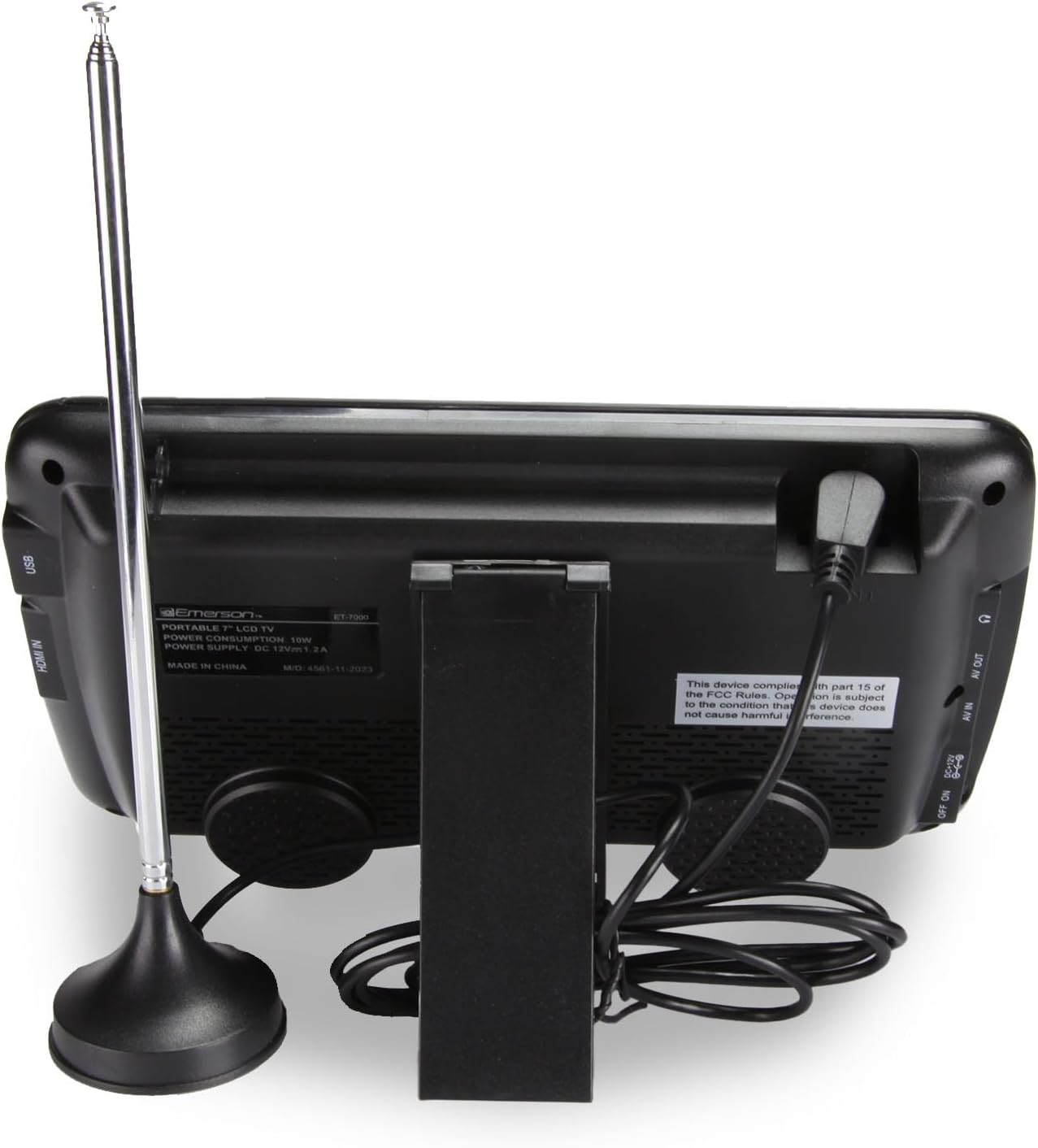
Imagine: O imagine de sus în jos view of all accessories and the portable TV laid out, including cables, adapters, remote, and stand.
Caracteristici cheie
- Fully Loaded Features: Equipped with HDMI, USB, dual AV inputs, built-in speaker, full built-in digital tuner, headphone jack, Remote control and full-band digital TV tuner with ATSC & NTSC support.
- Baterie reîncărcabilă de lungă durată: Stay connected during power outages or on outdoor adventures. The built-in battery delivers hours of continuous play, plus it includes a 12V car charger for recharging anywhere.

Image: The portable TV plugged into a car's cigarette lighter socket, demonstrating the car charging capability.

Image: A man sitting on his luggage at an airport, smiling while holding and watching the portable TV, highlighting its portability.
- Wide Compatibility Across Devices: Stream and connect with HDMI, USB, AV, and more. Works with Roku, Amazon Firestick, Chromecast, DVD players, Slingbox, game consoles, Apple TV, laptops, and even security camera systems.
- Multi-purpose Display Functionality: Use it as a portable TV, computer monitor, gaming monitor, and more! Supports a variety of formats including MP3, MP4, MKV, WMV, FLV, AVI, H.264, HEVC(H.265), MPEG, MPEG 1, MPEG 2, MPEG 3, XVID, JPEG, RMVB, MKY, 3G, and more—ideal for movies, gaming, or professional use.
- Built for Travel & On-the-Go Use: Compact and lightweight with a fold-out stand, it's the perfect size for camping, RV trips, car rides, tailgating, or keeping kids entertained on the road, indoor & outdoor use.

Image: A woman enjoying a cup of coffee while watching the portable TV inside an RV, with a scenic view outside the window.

Image: A child sitting comfortably on a large, fluffy bean bag, holding and watching the portable TV, illustrating its use for kids.
Înființat
1. Pornire
Connect the included AC power adapter to the DC 12V input port on the TV and plug it into a standard wall outlet. Alternatively, you can use the built-in rechargeable battery for portable use. Press the PUTERE button on the TV or remote control to turn the unit on.
2. Conexiune antenă
For receiving over-the-air digital TV broadcasts, connect the external antenna to the ANTENĂ ÎN port on the TV. Position the antenna for optimal reception. You may need to adjust its position during channel scanning or if signal quality is poor.
3. Scanare inițială a canalelor
After connecting the antenna and powering on the TV for the first time, it is recommended to perform an auto channel scan. Navigate to the MENIU, selectați CANAL or ÎNFIINȚAT, apoi alegeți AUTO SCANARE. The TV will search for available digital and analog channels in your area. This process may take several minutes.
Instrucțiuni de operare
1. Controale de bază
- Putere: Apăsați tasta PUTERE button to turn the TV on or off.
- Volum: Utilizați VOL+ şi VOL- butoane pentru a regla nivelul volumului.
- Canal: Utilizați CH+ şi CH- butoane pentru a schimba canalele.
- Mut: Apăsați tasta MUTE button on the remote to temporarily silence the audio.
2. Selectare intrare
To switch between different video sources (e.g., TV tuner, HDMI, USB, AV), press the SURSĂ or INTRARE button on the remote control or the TV. Use the arrow buttons to select your desired input and press OK.
3. Redare media (USB)
Introduceți o unitate flash USB în USB port. Select the USB input source. The TV's media player interface will appear, allowing you to browse and play compatible video, audio, and image filesunt stocate pe unitatea USB.
Întreţinere
1. Curatenie
To clean the screen and casing, use a soft, dry cloth. For stubborn marks, slightly dampen the cloth with water or a mild, non-abrasive cleaner specifically designed for electronics. Avoid using harsh chemicals, solvents, or abrasive materials, as these can damage the surface.
2. Îngrijirea bateriei
To prolong the life of the built-in rechargeable battery, avoid fully discharging it frequently. Charge the battery regularly, even if the TV is not in constant use. Store the TV in a cool, dry place away from extreme temperatures.
Depanare
| Problemă | Cauza posibila | Soluţie |
|---|---|---|
| Fără putere | Power adapter not connected; Battery discharged | Ensure AC adapter is securely plugged in; Charge the battery fully. |
| No signal / No channels | Antenna not connected or poorly positioned; No channel scan performed | Connect antenna securely; Adjust antenna position; Perform an auto channel scan. |
| Nici un sunet | Volume too low; Mute function activated | Increase volume; Press the MUTE button on the remote. |
| Calitate slabă a imaginii | Weak signal; Antenna interference | Adjust antenna position; Try a different location for better reception. |
| Telecomanda nu funcționează | Bateriile sunt descărcate sau introduse incorect; Obstrucție între telecomandă și televizor | Replace remote batteries; Ensure line of sight to the TV's IR sensor. |
Specificații

Image: A diagram showing the dimensions of the portable TV: 8.1 inches (width), 4.6 inches (height), and 1.4 inches (depth), with a weight of 0.79 lbs.
| Caracteristică | Detaliu |
|---|---|
| Nume de marcă | Emerson |
| Numărul de model | ET-7000 |
| Dimensiunea ecranului | 7 inchi |
| Tehnologia de afișare | LCD |
| Rezoluţie | 720p |
| Rata de reîmprospătare | 60 Hz |
| Raportul de aspect | 5:3 |
| Greutatea articolului | 1.3 de lire sterline (0.59 kg) |
| Dimensiunile produsului | 1.02" D x 9.64" L x 6.42" H |
| baterii | 1 baterie litiu-ion (inclusă) |
| Tehnologia de conectivitate | HDMI, USB, AV, AC/DC, Antenna Input |
| Caracteristici speciale | Portable, Built-in Speaker, Rechargeable Battery, Built-in Digital Tuner, Tabletop Stand |
Garanție și suport
For warranty information and customer support, please refer to the documentation included with your product or visit the official Emerson brand store. You can find additional support and product details by visiting the Magazinul Emerson pe Amazon.
Ask a question about this manual
Ask about setup, troubleshooting, compatibility, parts, safety, or missing instructions. Manuals+ will review the question and use this page’s manual context to help answer it.