
Rohnson R-9916W
Manual de utilizare pentru dezumidificatorul Rohnson Genius 16
Model: R-9916W
Introducere
Thank you for choosing the Rohnson Genius 16 Dehumidifier. This appliance is designed to efficiently remove excess moisture from your indoor environment, improve air quality, and create a healthier living space. With its advanced features, including Wi-Fi control, a powerful dehumidification capacity of up to 16 liters per day, and an ultra-quiet operation, the Genius 16 is an ideal solution for rooms up to 100 square meters. Please read this manual thoroughly before operating the unit to ensure safe and optimal performance.
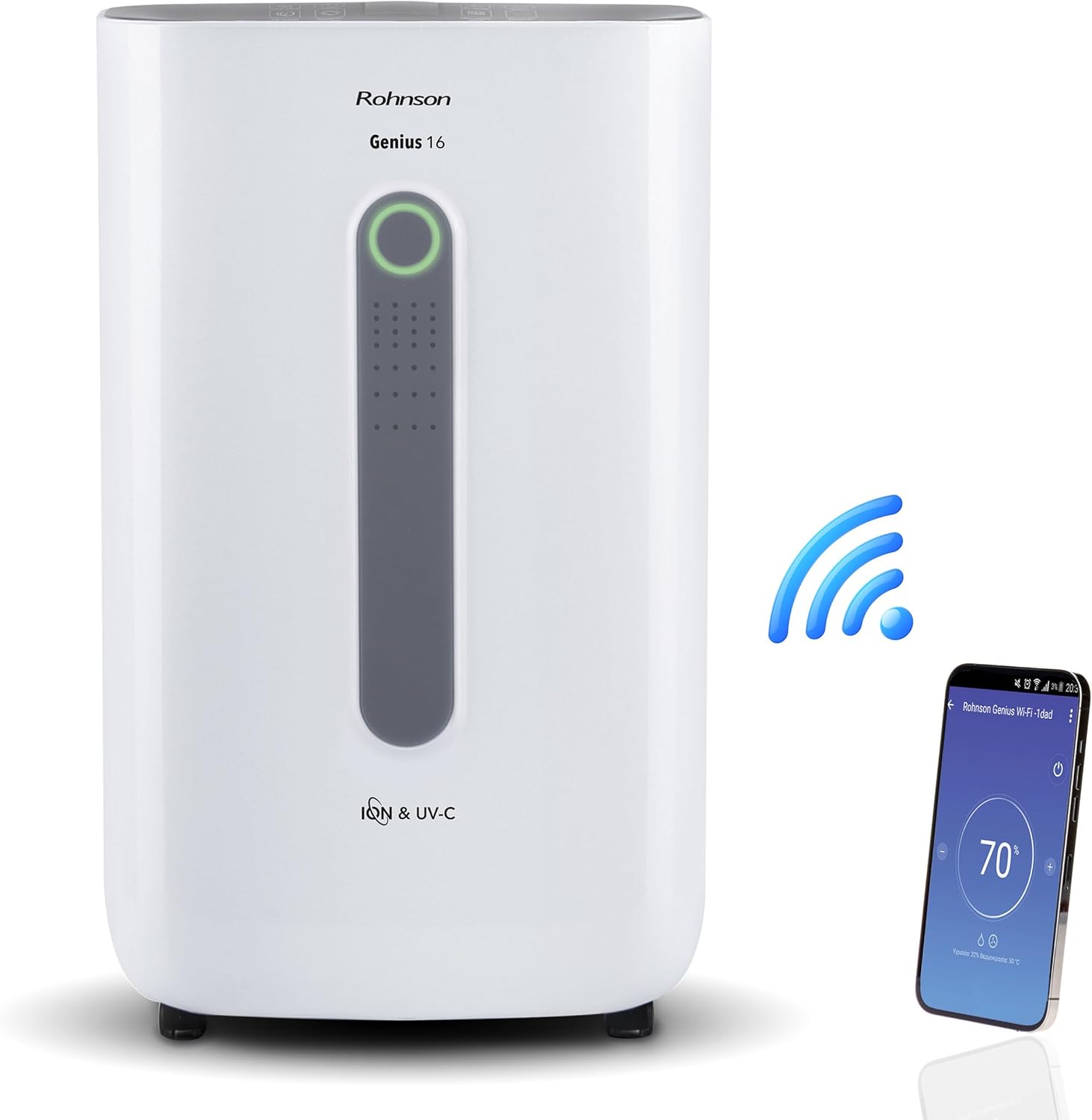
Image: The Rohnson Genius 16 Dehumidifier, a white rectangular unit with a central display, shown alongside a Wi-Fi symbol and a smartphone displaying the control app. This illustrates the unit's smart connectivity.
Instrucțiuni de siguranță
Respectați întotdeauna măsurile de siguranță de bază atunci când utilizați aparate electrice pentru a reduce riscul de incendiu, electrocutare și vătămare corporală.
- Asigurați-vă că sursa de alimentare corespunde volumuluitage specificată pe eticheta cu caracteristicile tehnice ale unității.
- Nu utilizați unitatea cu un cablu sau un ștecher deteriorat.
- Păstrați unitatea departe de sursele de căldură și de lumina directă a soarelui.
- Nu blocați intrările sau ieșirile de aer.
- Deconectați întotdeauna unitatea înainte de a curăța sau de a efectua întreținere.
- A nu se lăsa la îndemâna copiilor.
Produs terminatview
The Rohnson Genius 16 Dehumidifier is equipped with several features to enhance your indoor air quality and comfort.
- Dezumidificare eficientă: Removes up to 16 liters of moisture per day, suitable for areas up to 100 m².
- Advanced Air Purification: Features UV-C light and a dual ionizer to eliminate bacteria and odors. An optional HEPA 13 + Activated Carbon filter can remove 99.7% of particles, smoke, chemicals, and allergens.
- Funcționare ultra-silențioasă: Operates at a low noise level of 36 dB(A) in low fan mode, ideal for bedrooms and living areas.
- Control inteligent: Wi-Fi enabled for remote control via the Rohnson App (Android and iOS compatible). Includes a touch control panel, 1-24 hour timer, and automatic restart after power failure.
- Design de economisire a energiei: Powerful yet energy-efficient with only 240W power consumption. Features a Turbo-Boost mode for fast clothes drying and automatic shut-off when the water tank is full.
- Digital Humidity Display: A color indicator (Blue, Green, Red) shows current humidity levels for easy monitoring.

Image: The Rohnson Genius 16 Dehumidifier positioned in a living room, illustrating its compact size. Key features are overlaid, including its 16L/day dehumidification capacity, anti-frost system, digital humidity display, smart Wi-Fi control, UV-C light and ionizer, silent 36dB operation, and 6.5L water tank.
Înființat
1. Despachetarea
Scoateți cu grijă dezumidificatorul din ambalaj. Verificați dacă unitatea prezintă semne de deteriorare. Păstrați ambalajul pentru depozitare sau transport ulterior.
2. Plasare
Place the dehumidifier on a firm, level surface in the area where dehumidification is desired. For optimal performance, ensure there is at least 20 cm (8 inches) of space around all sides of the unit to allow for proper airflow. The unit is effective for rooms up to 100 m². For best air circulation, consider placing it centrally within the room.

Image: A diagram illustrating the optimal placement of the dehumidifier in different household areas such as a laundry room, bedroom, living room, office, and basement, emphasizing central positioning for maximum effectiveness in rooms up to 100 m².
3. Conexiune la alimentare
Plug the power cord into a grounded electrical outlet. Ensure the outlet meets the electrical requirements of the unit (230 Volts AC).
4. Filter Installation (Optional HEPA 13 + Activated Carbon Filter)
The Rohnson Genius 16 comes with an optional HEPA 13 + Activated Carbon filter for enhanced air purification.
- Locate the filter compartment, typically at the back or side of the unit.
- Deschideți capacul filtrului.
- Insert the HEPA 13 + Activated Carbon filter, ensuring it is correctly oriented.
- Închideți bine capacul filtrului.
5. Opțiuni de drenaj al apei
Unitatea oferă două metode de drenaj:
- Rezervor de apă: The unit has a 6.5-liter water tank. When the tank is full, the unit will automatically shut off and an indicator will light up. Empty the tank and reinsert it to resume operation.
- Drenaj continuu: For continuous operation without needing to empty the tank, connect a drainage hose (not included) to the continuous drainage port on the unit. Route the hose to a suitable drain or larger container.
Instrucțiuni de operare
1. Panoul de control
The Rohnson Genius 16 features an intuitive touch control panel and a digital display.
- Buton de alimentare: Pornește sau oprește unitatea.
- Selectarea modului: Cycle through different operating modes (e.g., Dehumidification, Turbo-Boost, Night Mode).
- Viteza ventilatorului: Adjust fan speed (low, medium, high).
- Setare umiditate: Set your desired humidity level. The unit will operate until this level is reached.
- Buton cronometru: Set a timer for automatic shut-off (1-24 hours).
- UV-C/Ionizer Button: Activates or deactivates the UV-C light and dual ionizer.
- Ecran digital: Shows current humidity, temperature, and selected settings.

Image: A visual representation of the digital humidity control feature, showing the dehumidifier and its color-coded humidity indicators. Blue indicates humidity below 55%, Green for 55-70%, and Red for above 70%, providing an easy visual cue for air moisture levels.
2. Controlul aplicației Wi-Fi
Control your Rohnson Genius 16 from anywhere using the Rohnson App.
- Download the "Rohnson" app from the App Store (iOS) or Google Play Store (Android).
- Înregistrați un cont și conectați-vă.
- Follow the in-app instructions to add your Rohnson Genius 16 dehumidifier. This typically involves putting the unit into pairing mode and connecting it to your home Wi-Fi network.
- Once connected, you can remotely monitor humidity, adjust settings, set schedules (hourly, daily, weekly), and control all functions of the dehumidifier.

Image: A banner illustrating the smart connectivity of the dehumidifier, showing the unit and a smartphone displaying the Rohnson app. This highlights the ability to control the room climate remotely, schedule operations, and monitor humidity via a smartphone, compatible with both Android and iOS.
3. Moduri speciale
- Turbo-Boost Mode (Laundry Drying): This mode provides a powerful airflow to quickly dry clothes indoors. Position the unit near the laundry for efficient drying.
- Modul noapte: Reduce viteza ventilatorului și diminuează intensitatea luminilor afișajului pentru o funcționare silențioasă în timpul repausului.

Image: The Rohnson Genius 16 Dehumidifier positioned in a room with a clothes drying rack, illustrating its effectiveness in drying laundry indoors, especially useful during rainy weather or in apartments without balconies.
Întreţinere
Regular maintenance ensures the longevity and efficient operation of your dehumidifier. Always unplug the unit before cleaning.
1. Curățarea exteriorului
Ștergeți exteriorul unității cu un material moale, damp Nu utilizați substanțe chimice dure, abrazive sau solvenți, deoarece acestea pot deteriora suprafața.
2. Curățarea/Înlocuirea filtrelor
The air filter should be cleaned regularly (e.g., every two weeks or as needed) to maintain optimal performance. If using the optional HEPA 13 + Activated Carbon filter, refer to its specific replacement schedule.
- Opriți și deconectați dezumidificatorul.
- Remove the filter cover and carefully take out the filter(s).
- For washable filters, rinse with lukewarm water and mild detergent. Allow to air dry completely before reinserting.
- For HEPA/Activated Carbon filters, these are typically not washable and should be replaced according to manufacturer recommendations or when visibly dirty.
- Reinsert the clean/new filter(s) and close the cover.
3. Golirea rezervorului de apă
Când rezervorul de apă este plin, unitatea se va opri din funcționare.
- Gently pull out the water tank from the unit.
- Goliți cu grijă apa colectată.
- Curățați rezervorul cu apă și săpun delicat, dacă este necesar, apoi clătiți bine.
- Reinsert the empty tank firmly into the unit until it clicks into place. The unit will resume operation.
Depanare
Înainte de a contacta serviciul de asistență pentru clienți, vă rugăm să consultați următoarele probleme și soluții frecvente.
| Problemă | Cauza posibila | Soluţie |
|---|---|---|
| Unitatea nu pornește. | Fără alimentare, cablu de alimentare slăbit, rezervorul de apă plin sau introdus necorespunzător. | Check power connection. Empty and reinsert water tank securely. |
| No water collected / Low dehumidification. | Room humidity too low, air filter clogged, temperature too low, unit size too small for room. | Check current humidity setting. Clean or replace air filter. Ensure room temperature is above 5°C (41°F). |
| Unitatea este zgomotoasă. | Unit not on a level surface, fan obstruction, dirty filter. | Place unit on a flat, stable surface. Check for obstructions in fan area. Clean filter. |
| Probleme cu conexiunea Wi-Fi. | Incorrect Wi-Fi password, unit too far from router, app not updated. | Ensure correct Wi-Fi password. Move unit closer to router. Update Rohnson App. Refer to app's troubleshooting guide. |
Specificații
| Caracteristică | Detaliu |
|---|---|
| Marca | Rohnson |
| Numărul de model | R-9916W |
| Capacitate de dezumidificare | Până la 16 de litri/zi |
| Zona recomandată a camerei | Până la 100 m² |
| Capacitatea rezervorului de apă | 6.5 litri |
| Nivel de zgomot | 36 dB(A) (low fan mode) |
| Consumul de energie | 240 W |
| Voltage | 230 volți (AC) |
| Dimensiuni produs (L x l x H) | 28 x 38 x 64 cm |
| Greutatea articolului | 16 kilograme |
| Caracteristici speciale | Digital Display, Wi-Fi Control, UV-C Light, Dual Ionizer, Optional HEPA 13 Filter, Turbo-Boost Mode, Auto Shut-off, Auto Restart |
| Culoare | Alb |
Garanție și suport
For information regarding warranty coverage and customer support, please refer to the warranty card included with your product or visit the official Rohnson webPăstrați bonul fiscal ca dovadă a achiziției.
If you encounter issues not covered in this manual, please contact Rohnson customer service for assistance.