
1. Introducere
The SMSL D400 Pro is a high-fidelity Digital-to-Analog Converter (DAC) designed for discerning audio enthusiasts. It features advanced AK4499EX and AK4191EQ DAC chips, MQA full decoding capabilities, and a low-distortion design to deliver exceptional sound quality. This manual provides essential information for setting up, operating, and maintaining your D400 Pro.
2. Conținutul pachetului
Vă rugăm să verificați dacă toate articolele sunt prezente în colet:
- 1 x SMSL D400 Pro Unit
- 1 x cablu USB
- 1 x telecomandă
- 1 x cablu de alimentare AC
- 1 x Manual de utilizare (acest document)
3. Produs terminatview
The SMSL D400 Pro is engineered for high-resolution audio playback, integrating advanced components and design principles.

Figura 3.1: Faţă view DAC-ul SMSL D400 Pro, prezentareasing its sleek silver chassis, display screen, and control knob.
Caracteristici cheie:
- Dual DAC Chips: Equipped with AK4499EX and AK4191EQ DAC chips for superior audio processing.
- Audio de înaltă rezoluție: Supports PCM up to 32bit/768kHz and DSD512.
- MQA Full Decoding: Provides full MQA decoding for master quality audio playback, including MQA-CD support.
- Distorsiune ultra-redusă: Achieves distortion as low as 0.00006% (-124dB) for clear and accurate sound.
- XMOS XU-316 USB Solution: Utilizes the latest 3rd generation XMOS USB solution for stable and efficient data transfer.
- High-End Components: Dispune de 5 funcții duale de înaltă performanțăamps and audiophile-grade components.
- Advanced Clock Processing: Incorporates a self-developed CK-03 clock processing circuit to reduce jitter.
- Conectivitate Bluetooth: Supports Qualcomm's high-end Bluetooth chip with LDAC (24bit/96kHz), aptX/HD, SBC, and AAC codecs.
- Sursă de alimentare robustă: Multiple low-noise regulated power supplies ensure a stable and clean power system.
- Premium Build: Fully laminated tempered glass display panel and high-quality gold-plated input/output terminals.
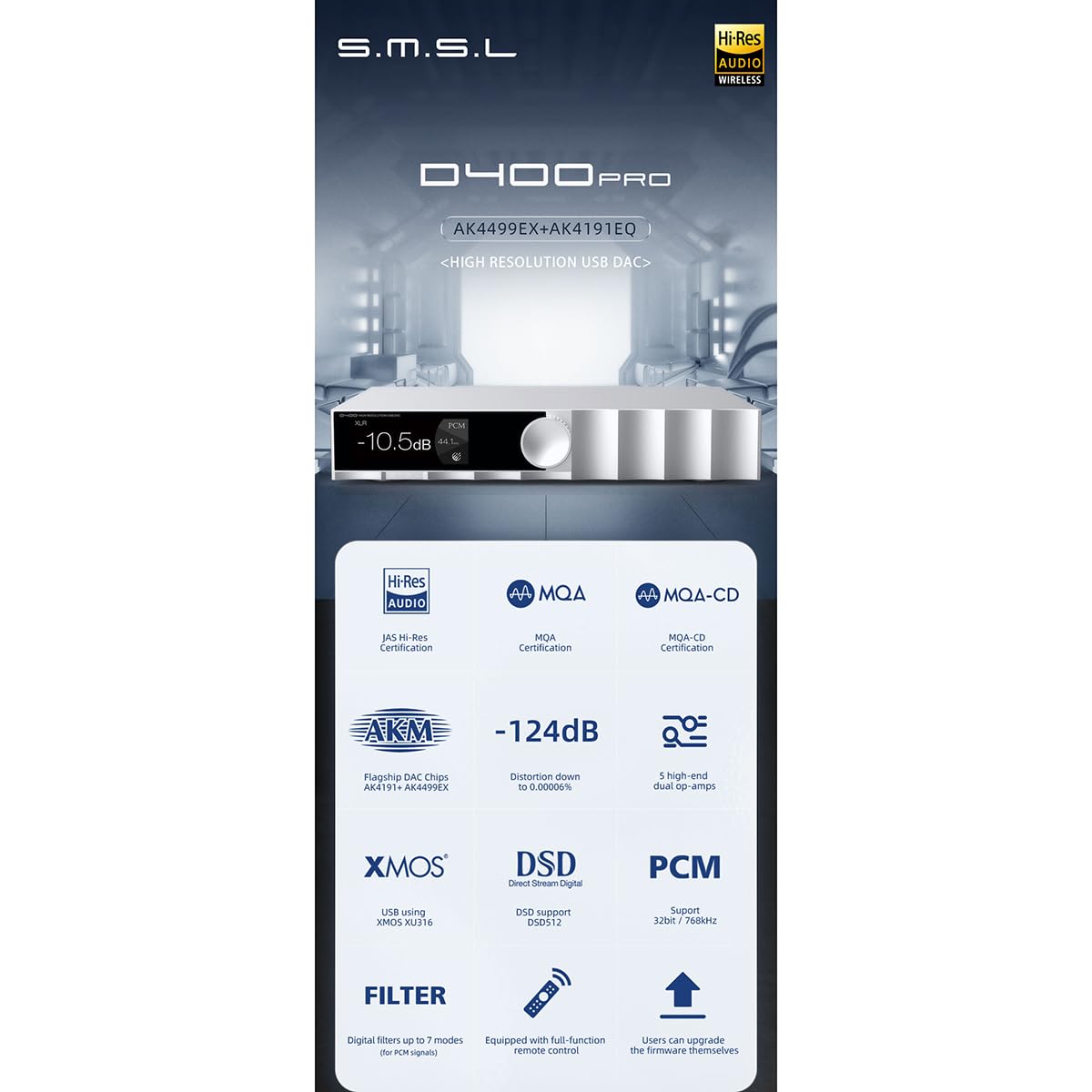
Figura 3.2: An infographic highlighting the key features of the D400 Pro, including DAC chips, MQA support, low distortion, XMOS USB, DSD, PCM, and remote control.

Figura 3.3: Illustration explaining MQA CD support, showing how a CD player's digital output can be fed to the D400 Pro for MQA decoding, restoring original high-resolution audio.
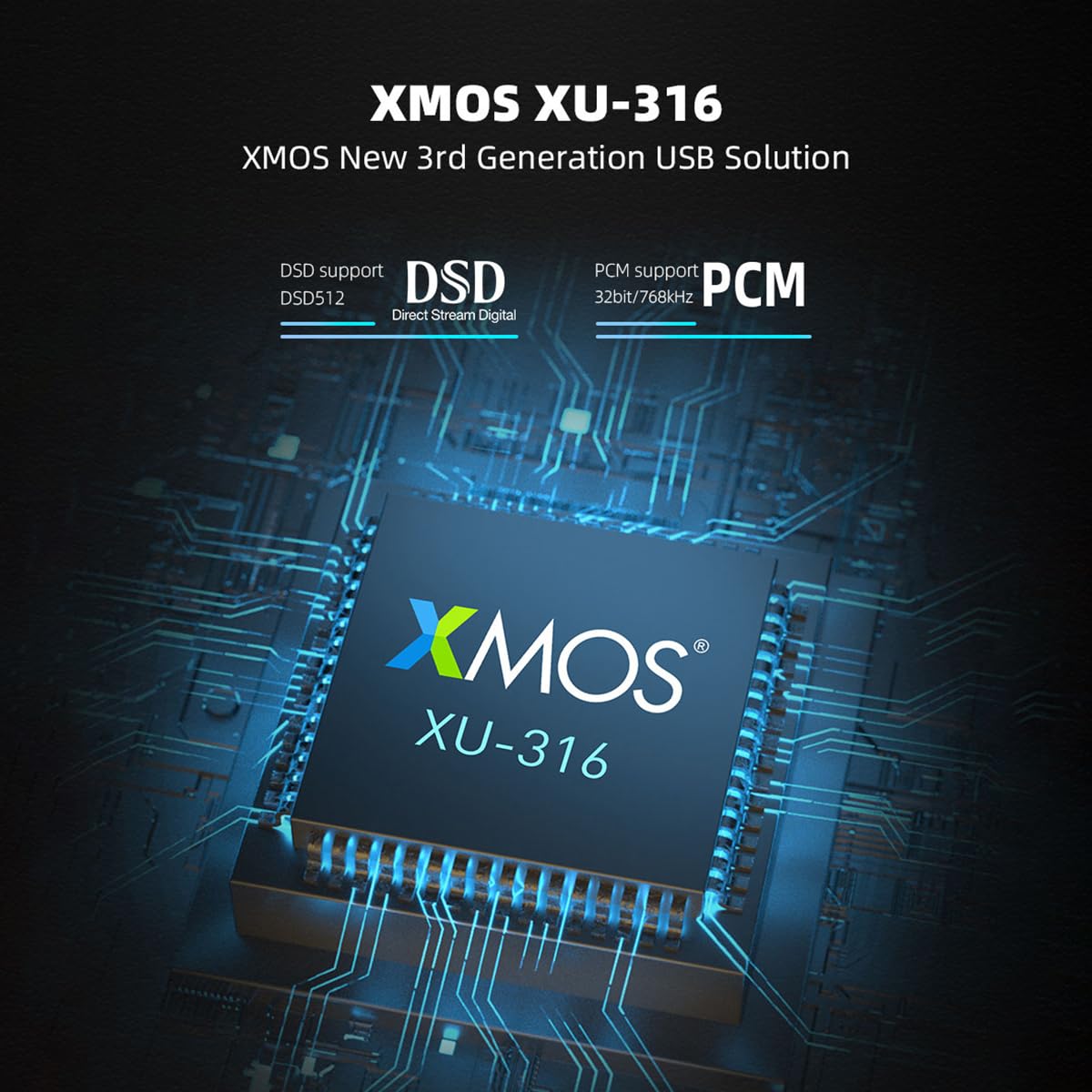
Figura 3.4: Un detaliat view of the XMOS XU-316 USB solution chip, emphasizing its support for DSD512 and PCM 32bit/768kHz.

Figura 3.5: Close-up of the AK4191 and AK4499EX flagship DAC chips, along with a graph illustrating the D400 Pro's low distortion performance at 0.00006% (-124dB).
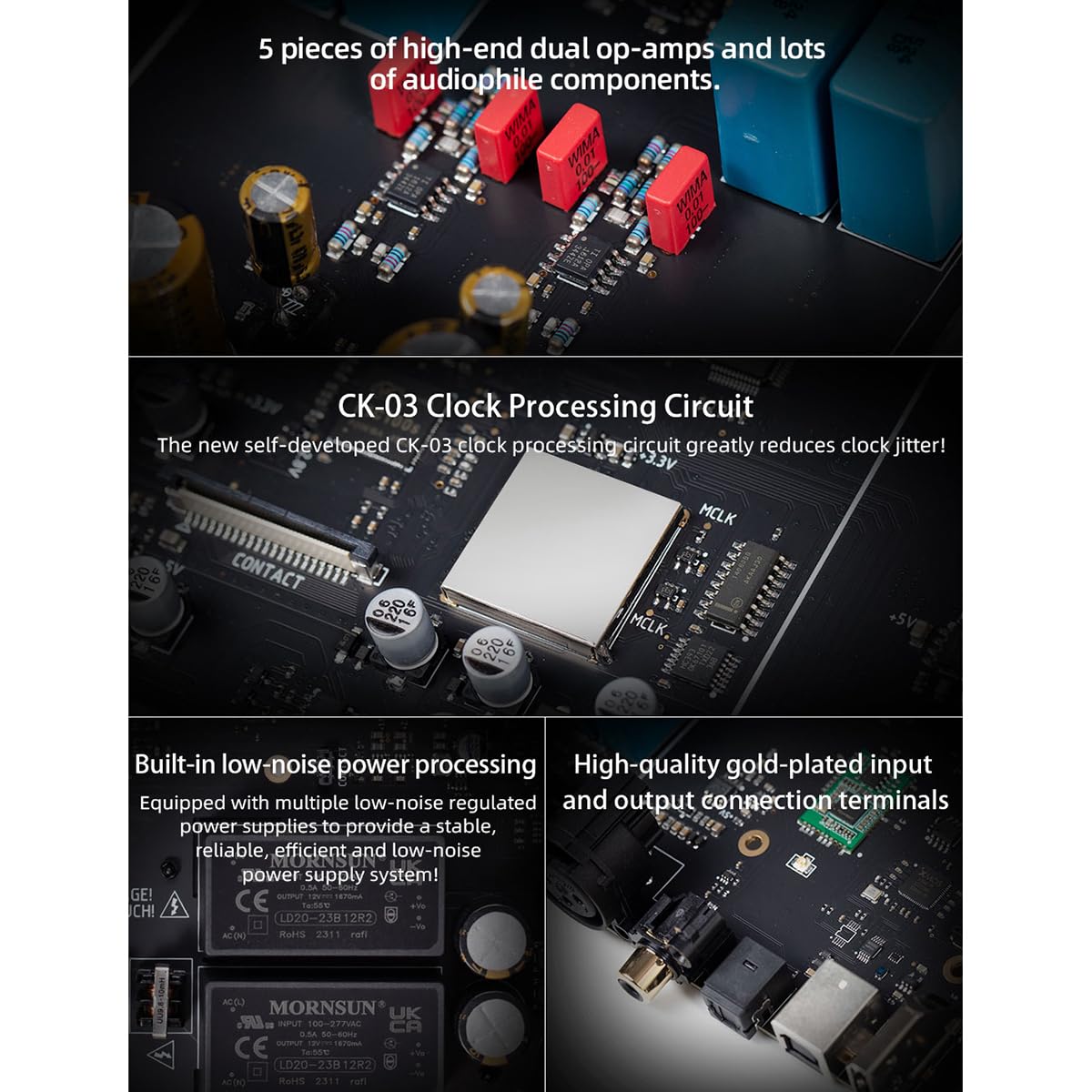
Figura 3.6: Un intern view highlighting the 5 high-end dual op-amps, the CK-03 clock processing circuit, built-in low-noise power processing, and high-quality gold-plated input/output connection terminals.
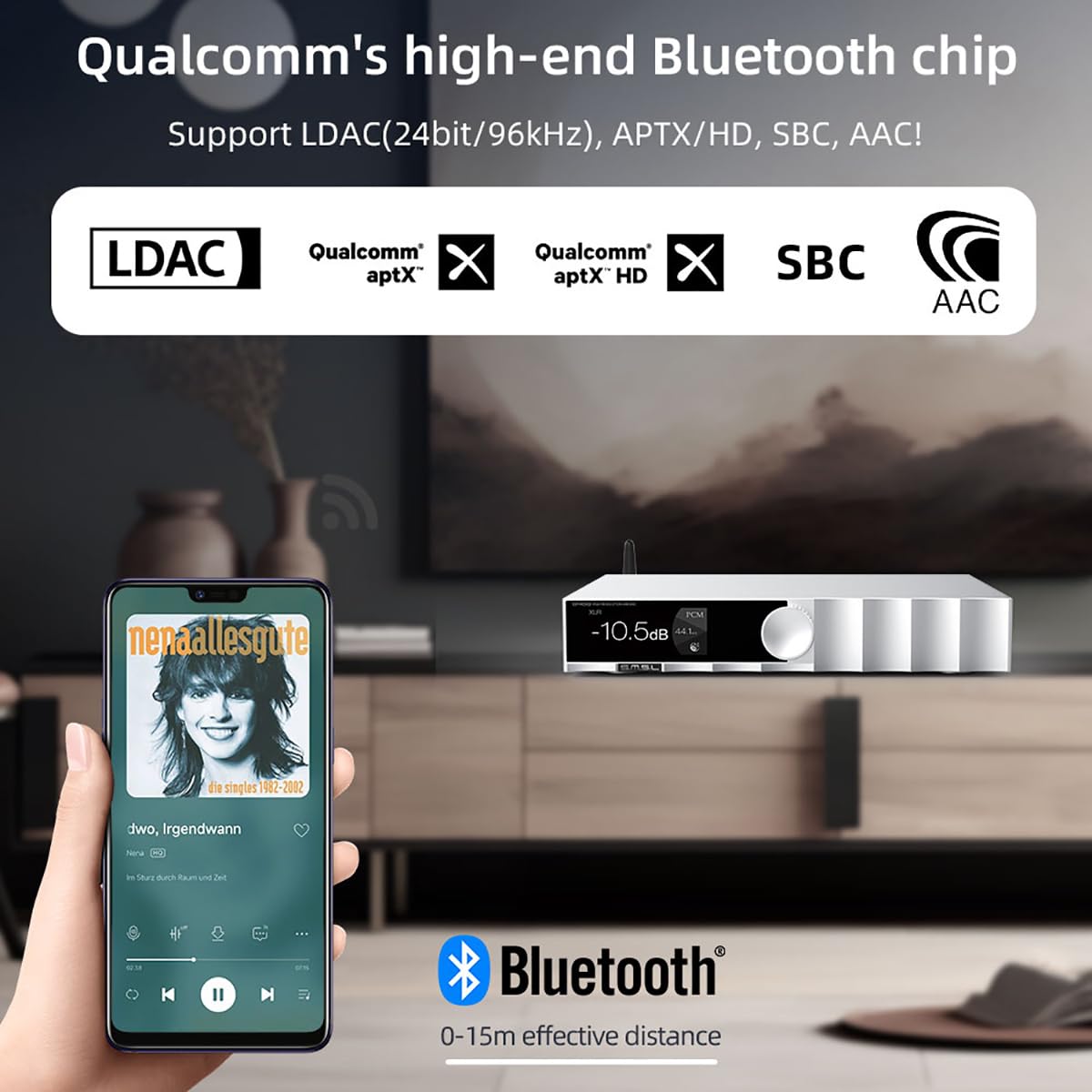
Figura 3.7: Depiction of the D400 Pro's Bluetooth functionality, showing a smartphone streaming audio wirelessly with support for LDAC, aptX/HD, SBC, and AAC codecs within a 0-15m effective distance.
4. Configurare
Follow these steps to connect your SMSL D400 Pro to your audio system:
- Conexiune de alimentare: Connect the supplied AC power cable to the D400 Pro's power input and then to a wall outlet.
- Conexiune la sursa de intrare: Choose your desired digital audio input:
- USB: Connect the USB cable from your computer (Windows 7/8/8.1/10/11 requires driver installation) or other USB audio source to the D400 Pro's USB input.
- Optic/Coaxial: Connect an optical or coaxial cable from your source device (e.g., CD player, TV) to the corresponding input on the D400 Pro.
- IIS/AES: For advanced users, connect compatible sources to the IIS or AES inputs.
- Bluetooth: Ensure the D400 Pro is powered on. On your source device (e.g., smartphone), enable Bluetooth and search for "SMSL D400 Pro" to pair.
- Conexiune de ieșire: Connect the D400 Pro to your ampvorbitori activi sau activi:
- Iesire RCA: Use RCA cables to connect the D400 Pro's RCA outputs to the analog inputs of your ampmai în viață.
- Ieșire XLR: Use balanced XLR cables to connect the D400 Pro's XLR outputs to the balanced inputs of your ampLiifier pentru performanțe optime.
- Pornire: Press the power button on the front panel or remote control to turn on the D400 Pro.
5. Instrucțiuni de utilizare
The D400 Pro offers intuitive controls for seamless audio playback.
5.1 Comenzi de pe panoul frontal:
- Buton de control: Rotate to adjust volume. Press to access the menu or confirm selections.
- Ecran de afișare: Afișează intrarea curentă, sampling rate, volume level, and other status information.
5.2 Telecomanda:
Telecomanda inclusă oferă funcționalitate completă pentru operare convenabilă de la distanță.
- Buton de alimentare: Pornește / oprește unitatea.
- Selectare intrare: Dedicated buttons or a cycle button to switch between USB, Optical, Coaxial, IIS, AES, and Bluetooth inputs.
- Volum sus/jos: Reglează volumul de ieșire.
- Mut: Dezactivează/activează sunetul ieșirii audio.
- Meniu/Setari: Accesses various settings such as digital filters, display brightness, and output modes.
5.3 Redare:
- Select the desired input source using the front panel knob or remote control.
- Start playback from your connected source device.
- Adjust the volume to your preferred listening level.
- The display will show the current sampling rate and MQA status (if applicable).
6. Specificații
| Caracteristică | Caietul de sarcini |
|---|---|
| Intrare | USB / Optical / Coaxial / IIS / AES |
| Ieșire | RCA / XLR |
| Nivel de ieșire | XLR: 5 Vrms, RCA: 2.5 Vrms |
| Impedanta de iesire | XLR: 200Ω, RCA: 100Ω |
| THD+N | XLR: 0.00006% (-124dB) (UN-WTD), RCA: 0.00008% (-121dB) (UN-WTD) |
| Interval dinamic | XLR: 132dB, RCA: 126dB |
| SNR | XLR: 132dB, RCA: 126dB |
| Transmisie USB | asynchronization |
| Compatibilitate USB | Windows 7/8/8.1/10/11 (needs driver), Mac OS, Linux |
| Decodor MQA | USB / optic / coaxial |
| MQA-CD Decoder | Optic / Coaxial |
| Sampling Rate (USB/I2S) | PCM: 44.1~768KHz, DSD: 2.8224~22.5792MHz (DSD512) |
| Sampling Rate (Optical/Coaxial) | PCM: 44.1~192kHz |
| Suport Bluetooth | LDAC (24 biți/96 kHz), aptX/HD, SBC, AAC |
| Consumul de energie | <10W |
| Putere de așteptare | <0.5W |
| Dimensiuni (LxAxD) | 254 x 189 x 46mm (10 x 7.44 x 1.81 țoli) |
| Greutate | 1.5 kg (3.31 lbs) |
7. Depanare
If you encounter issues with your D400 Pro, refer to the following common problems and solutions:
- Fără putere:
- Ensure the AC power cable is securely connected to both the D400 Pro and a working power outlet.
- Check if the power button on the front panel or remote control has been pressed.
- Fără ieșire de sunet:
- Verify that the correct input source is selected on the D400 Pro.
- Check the volume level on the D400 Pro and your amplifier/active speakers. Ensure the D400 Pro is not muted.
- Confirm that the RCA or XLR cables are correctly connected between the D400 Pro and your ampmai în viață.
- For USB input, ensure the necessary drivers are installed on your computer (for Windows).
- Check the source device for proper playback and output settings.
- Sunet distorsionat:
- Asigurați-vă că toate cablurile sunt conectate corect și nu sunt deteriorate.
- Check the source audio file calitate.
- Reduce the volume level if clipping occurs.
- Probleme de conexiune Bluetooth:
- Ensure the D400 Pro is in Bluetooth input mode.
- Make sure the source device is within the effective Bluetooth range (0-15m).
- Try unpairing and re-pairing the D400 Pro from your source device's Bluetooth settings.
8. Întreținere
To ensure the longevity and optimal performance of your SMSL D400 Pro, follow these maintenance guidelines:
- curatenie: Folosiți o cârpă moale și uscată pentru a curăța exteriorul unității. Evitați utilizarea de produse de curățare abrazive, solvenți sau spray-uri chimice, deoarece acestea pot deteriora finisajul.
- Plasare: Place the unit on a stable, flat surface with adequate ventilation. Avoid direct sunlight, heat sources, and areas with high humidity or dust.
- Oprire: When not in use for extended periods, it is recommended to power off the unit and disconnect it from the power outlet.
- Evitați lichidele: Do not expose the unit to water or other liquids. If liquid enters the unit, immediately disconnect power and seek professional service.
9. Garanție și asistență
The SMSL D400 Pro is manufactured by SMSL and sold by AOSHIDA. For warranty information and technical support, please refer to the documentation provided at the time of purchase or contact your retailer. Keep your purchase receipt as proof of purchase for warranty claims.
For further assistance, you may visit the AOSHIDA store on Amazon or contact their customer service directly.