
Introducere
This manual provides essential instructions for the safe and efficient operation of your Hama TH50 Thermo/Hygrometer. This device is designed to accurately measure and display indoor temperature and humidity levels. Please read this manual thoroughly before using the device and keep it for future reference.
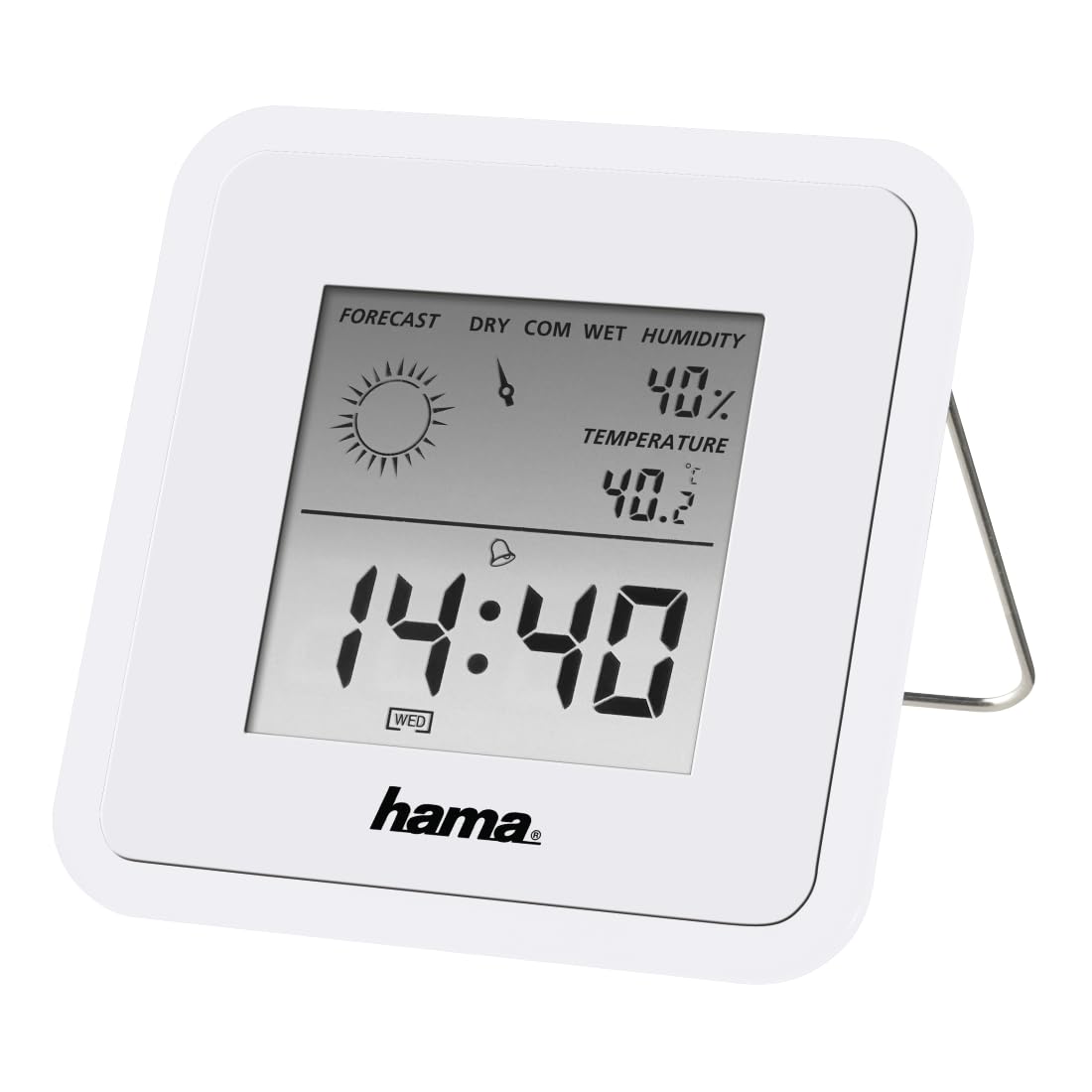
Image: The Hama TH50 Thermo/Hygrometer, a compact white device displaying digital temperature and humidity readings.
Instrucțiuni de siguranță
- Nu expuneți dispozitivul la temperaturi extreme, la lumina directă a soarelui sau la umiditate ridicată.
- Evitați să scăpați dispozitivul sau să îl supuneți la impacturi puternice.
- Nu deschideți dispozitivul casing or attempt to repair it yourself. Refer all servicing to qualified personnel.
- Nu lăsați dispozitivul la îndemâna copiilor.
- Aruncați bateriile în conformitate cu reglementările locale.
Conținutul pachetului
Vă rugăm să verificați dacă toate articolele sunt prezente și în stare bună:
- Hama TH50 Thermo/Hygrometer
- 1 Lithium Metal Battery (pre-installed or separate)
- Acest manual de instrucțiuni
Înființat
1. Instalarea bateriei
The Hama TH50 requires one Lithium Metal battery for operation. If the battery is not pre-installed, follow these steps:
- Localizați capacul compartimentului bateriei pe spatele dispozitivului.
- Deschideți capacul compartimentului bateriei.
- Insert the Lithium Metal battery, ensuring the correct polarity (+/-) as indicated inside the compartment.
- Închideți bine capacul compartimentului bateriei.
2. Plasare
The Hama TH50 is designed for tabletop mounting. For accurate readings, place the device in a central location within the room, away from direct heat sources, air conditioning vents, or open windows that could affect temperature and humidity measurements.

Image: The Hama TH50 Thermo/Hygrometer displayed on a small table in a modern living room setting, demonstrating typical placement.
Operarea Dispozitivului
Afișează informații
Once the battery is installed, the device will automatically power on and begin displaying the current temperature and humidity. The display typically shows:
- Temperatură: Measured in degrees Celsius (°C). The accuracy is ±1°C.
- Umiditate: Measured as a percentage (%).
- Timp: The current time may also be displayed, depending on the model's features.
There are no user-adjustable settings or buttons on this model for changing units or modes. The device operates automatically.
Întreţinere
Curatenie
To clean the device, use a soft, dry, lint-free cloth. Do not use abrasive cleaners, solvents, or chemical agents, as these can damage the display or casing. Avoid getting moisture into the device.
Înlocuirea bateriei
When the display becomes dim or the readings appear inaccurate, it may be time to replace the battery. Follow the battery installation steps outlined in the "Setup" section to replace the Lithium Metal battery. Ensure proper disposal of the old battery.
Depanare
| Problemă | Cauza posibila | Soluţie |
|---|---|---|
| Device does not power on / Display is blank. | Battery is not installed or is depleted. Incorrect battery polarity. | Check battery installation and polarity. Replace with a new Lithium Metal battery if necessary. |
| Citiri inexacte ale temperaturii/umidității. | Device placed near heat sources, vents, or in direct sunlight. Battery low. | Relocate the device to a more central and stable environment. Replace the battery. |
| Afișajul este slab. | Putere scăzută a bateriei. | Înlocuiți bateria litiu-metal. |
Specificații
- Număr de model: 00186371
- Marca: Hama
- Dimensiuni produs: 10.5 x 8.6 x 3.2 cm
- Greutatea articolului: 66 grame
- Culoare: Alb
- Tip de montare: Blat de masă
- Precizia citirii temperaturii: ±1°C
- Baterii: 1 baterie litiu metal (inclusă)
Garanție și suport
Hama provides a limited warranty for this product. For detailed warranty information, technical support, or service inquiries, please refer to the official Hama website-ul lor sau contactați departamentul lor de asistență pentru clienți. Păstrați bonul fiscal ca dovadă a achiziției.
Notă: Specificațiile și aspectul produsului pot fi modificate fără notificare prealabilă.