
MEE audio EP-X5G2-GM
MEE audio X5-G2-2019 Wireless In-Ear Sport Headphones
Manual de utilizare
Model: EP-X5G2-GM
1. Configurare
1.1 Conținutul pachetului
Verificați dacă toate articolele sunt prezente în ambalajul produsului:
- X5 Wireless In-Ear Headset
- Cablu de încărcare micro-USB
- Eartips (4 sizes)
- Aripioare pentru urechi
- Manual de utilizare

Image: Retail packaging of the MEE audio X5-G2-2019 headphones, showing the product and accessories.
1.2 Încărcarea căștilor
Before first use, fully charge the headphones. Connect the supplied Micro-USB charging cable to the charging port on the control module and plug the other end into a USB power source (e.g., computer USB port or wall adapter). The LED indicator will show charging status.
1.3 Purtarea căștilor
The X5-G2-2019 headphones are designed for a secure and comfortable fit. Experiment with the different sizes of eartips and ear fins to find the best seal and stability for your ears. The ergonomic design ensures they stay in place during physical activity.
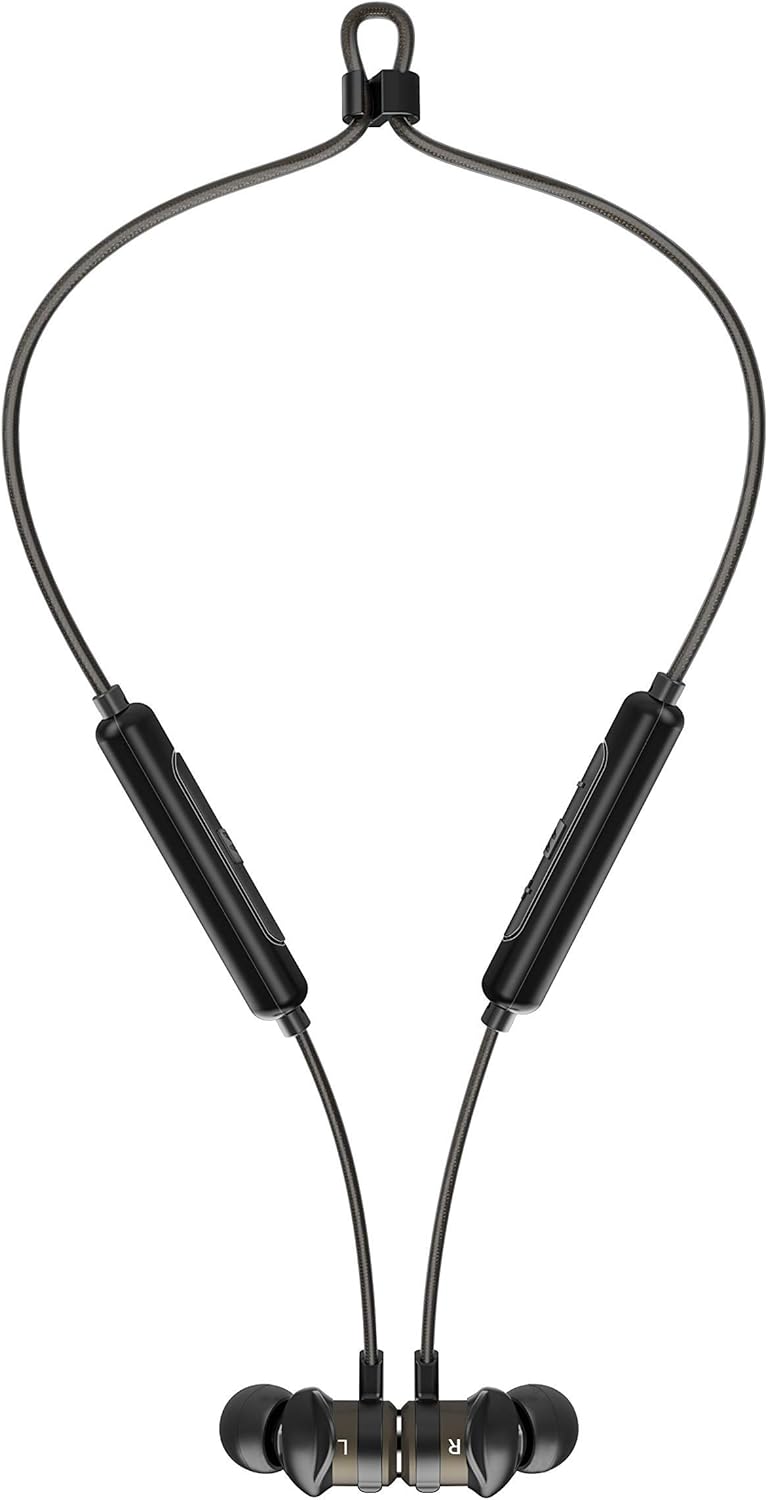

Image: The headphones shown worn around the neck and with earpieces magnetically connected for secure storage.
1.4 Asociere Bluetooth
- Asigurați-vă că căștile sunt încărcate și oprite.
- Press and hold the multi-function button on the control module until the LED indicator flashes blue and red, indicating pairing mode.
- Pe dispozitivul dvs. (smartphone, tabletă etc.), activați Bluetooth și căutați dispozitive noi.
- Select "MEE audio X5-G2-2019" from the list of available devices.
- Once connected, the LED indicator will flash blue periodically.
2. Utilizarea căștilor
2.1 Controale asupraview
The X5-G2-2019 features an integrated remote and microphone for convenient control of calls and music playback.

Image: Close-up of the MEE audio X5-G2-2019 headphones showing the inline control module with volume and multi-function buttons.
- Buton multifuncțional: Pornire/oprire, redare/pauză, preluare/încheiere apeluri.
- Creștere volum (+): Măriți volumul, piesa următoare (apăsare lungă).
- Volum scăzut (-): Reduceți volumul, piesa anterioară (apăsare lungă).
2.2 Pornire/Oprire
- Pornire: Apăsați și mențineți apăsat butonul multifuncțional până când LED-ul clipește în albastru.
- Oprire: Press and hold the multi-function button until the LED flashes red and turns off.
2.3 Redarea muzicii
- Redare/Pauză: Apăsați o dată butonul multifuncțional.
- Următoarea piesă: Apăsați lung butonul de creștere a volumului (+).
- Pista anterioară: Apăsați lung butonul de reducere a volumului (-).
2.4 Gestionarea apelurilor
- Răspundeți/Terminați apelul: Apăsați o dată butonul multifuncțional.
- Respinge apelul: Apăsați și mențineți apăsat butonul multifuncțional.
3. Întreținere
3.1 Curățare
Clean the headphones regularly with a soft, damp cloth. Do not use harsh chemicals or abrasive materials. Remove eartips and clean them separately with mild soap and water if necessary, ensuring they are completely dry before reattaching.
3.2 Depozitare
When not in use, store the headphones in a cool, dry place away from direct sunlight and extreme temperatures. The magnetic earpieces allow for tangle-free storage around your neck or in a pouch.
3.3 Rezistență la apă și transpirație
The MEE audio X5-G2-2019 headphones feature an IPX5 sweat and weather-resistant design, protecting them from splashes and sweat. Do not submerge the headphones in water or expose them to running water.
4. Depanare
4.1 Probleme comune și soluții
- Fără putere: Asigurați-vă că sunt complet încărcate căștile. Conectați-le la o sursă de alimentare și verificați indicatorul de încărcare.
- Nu se poate realiza asocierea: Ensure the headphones are in pairing mode (flashing blue and red). Turn off and on your device's Bluetooth. Try forgetting the device on your phone and re-pairing.
- Fără sunet: Check the volume level on both the headphones and your connected device. Ensure the headphones are properly paired and connected.
- Calitate slabă a sunetului: Ensure the eartips provide a good seal in your ear. Move closer to your connected device to avoid interference.
5. Specificații
| Marca | Audio MEE |
| Numele modelului | EP-X5G2-GM |
| Numărul de model | EP-X5G2-GM |
| Tehnologia de conectivitate | Cu fir, fără fir |
| Tehnologia comunicațiilor fără fir | Bluetooth |
| Plasarea urechii | In-ear |
| Factor de formă | In-ear |
| Mufă pentru căști | Micro USB |
| Culoare | Gunmetal |
| Dimensiunile produsului | 2 x 2 x 2 cm; 50 grame |
| baterii | 1 Lithium-Polymer Battery required (included) |
| Durata de viață a bateriei (redare muzică) | Până la 8.5 ore |
| Durata de viață a bateriei (timp de convorbire) | Până la 9 ore |
| Evaluare de rezistență la apă | IPX5 (rezistent la transpirație și intemperii) |
| Componente incluse | X5 Wireless In-Ear Headset, Micro-USB charging cable, Eartips (4 sizes), Ear fins, User Manual |
6. Garanție și asistență
6.1 Informații despre garanție
MEE audio products are covered by a manufacturer's warranty. Please refer to the warranty card included in your product packaging or visit the official MEE audio webpentru termenii și condițiile detaliate de garanție specifice regiunii dumneavoastră.
6.2 Asistență pentru clienți
For technical assistance, troubleshooting, or warranty claims, please contact MEE audio customer support through their official website. Have your product model number (EP-X5G2-GM) and purchase information ready when contacting support.
Ask a question about this manual
Ask about setup, troubleshooting, compatibility, parts, safety, or missing instructions. Manuals+ will review the question and use this page’s manual context to help answer it.