
Dell G5587-7866BLK-PUS
Manual de utilizare pentru laptopul de jocuri Dell G5 15 5587
Model: G5587-7866BLK-PUS
1. Introducere
This manual provides essential information for setting up, operating, maintaining, and troubleshooting your Dell G5 15 5587 Gaming Laptop. Please read this manual thoroughly to ensure proper use and to maximize the performance and longevity of your device.
2. Conținutul pachetului
Verificați dacă toate articolele sunt prezente în colet:
- Dell G5 15 5587 Gaming Laptop
- Adaptor de alimentare
- Ghid de pornire rapidă
- Warranty, Safety, and Regulatory Information
- Additional accessories (if indicated on product page)
3. Suprasolicitare fizicăview
3.1 Față View
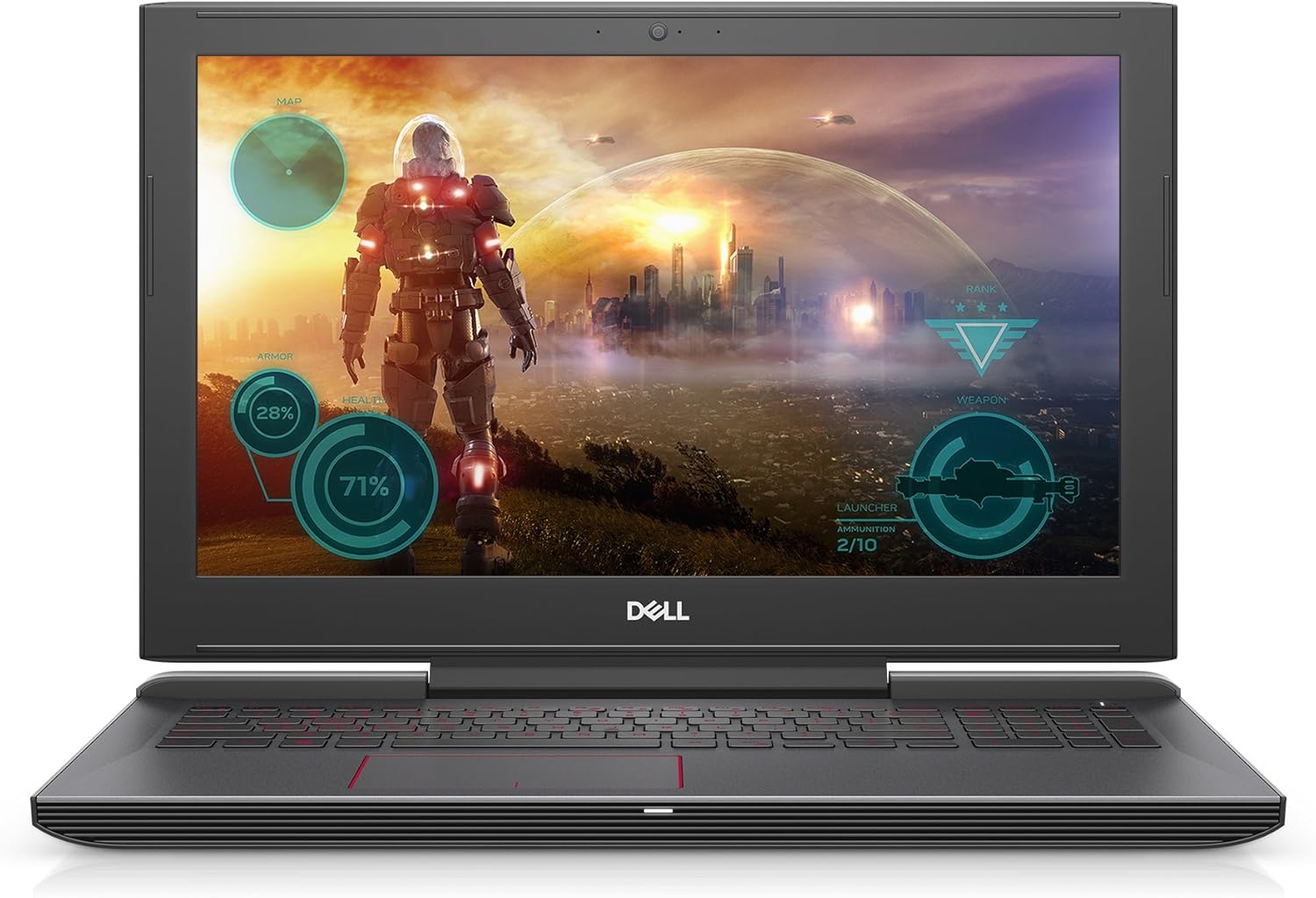
Figura 3.1: Față view of the Dell G5 15 5587 Gaming Laptop, open with the display active.
3.2 Spate View

Figura 3.2: Spate view of the closed laptop, highlighting the Dell logo and cooling vents.
3.3 Porturi din partea stângă

Figure 3.3: Left side of the laptop, featuring the power connector, USB ports, and audio jack.
3.4 Porturi din partea dreaptă

Figure 3.4: Right side of the laptop, featuring additional USB ports, HDMI, and SD card reader.
3.5 Tastatură și touchpad

Figura 3.5: De sus în jos view a tastaturii iluminate din spate și a touchpad-ului de precizie.
4. Configurare
4.1 Pornirea inițială
- Conectați adaptorul de alimentare: Conectați adaptorul de alimentare la portul de alimentare al laptopului și apoi la o priză de perete.
- Deschideți laptopul: Ridicați cu grijă capacul afișajului.
- Pornire: Press the power button, typically located on the top-right of the keyboard deck.
- Urmați instrucțiunile de pe ecran: The laptop will guide you through the initial Windows 10 setup process, including language selection, network connection, and user account creation.
4.2 Conectarea perifericelor
- Dispozitive USB: Connect USB mice, keyboards, or external drives to the available USB 3.0 ports.
- Afișaj extern: Use the HDMI port to connect an external monitor or TV.
- Conexiune retea: Connect to a wireless network via the built-in 802.11a Wi-Fi or use an Ethernet adapter (not included) for a wired connection.
5. Instrucțiuni de utilizare
5.1 Gestionarea energiei
- Pornire: Apăsați butonul de pornire.
- Închidere: Faceți clic pe butonul Start, apoi pe Power > Shut down.
- Repornire: Faceți clic pe butonul Start, apoi pe Power > Restart.
- Dormi: Faceți clic pe butonul Start, apoi pe Power > Sleep sau închideți capacul laptopului.
5.2 Utilizarea tastaturii și a touchpad-ului
- Tastatură iluminată din spate: The keyboard features backlighting for use in low-light conditions. Function keys (Fn) combined with specific keys can control brightness.
- Gesturi touchpad: The precision touchpad supports multi-touch gestures for navigation, scrolling, and zooming. Refer to Windows settings for customization.
5.3 Audio și video
- Controlul volumului: Adjust volume using the dedicated function keys or through the Windows taskbar.
- Jack pentru căști: Conectați căști sau difuzoare externe la mufa audio.
6. Întreținere
- curatenie: Folosiți o lavetă moale, fără scame, pentru a curăța ecranul și carcasa. Evitați substanțele chimice dure.
- Actualizări de software: Regularly update Windows and Dell drivers to ensure optimal performance and security.
- Îngrijirea bateriei: Pentru a prelungi durata de viață a bateriei, evitați temperaturile extreme și lăsați bateria să se descarce parțial înainte de a o reîncărca.
- Ventilare: Ensure the laptop's cooling vents are unobstructed to prevent overheating, especially during intensive tasks like gaming.
7. Depanare
| Emisiune | Soluție posibilă |
|---|---|
| Laptopul nu pornește | Asigurați-vă că adaptorul de alimentare este conectat corect și că priza funcționează. Încercați o altă priză. |
| Ecranul este gol | Check display brightness settings. Connect an external monitor to verify if the issue is with the laptop's display. |
| Performanță lentă | Close unnecessary applications. Check for background updates. Ensure adequate ventilation to prevent thermal throttling. |
| Probleme de conexiune Wi-Fi | Restart the laptop and router. Check Wi-Fi settings and ensure drivers are updated. |
| Supraîncălzire | Ensure cooling vents are clear. Use the laptop on a hard, flat surface. Consider a cooling pad for extended heavy use. |
8. Specificații
| Caracteristică | Detaliu |
|---|---|
| Procesor | 8th Generation Intel Core i7-8750H (6-Core, up to 3.9GHz) |
| Memorie (RAM) | 16GB 2666MHz DDR4 (expandable up to 32GB) |
| Depozitare | 128GB SSD (Boot) + 1TB 5400 RPM HDD |
| Grafică | NVIDIA GeForce GTX 1050 Ti with 4GB GDDR5 |
| Afişa | 15.6-inch LED, 1920 x 1080 pixels |
| Sistem de operare | Windows 10 Home |
| Conectivitate wireless | 802.11a Wi-Fi |
| Porturi | 3x USB 3.0, HDMI, 2-in-1 SD/Micro Media Card Reader, Audio Jack |
| Baterie | 56 Watt Hours Lithium Ion |
| Dimensiuni (Lxlxh) | 10.82 x 15.32 x 0.98 inci |
| Greutate | 6.28 lire sterline |
| Caracteristici speciale | Tastatură iluminată din spate |
9. Garanție și asistență
Your Dell G5 15 5587 Gaming Laptop comes with a standard manufacturer's warranty. Please refer to the 'Warranty, Safety, and Regulatory Information' document included in your package for specific terms and conditions.
For technical support, driver downloads, or further assistance, please visit the official Dell support website or contact Dell customer service. Keep your product's service tag or serial number readily available when seeking support.
Suport Dell Website: www.dell.com/support
Ask a question about this manual
Ask about setup, troubleshooting, compatibility, parts, safety, or missing instructions. Manuals+ will review the question and use this page’s manual context to help answer it.