
1. Introducere
The MEE audio EarBoost EB1 earphones are designed to provide a personalized audio experience through adaptive sound enhancement. Utilizing a dedicated companion application, these earphones tailor sound output to your unique hearing profile, aiming to restore detail and improve clarity for music and media playback.
2. Conținutul pachetului
Verificați dacă toate articolele enumerate mai jos sunt incluse în pachetul dumneavoastră:
- EarBoost EB1 earphones
- Geanta de protectie pentru transport
- Cablu de incarcare micro-USB
- Eartips (3 sizes: small, medium, large)
- Urechi
- Manual de utilizare (acest document)

Image: The EarBoost EB1 earphones, protective carrying case, Micro-USB charging cable, three sizes of eartips, and earfins are displayed.
3. Configurare
3.1 Încărcarea căștilor
Before initial use, fully charge your EarBoost EB1 earphones. Connect the supplied Micro-USB charging cable to the charging port on the earphones and to a USB power source. The LED indicator will show charging status and turn off when fully charged. A full charge typically takes approximately 2 hours.
3.2 Selecting Eartips and Earfins
For optimal sound quality and comfort, select the eartips and earfins that best fit your ears. Experiment with the three provided sizes to find a secure and comfortable seal. A proper seal is crucial for bass response and noise isolation.

Image: A person wearing the EarBoost EB1 earphones, demonstrating the ergonomic earpiece design with flexible earfins for a secure fit.
3.3 Asociere Bluetooth
- Asigurați-vă că sunt oprite căștile.
- Press and hold the multifunction button on the inline remote until the LED indicator flashes red and blue, indicating pairing mode.
- On your audio device (smartphone, tablet, etc.), enable Bluetooth and search for new devices.
- Select 'MEE audio EB1' from the list of available devices.
- Once connected, the LED indicator will flash blue periodically.
3.4 Instalarea aplicației însoțitoare
To utilize the adaptive audio enhancement features, download the MEE audio companion app from the iOS App Store or Google Play Store. Caută 'MEE audio EarBoost' or 'MEE audio' to find the correct application.

Image: A smartphone displaying the MEE audio EarBoost app, which allows users to test their hearing and create a personalized audio profile.
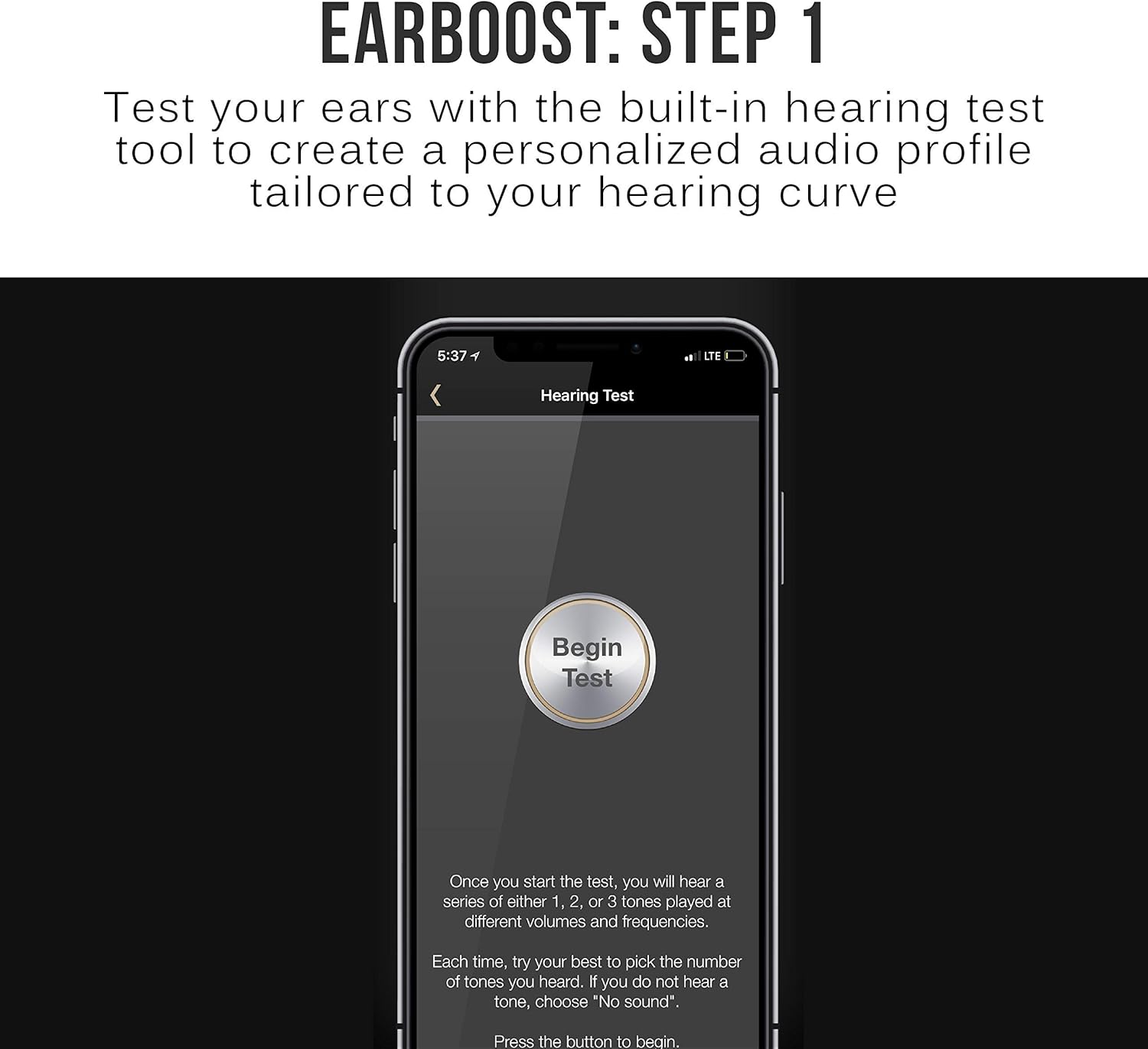
Image: The EarBoost app's 'Hearing Test' screen, prompting the user to begin the test to create a personalized audio profile.
4. Utilizarea căștilor
4.1 Controale de bază
The inline remote provides control over media playback and calls:
- Multifunction Button (Center): Press once to play/pause music or answer/end calls. Press and hold to power on/off or enter pairing mode.
- Creștere volum (+): Apăsați pentru a crește volumul. Apăsați și mențineți apăsat pentru următoarea piesă.
- Volum scăzut (-): Apăsați pentru a reduce volumul. Apăsați și mențineți apăsat pentru melodia anterioară.

Image: A person wearing the EarBoost EB1 earphones, demonstrating the use of the integrated microphone and inline controls for calls and music playback.
4.2 Adaptive Audio Enhancement
The core feature of the EarBoost EB1 is its adaptive audio enhancement, managed through the companion app:
- Test de auz: Open the MEE audio app and follow the on-screen instructions to perform a hearing test. This test measures your hearing sensitivity across various frequencies.
- Profile Creare: Based on your hearing test results, the app generates a personalized audio profile. Acest profile is then uploaded to the EarBoost EB1 earphones.
- Enhanced Listening: Odată ce profile is active, the earphones will apply the personalized enhancement to all audio played through them, regardless of the connected Bluetooth device.
- Profile Ajustare: The app allows for further fine-tuning of your audio profile if desired. You can also switch between different profiles or disable the enhancement.

Image: The EarBoost app's 'Hearing Test Results' screen, displaying a graph of the user's hearing curve and indicating that a personalized audio enhancement profile has been calculated.

Image: A hand adjusting the equalizer settings within the MEE audio EarBoost app, demonstrating the ability to customize the audio profile.
4.3 HD Wireless Sound
The EarBoost EB1 supports Qualcomm aptX Low Latency technology, which helps to minimize audio delay and improve lip-sync when watching videos or playing games with compatible Bluetooth devices. This contributes to clear, distortion-free digital sound.

Image: A person wearing the EarBoost EB1 earphones, illustrating their use for enjoying HD wireless sound from a smartphone.
5. Întreținere
To ensure the longevity and optimal performance of your EarBoost EB1 earphones:
- curatenie: Regularly clean the eartips and earphone nozzles with a soft, dry cloth. Remove eartips for thorough cleaning if necessary. Avoid using harsh chemicals or abrasive materials.
- Depozitare: When not in use, store the earphones in the provided protective carrying case to prevent damage from dust, moisture, and physical impact.
- Evitați condițiile extreme: Do not expose the earphones to extreme temperatures, direct sunlight for extended periods, or liquids.
6. Depanare
If you encounter issues with your EarBoost EB1 earphones, refer to the following common solutions:
- Fără sunet: Ensure the earphones are charged, powered on, and correctly paired with your device. Check the volume levels on both the earphones and your audio source.
- Probleme de asociere: Make sure the earphones are in pairing mode (flashing red and blue LED). Turn off and on your device's Bluetooth, then try pairing again. Clear previous pairings from your device's Bluetooth list if necessary.
- Poor Sound Quality / Skipping: Ensure the earphones are within the Bluetooth operating range (up to 10 meters) of your device. Avoid physical obstructions between the earphones and the device. Check for interference from other wireless devices.
- App Not Working / License Not Detected: Ensure your smartphone's operating system is up to date. Try reinstalling the MEE audio app. Contact MEE audio support if the issue persists.
- Bateria nu se încarcă: Verify that the Micro-USB cable is securely connected to both the earphones and the power source. Try a different charging cable or USB port.
7. Specificații
| Caracteristică | Caietul de sarcini |
|---|---|
| Numele modelului | EB1-GM |
| Tehnologia de conectivitate | Bluetooth |
| Tehnologia comunicațiilor fără fir | Bluetooth 4.1 |
| Gama de operare Bluetooth | 30 ft (10 m) |
| Bluetooth Profiles Acceptat | A2DP, HSP, HFP, AVRCP |
| Additional Audio Codecs Supported | SBC, Qualcomm aptX, Qualcomm aptX Low Latency |
| Dimensiunea driverului | 6 mm |
| Răspunsul în frecvență al difuzoarelor | 20 Hz până la 20 kHz |
| Impedanta difuzorului | 16 ohmi la 1 kHz |
| Sensibilitatea difuzorului | 99+/-3 dB (1 mW at 1 kHz) |
| Tip baterie | Built-In Rechargeable Lithium Ion |
| Timp de redare a muzicii | 6 de ore |
| Timp de vorbire | 7 de ore |
| Timp de așteptare | 180 de ore |
| Timp de încărcare | 2 de ore |
| Tip conector de încărcare | Micro-USB |
| Directivitate microfon | Omnidirecțional |
| Raspuns in frecventa microfonului | 100 Hz până la 10 kHz |
| Sensibilitatea microfonului | -42+/-3 dB |
| Cuplarea urechii | Intraaural (In-Ear) |
| Lungimea cablului | 21.5 inchi (55 cm) |
| Greutate | 0.5 oz (16 g) |
| Material | Plastic |
8. Garanție și asistență
The MEE audio EarBoost EB1 earphones come with a Garanție de 1 an de la producător. For warranty claims, technical support, or further assistance, please refer to the contact information provided in your product packaging or visit the official MEE audio website-ul.