
1. Introducere
The Motorola DLR1060 digital radio is designed to facilitate real-time communication, enhancing operational efficiency and problem-solving capabilities within business environments. This lightweight and compact two-way radio offers clear, reliable communication, making it an essential tool for teams needing to stay connected across various work settings.
Key features include Frequency Hopping Spread Spectrum (FHSS) technology for enhanced private communication, Private Reply, Direct Call, and Page All Available functions. The DLR1060 operates on the 900 MHz frequency band and is built for durability with a water-resistant IP54 rating.
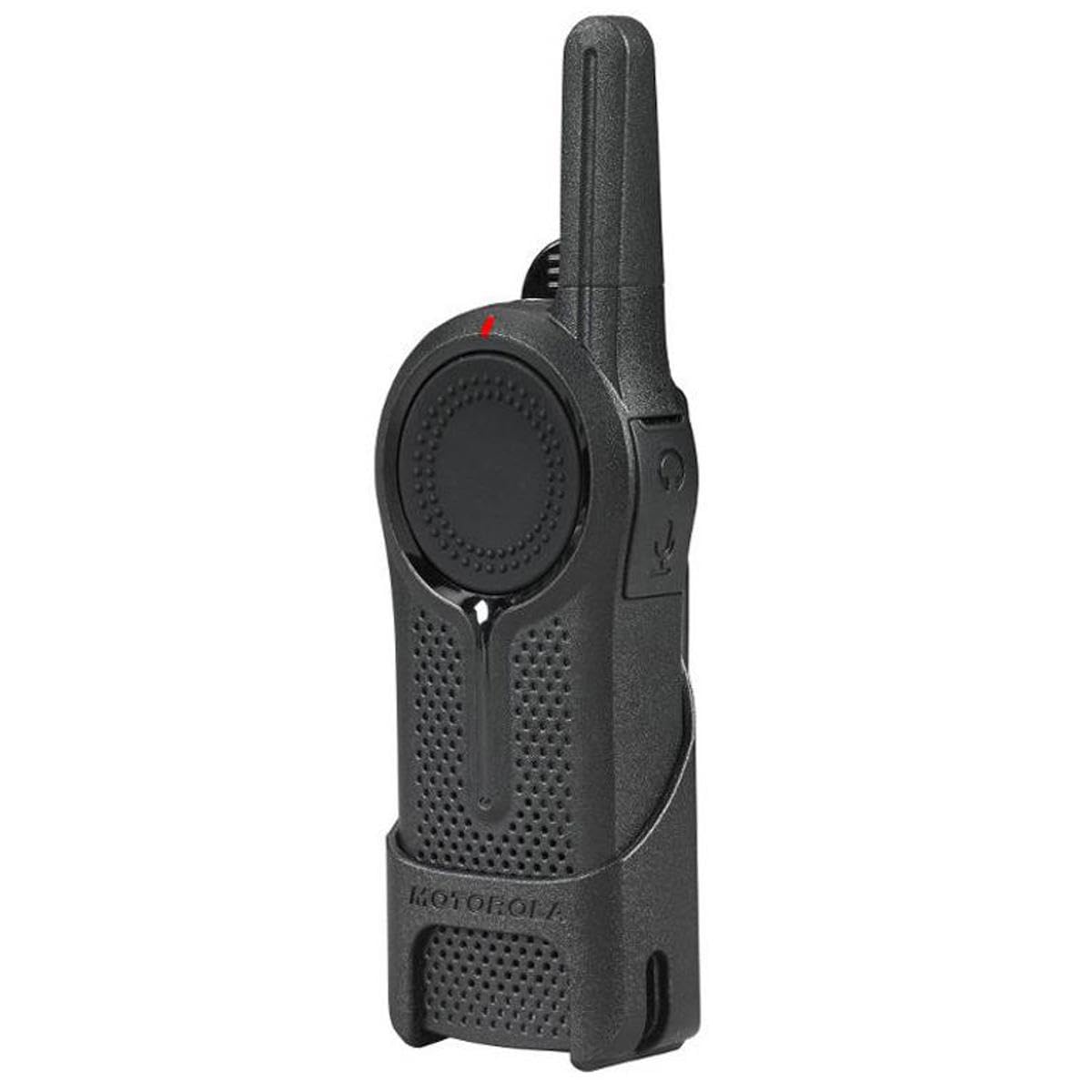
Figura 1: Față view of the Motorola DLR1060 Business Two-Way Radio, showcasindatorită designului său compact.
2. Ce se află în cutie
Your Motorola DLR1060 package typically includes the following items:
- Motorola DLR1060 Two-Way Radio Unit
- Baterie reîncărcabilă litiu-ion
- Baza de incarcare
- Adaptor de alimentare
- Clip de curea
- Cască cu microfon
3. Configurare
3.1. Încărcarea bateriei
Before initial use, fully charge the radio's battery. Insert the rechargeable Lithium-Ion battery into the radio, then place the radio into the charging base. Connect the power adapter to the charging base and plug it into a power outlet. The charging indicator light on the base will show the charging status. A full charge typically takes several hours.

Figure 2: The Motorola DLR1060 radio securely placed in its charging base for recharging.
3.2. Atașarea clemei pentru centură
Align the belt clip with the grooves on the back of the radio and slide it down until it clicks into place. To remove, lift the tab on the clip and slide it upwards.

Figura 3: lateral view of the Motorola DLR1060 radio, showing the attached belt clip for convenient carrying.
3.3. Conectarea căștii
Plug the earpiece connector firmly into the audio accessory jack on the side of the radio. Ensure it is fully inserted for proper function. The earpiece allows for private listening and includes a microphone for discreet communication.
3.4. Programare de bază
The DLR1060 radios are designed for straightforward setup. Basic channel selection and configuration can typically be done directly on the device. For advanced settings or to match existing company radio configurations, consult the detailed programming guide available from Motorola. This may involve using a company radio to transfer settings.
4. Operarea radioului
4.1. Pornire/Oprire
To power on the radio, press and hold the power button (usually marked with a circle and a vertical line) until you hear an audible tone. To power off, repeat the process.

Figura 4: lateral view of the Motorola DLR1060, highlighting the power button and other controls.
4.2. Reglarea volumului
Folosiți butoanele „+” și „-” de pe lateralul radioului pentru a crește sau a reduce volumul de ascultare.
4.3. Selectarea canalului
The DLR1060 supports multiple channels (up to 6). Use the dedicated channel selection button (often with two dots or a similar icon) to cycle through available channels. This allows for communication with different departments or groups without interference.
4.4. Apăsare și Vorbire (PTT)
To transmit, press and hold the large Push-to-Talk (PTT) button located on the side of the radio. Speak clearly into the microphone (either on the radio or the earpiece mic). Release the PTT button to listen.
4.5. Private Reply
This feature allows you to respond directly to a specific individual without broadcasting your message to the entire group. This helps to free up the main radio channel for broader communications.
4.6. Direct Call
Initiate a private conversation with a specific radio user. This ensures that only the intended recipient hears your message, providing targeted and efficient communication.
4.7. Page All Available
Broadcast a message to all radios currently active on the system. This is useful for general announcements or urgent messages that need to reach everyone simultaneously.
4.8. Talk Permit Tone
The Talk Permit Tone provides an audible signal indicating when the channel is clear for you to transmit. If you attempt to transmit while another user is speaking, you will receive an alert, preventing interruptions and ensuring orderly communication.
4.9. Instant Mute
This feature allows for immediate muting of the radio's audio output, useful in situations requiring discretion or when a private conversation is taking place nearby.
4.10. Extended Talk Range
The Motorola DLR1060 offers an extended talk range, capable of covering up to 300,000 square feet, ensuring reliable communication even in large retail or industrial environments.
Video 1: This video demonstrates the Motorola DLR Digital Business Radio in action, highlighting its clear communication, extended range, private reply, and talk permit tone features in a retail setting.
Video 2: This video showcases the DLR Series radios in a retail environment, emphasizing features like private reply, instant mute, direct call, and talk permit tone for efficient staff communication.
5. Întreținere
5.1. Îngrijirea bateriei
To maximize battery life, always fully charge the battery before use and avoid completely draining it. Store the radio and battery in a cool, dry place when not in use. Replace the battery if you notice a significant decrease in operating time.
5.2. Curățarea radioului
Ștergeți exteriorul radioului cu o lavetă moale șiamp cloth. Do not use harsh chemicals or abrasive cleaners. Ensure the audio jack and charging contacts are free of dust and debris.
6. Depanare
6.1. Fără putere
- Ensure the battery is properly inserted and fully charged.
- Verify the charging base and power adapter are correctly connected and receiving power.
6.2. Static or Unclear Audio
- Verificați nivelul volumului radioului.
- Ensure you are within the radio's operational range.
- Verify that the earpiece (if used) is securely connected and functioning correctly.
- Confirm that all radios are on the same channel.
6.3. Communication Delay
A slight delay between speaking and the message being heard by others is inherent in some digital radio systems. This is typically minor and should not significantly impact communication flow. Ensure you wait for the Talk Permit Tone before transmitting.
6.4. Cannot Transmit
- Ensure the PTT button is fully pressed.
- Listen for the Talk Permit Tone; if you hear an alert, another user is currently transmitting.
- Check if the radio is on the correct channel.
7. Specificații
| Caracteristică | Caietul de sarcini |
|---|---|
| Marca | Motorola |
| Numărul de model | DLR1060 |
| Culoare | Negru |
| Numărul de canale | 6 |
| Caracteristica specială | Ușoare |
| Gama de frecvente | 900 MHz |
| Raza de vorbire maximă | 0.5 Mile (approx. 300,000 sq ft indoors) |
| Voltage | 3.7 volți |
| Nivel de rezistență la apă | Rezistent la apă (IP54) |
| Numărul de baterii | 1 litiu ion (inclus) |
| Durata medie a bateriei | 12 de ore |
| Tip tuner | UHF |
| Protocol de conectivitate | FHSS (Spectrum Spread Spread de frecvență) |
| Dimensiunile produsului | 2" D x 6" L x 7.5" H |
| Greutatea articolului | 14.4 uncii |
8. Garanție și asistență
For warranty information, technical support, or service inquiries, please refer to the official Motorola website-ul lor web sau contactați departamentul lor de asistență pentru clienți. Păstrați bonul fiscal ca dovadă a achiziției pentru reclamațiile în garanție.