
Produs terminatview
The Dracast Pro Series LED500 Bi-Color Video Light is a professional-grade lighting solution designed for various photographic and videographic applications. It features adjustable color temperature and dimming capabilities, housed in a durable aluminum frame.
Caracteristici cheie
- Bi-Color Adjustable Color Temperature: Easily match ambient lighting with a CCT range of 3200K to 5600K.
- High Color Rendition: Achieves 96+ CRI and TLCI for excellent color accuracy across the entire color temperature range.
- Construcție durabilă: Built with an anodized aluminum metal housing and frame for robust durability.
- Controale intuitive: Features large adjustment knobs for precise 0%-100% dimming and color temperature adjustments.
- Opțiuni de alimentare versatile: Supports both AC power via the included adapter and battery power using the pre-installed Gold Mount battery plate (batteries sold separately).
- Montaj flexibil: Includes a mounting yoke with a 5/8" baby pin adapter for easy attachment to light stands.
- Sistem de răcire silențios: Utilizes a passive cooling system for quiet operation, ideal for video production.

Produs terminatview Video
Acest videoclip oferă o prezentare completăview of the Dracast Pro Series Video Panel Light, highlighting its features and applications in a studio setting.
Ce este în cutie
Upon unboxing your Dracast Pro Series LED500 Bi-Color Video Light, please ensure all the following components are present:
- 1 x Dracast Pro Series LED500 Bi-Color 3200K – 5600K LED Video Light Fixture
- 1 x Mounting Yoke with 5/8" Baby Pin Adapter
- 1 x adaptor de curent alternativ
- 1 x Pre-installed Gold Mount Battery Plate
- 1 x Nylon Padded Soft Carry Case

Înființat
Montarea Luminii
- Attach the included mounting yoke to the light fixture using the provided screws.
- Secure the 5/8" baby pin adapter of the yoke onto a compatible light stand. Tighten the locking knob on the light stand to ensure stability.
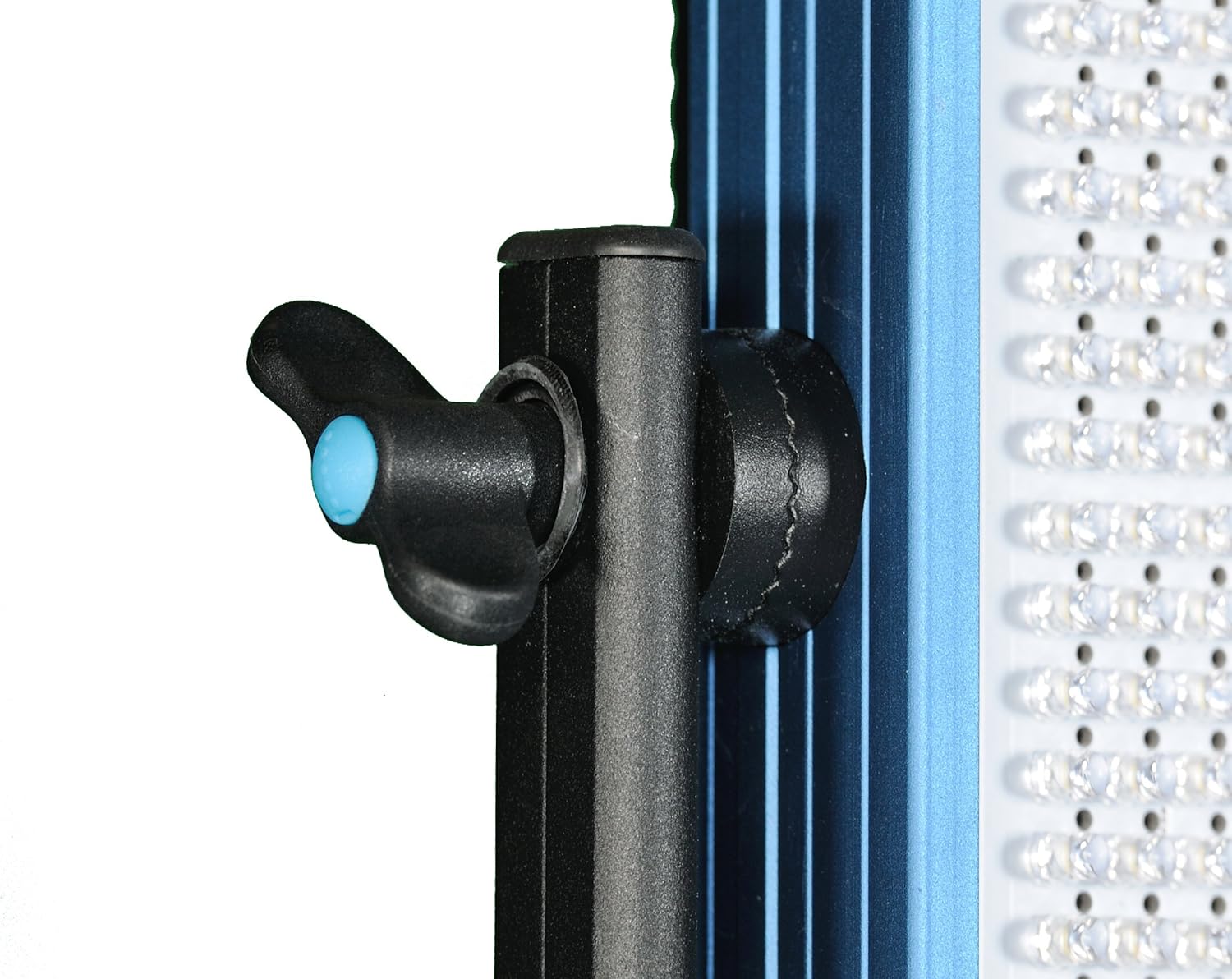
- Adjust the angle of the light fixture by loosening the knobs on the sides of the yoke, positioning the light as desired, and then tightening the knobs firmly.

Alimentarea Luminii
The Dracast Pro Series LED500 offers flexible power options:
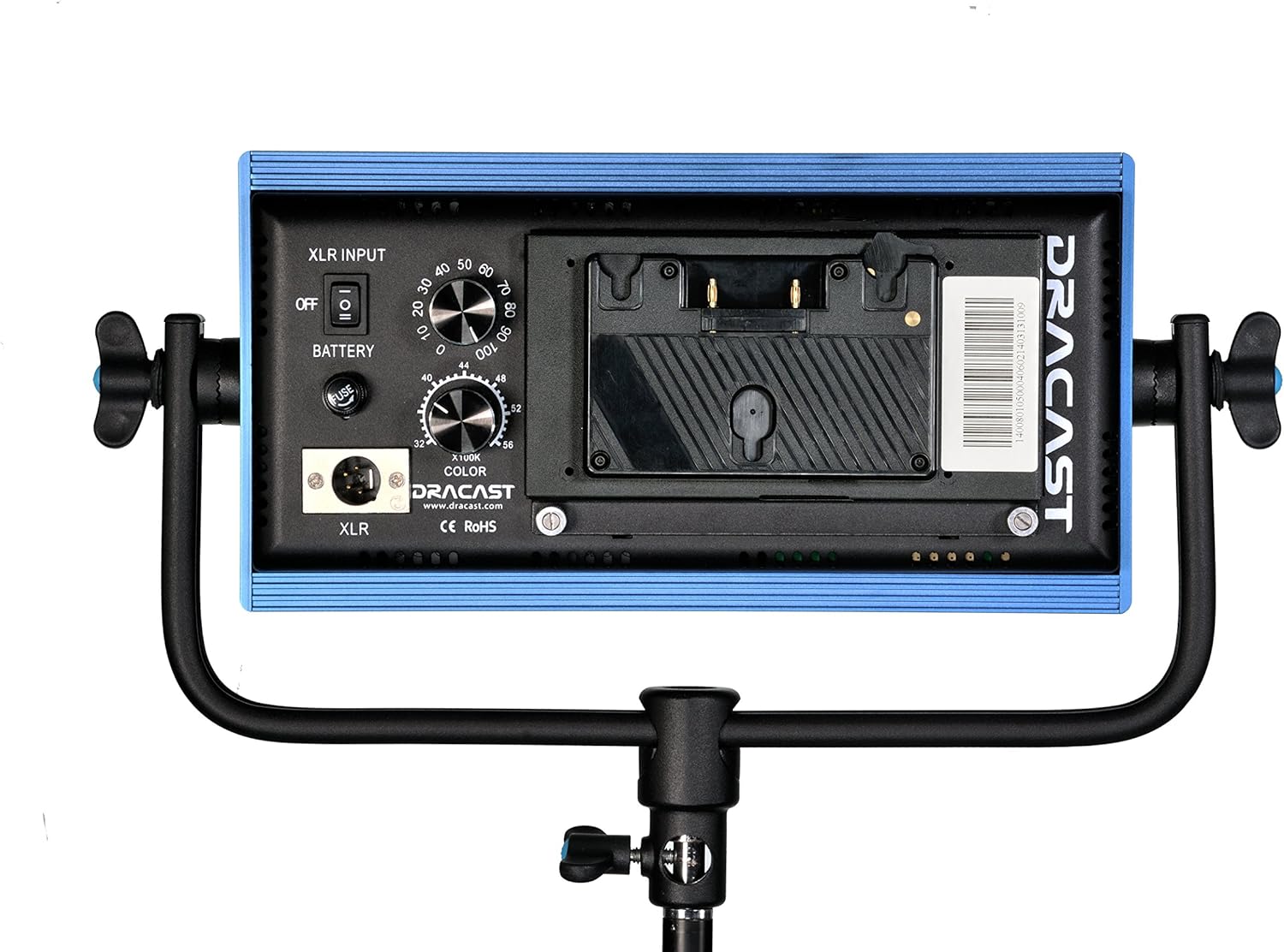
- Putere AC: Connect the included AC power adapter to the XLR input port on the back of the light fixture. Plug the other end into a standard wall outlet.
- Putere baterie: For on-location use, attach a compatible Gold Mount style battery (sold separately) to the pre-installed Gold Mount battery plate on the back of the light. Ensure the battery is fully charged before use.
Instrucțiuni de operare
Pornire/Oprire
Locate the power switch on the back panel of the light. Flip the switch to the 'ON' position to power on the light. Flip it to the 'OFF' position to power off.
Reglarea luminozității (dimming)
Use the 'DIMMER' knob on the back panel to adjust the light's intensity from 0% to 100%. Turn the knob clockwise to increase brightness and counter-clockwise to decrease it.
Reglarea temperaturii culorii
Use the 'COLOR' knob on the back panel to adjust the color temperature between 3200K (warm tungsten) and 5600K (cool daylight). Turn the knob to achieve the desired color balance for your shooting environment.
Întreţinere
Curatenie
To maintain optimal performance and appearance, regularly clean the light fixture. Use a soft, dry cloth to wipe down the aluminum housing. For the LED panel, use a microfiber cloth to gently remove dust or smudges. Avoid using harsh chemicals or abrasive materials that could damage the finish or the LEDs.
Depozitare
When not in use, store the Dracast LED500 in its included padded soft carry case. Store in a cool, dry place away from direct sunlight and extreme temperatures to prevent damage to electronic components.
Depanare
| Problemă | Cauza posibila | Soluţie |
|---|---|---|
| Lumina nu se aprinde. | Fără alimentare; conexiune slăbită; adaptor/baterie defect(ă). | Check AC power connection or battery charge. Ensure power switch is ON. Test with a different power source if available. |
| Lumina pâlpâie sau se diminuează în mod neașteptat. | Unstable power supply; low battery; overheating. | Ensure stable power source. Recharge or replace battery. Allow light to cool down if operating in high temperatures. |
| Temperatura culorii sau luminozitatea nu pot fi reglate. | Control knob malfunction; internal error. | Gently rotate knobs to ensure they are not stuck. Power cycle the unit. If issue persists, contact customer support. |
Specificatii tehnice
| Caietul de sarcini | Detaliu |
|---|---|
| Numărul de model | DRLED500BG |
| Dimensiunile produsului | 12 x 2 x 6 inci |
| Greutatea articolului | 4 lire sterline |
| Temperatura de culoare | 3200K - 5600K (Bi-Color Adjustable) |
| CRI & TLCI | 96+ |
| Dimmering | 0% - 100% |
| Opțiuni de alimentare | AC Adapter (Included), Gold Mount Battery (Sold Separately) |
| Montare | 5/8" Baby Pin Adapter |
| Materialul carcasei | Aluminiu anodizat |
| Nivel de rezistență la apă | Nu este rezistent la apă |
| Producător | Draco Broadcast, INC |
| UPC | 720189882937 |
Garanție și suport
Dracast products are manufactured to high quality standards. For information regarding warranty coverage, technical support, or service, please refer to the official Dracast website-ul lor web sau contactați direct departamentul de asistență pentru clienți. Păstrați dovada achiziției pentru solicitările de garanție.
Pentru asistență suplimentară, vizitați Dracast Store on Amazon.