Manuals+
Remote codesonn. 3-Device
onn. Universal 3-Device Remote Codes
Find five-digit onn. 100112176 F1351-02 code booklet entries, the numbered-key layout, direct entry and full code search.

Find your remote code
Select the type and brand of the device you want to control.
Programming instructions
onn. 100112176 · Universal 3-Device RemoteFive-digit TV and streaming remote. This lookup uses the F1351-02 booklet.
The finder includes selected codes from the F1351-02 booklet. Use its PDF for the remaining brands. If your remote has another booklet revision, use that revision’s code sheet.
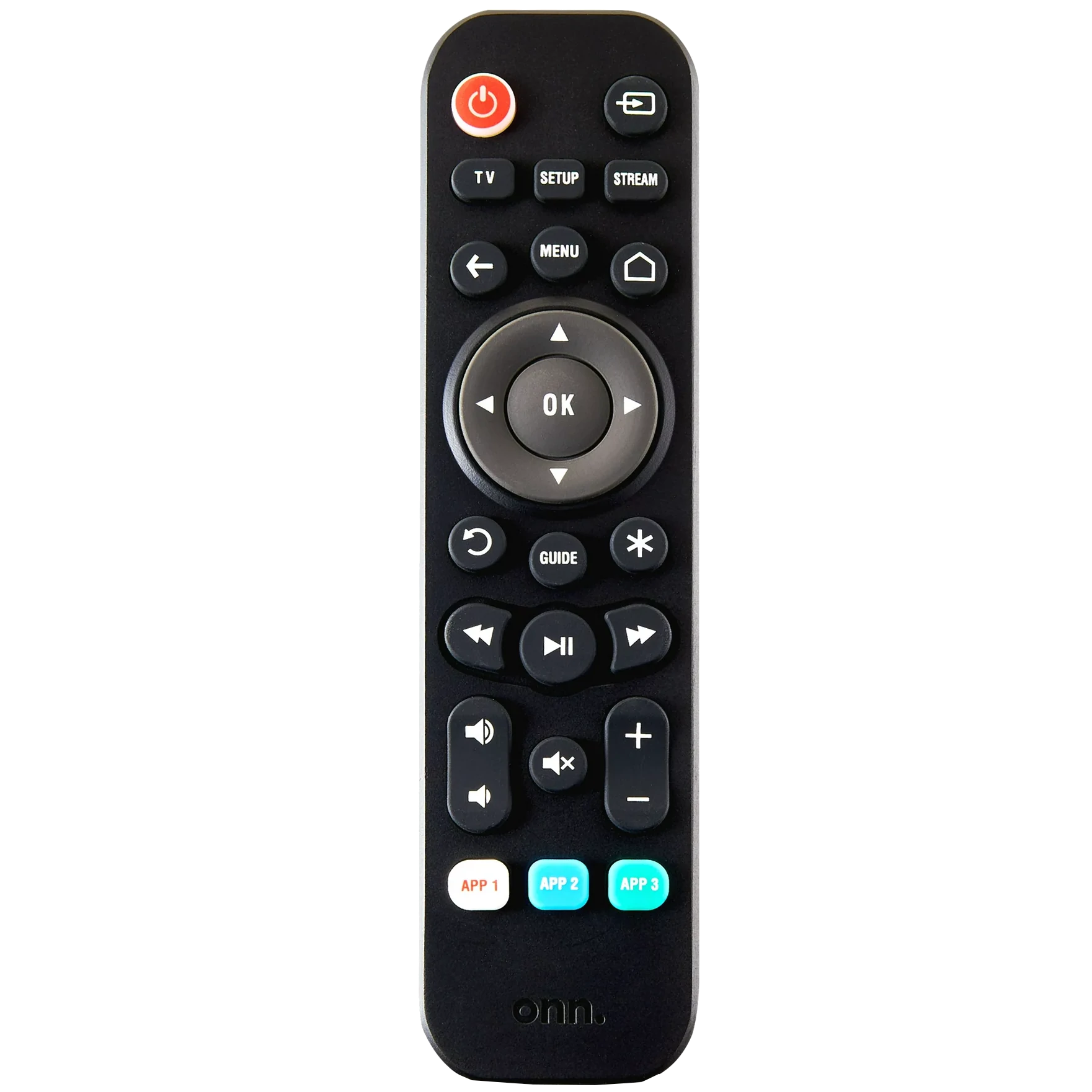
Direct code entry
- Turn on your device and press the appropriate category key, such as TV or STREAM.
- Hold SETUP until the power light stays lit.
- Enter all five digits using the mapped keys. BACK = 1, MENU = 2, HOME = 3, ↑ = 4, ← on the direction pad = 5, OK = 6, → = 7, ↓ = 8, Replay = 9 and GUIDE = 0. The power light goes out when the remote accepts the code.
- Test power and the keys you need. Repeat with another code if some commands are missing.
Automatic code search
Device keySETUPPOWEROK
- Turn on the device. Select TV or STREAM and hold SETUP until the light stays on.
- Aim at the device and press POWER once. The remote sends a different signal about every two seconds.
- Press OK within two seconds when the device powers off. If you passed the code, the manual explains how to reverse the search with POWER.
- Turn the device back on and test your favorite controls.
Further reading
Manuals with code lists
Online tools and references
Frequently asked questions
How do I enter numbers without a number pad?
The 100112176 uses navigation buttons as digits during setup. For example, BACK is 1, OK is 6, and GUIDE is 0. See the full mapping in the direct entry steps.