 User Manual Q&A
Answer

Dec 22, 2025 - 02:37 AM
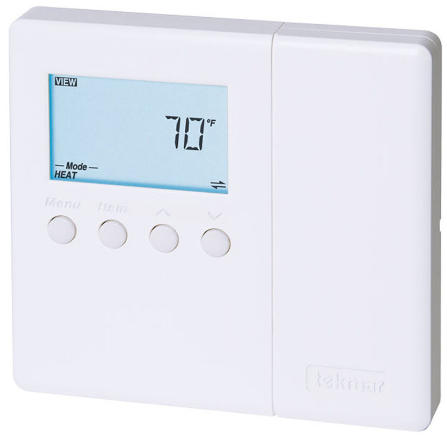
To program the tekmar D 543 Programmable Thermostat, follow these steps as outlined in the operational manual:


1. **Accessing the Programming Mode:**

   - Press the "Menu" button on the thermostat to enter the main menu.

   - Use the arrow keys to navigate to the "Program" option and press "Select" to enter the programming mode.


2. **Setting Time and Date:**

   - In the programming mode, navigate to the "Time" option and set the current time using the arrow keys.

   - Move to the "Date" option and adjust the date accordingly.


3. **Programming Schedule:**

   - Navigate to the "Schedule" option in the programming menu.

   - Use the arrow keys to select the day of the week you want to program (e.g., Monday).

   - Set the desired temperature for different time periods (Wake, Leave, Return, Sleep) using the arrow keys.


4. **Adjusting Temperature Settings:**

   - To adjust the current temperature setting, press the "Up" or "Down" arrow keys to increase or decrease the temperature.

   - You can also set the desired temperature for specific time periods within the programming schedule.


5. **Utilizing Modes:**

   - The thermostat offers different modes such as Heat, Cool, Auto, and Off. Select the appropriate mode based on your heating or cooling needs.


6. **Saving Changes:**

   - After programming the thermostat settings, press the "Done" button to save the changes and exit the programming mode.


Refer to the tekmar D 543 Programmable Thermostat operational manual for detailed instructions, illustrations, and additional features of the thermostat.


Add New Comment