 User Manual Q&A
Answer

Dec 02, 2025 - 01:21 PM
To properly mount and set up the RTMS Echo Radar Sensor for accurate vehicle detection, follow these steps as outlined in the user guide:


1. **Mounting Height and Tilt Recommendations:**

   - Refer to the table in Section 2 of the user guide for recommended mounting heights, tilt angles, and maximum detection distances based on the closest zone to the sensor.

   - Ensure the sensor is mounted perpendicular to the travel lanes and level with the road surface.


2. **Mount the RTMS Echo:**

   - Attach the mounting bracket to the roadside pole using stainless steel banding or bolts.

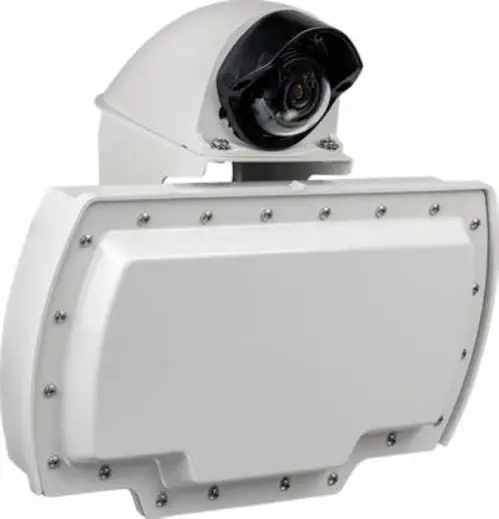
   - Secure the RTMS Echo to the bracket ensuring the cable connector is at the bottom.

   - Adjust the tilt of the sensor to aim at the farthest monitored zone.


3. **Connect the Sensor:**

   - Connect the RJ-45 connector from the cable to the receptacle on the bottom of the sensor.

   - Connect the other end of the cable to a 12-24VDC power supply and communication breakout box following the pinouts provided.


4. **Connect to the Echo Web App:**

   - Access the Echo Web App using a web browser on your device.

   - Enter the appropriate URL based on your connection type (Wi-Fi or Ethernet).

   - Use the default login credentials: admin/rtmsecho.


5. **Aim the Sensor:**

   - Use the Aim tab in the Echo Web App to adjust the roll, tilt, and azimuth of the sensor for accurate alignment with the road.

   - Tighten the nuts securing the sensor once the adjustments are made.


6. **Detect Zones:**

   - Use the Zones tab to auto-detect zones and adjust settings for each zone as needed.

   - Verify traffic direction and save changes once configurations are complete.


7. **Verify Vehicle Counts:**

   - Use the Calibrate tab to verify vehicle counts for each zone.

   - Ensure accurate counting by manually verifying counts for at least 50 vehicles per zone.


8. **Configure Sensor Settings:**

   - Access the Settings tab to configure network settings, date and time, and any additional adjustments required for optimal sensor performance.


For more detailed instructions and troubleshooting tips, refer to the user guide provided with the RTMS Echo Radar Sensor. If you encounter any issues during setup, you can contact Image Sensing Systems Support for assistance.


Add New Comment