 User Manual Q&A
Answer

Nov 25, 2025 - 05:05 PM
To change the group and user ID settings on your MicroCom 900XR wireless intercom system, follow these steps based on the information provided in the user manual:


1. **Select a Group:**

   - Press and hold the Mode button for 3 seconds until the screen changes to "."

   - Use the Volume +/- buttons to scroll through the settings until you reach the Group setting.

   - Select a group number from 00–51 (or 00-24 for specific models).

   - Ensure that all belt packs within the same system have the same group number to communicate effectively.


2. **Select a User ID:**

   - Choose a unique ID number for each belt pack.

   - In Repeater Mode, the ID options include M, 01–08, S, or L.

   - The "M" ID serves as the master belt pack, while "L" and "S" IDs have specific functions for listening and shared talking, respectively.

   - Confirm that all belt packs use the same security code to function together as a system.


3. **Accessing and Saving Settings:**

   - Press and hold the Mode button to save your selections and exit the menu.


By following these steps, you can adjust the group and user ID settings on your MicroCom 900XR system to ensure seamless communication and operation within your setup. For more detailed instructions and information, refer to the full MicroCom 900XR Operating Manual available on the Pliant Technologies website.
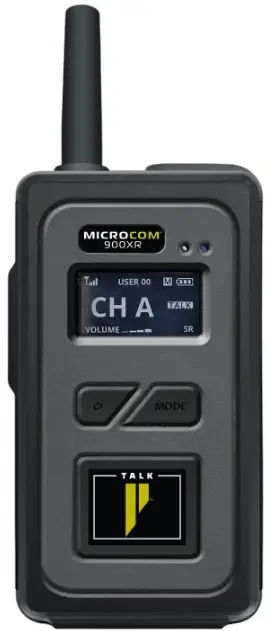
Source: MicroCom 900XR wireless intercom


Add New Comment