 User Manual Q&A
Answer

Nov 03, 2025 - 08:21 AM
1. **Connecting to Main Control Board:**

   - Connect the main control board with the . This allows the main control board to transmit the expansion module status to the DOUT16B-2 module.


2. **Power Supply:**

   - Provide a continuous power supply of DC8.0V to DC35.0V to the module. Ensure the power supply falls within this voltage range to avoid any damage to the module.


3. **Connecting External Devices:**

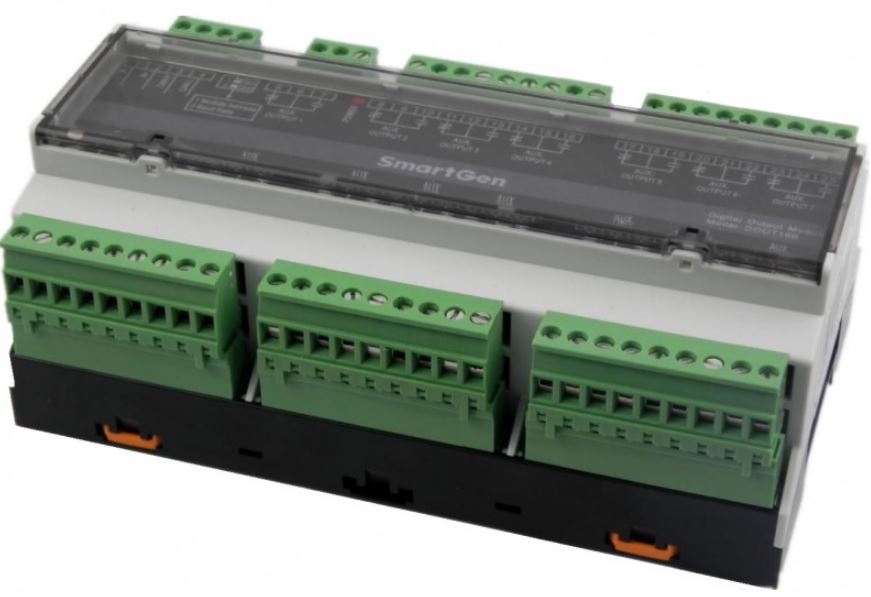
   - Use the auxiliary relay output ports 1-16 to connect with external devices that need to be controlled by the module. Each port is designed to handle specific relay capacities, so ensure you match the requirements of your external devices with the appropriate ports.


4. **Communication Protocol:**

   - Refer to the information frame format example provided in the user manual to communicate with the module via the RS485 communication port. The module follows the Modbus-RTU communication protocol, and the manual provides detailed examples of function codes and communication parameters.


5. **Module Address Configuration:**

   - The DOUT16B-2 module features a 4-bit in-line DIP switch with 16 coding statuses, allowing you to set the module address from 100 to 115. Follow the module address formula provided in the manual to configure the DIP switch correctly.


6. **Temperature and Humidity Considerations:**

   - The module is designed to work in a wide range of temperatures and humidities (-25~+70)ºC and (20~93)%RH respectively. Ensure the module is installed in an environment that falls within these specified ranges for optimal performance.


7. **Software Version and Technical Parameters:**

   - Refer to the user manual for detailed information on the software version and technical parameters of the product. It is essential to understand these specifications to effectively utilize the module in your application.


By following these installation and setup guidelines provided in the user manual, you can ensure the proper functioning of the SmartGen DOUT16B-2 Digital Output Module in your project. If you encounter any specific issues during the setup process, refer to the troubleshooting section of the manual or contact SmartGen Technology Co., Ltd. for further assistance.


Add New Comment