 User Manual Q&A
Answer

Oct 20, 2025 - 04:18 PM
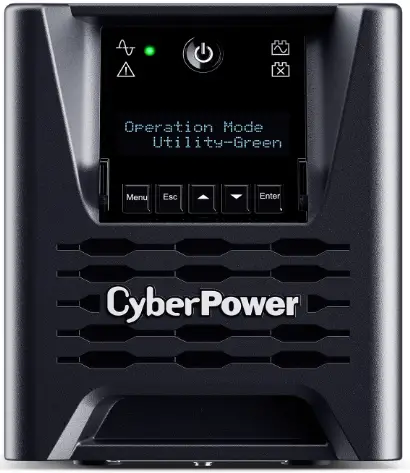
To change the output voltage settings on the CyberPower PR750LCD3C Smart App UPS Series, you can follow these steps outlined in the user guide:


1. Press the Menu Button on the UPS to enter the Setup Menu.

2. Use the Up/Down Button to scroll through the menus and select "Advanced Setup."

3. Press the Enter Button to enter the Advanced Setup menu.

4. Scroll through the options using the Up/Down Button until you find "Output Voltage."

5. Press the Enter Button to select the "Output Voltage" setting.

6. Use the Up/Down Button to adjust the output voltage to your desired level.

7. Press the Enter Button to confirm the setting.

8. Use the Esc Button to exit the submenu and go back to the previous page.


By following these steps, you can easily change the output voltage settings on your CyberPower PR750LCD3C Smart App UPS Series to better suit your specific power requirements or connected equipment.


Add New Comment