 User Manual Q&A
Answer

Oct 12, 2025 - 02:24 PM
#### Preparation:

1. **Precautions for use:**

   - Ensure the projector is used in accordance with the intended purpose.

   - Take caution when transporting and installing the projector.

   - Follow security guidelines and notes on wireless connections.

   - Be mindful of storage and disposal instructions.


2. **About your projector:**

   - Familiarize yourself with the remote control and projector body.

   - Learn how to use the interactive light pen.


#### Getting Started:

1. **Setting up:**

   - Choose the installation mode and prepare for ceiling mount if needed.

   - Determine the screen size and throw distance.


2. **Connecting:**

   - Connect the power cord and choose the appropriate input signal source.

   - Adjust the image state and feet as needed.


#### Basic Operations:

1. **Powering on/off:**

   - Connect the power cord and power on the projector.

   - Follow the on-screen prompts for initial settings and adjustments.

   - Power off the projector when not in use.


2. **Projecting:**

   - Select the input signal and adjust the image as required.

   - Utilize functions like AV mute, freeze, volume control, and more using the remote control.


#### Settings:

1. **Menu Navigation:**

   - Navigate through the menu options for picture, position, language, display options, projector setup, security, and network settings.


2. **Operation of Function:**

   - Learn how to project using MEMORY VIEWER input and NETWORK input.


#### Maintenance:

1. **Warning Indicator:**

   - Be aware of warning indicators and follow maintenance and replacement guidelines.


2. **Troubleshooting:**

   - Refer to the troubleshooting section for self-test display and solutions to common issues.


#### Appendix:

1. **Technical Information:**

   - Find details on PJLink protocol, control commands via LAN, compatible signals, specifications, dimensions, and more.


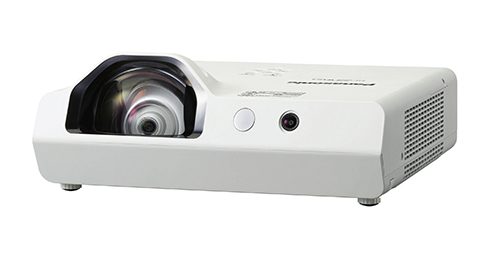
By following these steps outlined in the user manual, you can effectively set up and operate your Panasonic PT-TW381R LCD Projector.


Add New Comment