 User Manual Q&A
Answer

Aug 26, 2025 - 02:03 AM
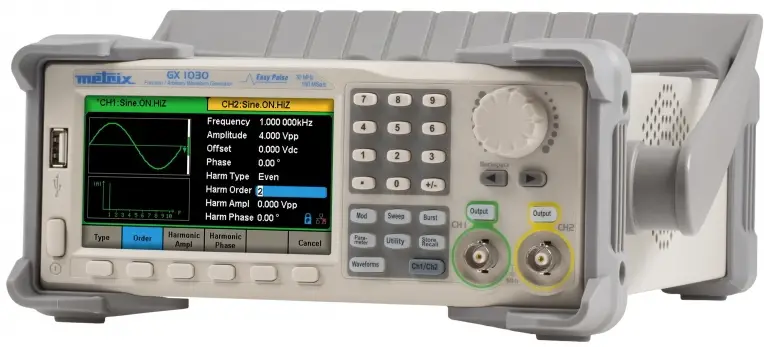
To generate a square waveform with specific parameters on the Metrix GX-1030 Function-Arbitrary Waveform Generator, follow these steps:


1. Press the **Waveforms** key on the front panel.

2. Press the **Square** softkey to select the square waveform.

3. Set the frequency to 10 MHz by pressing the **Frequency/Period** softkey and entering the value using the numeric keyboard or rotary button.

4. Set the amplitude to 5 Vpp by pressing the **Amplitude/High level** softkey and entering the value.

5. Set the duty cycle to 50% by adjusting the **DutyCycle** parameter.

6. Set the phase shift to 0 degrees by adjusting the **Phase** parameter.

7. Verify the settings on the display and connect the output to your oscilloscope to observe the generated square waveform.


By following these steps, you can easily configure the Metrix GX-1030 Function-Arbitrary Waveform Generator to generate a square waveform with the specified parameters.


Add New Comment