
1. Introdução
This manual provides detailed instructions for setting up, operating, and maintaining your AOOSTAR MACO AMD Ryzen 7 H255 Mini PC. Please read this manual thoroughly before using the device to ensure proper functionality and safety. The AOOSTAR MACO Mini PC is designed for high performance, featuring an AMD Ryzen 7 H255 processor, Radeon 780M graphics, and extensive connectivity options.
2. Conteúdo da embalagem
Verifique se todos os itens listados abaixo estão presentes em sua embalagem:
- 1 x AOOSTAR MACO AMD Ryzen 7 H255 Mini PC
- 1 x Base de resfriamento para SSD
- 1 x 120W 19V 6.32A Type-C Power Supply
3. Produto acabadoview
The AOOSTAR MACO Mini PC is a compact yet powerful computing solution. Below are key features and an overview of its components and ports.
3.1 Principais Características
- Processador: AMD Ryzen 7 H255 (8-core, 16-thread, up to 4.9 GHz) with Zen 4 architecture and 4nm process.
- Gráficos: Integrated Radeon 780M graphics (RDNA 3 architecture).
- Memória: Dual-channel DDR5 5600MHz (expandable up to 128GB).
- Armazenar: Dual-channel M.2 2280 NVMe PCIe4.0x4 SSD (expandable up to 8TB).
- Segurança: One-touch fingerprint unlock for secure access.
- Suporte de exibição: Supports up to four 4K displays simultaneously.
- Conectividade: OCuLink, Dual USB4, USB 3.2 Gen2, USB 3.0, HDMI, DisplayPort, Dual 2.5G LAN, Wi-Fi 6.
3.2 Componentes e portas externas
Familiarize yourself with the various ports and components of your Mini PC.
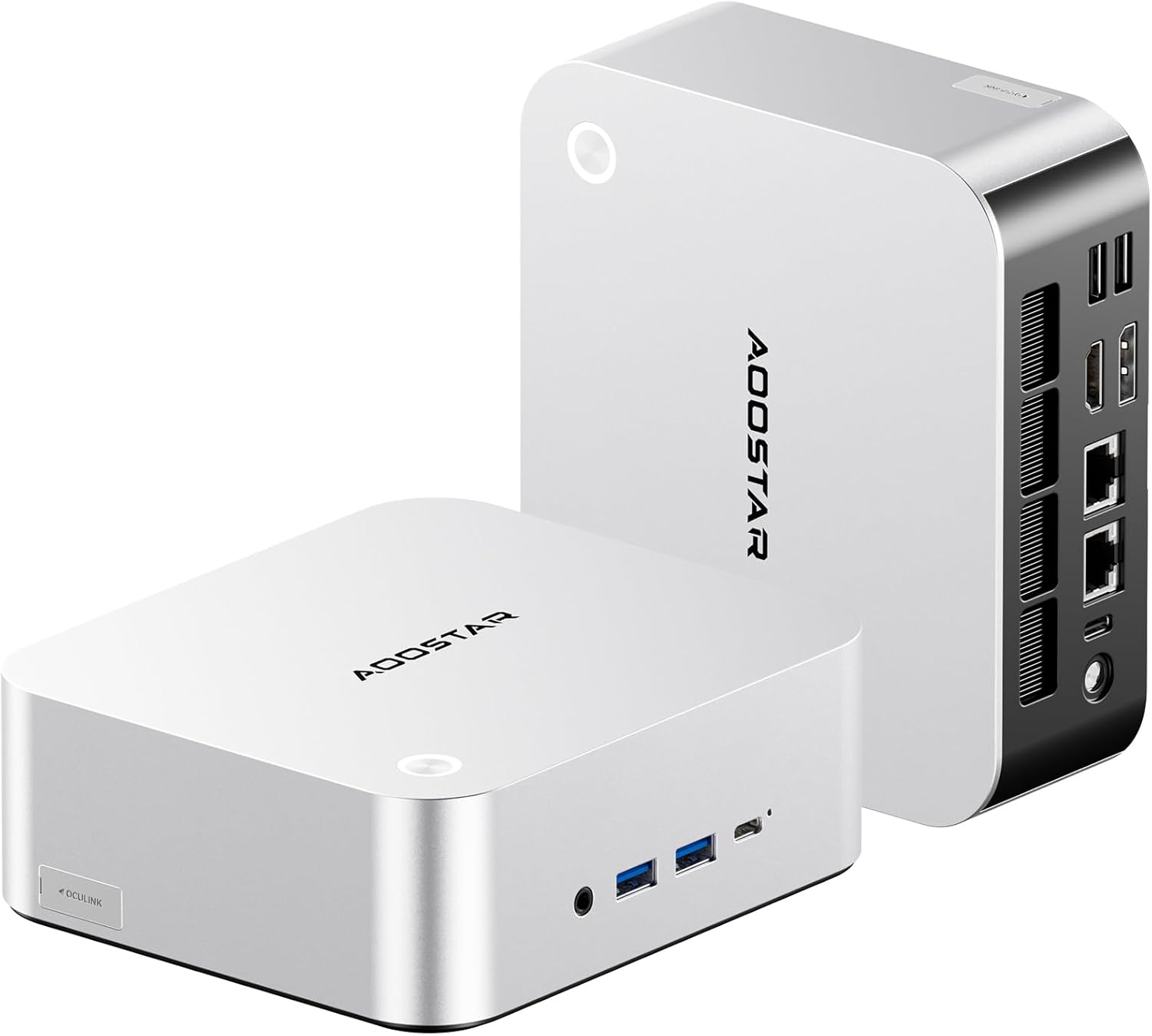
Imagem: Frente e traseira view of the AOOSTAR MACO Mini PC, showcasingraças ao seu design compacto e às diversas portas.

Imagem: Detalhada view of the AOOSTAR MACO Mini PC's rear ports, including OCuLink, USB4, USB 3.2 Gen2, HDMI, DisplayPort, and Dual 2.5G LAN ports.
- Painel frontal: Power button with fingerprint sensor, USB ports.
- Painel traseiro: OCuLink port (1), USB4 ports (2), USB 3.2 Gen2 ports (2), USB 3.0 ports (2), HDMI port (1), DisplayPort (1), 2.5G LAN ports (2), DC power input (1), Audio Jack (1).

Image: Close-up of the one-touch fingerprint sensor on the AOOSTAR MACO Mini PC for secure login.

Image: Visual representation of the AMD Ryzen 7 H255 processor, highlighting its core count, turbo frequency, and architecture.

Imagem: Interna view showing the dual DDR5 memory slots and dual M.2 PCIe 4.0 SSD slots for high-speed storage and memory.

Image: The OCuLink port connected to an external GPU enclosure, demonstrating its use for enhanced graphics performance.

Image: Two AOOSTAR MACO Mini PCs side-by-side, highlighting the dual USB4 ports for high-speed data transfer and power delivery.
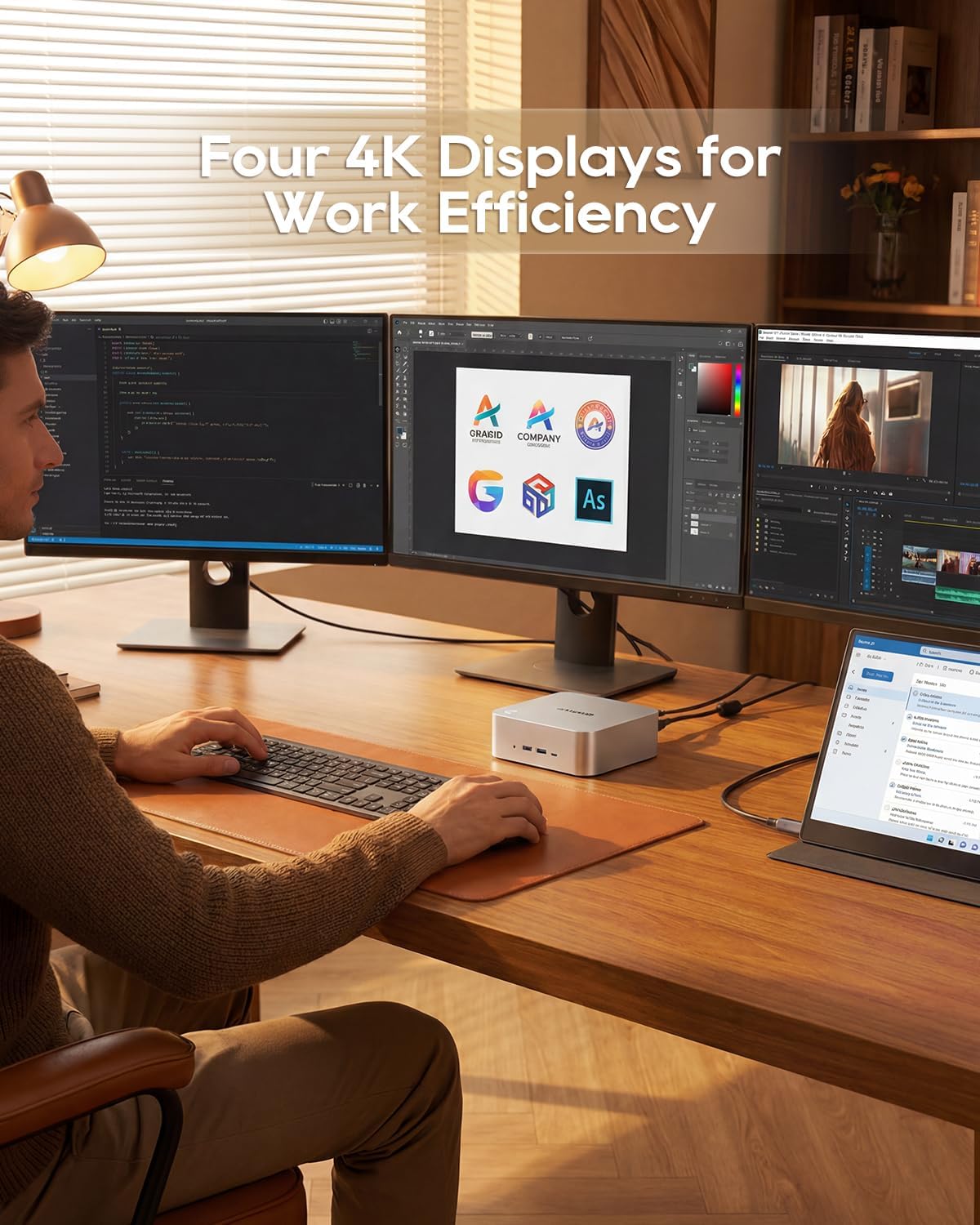
Image: A user working with the AOOSTAR MACO Mini PC connected to four 4K displays, illustrating its multi-display capability for productivity.
Image: The rear of the Mini PC showing the dual 2.5G LAN ports and an external WiFi antenna, emphasizing its high-speed networking capabilities.
Vídeo: Um excessoview of the AOOSTAR MACO Mini PC, demonstrating its features such as fingerprint unlock, business applications, gaming performance, and home theater use.
4. Instruções de configuração
Follow these steps to set up your AOOSTAR MACO Mini PC:
- Conectar tela: Connect your monitor(s) to the Mini PC using an HDMI or DisplayPort cable. The Mini PC supports up to four 4K displays.
- Conecte periféricos: Conecte seu teclado, mouse e quaisquer outros dispositivos USB às portas USB disponíveis.
- Conexão de rede: For wired internet, connect an Ethernet cable to one of the 2.5G LAN ports. For wireless internet, ensure the Wi-Fi antenna is connected (if external) and the device is powered on to configure Wi-Fi settings.
- Conexão de energia: Connect the 120W Type-C power supply to the DC input port on the Mini PC, then plug the power adapter into a wall outlet.
- Ligar: Pressione o botão liga/desliga na parte frontal do Mini PC. O sistema será inicializado.
- Configuração inicial: Follow the on-screen instructions to complete the operating system setup (e.g., Windows OS).
5. Instruções de operação
This section covers general operation and specific features of your Mini PC.
5.1 Desbloqueio por Impressão Digital
The Mini PC features a one-touch fingerprint unlock for enhanced security and quick access. During initial OS setup or via system settings, you can enroll your fingerprints. Once configured, simply touch the power button to wake and log in without needing a password.
5.2 Configuração de vários monitores
The Mini PC supports connecting up to four 4K displays. Connect your monitors to the available HDMI and DisplayPort outputs. You can configure display settings (e.g., extend, duplicate) within your operating system's display settings.
5.3 OCuLink for External Graphics
The OCuLink port provides a high-bandwidth connection (64 Gbps) for external GPU solutions. This allows for significantly improved graphics performance for demanding applications or gaming. Note that OCuLink is not hot-swappable and does not occupy an M.2 2280 PCIe4.0 SSD slot.
5.4 USB4 Ports
The dual USB4 ports offer versatile connectivity with high data transfer speeds and power delivery capabilities (up to 100W). These ports can be used for external graphics card docks, NVMe SSD arrays, or other high-speed peripherals.
6. Manutenção
A manutenção regular ajuda a garantir a longevidade e o desempenho ideal do seu Mini PC.
- Limpeza: Use um pano macio e seco para limpar a parte externa do Mini PC. Para remover o acúmulo de poeira nas entradas de ar, use ar comprimido. Certifique-se de que o dispositivo esteja desligado e desconectado da tomada antes de limpá-lo.
- Ventilação: Ensure the Mini PC is placed in a well-ventilated area. Do not block the ventilation openings.
- Atualizações de software: Regularly update your operating system, drivers, and applications to maintain security and performance.
7. Solução De Problemas
Se você encontrar problemas com seu Mini PC, consulte as etapas comuns de solução de problemas a seguir:
- Sem energia:
- Certifique-se de que o adaptador de energia esteja conectado firmemente tanto ao Mini PC quanto a uma tomada elétrica em funcionamento.
- Verifique se a tomada está funcionando conectando outro aparelho.
- Nenhuma exibição:
- Check that the display cable (HDMI/DisplayPort) is securely connected to both the Mini PC and the monitor.
- Certifique-se de que o monitor esteja ligado e configurado para a entrada correta.
- Try connecting to a different display or using a different cable.
- Sem conexão com a Internet:
- Para conexão com fio, verifique o cabo Ethernet e o status do roteador.
- For Wi-Fi, ensure Wi-Fi is enabled in the operating system settings and you are connected to the correct network with the correct password.
- Reinicie o roteador/modem e o mini PC.
- Desempenho lento:
- Feche os aplicativos desnecessários que estão sendo executados em segundo plano.
- Verifique se há espaço de armazenamento livre suficiente no seu SSD.
- Ensure the Mini PC is well-ventilated to prevent overheating.
8. Especificações
Detailed technical specifications for the AOOSTAR MACO AMD Ryzen 7 H255 Mini PC:
| Recurso | Especificação |
|---|---|
| Marca | AOOSTAR |
| Número do modelo | MACO AMD Ryzen 7 H255 |
| Modelo de CPU | AMD Ryzen 7 H255 |
| Velocidade da CPU | 3.8 GHz (Base), up to 4.9 GHz (Max Boost) |
| Coprocessador gráfico | Radeon 780M |
| Tamanho da memória RAM instalada | 24 GB |
| Tecnologia de memória RAM | DDR5 |
| Velocidade da memória | 5600 MHz |
| Tamanho máximo da memória RAM | 128 GB |
| Capacidade de armazenamento de memória | SSD de 1 TB |
| Interface de disco rígido | PCIe x 4 |
| Sistema operacional | Sistema Operacional (Pré-instalado) |
| Tecnologia de Conectividade | HDMI, USB, Wi-Fi 6, 2.5G LAN, OCuLink |
| Interface de saída de vídeo | Porta de exibição, HDMI |
| Resolução | 4K |
| Total de portas USB | 6 (2x USB4, 2x USB 3.2 Gen2, 2x USB 3.0) |
| Dimensões do item | 5.12 x 5.12 x 2.36 polegadas |
| Peso do item | 660 gramas |
| Cor | Preto |
9. Garantia e Suporte
The AOOSTAR MACO AMD Ryzen 7 H255 Mini PC comes with a 1-year warranty. For warranty claims, technical support, or service inquiries, please contact AOOSTAR customer support through their official channels or the retailer where the product was purchased. Keep your proof of purchase for warranty validation.