1. Introdução
This manual provides essential instructions for the safe and efficient operation, setup, and maintenance of your Procolored F13 Panda DTF Printer. Please read this manual thoroughly before using the printer to ensure optimal performance and longevity.
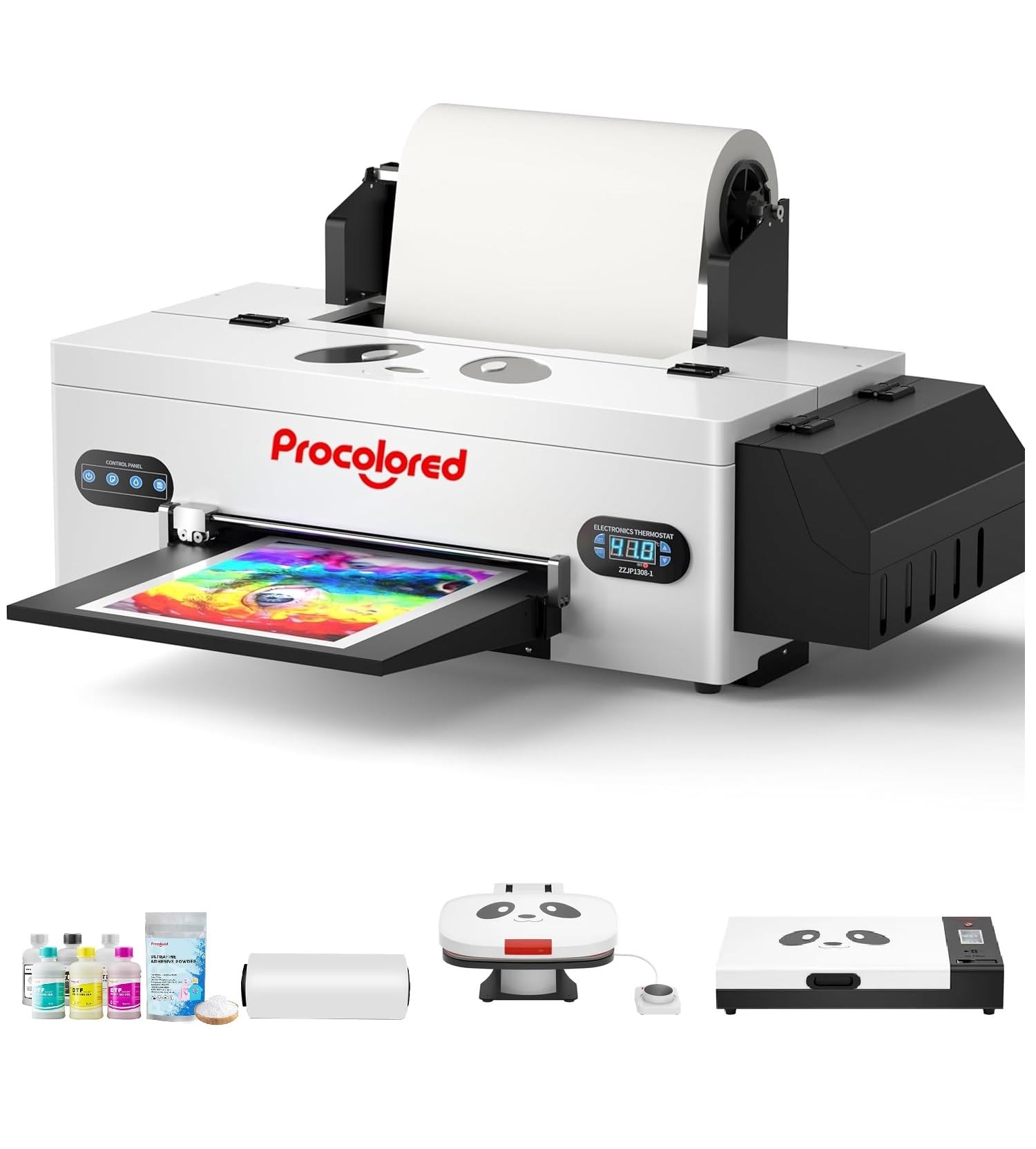
Figure 1: Procolored F13 Panda DTF Printer.
2. Informações de segurança
Observe sempre as seguintes precauções de segurança para evitar ferimentos ou danos à impressora:
- Certifique-se de que a impressora esteja colocada em uma superfície estável e nivelada.
- Connect the printer to a grounded power outlet with the correct voltage (CA 100-230V).
- Não exponha a impressora à água ou umidade excessiva.
- Mantenha as mãos longe das peças móveis durante a operação.
- Use only recommended inks and cleaning solutions.
- Mantenha fora do alcance de crianças.
3. Conteúdo da embalagem
Verifique se todos os itens estão presentes na embalagem:
- Procolored F13 DTF Printer
- Roll Film 13"
- DTF Ink Set (CMYK+WW)
- Nozzle Protection Fluid
- DTF Powder
- Suporte de plástico
- Cabo de dados (USB)
- Cabo de energia
- Moisturizing Device
- Garrafa de Resíduos
- Cartucho
- Spare Ink Tube
- Suporte de Roller
- Almofada de tinta
- Limpador
- lâmina do cortador
- Dongle USB
- Seringa
- Chave de fenda
- Barra de rolo
- Tubo de extensão
- Needle Hub
- Primavera
- Cotonete

Figure 2: Included accessories for the Procolored F13 DTF Printer.
4. Guia de configuração
4.1 Desembalagem e posicionamento inicial
Carefully remove the printer and all components from the packaging. Place the printer on a sturdy, level surface in a well-ventilated area.
Video 1: Procolored F13 DTF Printer Unboxing. This video demonstrates the unboxing process and initial setup steps for the printer.
4.2 Instalação de rolo de filme
Install the 13-inch DTF film roll onto the designated holder at the rear of the printer. Ensure the film feeds smoothly into the printer mechanism.
4.3 Ink System Setup
Fill the ink tanks with the corresponding DTF pigment inks (Cyan, Magenta, Yellow, Black, White, Light Cyan). Ensure the white ink circulation system is properly connected and functioning to prevent clogging.

Figure 3: Illustration of the advanced white ink system, showing circulation, siphon effect, and automatic cleaning.
4.4 Power Connection and Software Installation
Connect the power cable to the printer and a suitable power outlet. Install the Procolored RIP software (compatible with Windows 7/10/11) on your computer. Follow the on-screen instructions for software installation and driver setup.
Figura 4: Overview of the Procolored RIP software interface and available tutorials.
5. Instruções de operação
5.1 Preparing for Print
- Ligue a impressora usando o interruptor principal.
- Ensure the DTF film is correctly loaded and aligned.
- Open the Procolored RIP software on your computer.
- Import your design and adjust settings such as size, resolution (up to 1440x1440dpi), and color profile.
5.2 Processo de Impressão
Initiate the print job from the software. The printer will feed the film and apply ink. The built-in cutter will automatically trim the film after printing, optimizing material usage.
Video 2: Procolored F13 DTF Printer in operation. This video demonstrates the printing process, including film feeding and ink application.
5.3 Post-Printing
After printing, apply DTF powder to the wet ink and cure it using a DTF oven or heat press. Once cured, the design is ready for transfer to textiles.

Figura 5: Examples of versatile applications for DTF prints, including shirts, flags, tote bags, and caps.
6. Manutenção
6.1 Sistema Automático de Limpeza
The F13 Panda DTF Printer features an automatic cleaning system that operates even when the printer is powered on. This system helps prevent print head clogs and ensures consistent print quality. Regular use of this feature is recommended.
6.2 White Ink Circulation
The printer includes a white ink circulation system with a siphon filtration diaphragm pump. This system minimizes blockages and maintains the quality of white ink. Ensure the system is always active during operation.
Video 3: F13 L1800 DTF Apparel Printer features. This video highlights the white ink circulation and automatic cleaning functions.
6.3 Limpeza Geral
Limpe periodicamente a parte externa da impressora com um pano macio e seco.amp cloth. Refer to the software's maintenance section for specific print head cleaning procedures if needed.
7. Solução De Problemas
If you encounter issues with your printer, consider the following common solutions:
- Problemas de qualidade de impressão: Perform a nozzle check and head cleaning through the software. Ensure ink levels are sufficient.
- Film Feeding Problems: Check for obstructions in the film path and ensure the film roll is correctly installed and aligned.
- Erros de software: Restart the software and the printer. Ensure your software and drivers are up to date.
- Problemas de conectividade: Verify USB cable connection and ensure the printer is powered on.
For persistent issues, contact Procolored customer service.
8. Especificações
| Recurso | Especificação |
|---|---|
| Marca | Procolorido |
| Nome do modelo | F13-XMJZ |
| Tecnologia de Conectividade | USB |
| Tecnologia de impressão | Jato de tinta |
| Recurso especial | Portátil |
| Saída da impressora | Cor |
| Velocidade máxima de impressão (cor) | 1 ppm |
| Velocidade máxima de impressão monocromática | 1 ppm |
| Dimensões do produto (P x L x A) | 16.53"P x 34.25"L x 16.4"A |
| Cor da tinta | Cyan, Magenta, Yellow, Black, White, Light Cyan |
| Resolução | 1440 x 1440 dpi |
| Tamanho máximo da mídia | A3 (13 Inches) |
| Suporte de software | Windows 7/10/11 |
| Usos específicos para o produto | Textile Printing |
9. Garantia e Suporte
Your Procolored F13 Panda DTF Printer comes with a comprehensive warranty:
- Print Head and Related Components: Six-month warranty.
- Outros acessórios: Garantia de um ano.
Our dedicated customer service team is available 24/6 to address any queries or technical issues you may encounter. Please refer to your purchase documentation for specific contact details.