
1. Introdução
Obrigado pela compra.asing the LG 27G411A UltraGear Gaming Monitor. This manual provides essential information for the safe and efficient use of your monitor. Please read it thoroughly before operating the product and retain it for future reference. This 27-inch Full HD (1920 x 1080) IPS display is designed for an immersive gaming experience, featuring a 144Hz refresh rate, 1ms Motion Blur Reduction (MBR), HDR10 support, and compatibility with NVIDIA G-Sync and AMD FreeSync technologies.
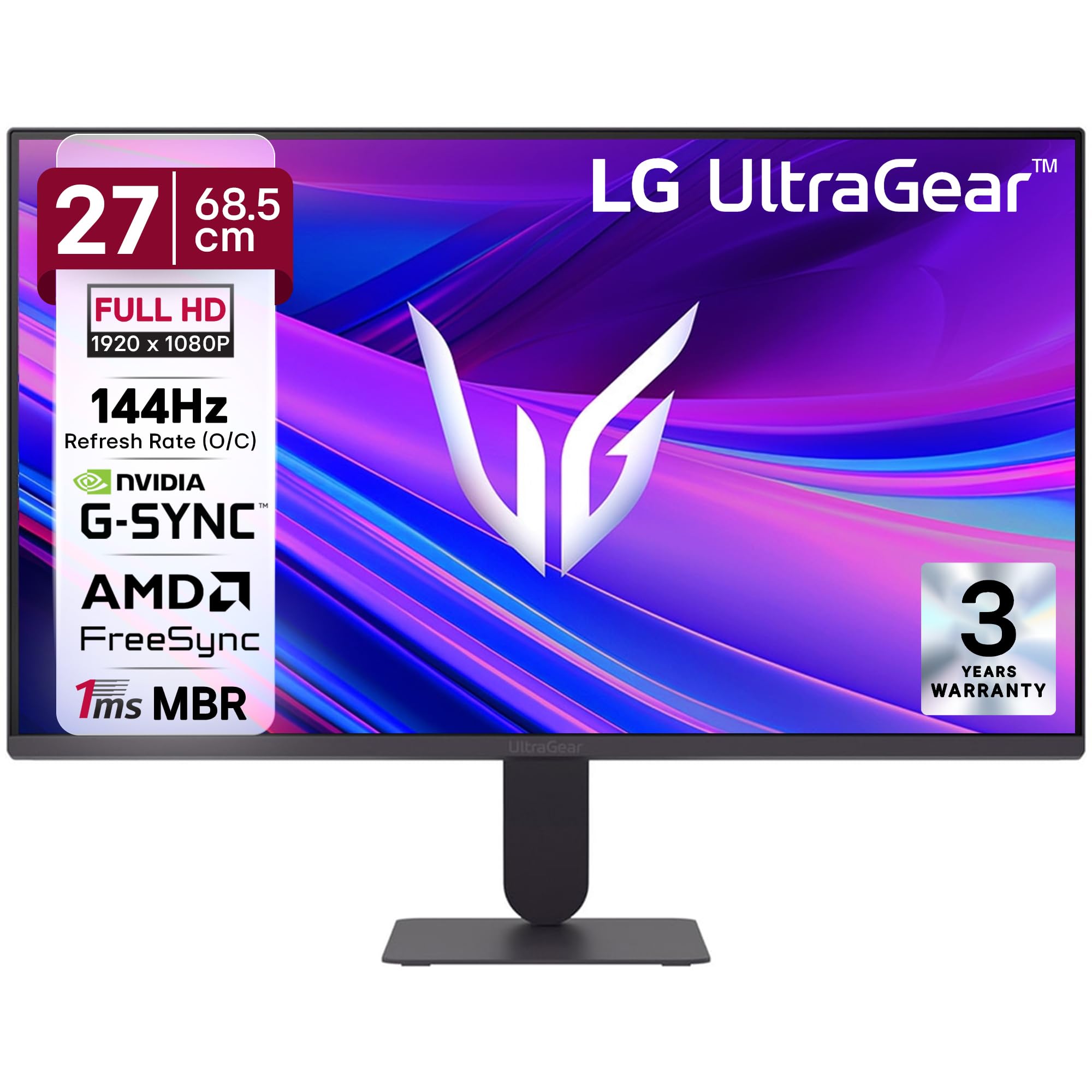
Figura 1: Frente view of the LG 27G411A UltraGear Gaming Monitor.
2. Informações de segurança
Observe as seguintes precauções de segurança para evitar danos ao produto ou ferimentos a você e a outras pessoas.
- Poder: Use only the power cord and adapter supplied with the monitor. Do not overload power outlets.
- Colocação: Place the monitor on a stable, level surface. Avoid direct sunlight, heat sources, and areas with high humidity or dust. Ensure adequate ventilation around the monitor.
- Manuseio: Do not drop the monitor or subject it to strong impacts. Avoid touching the screen with sharp objects.
- Limpeza: Desligue o cabo de alimentação antes de limpar. Use um pano macio e seco. Não use produtos de limpeza líquidos ou sprays aerossóis.
- Reparos: Não tente consertar este produto sozinho. Encaminhe todos os serviços de manutenção para pessoal de serviço qualificado.
3. Conteúdo da embalagem
Verifique se todos os itens estão presentes na caixa do produto:
- LG 27G411A UltraGear Monitor
- Cabo de energia
- Cabo HDMI
- Suporte para monitor (base e braço)
- Manual do usuário (este documento)
4. Configuração
4.1 Montagem do Monitor
Siga estes passos para montar o suporte do monitor e fixá-lo ao painel de exibição.
- Carefully place the monitor face down on a soft cloth or cushion to prevent scratches.
- Attach the stand neck to the base, securing it with the captive screw.
- Align the assembled stand with the mounting slot on the back of the monitor panel and push until it clicks into place.
- Alternatively, the monitor supports VESA 100x100mm wall mounting. Remove the stand if using a wall mount.

Figure 2: Illustration of the monitor's ultra-slim design, tilt adjustment, and VESA wall mount compatibility.
4.2 Conectando o Monitor
Conecte seus dispositivos ao monitor usando os cabos apropriados.
- Conexão de energia: Conecte o cabo de alimentação à entrada de energia do monitor e, em seguida, a uma tomada de parede.
- Conexão HDMI: Use the supplied HDMI cable to connect your computer or gaming console to the HDMI port on the monitor.
- Conexão DisplayPort: For optimal performance, especially for 144Hz refresh rate, connect your computer to the DisplayPort (DP) on the monitor using a DisplayPort cable (not always included).
- Saída de fone de ouvido: Connect headphones or external speakers to the 3-pole headphone out port for audio output.

Figura 3: Traseira view of the monitor displaying the power input, HDMI, DisplayPort, and headphone out ports.

Figura 4: Detalhado view of the DisplayPort (DP-IN), HDMI, and Headphone (HP) ports.
5. Instruções de operação
5.1 Ligar/Desligar
Press the joystick button located at the bottom center of the monitor to turn it on or off. A short press will bring up the OSD menu, while a long press will power off the monitor.
5.2 Menu de exibição na tela (OSD)
O menu OSD permite ajustar várias configurações do monitor. Use o botão do joystick para navegar:
- Mova o joystick para cima/baixo/esquerda/direita para navegar pelas opções do menu.
- Pressione o joystick para selecionar uma opção ou confirmar uma configuração.
5.3 Modos de Imagem
The monitor offers several preset picture modes optimized for different content types:
- Personalizado: Allows manual adjustment of all picture settings.
- Gamer1/Gamer2: User-configurable modes for gaming preferences.
- FPS/RTS: Optimized for First-Person Shooter and Real-Time Strategy games.
- Vívido: Enhances color and contrast for general viewindo.
- Leitor: Reduz a luz azul para uma leitura mais confortável.
- Efeito HDR: Simulates HDR content for non-HDR sources.
- Fraqueza da cor: Ajusta as configurações de cor para auxiliar usuários com daltonismo.
5.4 Melhorias para jogos
The LG 27G411A is equipped with features to enhance your gaming experience:
- Taxa de atualização de 144Hz e MBR de 1ms: Experience fluid motion and reduced ghosting. The monitor supports a native 120Hz refresh rate and up to 144Hz in overclock mode via DisplayPort 1.4 (HDMI 2.0 supports up to 144Hz).
- AMD FreeSync & NVIDIA G-Sync Compatible: Sincroniza a taxa de atualização do monitor com a taxa de quadros da sua GPU para eliminar o tearing e a trepidação da tela.
- Estabilizador de preto: Ilumina áreas escuras para ajudar você a localizar inimigos escondidos nas sombras.
- Sincronização Dinâmica de Ações (DAS): Minimizes input lag for real-time action.
- Mira: Coloca uma mira fixa no centro da tela para melhorar a precisão em jogos de tiro em primeira pessoa (FPS).
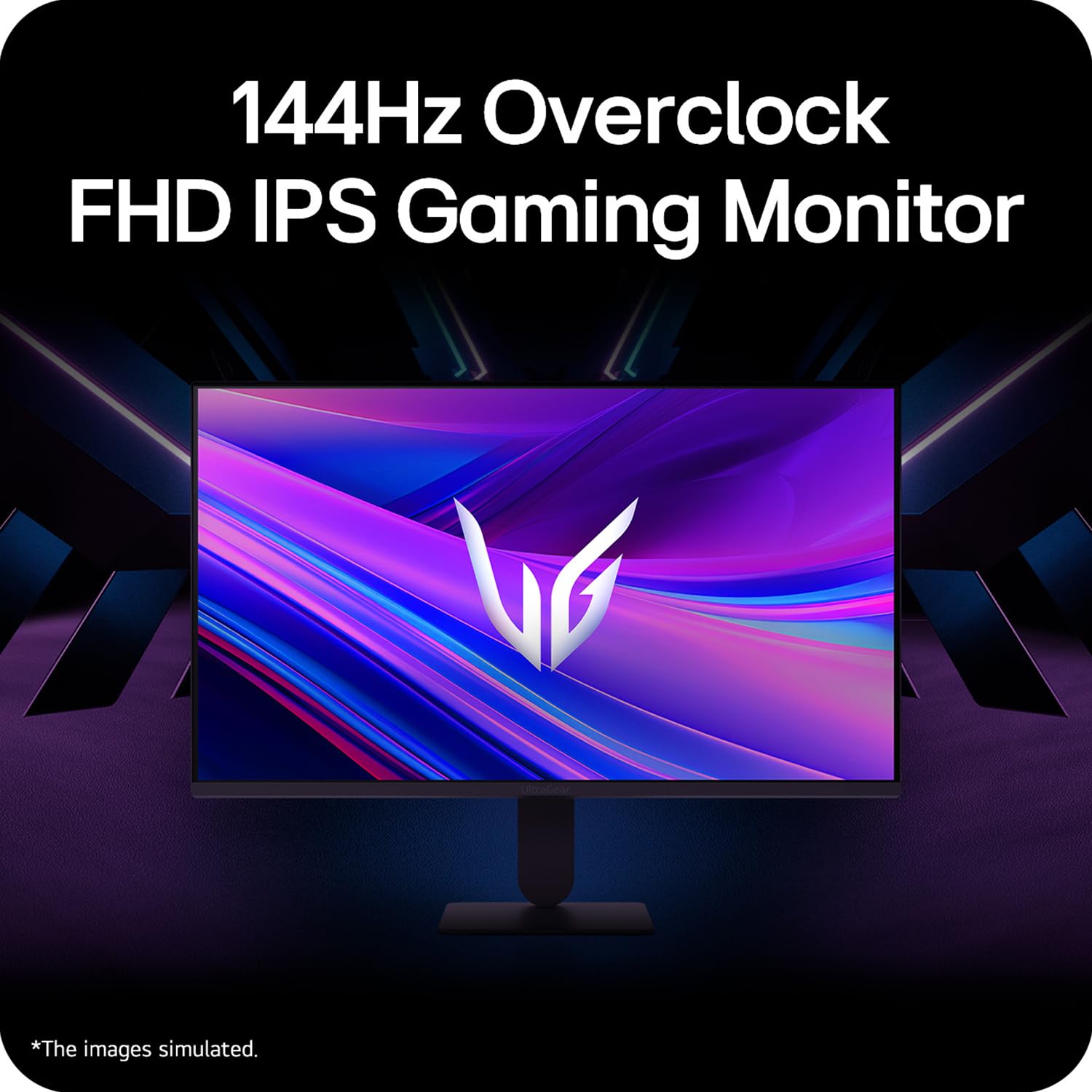
Figure 5: Visual representation of 144Hz overclock for fluid gaming motion.

Figure 6: Illustration of 1ms Motion Blur Reduction (MBR) for fast-paced gaming. Note: 1ms MBR causes lowered luminance and cannot be used with AMD FreeSync/DAS. Flicker may occur during 1ms MBR operation.

Figure 7: The monitor is certified compatible with NVIDIA G-Sync and AMD FreeSync technologies.

Figure 8: Precision Gaming Mode features: Dynamic Action Sync (DAS), Black Stabilizer, and Crosshair.
5.5 Recursos de Cuidados com os Olhos
To reduce eye strain during prolonged use, the monitor includes:
- Cintilação segura: Reduces screen flicker to minimize eye fatigue.
- Modo Leitor: Adjusts color temperature and brightness to simulate paper, making it easier on the eyes for reading tasks.
- Fraqueza da cor: Provides color adjustments for users with color vision deficiencies.
5.6 Smart Convenience (LG Switch App)
The LG Switch app offers enhanced control and customization options for your monitor directly from your computer. Features include Dual mode, Smart screen split, Launch a video call, and Personalized Picture Wizard.

Figure 9: The LG Switch app provides smarter control and seamless switching between various display modes and settings.
6. Manutenção
6.1 Limpando o Monitor
Para manter a aparência e o desempenho do monitor:
- Desligue sempre o monitor da tomada antes de limpá-lo.
- Use um pano macio e sem fiapos para limpar delicadamente a tela e as superfícies externas.
- Para manchas persistentes, aplique levementeampMolhe o pano com água ou um limpador de telas suave e não abrasivo. Não borrife o líquido diretamente na tela.
- Avoid using benzene, alcohol, or other volatile solvents, as they may damage the monitor.
7. Solução De Problemas
Se você encontrar problemas com seu monitor, consulte as seguintes soluções comuns:
| Problema | Possível causa/solução |
|---|---|
| Sem energia | Ensure the power cable is securely connected to the monitor and a working power outlet. Check if the power outlet is functional. |
| Sem sinal / Tela em branco | Verify that the video cable (HDMI or DisplayPort) is securely connected to both the monitor and your computer/device. Ensure the correct input source is selected in the OSD menu. Check if the computer is powered on and not in sleep mode. |
| Imagem tremeluzente ou distorcida | Check the video cable for damage or loose connections. Try a different video cable or port. Adjust the refresh rate settings on your computer. Disable 1ms MBR if flicker is observed. |
| Backlight leakage on corners | Minor backlight leakage can be a characteristic of IPS panels, especially visible on a completely black screen in a dark environment. This is generally not considered a defect unless it significantly impacts normal viewindo. |
| Monitor not recognized by PC | Update your graphics card drivers. Restart your computer. |
8. Especificações
Key technical specifications for the LG 27G411A UltraGear Gaming Monitor:
- Tamanho da tela: 27 polegadas (68.5 cm)
- Tipo de painel: IPS
- Resolução: Resolução Full HD (1920 x 1080)
- Proporção da tela: 16:9
- Taxa de atualização: 144 Hz (Overclock)
- Tempo de resposta: 1ms MBR (5ms GTG)
- Brilho: 250 cd/m² (típico)
- Taxa de contraste: 1500:1
- Gama de cores: sRGB 99%
- Suporte HDR: HDR10
- Sincronização adaptável: Compatível com NVIDIA G-Sync e AMD FreeSync.
- Viewângulo de entrada: 178° (H/V)
- Conectividade: 1 x HDMI, 1 x DisplayPort, 1 x Saída para fone de ouvido
- Dimensions (with stand, WxHxD): 61.2 x 45.2 x 22 cm (24.07 x 17.81 x 8.66 polegadas)
- Peso (com suporte): 3.8 kg
- Consumo de energia: 20W (típico)
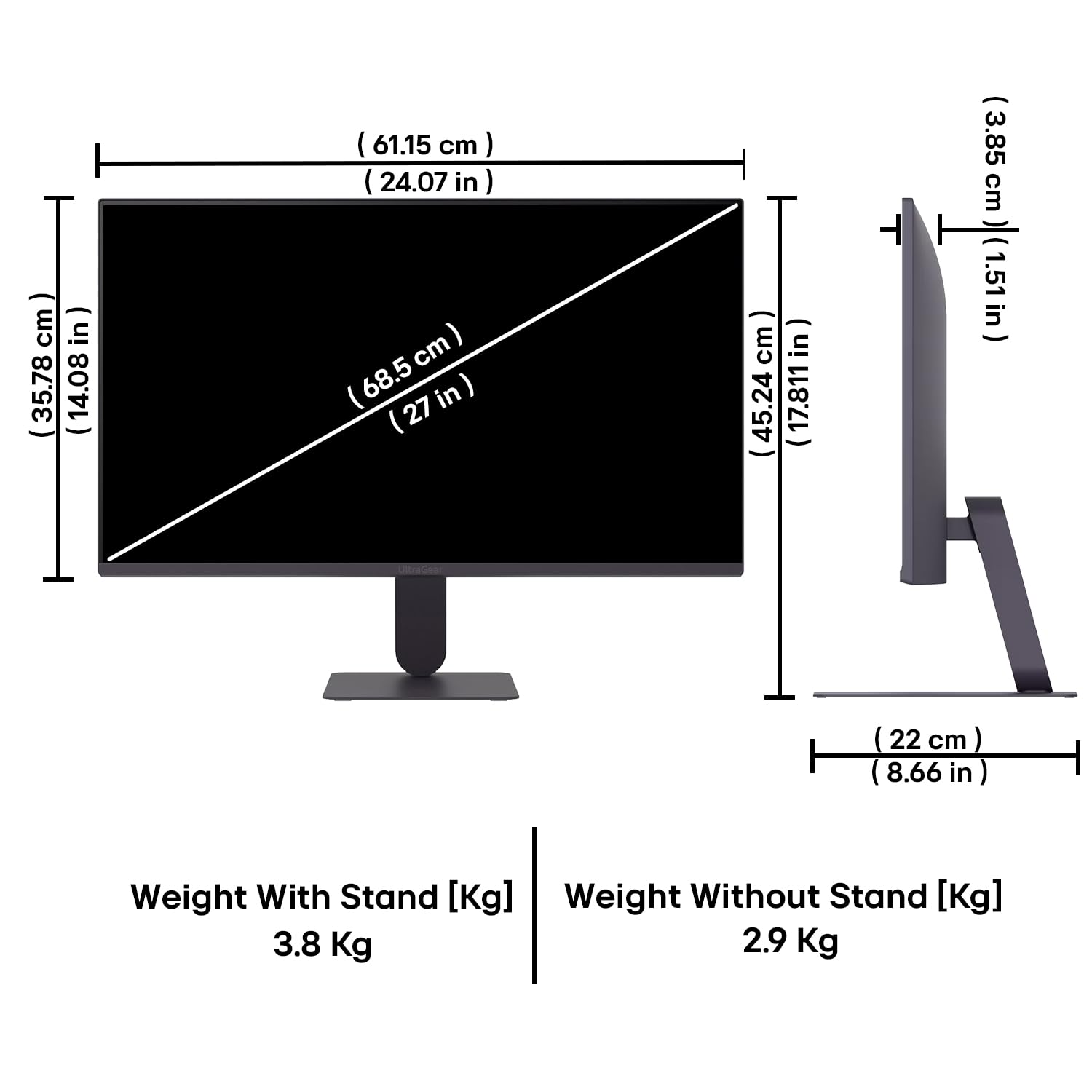
Figure 10: Physical dimensions and weight of the LG 27G411A monitor with and without the stand.
9. Informações de garantia
This LG 27G411A UltraGear Gaming Monitor comes with a 3 anos de garantia do fabricante covering parts and labor. Please retain your proof of purchase for warranty claims. For detailed terms and conditions, refer to the warranty card included in your product packaging or visit the official LG website.
10. Suporte ao cliente
For further assistance, technical support, or service inquiries, please contact LG Customer Service. You can find contact information on the official LG website ou na documentação fornecida com o seu monitor.
LG Electronics Índia Unip. Ltda.
PLOT NO. A-5, MIDC RANJANGAON.
TALUKA SHIRUR, PUNE, MAHRASHTRA (INDIA), 412220


