
1. Produto acabadoview
The Magcubic Smart Projector HY350GT is a portable projector designed for versatile entertainment and presentation needs. It features 4K support, native 1080P resolution, and a built-in 4K TV stick for direct access to streaming applications. Key functionalities include automatic focus, keystone correction, obstacle avoidance, and screen alignment, ensuring a clear and properly framed image with minimal manual adjustment. Dual-band Wi-Fi and Bluetooth 5.1 provide robust connectivity options for various devices and audio accessories.
2. O que está na caixa
- Magcubic Smart Projector HY350GT
- Adaptador de energia
- Controle remoto
- Manual do usuário (este documento)
3. Instruções de configuração
3.1 Posicionamento inicial e conexão de energia
Place the projector on a stable, flat surface. The flexible rotating stand allows for projection onto walls or ceilings. Connect the power adapter to the projector's power input port and then to a power outlet.

Image: The Magcubic HY350GT projector demonstrating its flexible rotating stand for various projection angles, including walls and ceilings.
3.2 Automatic Image Correction
Upon powering on, the projector will automatically perform several corrections:
- Auto-foco: The image will automatically sharpen.
- Correção trapezoidal automática: The image will adjust to be rectangular, even if the projector is at an angle.
- Sistema automático de desvio de obstáculos: The projector detects walls and barriers, adjusting the image to avoid interference.
- Alinhamento automático da tela: The image will align itself to the projection surface.
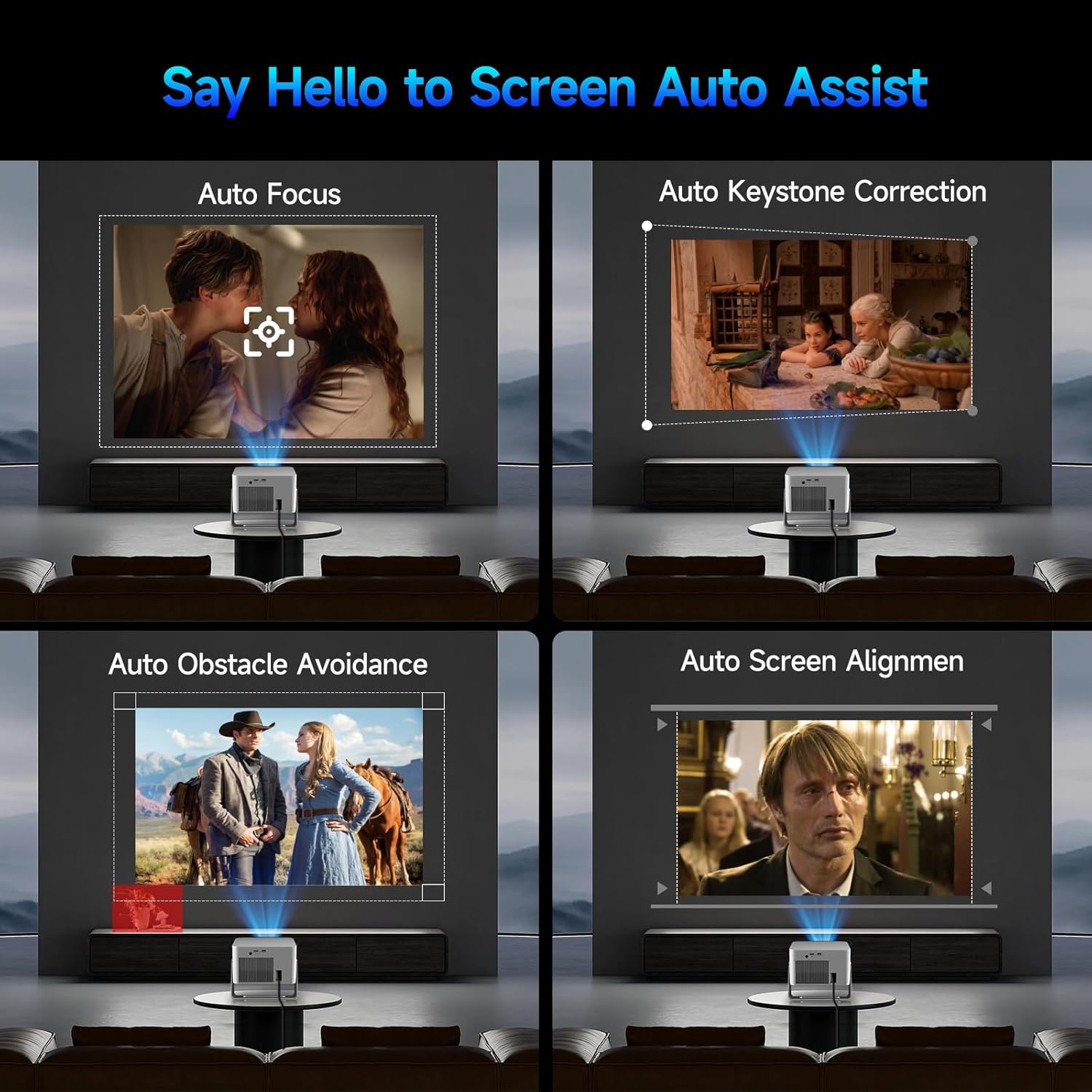
Image: Visual representation of the projector's automatic screen assist features, including auto focus, keystone correction, obstacle avoidance, and screen alignment.
3.3 Conexão de rede
Navigate to the 'Settings' menu using the remote control. Select 'Network settings' to connect to your Wi-Fi network (2.4G or 5G). This enables access to built-in streaming apps and online content.
4. Instruções de operação
4.1 Remote Control and Voice Assistant
The included remote controls both the projector and the built-in streaming stick. Utilize the Voice Assistant feature by pressing the voice command button to quickly open apps, play movies, adjust volume, or check information.
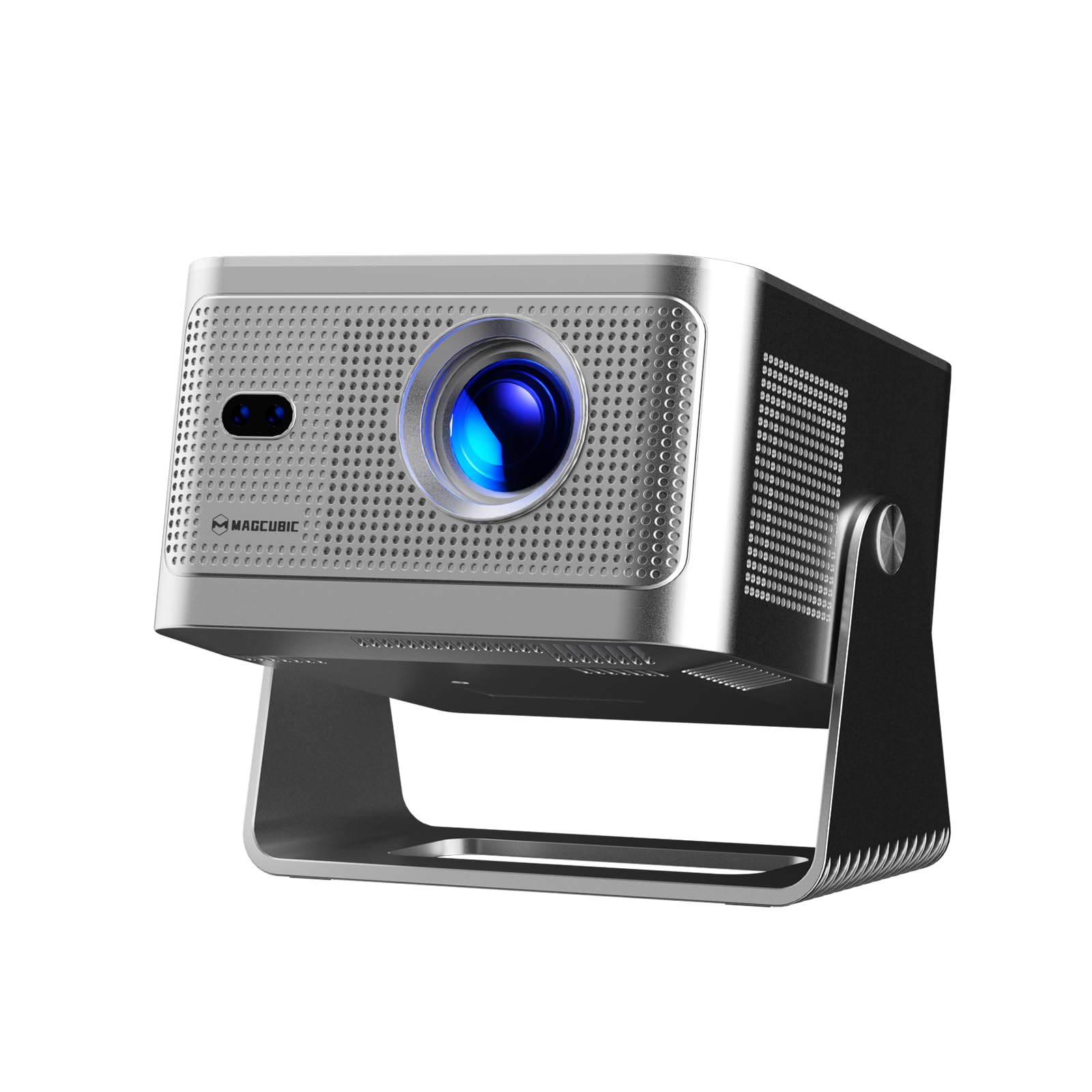
Image: The projector's main screen showing various streaming apps and the remote control, highlighting its voice assistant capabilities.
4.2 Acessando aplicativos
The projector comes with a built-in 4K TV stick, providing access to a wide range of applications. Navigate to 'My Apps' or the 'Store' to browse and download additional streaming services and utilities.

Image: The projector's interface showing pre-installed and downloadable streaming applications.
4.3 Configurações de projeção
In the 'Settings' menu, select 'Projection settings' to fine-tune your display:
- Modo de dispositivo: Switch between Standard and Energy Saving modes.
- Modo de instalação: Adjust for front projection, rear projection, or ceiling mounting.
- Digital Scaling: Adjust image size from 80% to 100%.
- Auto-foco: Toggle automatic focus on/off.
- Auto Four Corner Correction: Enable automatic trapezoidal correction.
- Evitação Inteligente de Obstáculos: Enable automatic image adjustment around obstacles.
- Screen Recognition: Enable automatic screen detection and alignment.
4.4 Saída de áudio
The projector features a built-in 15W high-fidelity stereo speaker. For external audio, connect Bluetooth 5.1 compatible speakers or headphones via the 'Bluetooth' setting in the main menu.
4.5 Conectividade externa
The rear panel of the projector includes:
- Porta HDMI: Connect external devices such as laptops, gaming consoles (Switch, PS5), TV sticks, tablets, or smartphones.
- Porta USB: Connect USB storage devices or a mouse for navigation.

Imagem: Detalhada view of the projector's rear ports for HDMI, USB, and power connections.
4.6 Espelhamento de tela
The projector supports screen mirroring from both Android and iOS devices. Access this feature through the main menu to cast content directly from your phone or tablet.

Image: A smartphone wirelessly casting its screen to the projector, demonstrating the screen mirroring capability.
5. Manutenção
- Limpeza de lentes: Limpe delicadamente a lente do projetor com um pano macio e sem fiapos. Evite materiais abrasivos ou produtos químicos agressivos.
- Ventilação: Ensure the projector's ventilation ports are clear of obstructions to prevent overheating. Do not block the air vents during operation.
- Armazenar: Quando não estiver em uso, guarde o projetor em local fresco e seco, longe da luz solar direta e de temperaturas extremas.
6. Solução De Problemas
- Sem imagem: Ensure the projector is powered on and the correct input source (HDMI, USB, or internal apps) is selected. Check all cable connections.
- Imagem desfocada: Allow the auto-focus feature to complete. If needed, manually adjust focus via the projection settings. Ensure the projection surface is flat.
- Sem som: Check the volume level on both the projector and any connected external audio devices. Verify Bluetooth connection if using external speakers.
- Problemas de conectividade: For Wi-Fi, ensure the network password is correct and the projector is within range. For Bluetooth, ensure the external device is in pairing mode.
- Distorção de imagem: Allow auto keystone correction to complete. If necessary, manually adjust keystone settings in the projection menu.
7. Especificações
| Recurso | Especificação |
|---|---|
| Marca | Magcúbico |
| Modelo | HY350GT |
| Peso do item | 3.08 libras |
| Dimensões da embalagem | 9.61 x 8.27 x 5.39 polegadas |
| Resolução de exibição | 1920 x 1080 (1080p nativo, suporte a 4K) |
| Brilho | 650 ANSI Lumens |
| Taxa de contraste | 10,000:1 |
| Gama de cores | 120% |
| Tecnologia de Conectividade | Bluetooth 5.1, Dual-Band Wi-Fi (2.4G&5G) |
| Características especiais | 15W Speaker, Auto Focus, Auto Keystone Correction, Auto Obstacle Avoidance, Auto Screen Alignment |
| Usos recomendados | Negócios, Educação, Jogos, Cinema em Casa |
8. Garantia e Suporte
Magcubic offers a 30-day return guarantee for this product. Additionally, 24-hour live customer support and lifetime technical support are included to assist with any inquiries or issues.