
Introdução
This manual provides essential information for setting up, operating, maintaining, and troubleshooting your Samsung Galaxy A07 4G smartphone (Model SM-A075/DS). Please read this manual thoroughly to ensure proper use and to maximize the device's features.
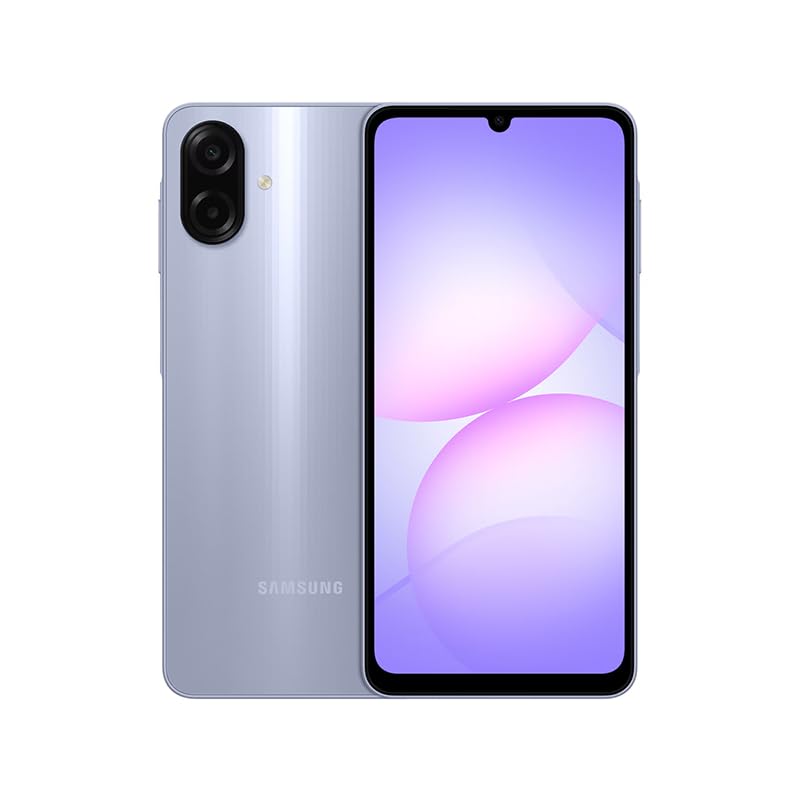
Figure 1: Samsung Galaxy A07 4G Front View
1. Configuração
1.1 Desembalagem e Inspeção Inicial
Carefully remove all items from the packaging. Verify that all components are present. The box should contain the Samsung Galaxy A07 4G smartphone and a USB Cable. A charger is not included.

Figure 2: Device in packaging
1.2 Inserindo o(s) cartão(ões) SIM e o cartão microSD
- Localize a bandeja do SIM na lateral do aparelho.
- Use the provided SIM ejector tool (if included, otherwise a small paperclip) to open the SIM tray.
- Carefully place your SIM card(s) and/or MicroSD card into the designated slots on the tray. This device supports Dual SIM and MicroSD up to 1TB.
- Gently push the SIM tray back into the device until it is flush.

Figura 3: Lateral view com localização da bandeja do SIM
1.3 Inicialização e Configuração
- Mantenha pressionado o botão Liga/Desliga (localizado na lateral) até que o logotipo da Samsung apareça.
- Siga as instruções na tela para concluir a configuração inicial, incluindo a seleção do idioma, a conexão Wi-Fi, a configuração da conta do Google e as configurações de segurança.
2. Instruções de operação
2.1 Tela e Navegação
The Samsung Galaxy A07 features a 6.7-inch PLS LCD display with a 90 Hz refresh rate for smooth visuals.
- Gestos de toque: Toque para selecionar, deslize para percorrer, use o gesto de pinça para ampliar.
- Tela inicial: Personalize com widgets e atalhos de aplicativos.
- Painel de notificações: Deslize o dedo de cima para baixo na tela para acessar as configurações rápidas e as notificações.
2.2 Utilização da câmera
The device is equipped with a 50 MP Pro-Grade main camera and an 8 MP front camera.
- Abra o aplicativo Câmera na sua tela inicial ou na gaveta de aplicativos.
- Selecione o modo desejado (Foto, Vídeo, Retrato, etc.).
- Toque no botão do obturador para capturar uma imagem ou iniciar/parar a gravação de vídeo.
- Utilize os controles de zoom na tela para ajustar a ampliação.
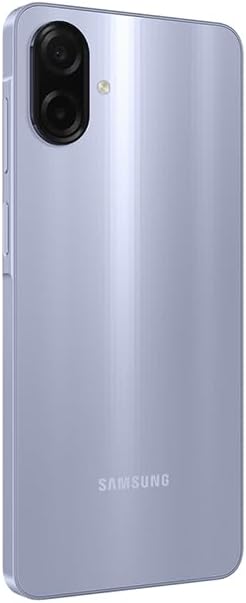
Figure 4: Rear Camera System
2.3 Conectividade
- Wi-fi: Connect to wireless networks via Settings > Connections > Wi-Fi. Supports 802.11a/b/g/n/ac 2.4GHz+5GHz.
- Bluetooth: Pair with other Bluetooth devices via Settings > Connections > Bluetooth.
- Dados móveis: Ensure your SIM card is active for 4G LTE connectivity. Compatible with T-Mobile, Mint, Tello, and Global GSM networks.
- GPS: Location services are supported via GPS, Glonass, Beidou, Galileo, QZSS.
3. Manutenção
3.1 Atualizações de Software
Regularly check for and install software updates to ensure optimal performance, security, and access to new features. Your device is designed to receive 6 major OS upgrades and 6 years of security updates.
- Acesse Configurações > Atualização de software > Baixar e instalar.
3.2 Limpando seu dispositivo
To clean your device, use a soft, lint-free cloth. Avoid abrasive materials or harsh chemicals. The device has an IP54 rating, providing protection against dust and water splashes.
- Wipe the screen and back panel gently.
- Não mergulhe o dispositivo na água.
3.3 Cuidados com a bateria
The device is equipped with a 5000 mAh battery. To prolong battery life:
- Evite temperaturas extremas.
- Use o cabo USB fornecido para carregar.
- Não deixe a bateria descarregar completamente com frequência.
4. Solução De Problemas
4.1 O dispositivo não liga
- Certifique-se de que a bateria esteja carregada. Conecte o dispositivo a um carregador por pelo menos 10 minutos.
- Pressione e mantenha pressionado o botão Liga/Desliga por 10 a 15 segundos para forçar a reinicialização.
4.2 Problemas de conectividade de rede
- Verifique se o seu cartão SIM está inserido corretamente.
- Verify that mobile data is enabled in Settings > Connections > Data usage.
- Reinicie o dispositivo.
- Ensure your device is compatible with your carrier's network (T-Mobile, Mint, Tello, Global GSM).
4.3 Aplicativos travando ou congelando
- Feche e reabra o aplicativo.
- Clear the app's cache (Settings > Apps > [App Name] > Storage > Clear cache).
- Certifique-se de que o software do seu dispositivo esteja atualizado.
5. Especificações
| Recurso | Detalhe |
|---|---|
| Nome do modelo | Samsung Galaxy A07 4G (SM-A075/DS) |
| Mostrar | 6.7 inches PLS LCD, 720 x 1600 (HD+), 90 Hz Refresh Rate |
| Processador | Octa-core (2x2.2 GHz Cortex-A76 e 6x2.0 GHz Cortex-A55) |
| BATER | 4 GB |
| Armazenar | 64 GB (expandable via MicroSD up to 1TB) |
| Câmera Traseira | 50 MP (wide, PDAF), 2 MP (depth) |
| Câmera Frontal | 8 MP (largura) |
| Bateria | 5000 mAh |
| Sistema operacional | Andróide |
| Conectividade | 4G LTE, Wi-Fi 802.11a/b/g/n/ac (2.4GHz+5GHz), Bluetooth, GPS, Glonass, Beidou, Galileo, QZSS |
| Portos | USB Type-C, 3.5mm Stereo Earjack |
| Dimensões | Approx. 2 x 2 x 2 inches (Product Dimensions), 7.6 mm thickness |
| Peso | 9.2 onças |
| Durabilidade | Proteção IP54 contra poeira e água |
| Incluído na caixa | USB Cable (Charger NOT Included) |
6. Garantia e suporte
6.1 Informações de garantia
This Samsung Galaxy A07 4G (Model SM-A075/DS) is a Latin American Version and comes with a Garantia de 1 anos valid in South, Central, Latin America, and the Caribbean. Please ensure your device model is SM-A075/DS for local warranty coverage in Latin America.
For warranty claims or service, please contact Samsung customer support in your region. Proof of purchase may be required.
6.2 Suporte ao cliente
For further assistance, technical support, or to find service centers, please visit the official Samsung support website for your region or refer to the contact information provided in your product packaging.