
1. Produto acabadoview
The AJAZZ AJ139 V2 MC is a versatile tri-mode gaming mouse designed for precision and responsiveness. It features a PAW3311 sensor for accurate tracking, a 1000Hz return rate for smooth performance, and a long-lasting 500mAh battery. Its compact and lightweight design makes it suitable for extended use and portability.
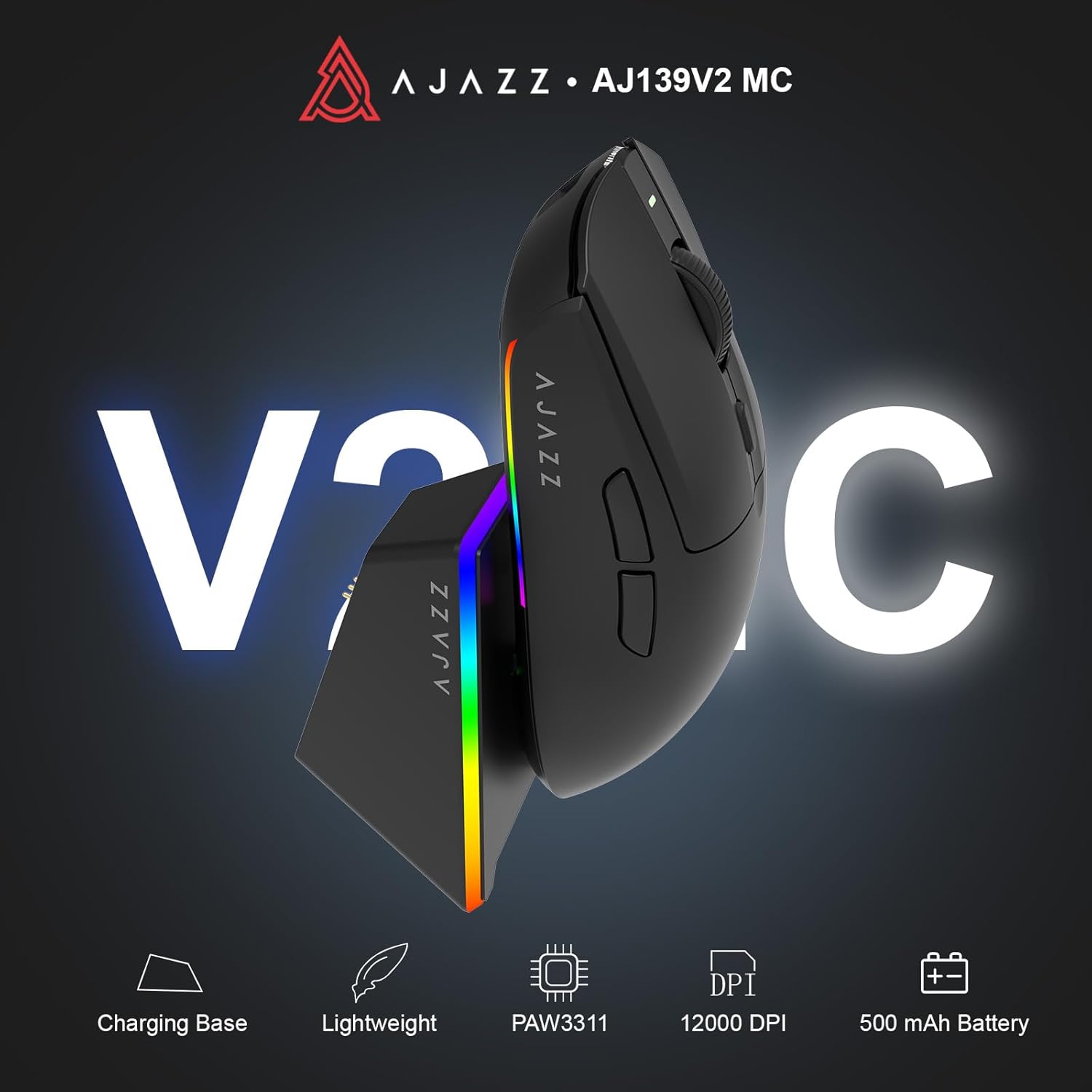
Figure 1.1: AJAZZ AJ139 V2 MC Gaming Mouse and Charging Dock.
Vídeo 1.1: Um excessoview of the AJAZZ AJ139 V2 MC Gaming Mouse, highlighting its features and design.
2. Conteúdo da embalagem
Verifique se todos os itens estão presentes na embalagem:
- AJAZZ AJ139 V2 MC Gaming Mouse
- Doca de carregamento
- Cabo de carregamento USB-C
- Receptor USB 2.4G (Dongle)
- Manual do usuário
3. Principais características
- PAW3311 Sensor Technology: Equipped with the PAW3311 sensor, this mouse ensures precise tracking and accurate cursor control for optimal performance.
- High 1000Hz Return Rate: Experience smooth and responsive performance with a 1000Hz return rate, enhancing your gaming or work experience.
- Bateria de longa duração de 500 mAh: The integrated 500mAh battery provides extended power, ensuring uninterrupted use for prolonged periods.
- Conectividade Tri-Mode: Supports versatile connectivity options including Wired, 2.4G Wireless, and Bluetooth, adapting to various devices and setups.
- Design compacto e leve: Weighing approximately 66 grams, the mouse features a compact design for easy portability and comfortable use during long sessions.
- Iluminação RGB personalizável: Features integrated RGB lighting for personalized aesthetics.
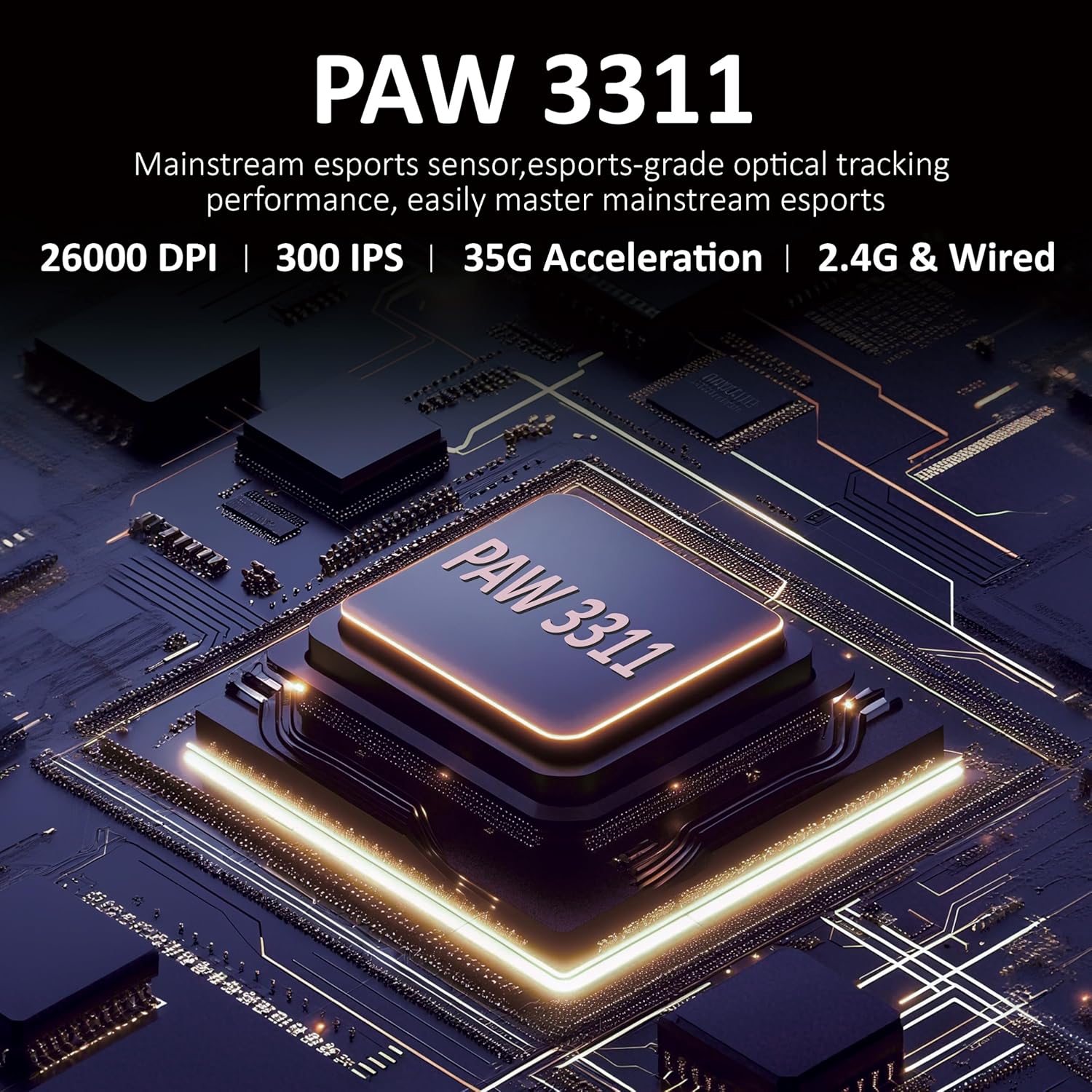
Figura 3.1: Detalhado view of the PAW3311 sensor technology.
Video 3.1: Demonstration of the mouse's 500mAh battery life.

Figure 3.2: The lightweight design of the AJAZZ AJ139 V2 MC mouse.
4. Guia de configuração
4.1. Conectando o mouse
The AJAZZ AJ139 V2 MC offers three connection modes:
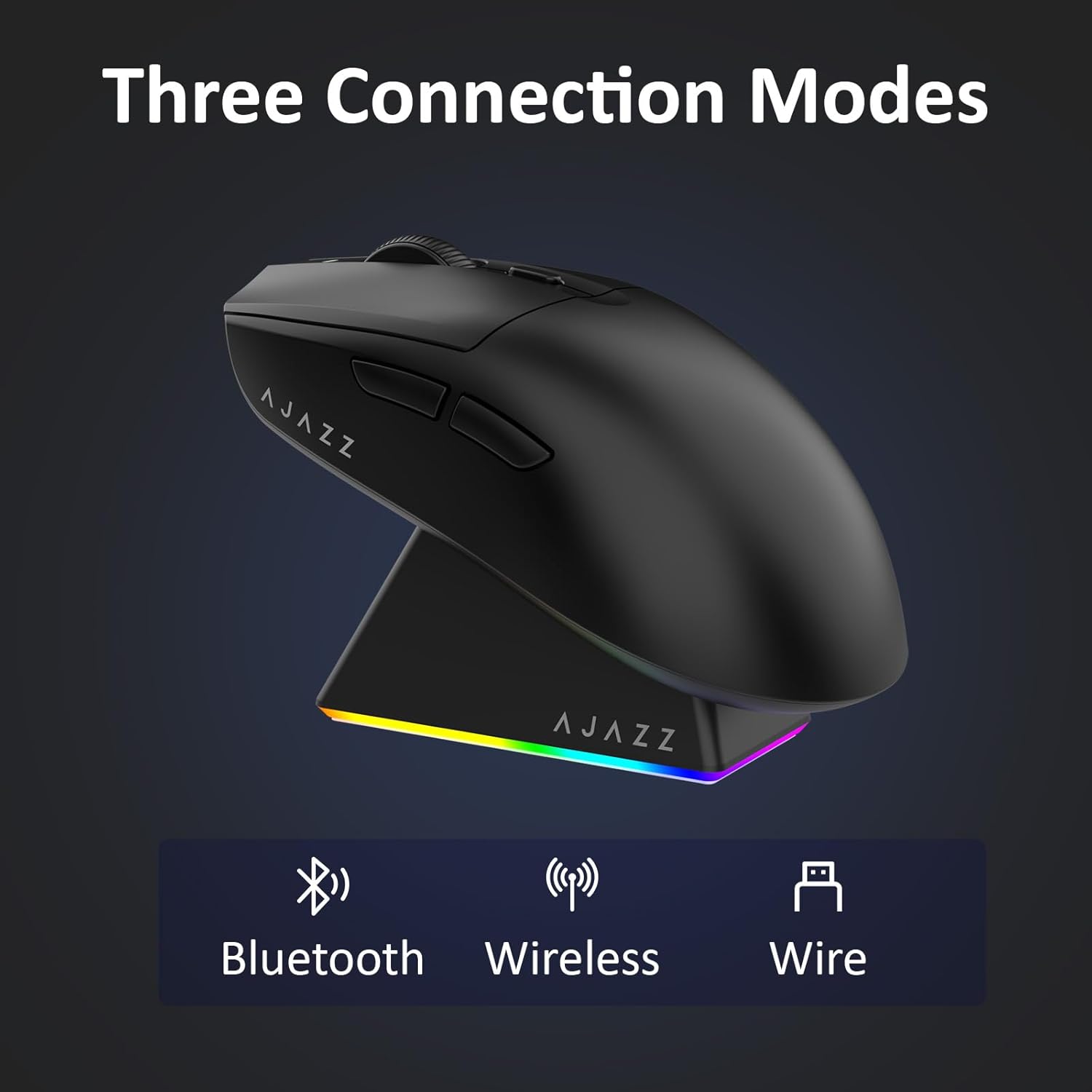
Figura 4.1: Representação visual dos três modos de conexão.
- Modo sem fio 2.4G:
- Localize o receptor USB de 2.4G que está guardado no compartimento na parte inferior do mouse.
- Conecte o receptor USB a uma porta USB disponível em seu computador.
- Slide the switch on the bottom of the mouse to the '2.4G' position. The mouse will automatically connect.
- Modo Bluetooth:
- Deslize o interruptor na parte inferior do mouse para a posição 'BT'.
- No seu dispositivo, abra as configurações de Bluetooth e procure por novos dispositivos.
- Select 'AJAZZ AJ139 V2 MC' from the list to pair.
- Modo com fio:
- Connect the USB-C charging cable to the mouse and the other end to your computer's USB port.
- O mouse funcionará como um dispositivo com fio e carregará simultaneamente.
4.2. Carregando o mouse
The mouse can be charged using the included charging dock or directly via the USB-C cable.
- Utilizando a base de carregamento:
- Connect the USB-C charging cable to the charging dock and then to a power source (e.g., computer USB port, USB wall adapter).
- Place the mouse onto the charging dock, aligning the magnetic contacts. The RGB lighting on the dock and mouse will indicate charging status.
- Carregamento direto via USB-C:
- Connect the USB-C charging cable directly to the mouse and a power source.
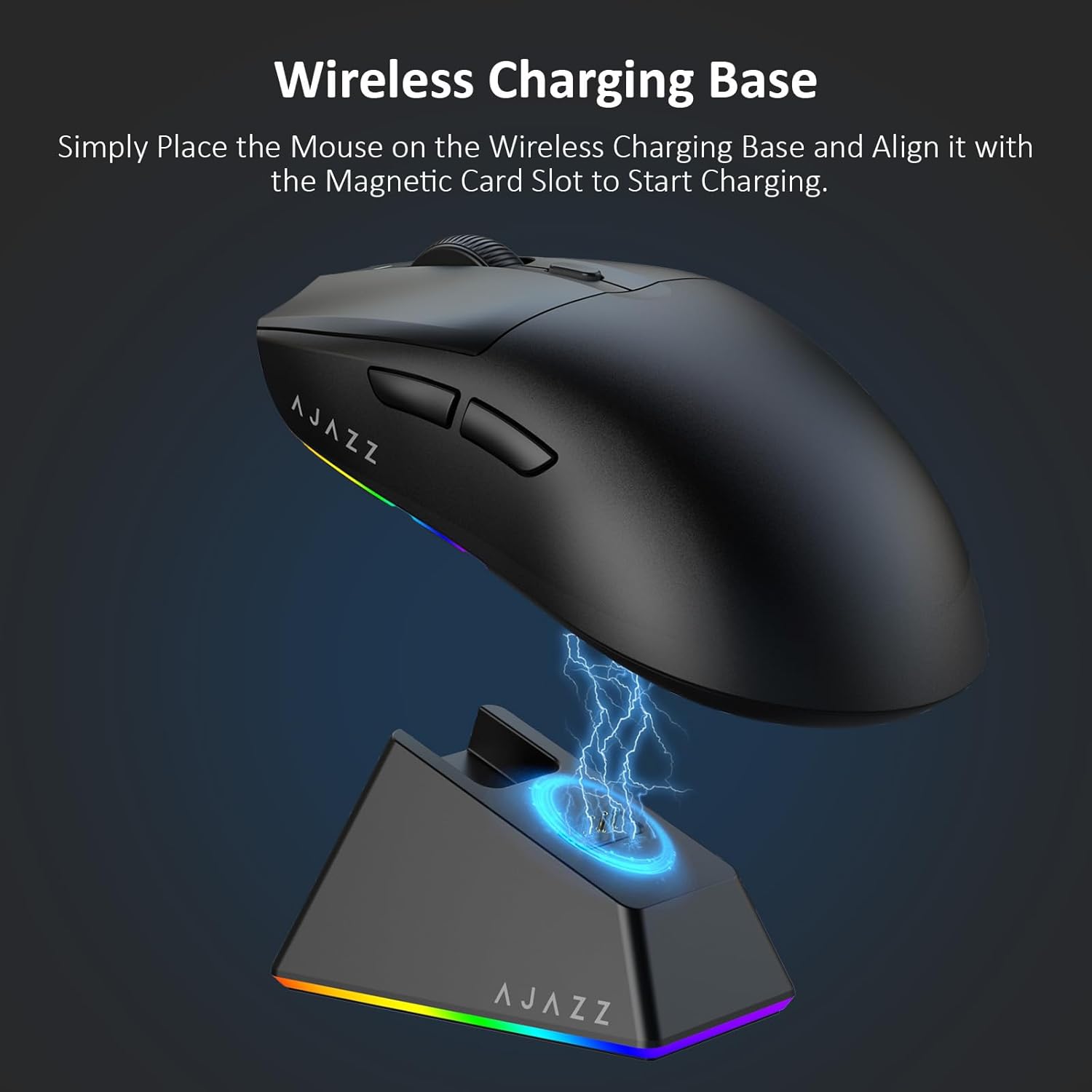
Figure 4.2: The mouse being charged on its wireless charging base.
5. Instruções de operação
5.1. Ajuste de DPI
The mouse features a dedicated DPI adjustment button on its underside, allowing you to cycle through different sensitivity levels. Press the button to change the DPI setting to suit your preference.
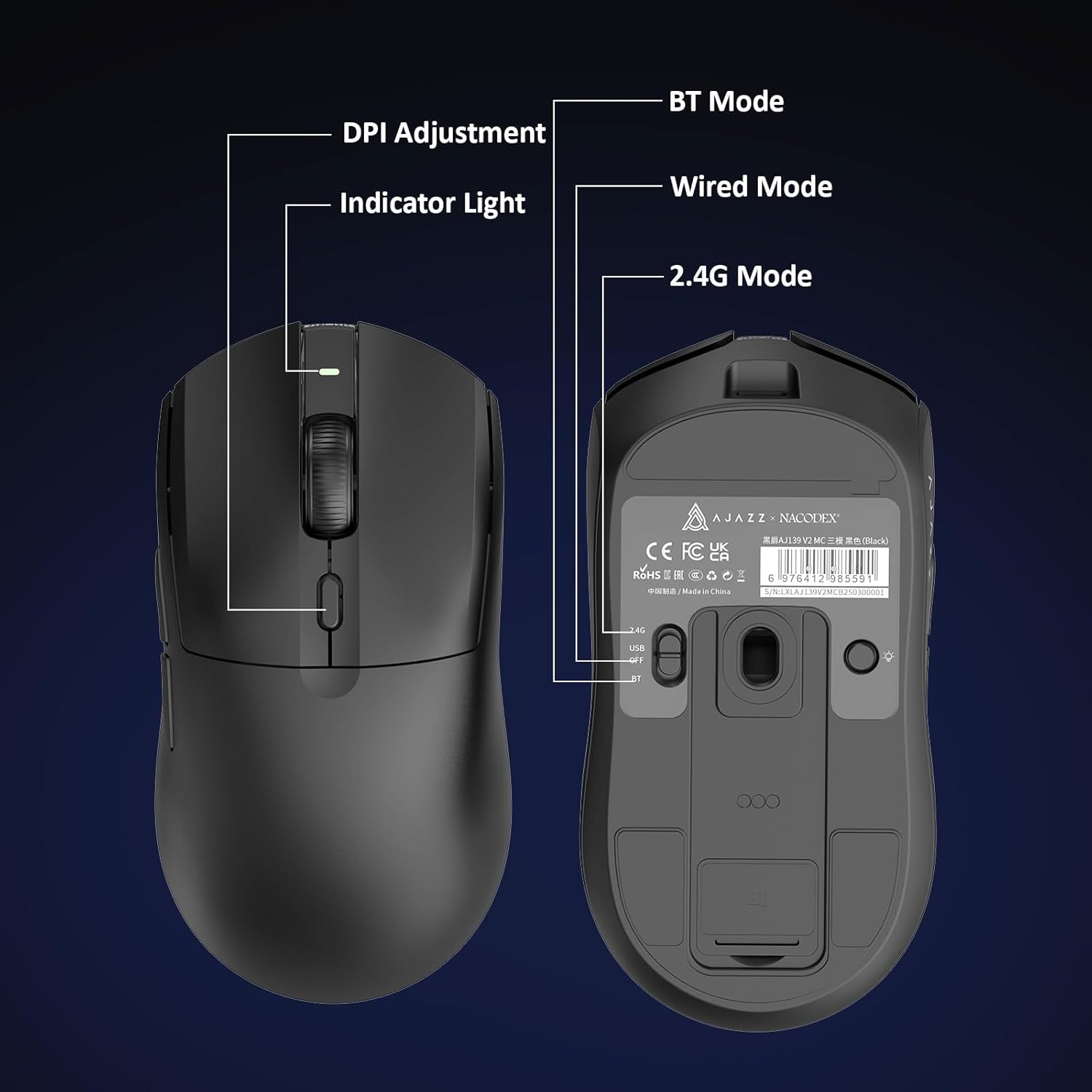
Figure 5.1: Location of the DPI adjustment button and connection mode switch on the mouse underside.
5.2. Funções dos botões
The mouse is equipped with 6 programmable buttons:
- Botão esquerdo do mouse
- Botão direito do mouse
- Roda de rolagem (clicável)
- DPI Adjustment Button (on underside)
- Two Side Buttons (typically for forward/backward navigation)
For advanced customization of button functions and macros, please refer to the official AJAZZ software (downloadable from the manufacturer's weblocal).
5.3. Controle de iluminação RGB
The mouse and charging dock feature customizable RGB lighting. Specific controls for lighting modes and colors are typically managed through the official AJAZZ software. A dedicated light button on the underside of the mouse allows for basic cycling or turning off the lighting.
6. Manutenção
- Limpeza: Use um pano macio e seco para limpar a superfície do mouse. Para sujeira mais resistente, use um pano levemente umedecido.amp Pode-se usar um pano, garantindo que nenhuma umidade entre nos componentes internos.
- Cuidados com o sensor: Mantenha o sensor óptico na parte inferior do mouse limpo e livre de poeira ou detritos para manter a precisão do rastreamento.
- Longevidade da bateria: Para prolongar a vida útil da bateria, evite descarregar completamente o mouse com frequência. Recarregue-o quando o indicador de bateria estiver fraco.
7. Solução De Problemas
| Problema | Solução possível |
|---|---|
| Mouse not responding in 2.4G Wireless mode. | Ensure the 2.4G USB receiver is securely plugged into a USB port and the mouse switch is set to '2.4G'. Try a different USB port. |
| Mouse not pairing via Bluetooth. | Ensure the mouse switch is set to 'BT' and your device's Bluetooth is enabled and discoverable. Try unpairing and re-pairing the device. |
| O mouse não está carregando. | Verify the USB-C cable is properly connected to both the dock/mouse and the power source. Ensure the mouse is correctly seated on the charging dock's magnetic contacts. |
| Inconsistent tracking or cursor movement. | Clean the optical sensor on the underside of the mouse. Ensure you are using the mouse on a suitable surface (e.g., a mouse pad). |
| A iluminação RGB não está funcionando. | Check the mouse's software settings for lighting control. Ensure the mouse has sufficient battery charge. |
8. Especificações técnicas
| Recurso | Especificação |
|---|---|
| Marca | AJAZZ |
| Nome do modelo | Aj139 V2 MC |
| Cor | V2 MC Black |
| Tecnologia de Conectividade | Bluetooth, USB, conexão sem fio de 2.4 GHz |
| Tecnologia de detecção de movimento | Óptico (Sensor PAW3311) |
| Mouse Maximum Sensitivity | 12000 Dots per Inch (DPI) |
| Taxa de retorno | 1000Hz |
| Capacidade da bateria | 500mAh |
| Quantidade de botões | 6 |
| Orientação das mãos | Certo |
| Dispositivos compatíveis | Computador de mesa |
| Sistema operacional | Windows |
| Faixa | 10 metros |
| Peso do item | 4 onças (aproximadamente 113 gramas) |
| Dimensões do item C x L | 5"L x 2.5"W (approx. 12.7cm x 6.35cm) |
| Recurso de embelezamento | Iluminação RGB |
| Material do gabinete | Plástico |
| Terminar | Fosco |
9. Garantia e Suporte
This product comes with a standard manufacturer's warranty. For detailed warranty information, please refer to the official AJAZZ website ou entre em contato com seu revendedor.
For technical support, troubleshooting assistance, or any product-related inquiries, please visit the AJAZZ official support page or contact their customer service team.
Recursos on-line:
AJAZZ Official Store