1. Introdução
Thank you for choosing the ALSO GO Upgraded Podcast Microphone Bundle. This comprehensive kit is designed to provide a professional audio experience for various applications, including podcasting, recording, singing, streaming, and gaming. It features dual condenser microphones, a portable audio interface mixer with sound effects, and wide compatibility across multiple devices and platforms. This manual will guide you through the setup, operation, and maintenance of your new podcast equipment.

Image 1.1: The ALSO GO Podcast Microphone Bundle supporting a double live broadcast setup.
2. O que está incluído
Por favor, verifique se todos os itens listados abaixo estão presentes em sua embalagem:
- Sound Card ×1
- Live Streaming Cable ×1
- Accompaniment Cable ×1
- Cabo de carregamento × 1
- Braço de lança ×2
- Microfone ×2
- Audio Cable ×2
- Shock Mount ×2
- Filtro pop ×2
- Manual do usuário ×1

Image 2.1: All included components of the condenser microphone kit with the sound card.
3. Produto acabadoview
3.1 microfones condensadores
The bundle includes two professional condenser microphones with Super Cardioid pickup technology. These microphones are designed for clear audio capture, minimizing background noise. Each microphone features a full metal design, a 16mm large diaphragm, and comes with a dual-layer pop filter and windproof foam cap for optimal sound quality.

Image 3.1: Features of the condenser microphone, including cardioid pickup and smart DSP chip.
3.2 Audio Interface Mixer (Sound Card)
The portable audio interface mixer is the central hub for your podcasting setup. It offers a range of controls and features to enhance your audio, including 10 built-in sound effects, 4 customizable sound effects, one-click denoise, and 12-level auto-tuning. The mixer is battery-powered for portability and integrates wirelessly via Bluetooth for music accompaniment.

Imagem 3.2: Terminadoview of the multifunctional sound card, highlighting noise reduction, voice change, auto-tune, and custom soundpads.
4. Guia de configuração
4.1 Cobrança Inicial
For first-time use or after long storage, fully charge the audio interface mixer using the provided Charging Cable. Connect the charging cable to the Charging 5V=1A port on the sound card and a suitable USB power source.
4.2 Conjunto do Microfone
- Attach each microphone to its respective shock mount.
- Secure the shock mount to the boom arm.
- Mount the boom arm to your desk or desired surface using the fixing clip.
- Position the pop filter in front of the microphone.
- Connect the Audio Cable from each microphone to the ENTRADA DE MICROFONE ports on the sound card.
4.3 Conexão com dispositivos
The audio interface mixer offers wide compatibility:
- PC/Laptop: Connect the sound card to your computer using the OTG/PC Live porta.
- Smartphone: Use the Live Streaming Cable to connect your smartphone to the LIVE OUTPUT port for live broadcasts.
- Headphones/Earphones: Connect your monitoring headphones (without mic) to the HEADSET or FONE DE OUVIDO portas de saída.
- Acompanhamento: Connect an external audio source (e.g., another smartphone) via the Accompaniment Cable to the AUXINAS port, or use Bluetooth for wireless music input.
- External Instrument: Connect a 6.35mm TRS line output from an instrument to the dedicated ENTRADA DE MICROFONE porta.
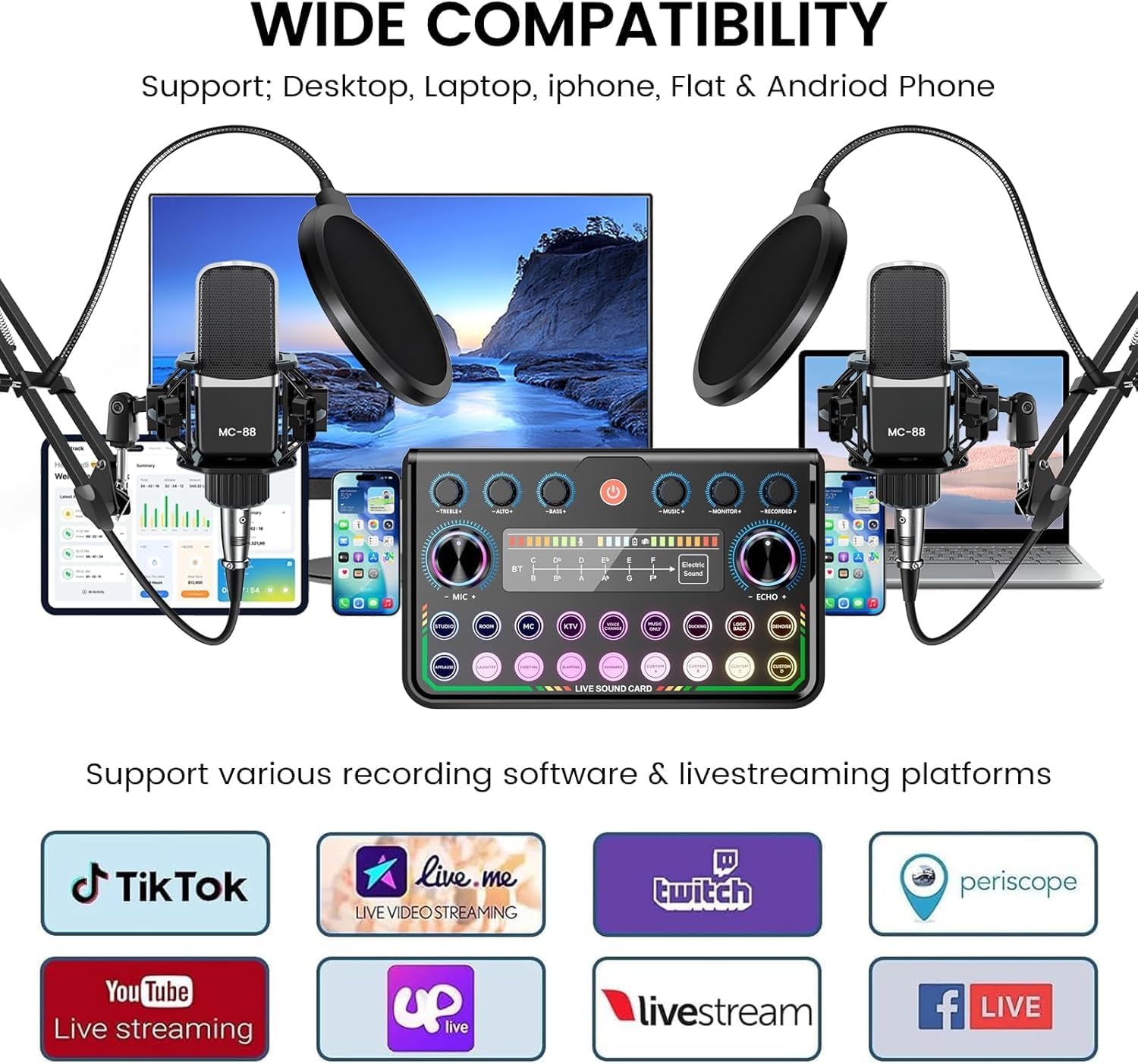
Image 4.1: Connection diagram illustrating how to connect microphones, headphones, and various devices to the sound card.
5. Instruções de operação
5.1 Ligar/Desligar
Press and hold the power button on the sound card to turn it on or off. The indicator lights will illuminate when powered on.
5.2 Ajustando os níveis de áudio
- Volume MIC: Use o MIC + / - knob to adjust the microphone input volume.
- Volume do monitor: Use o MONITOR + / - knob to adjust the headphone monitoring volume.
- Volume da música: Use o MUSIC + / - knob to adjust the accompaniment music volume.
- Eco: Ajuste o efeito de eco com o ECHO + / - botão.
- Agudos / graves: Fine-tune your vocal tone using the TREBLE + / - e GRAVES + / - controles.
5.3 Efeitos sonoros e alteração de voz
- Efeitos sonoros integrados: Press the dedicated buttons for various effects like applause, laughter, cheers, slapping, etc.
- Efeitos sonoros personalizados: The sound card features 4 customizable sound effect pads (Custom A, B, C, D). Record your own short audio clips to these pads for quick playback during your broadcast.
- Mudança de voz: Use o MUDANÇA DE VOZ button to cycle through different voice modulation effects (e.g., female, male, child, monster).
- Electric Sound: Ative o ELECTRIC SOUND effect for a unique vocal style, with 12-level auto-tuning.
- Denoise: Pressione o DENOISE button for one-click background noise reduction.

Image 5.1: The sound card's interface showing the 4 customizable sound effect buttons and denoise function.
5.4 Conexão Bluetooth
To connect an external device for wireless music accompaniment:
- Turn on the sound card.
- Ative o Bluetooth no seu smartphone ou tablet.
- Procurar the sound card's Bluetooth name (refer to the device's display or manual for the exact name, often 'P99 Sound Card').
- Pair your device. Once connected, you can play music wirelessly through the sound card.

Image 5.2: Establishing a Bluetooth connection for wireless music accompaniment.
6. Principais características
- Suporte para microfone duplo: Designed for two-person broadcasting with two condenser microphones.
- Integrated Audio Mixer: Portable sound card with built-in audio interface.
- Efeitos sonoros: 10 built-in sound effects and 4 customizable sound pads.
- Voice Modulation: Multiple voice change options and 12-level auto-tuning.
- Redução de ruído: One-click denoise function for clear audio.
- Conectividade sem fio: Bluetooth for music accompaniment.
- Ampla compatibilidade: Works with PCs, smartphones, Xbox, Windows, Mac OS, iOS, and Android.
- Aplicações: Ideal for live streaming, gaming, recording, singing, and video conferencing.

Image 6.1: The podcast bundle is suitable for diverse applications including singing, podcasting, gaming, and streaming.

Image 6.2: The audio interface mixer offers wide compatibility with various devices and streaming platforms.
7. Especificações
| Recurso | Detalhe |
|---|---|
| Marca | ALSO GO |
| Nome do modelo | MG0020-2-B1 |
| Peso do item | 5.8 libras |
| Fator de forma do microfone | Condensador de estúdio |
| Fonte de energia | Alimentado por bateria |
| Material | Plástico ABS |
| Plataforma de Hardware | Computador portátil |
| Número de canais | 2 |
| Sistema operacional | Android, Windows, iOS |
| Tecnologia de Conectividade | XLR |
| Tipo de conector | USB Tipo C |
| Recurso especial | Redução de ruído |
| Dispositivos compatíveis | Smartphone, PC, Xbox |
| Padrão polar | Super Cardioide |
| Sensibilidade Áudio | 85 decibéis |
| Tipo de Bateria | Manganês |
8. Manutenção
- Limpeza: Use a soft, dry cloth to clean the surfaces of the microphones and sound card. Avoid using liquid cleaners or abrasive materials.
- Armazenar: When not in use, store the bundle in a cool, dry place away from direct sunlight and extreme temperatures.
- Cuidados com os cabos: Avoid bending or crimping cables excessively to prevent damage.
- Filtro pop/pára-brisas: Regularly clean or replace pop filters and windscreens to maintain hygiene and acoustic performance.
9. Solução De Problemas
- Sem saída de som:
- Ensure the sound card is powered on and fully charged.
- Check all cable connections (microphones, headphones, output to device).
- Verify volume levels on the sound card and connected device are not muted or too low.
- Confirm the correct input/output device is selected in your computer's or smartphone's audio settings.
- Qualidade de áudio ruim/Ruído:
- Ensure microphones are properly positioned with pop filters.
- Activate the Denoise function on the sound card.
- Verifique se há conexões soltas ou cabos danificados.
- Reduce microphone gain if distortion occurs.
- Minimize external background noise in your recording environment.
- Problemas de conexão Bluetooth:
- Ensure the sound card's Bluetooth is active.
- Certifique-se de que o Bluetooth do seu dispositivo esteja ativado e detectável.
- Unpair and re-pair the device if connection fails.
- Certifique-se de que nenhum outro dispositivo esteja interferindo no sinal Bluetooth.
10. Garantia e Suporte
For warranty information and customer support, please refer to the contact details provided on the product packaging or visit the official ALSO GO webGuarde o comprovante de compra como prova para eventuais solicitações de garantia.