
Introdução
This manual provides detailed instructions for the setup, operation, and maintenance of your ESR Flex Keyboard Case. Please read this manual thoroughly to ensure proper use and to maximize the functionality of your device.
Compatibilidade
The ESR Flex Keyboard Case is compatible with the following iPad models:
- iPad 11-inch (A16) 2025: Models A3354, A3355, A3162, A3356
- iPad 10th Generation 2022: Models A2696, A2757, A2777
To verify your iPad model number, check the back of your device. It is typically printed in small text.

Image: Visual guide for identifying compatible iPad models and locating the model number.
Configurar
1. Attaching Your iPad to the Case
- Align your iPad with the protective frame of the case.
- Gently press the iPad into the case until it is securely seated. Ensure all corners are protected by the Air Guard corners.
- The keyboard magnetically attaches to the case. Position the keyboard at the bottom edge of the case for a secure connection.
2. Bluetooth Pairing the Keyboard
- Certifique-se de que o teclado esteja carregado.
- Turn on the keyboard using the power switch (usually located on the side or back of the keyboard).
- No seu iPad, acesse Configurações > Bluetooth.
- Ligue o Bluetooth.
- The iPad will search for nearby Bluetooth devices. Select "ESR Keyboard" (or similar name) from the list of available devices.
- Se solicitado, digite o código de emparelhamento exibido na tela do seu iPad usando o teclado e pressione Digitar.
- Once paired, the keyboard's status indicator will confirm connection, and it will appear as "Connected" on your iPad's Bluetooth device list.
Instruções de operação
Magnetic Detachable Design
The keyboard can be instantly attached or detached from the case via a strong magnetic connection. This allows for flexible usage:
- Modo de digitação: Keep the keyboard attached for a laptop-like experience.
- Modo Tablet: Detach the keyboard for reading, watching videos, or sketching, allowing for a lighter and more portable setup.
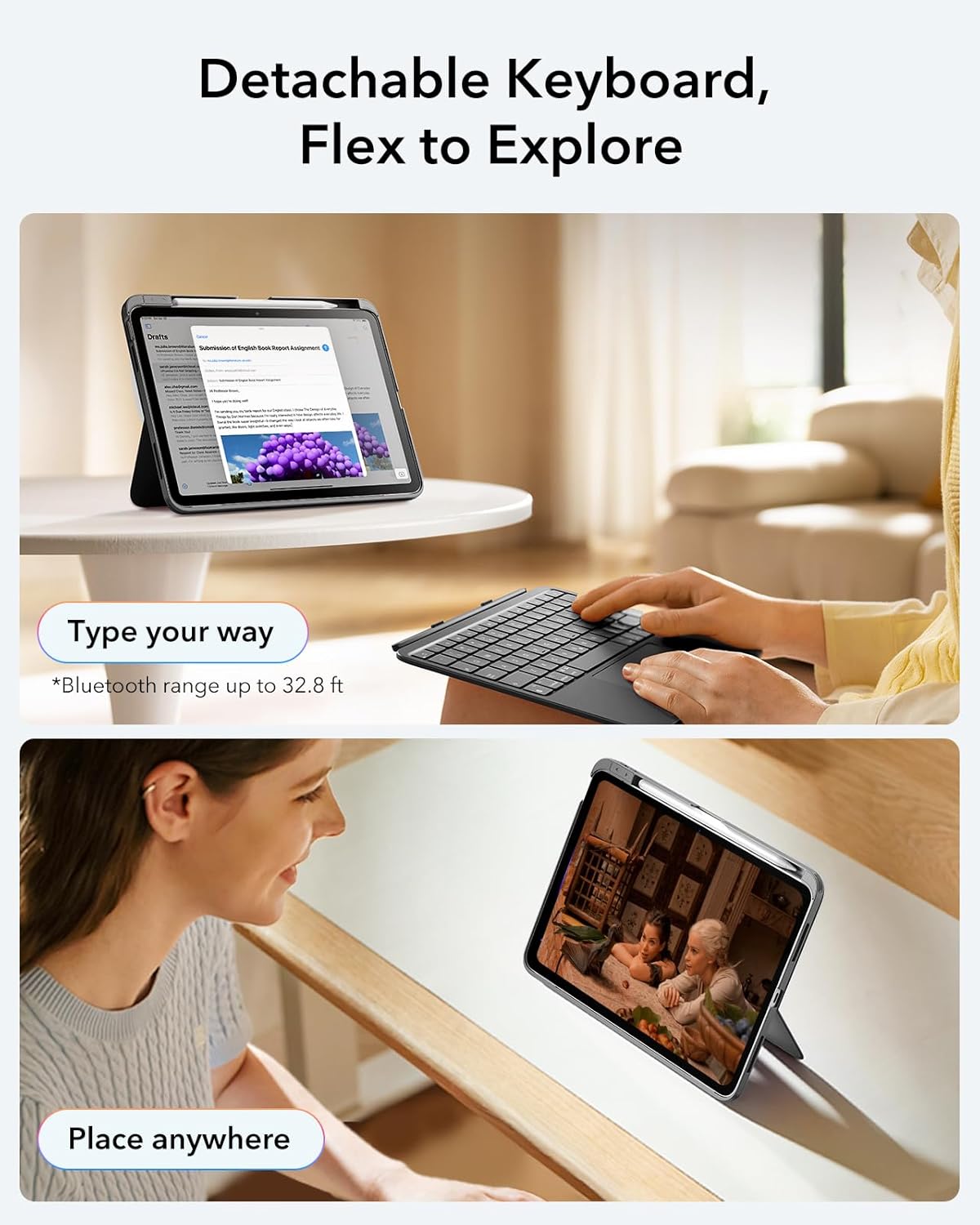
Image: Demonstrates the detachable keyboard for remote typing and the iPad in viewmodo de ing.
Ajustável Viewângulos de engate
The case features a triangular support stand that provides two stable viewângulos de engate:
- Ângulo de 65°: Ideal for working, watching videos, or general reading.
- Ângulo de 20°: Suitable for sketching, drawing, or writing with a stylus.
Adjust the stand by folding the back panel to achieve the desired angle. The triangular design ensures stability without wobbling.

Image: Illustrates the 20-degree and 65-degree viewing angles provided by the case's stand.
Precision Trackpad Usage
The extra-large trackpad supports intuitive multi-touch gestures for effortless navigation. Common gestures include:
- Clique: Single-finger tap or press.
- Rolar: Two-finger drag up or down.
- Ampliação: Aperte com dois dedos.
- Lar: Deslize três dedos para cima.

Image: Explains trackpad gestures for navigation and control.
Pencil Release
The case includes a quick-access pen slot with a secure one-handed release mechanism for your Apple Pencil or compatible stylus. To release the pencil, gently push it from the cutout on the side of the slot.

Image: Demonstrates the pencil release feature.
Manutenção
Cleaning the Case and Keyboard
- Use um pano macio e sem fiapos levementeampened with water or a mild cleaning solution to wipe down the exterior of the case and keyboard.
- Evite usar produtos químicos agressivos, produtos de limpeza abrasivos ou solventes, pois estes podem danificar o acabamento.
- Ensure no liquid enters the keyboard's ports or crevices.
Armazenar
- Store the case and keyboard in a cool, dry place away from direct sunlight and extreme temperatures.
- When not in use for extended periods, ensure the keyboard is turned off to conserve battery life.
Solução de problemas
O teclado não está conectando via Bluetooth.
- Verifique a potência: Certifique-se de que o teclado esteja ligado e com carga de bateria suficiente.
- Reparar: Go to your iPad's Bluetooth settings, forget the "ESR Keyboard" device, and then attempt to pair it again.
- Reiniciar dispositivos: Reinicie o iPad e o teclado.
- Proximidade: Ensure the keyboard is within the Bluetooth range (up to 32.8 ft or 10 meters) of your iPad.
O trackpad não responde.
- Conexão Bluetooth: Verify the keyboard is properly connected via Bluetooth.
- Limpar Trackpad: Certifique-se de que a superfície do trackpad esteja limpa e livre de detritos.
- iPad Settings: Check iPad settings for trackpad functionality (Settings > Accessibility > Touch > AssistiveTouch, ensure it's not interfering).
Keyboard Keys Not Working
- Nível da bateria: Low battery can affect keyboard performance. Charge the keyboard fully.
- Reconexão: Desconecte e reconecte a conexão Bluetooth.
- Atualização de software: Ensure your iPad's operating system is up to date.
Especificações
| Recurso | Detalhe |
|---|---|
| Modelo | ESR Flex Keyboard Case |
| Dispositivos compatíveis | iPad 11th (A16) 2025 / 10th Gen 2022 (Models A2696, A2757, A2777, A3354, A3355, A3162, A3356) |
| Tecnologia de Conectividade | Bluetooth |
| Descrição do teclado | Magnetic, Detachable |
| Características especiais | Detachable, Ergonomic, Precision Trackpad, Adjustable Viewing Angles, Air Guard Corners |
| Peso do item | 1.57 libras (aproximadamente 712 gramas) |
| Dimensões da embalagem | 11.73 x 8.82 x 1.14 polegadas |
| Baterias | 1 bateria não padrão (incluída) |
| Cor | Cinza escuro |

Image: Illustrates the lightweight nature of the case and keyboard (530g).
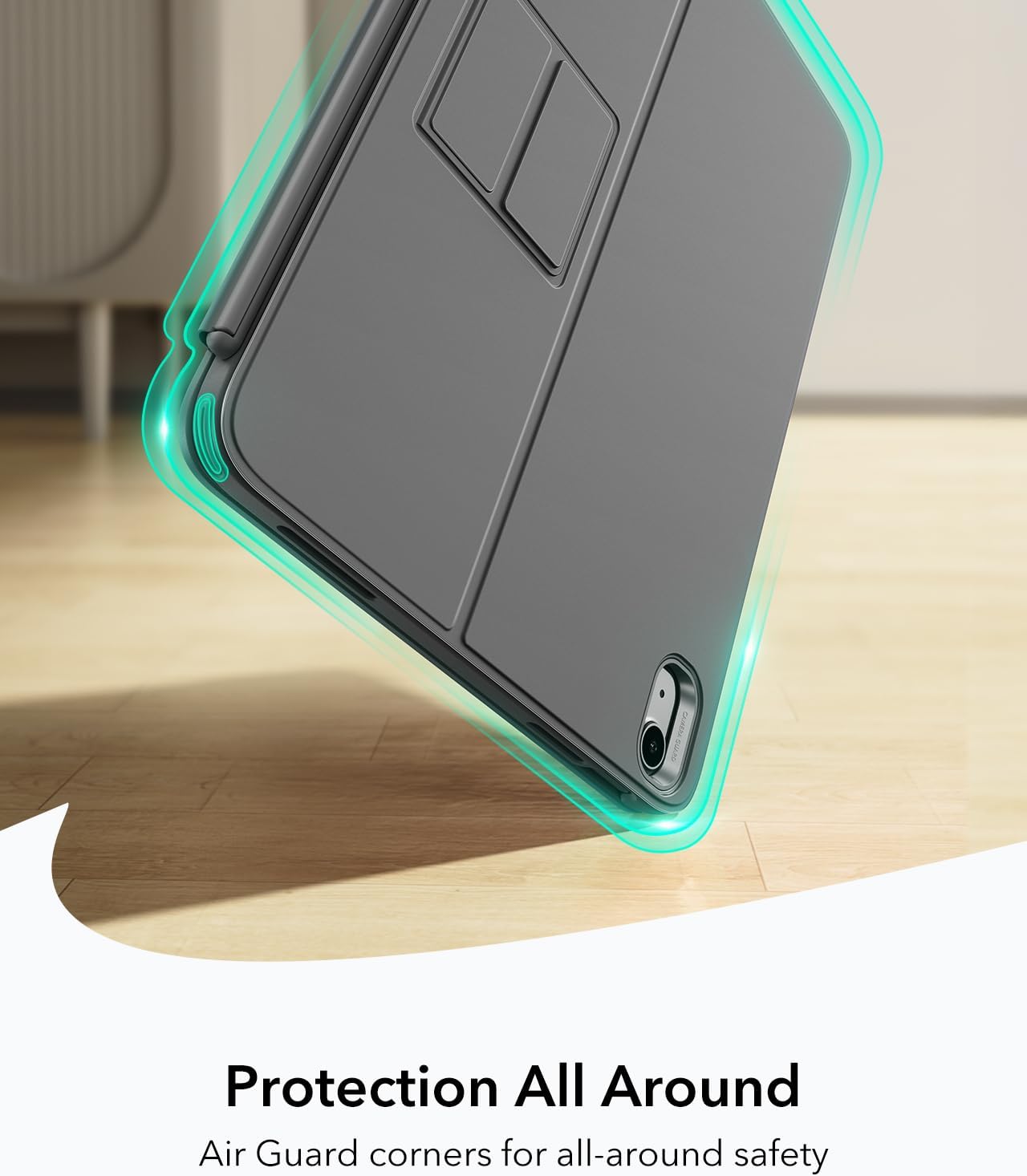
Image: Highlights the protective Air Guard corners of the case.
Garantia e Suporte
ESR products typically come with a limited warranty. For specific warranty details, registration, or to access customer support, please visit the official ESR webou entre em contato diretamente com o serviço de atendimento ao cliente. Guarde o comprovante de compra como prova de aquisição.
Para obter mais assistência, você pode visitar o Loja ESR na Amazon.