
1. Introdução
The ESR iPad Flex Keyboard Case is designed to enhance your iPad experience, transforming it into a versatile productivity tool. Featuring a magnetic detachable keyboard and a large precision trackpad, this case offers multiple viewing angles and robust protection, making it ideal for various tasks from typing to drawing.
Compatibilidade
This keyboard case is specifically compatible with the following iPad models:
- iPad 11" (A16) 2025
- iPad 10th Gen 2022 (Models: A2696, A2757, A2777, A3354, A3355, A3162, A3356)
Please verify your iPad model number on the back of your device before use.

Image: Compatibility guide for ESR iPad Flex Keyboard Case, highlighting supported iPad models and how to check your device's model number.
2. Configuração e conexão
Configuração inicial
- Carregue o teclado: Before first use, ensure the keyboard is fully charged. Connect the provided USB-C cable to the keyboard's charging port and a power source.
- Conecte seu iPad: Align your iPad with the magnetic back cover of the case. The strong magnets will securely hold your iPad in place.
Emparelhamento Bluetooth
To connect the keyboard to your iPad via Bluetooth:
- Certifique-se de que o teclado esteja carregado e ligado.
- No seu iPad, acesse Configurações > Bluetooth.
- Ative o Bluetooth. Seu iPad buscará dispositivos próximos.
- Select "ESR Keyboard" (or similar name) from the list of available devices.
- Follow any on-screen prompts to complete the pairing process. Once connected, the keyboard's indicator light will turn off, and it will show as "Connected" on your iPad.
3. Instruções de operação
Magnetic Detachable Design
The keyboard can be easily attached or detached from the case via a strong magnetic connection. This allows for flexible usage, whether you need to type remotely or use your iPad in tablet mode.

Image: The detachable keyboard allows for remote typing (Bluetooth range up to 32.8 ft) and hands-free viewindo.
Ajustável Viewângulos de engate
The case features a triangular support system that provides stable viewing at two primary angles:
- Ângulo de 65°: Ideal for working, watching videos, or reading.
- Ângulo de 20°: Perfect for sketching, writing, or drawing.

Image: Flex to Learn - Demonstrates the 65-degree viewing angle for reading and typing.

Image: Flex to Create - Demonstrates the 20-degree viewing angle for writing and drawing.

Image: Flex to Play - Demonstrates the versatility for gaming and watching videos.
Trackpad de precisão
The extra-large trackpad provides smooth and responsive navigation, supporting intuitive multi-touch gestures for efficient workflow.
- Clique: Single finger tap or press.
- Rolar: Two-finger drag up or down.
- Ampliação: Aperte com dois dedos.
- Lar: Deslize três dedos para cima.

Image: Larger Trackpad, Smoother Control - Illustrates the 65% larger trackpad (4.4 x 2.8 inches) and its supported multi-touch gestures.
Slot para lápis
The case includes a quick-access pen slot with a secure one-handed release mechanism for your Apple Pencil or similar stylus.

Image: No-Fuss Pencil Release - Demonstrates the quick-access pen slot for secure storage and easy retrieval of your stylus.
4. Bateria e carregamento
The keyboard is equipped with a rechargeable battery for extended use.
- Uso diurno: Up to 60 days on a single charge (based on 2-hour daily active usage).
- Tempo de carga total: Aproximadamente 2 horas.
To charge the keyboard, connect a USB-C cable to the charging port on the keyboard and a compatible power adapter.
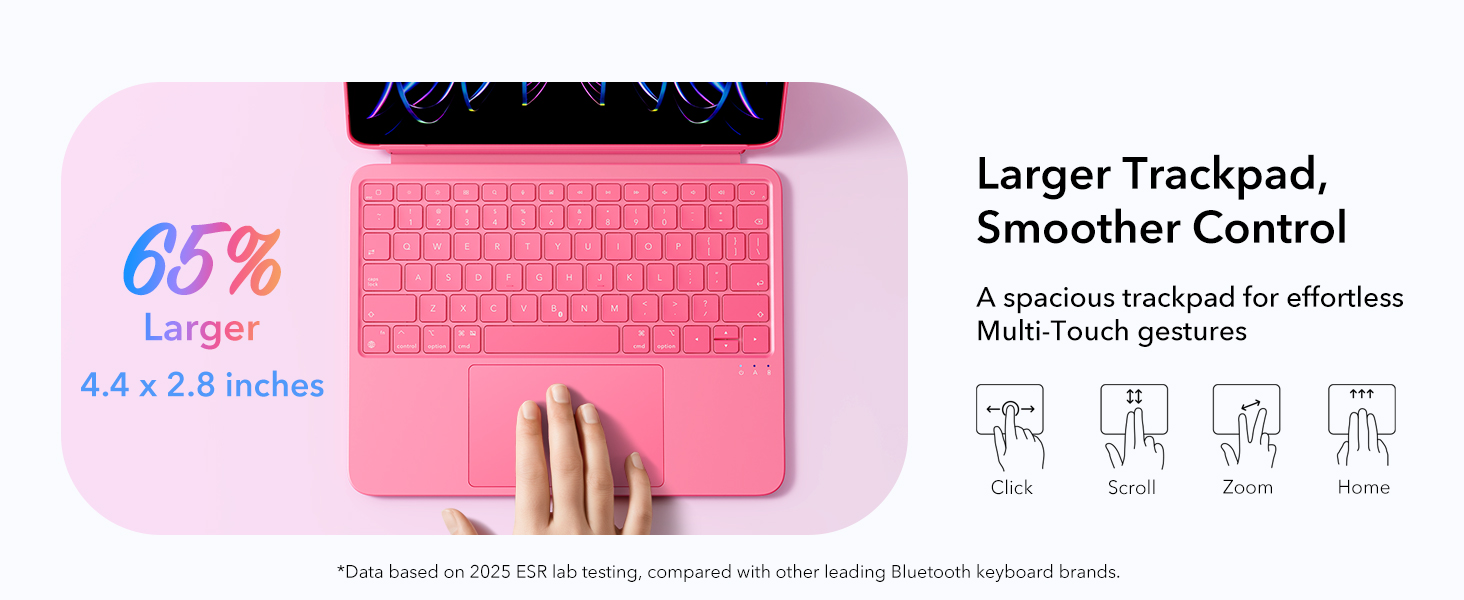
Image: Do More, Charge Less - Highlights the battery life of 60 days for day use and 2 hours for a full charge.
5. Cuidados e Manutenção
- Limpeza: Use um pano macio e macioamp cloth to wipe the surface of the case and keyboard. Avoid harsh chemicals or abrasive materials.
- Armazenar: Quando não estiverem em uso por longos períodos, guarde a capa e o teclado em local fresco e seco.
- Proteção: The case features Air Guard corners for all-around safety, providing enhanced protection against drops and impacts.
Image: Protection All Around - Illustrates the Air Guard corners designed for enhanced safety.
6. Solução De Problemas
- Teclado não conecta:
- Certifique-se de que o teclado esteja carregado e ligado.
- Turn Bluetooth off and on again on your iPad.
- Esqueça o dispositivo nas configurações de Bluetooth do iPad e emparelhe-o novamente.
- Reinicie o iPad e o teclado.
- Trackpad lagging or unresponsive:
- Verifique se a bateria do teclado não está fraca.
- Limpe a superfície do trackpad.
- Desconecte e reconecte a conexão Bluetooth.
- Teclas não respondem:
- Verifique a conexão Bluetooth.
- Certifique-se de que o teclado esteja totalmente carregado.
- Reinicie o teclado e o iPad.
7. Especificações técnicas
| Dimensões da embalagem | 11.77 x 8.94 x 1.02 polegadas |
| Peso do item | 1.57 libras (aproximadamente 712g) |
| Peso do teclado | Approx. 530g (case and keyboard only, iPad not included) |
| Fabricante | Rota da Seda Eletrônica Corp. |
| Tecnologia de Conectividade | Bluetooth |
| Descrição do teclado | Magnetic, Detachable |
| Características especiais | Detachable, Ergonomic, Touchpad |
| Cor | Rosa |
| Baterias | 1 bateria não padrão (incluída) |
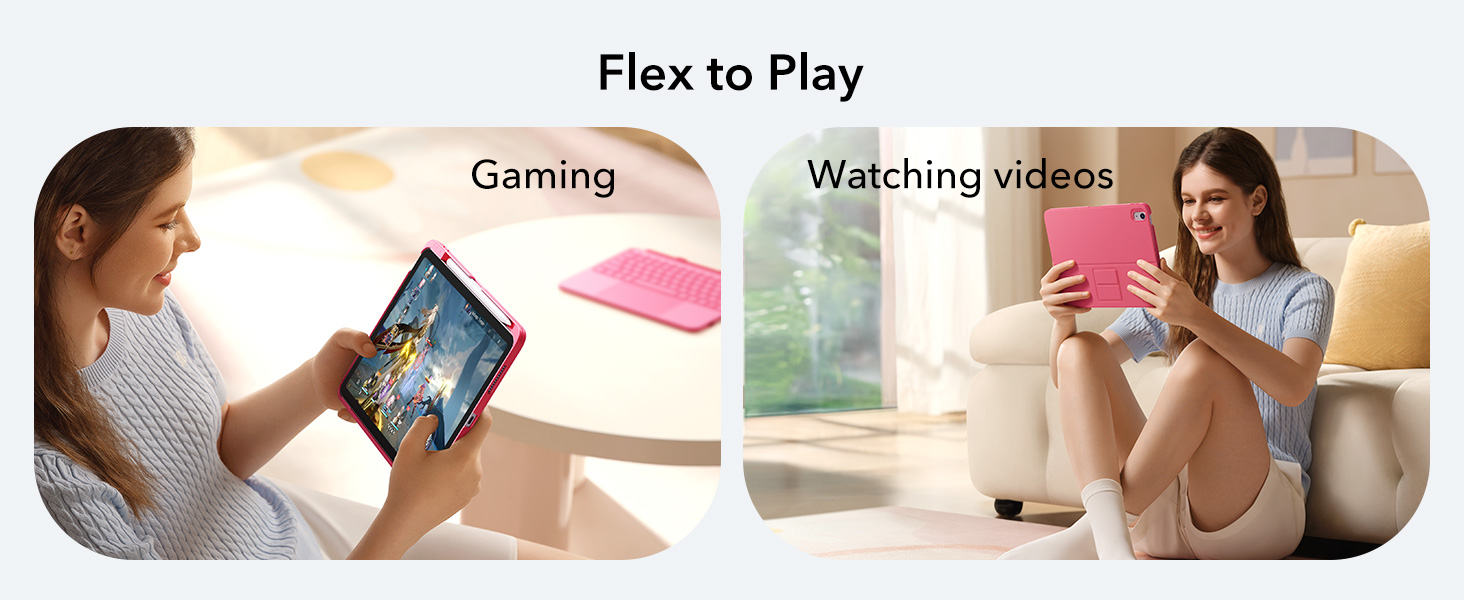
Image: Lightweight and Portable - Illustrates the keyboard case's weight of 530g, making it easy to carry.
8. Garantia e Suporte
For warranty information and customer support, please refer to the official ESR webou entre em contato diretamente com o serviço de atendimento ao cliente. Guarde o comprovante de compra para eventuais solicitações de garantia.
Fabricante: Rota da Seda Eletrônica Corp.
Política de devolução: 30-day refund/replacement period from the date of purchase.