
Introdução
The Fosi Audio Music Visualizer AH-01A is a sound-activated RGB ambient light designed to enhance your audio experience with dynamic visual effects. Featuring vintage tube aesthetics and modern functionality, this device integrates seamlessly into home stereo systems or desktop setups, providing real-time music visualization through its built-in microphone.
O que há na caixa?
- Base de luz
- Manual do usuário
- LED Light Strips (2)
- Glass Tubes (2)
- Cabo de alimentação USB-C

Figure 1: Contents of the Fosi Audio Music Visualizer AH-01A packaging.
Características do produto
- Musical Resonance: Lights dynamically pulse to music rhythms, enhancing the audio-visual experience.
- Vários modos de iluminação: Features five distinct lighting effects with 48 full-color LED chips per strip.
- Efeitos personalizáveis: Adjustable lighting colors, sensitivity, and light falling speed to match various music styles.
- Microfone embutido: Integrated microphone for sound pickup, eliminating the need for external wiring.
- All-Metal Build: Crafted from CNC-machined aluminum alloy with an anodized finish for durability and a premium aesthetic.
- Vinhotage-Modern Design: Combines crystal clear glass tubes and metallic orange knobs for a unique blend of vintage charm and modern style.
Produto acimaview
The Fosi Audio Music Visualizer AH-01A features a compact design with two vertical glass tubes housing LED light strips. The front panel includes three control knobs for sensitivity, lighting mode/color, and falling speed. The rear panel houses the USB-C power input and two microphone pickup points.

Figura 2: Frente view of the Music Visualizer with control knobs.

Figura 3: Traseira view of the Music Visualizer with power input and microphone locations.
Instruções de configuração
- Descompacte: Remova cuidadosamente todos os componentes da embalagem.
- Montar tubos: Gently insert the LED light strips into the glass tubes, then place the assembled tubes into the designated sockets on the light base.
- Conexão de energia: Connect the provided USB-C power cable to the DC 5V/1A input port on the rear of the device and plug the other end into a suitable USB power adapter (not included) or a powered USB port.
- Colocação: Position the visualizer near your audio source (speakers, desktop, etc.) for optimal sound pickup.
Instruções de operação
The Fosi Audio Music Visualizer operates by picking up ambient sound through its built-in microphone. No direct audio connection is required. Adjust the controls on the front panel to customize the visual experience.

Figure 4: Adjusting the central knob to change lighting modes.
Controles e ajustes
| Controlar | Função |
|---|---|
| Sensitivity Knob (Left) | Adjusts the microphone's sensitivity to sound. Turn clockwise to increase sensitivity (reacts to quieter sounds), counter-clockwise to decrease. |
| Light Mode / Color Knob (Center) | Press to cycle through the five different lighting effects. Rotate to change the color scheme within the selected mode. |
| Delay Knob (Right) | Controls the falling speed of the light patterns. Adjust to synchronize the visual effects with different music tempos. |
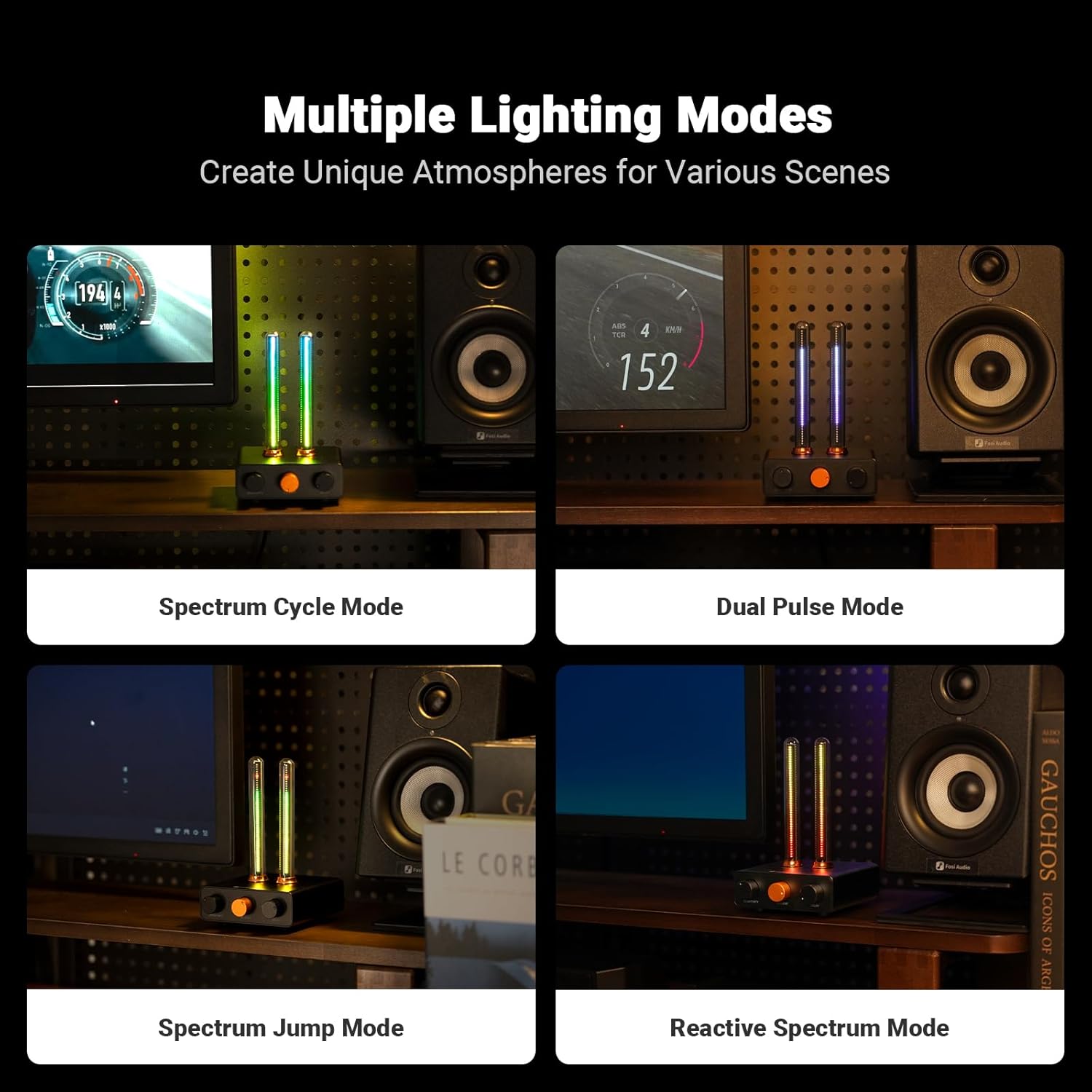
Figura 5: Examples of different lighting modes.
Manutenção
- Limpeza: Use a soft, dry cloth to wipe the device. Avoid abrasive cleaners or solvents.
- Manuseio: Handle the glass tubes with care to prevent breakage.
- Armazenar: Armazene em local fresco e seco, longe da luz solar direta e de temperaturas extremas quando não estiver em uso.
Solução de problemas
- Sem energia: Ensure the USB-C cable is securely connected to both the device and a working power source. Verify the power source is active.
- Lights Not Responding to Sound:
- Increase the Sensitivity knob (left knob) clockwise.
- Ensure the device is placed close enough to the audio source.
- Check for any obstructions blocking the microphone pickup points on the rear.
- Inconsistent Light Patterns: Adjust the Delay knob (right knob) to fine-tune the light falling speed to better match the music tempo.
- Lights Stuck on One Color/Mode: Press the central Light Mode/Color knob to cycle through modes. If unresponsive, disconnect and reconnect power.
Especificações
| Recurso | Detalhe |
|---|---|
| Número do modelo | AH-01A |
| Cor | Preto |
| Material | Alumínio |
| Tipo de acabamento | Anodizado |
| Tipo de fonte de luz | Diodo emissor de luz (LED) |
| Número de fontes de luz | 48 por tira |
| Peso do item | 0.38 quilogramas (13.4 onças) |
| Dimensões do produto | 8 x 6 x 10 polegadas |
| Entrada de energia | DC 5V/1A (USB-C) |
Vídeo oficial do produto
Video 1: Official Fosi Audio Music Visualizer AH-01A demonstration, showcasing its features and dynamic lighting effects.
Garantia e Suporte
Os produtos Fosi Audio são projetados para oferecer confiabilidade e desempenho. Para informações sobre garantia, suporte técnico ou solicitações de serviço, consulte o site oficial da Fosi Audio. webou entre em contato diretamente com o suporte ao cliente. Guarde o comprovante de compra para eventuais solicitações de garantia.