
1. Introdução
The lvifloae FS23-PM USB Triple Foot Switch is a versatile and customizable foot pedal designed to enhance efficiency and control across various applications. Featuring three mechanical switches, it provides tactile and auditory feedback for precise input. This device can be configured for mouse, keyboard, game, character string, and multimedia functions, making it suitable for gaming, office work, industrial control, and more.
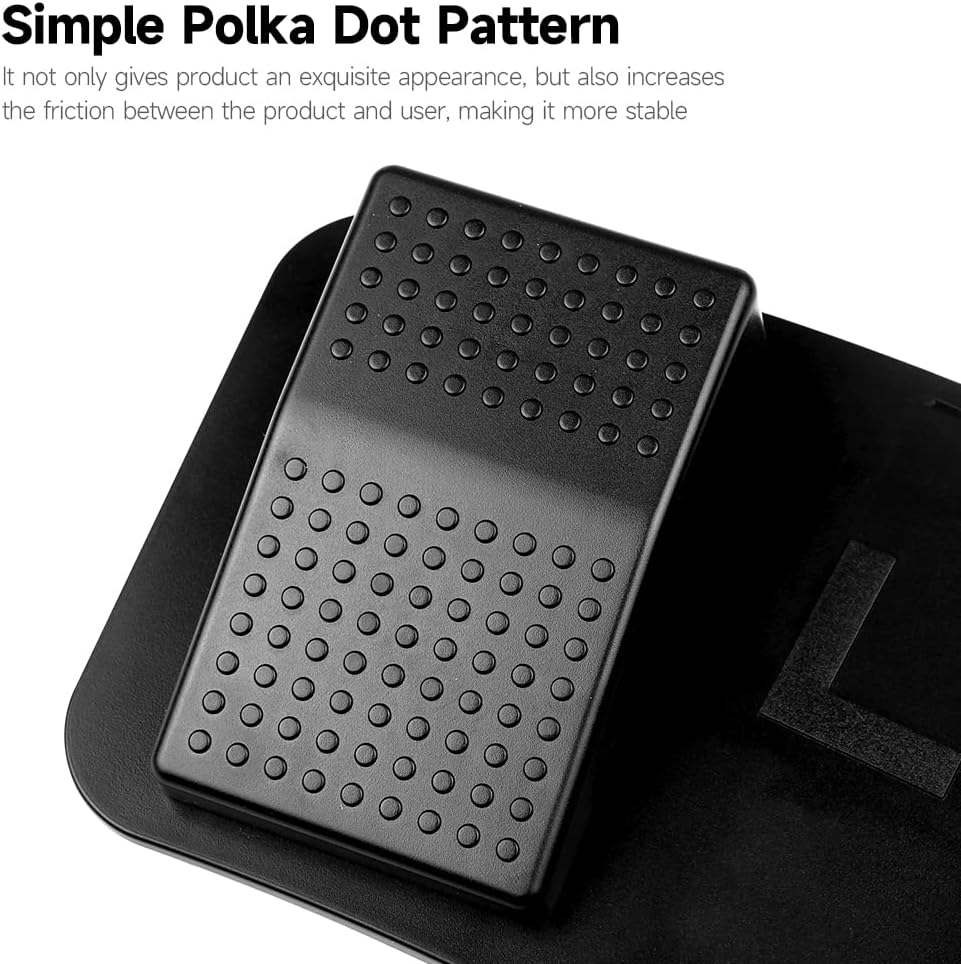
Image 1.1: The lvifloae FS23-PM USB Triple Foot Switch, showcasing its three pedals and USB cable connection.
2. Recursos do Produto
- Versatile Function Customization: Configure pedals for mouse clicks, keyboard shortcuts, game controls, character strings, or multimedia functions.
- Interruptores mecânicos: Provides distinct tactile feedback and a crisp sound upon activation, ensuring accurate and satisfying operation.
- Design durável: Features a simple polka-dot pattern that enhances grip and an anti-slip surface for stability.
- Almofadas antiderrapantes: Equipped with non-slip pads on the base to prevent movement during use, even with firm pressure.
- Ampla aplicação: Ideal for gaming, office tasks, industrial equipment control, music production, and image acquisition.

Imagem 2.1: Um close-up view of the foot pedal's surface, highlighting the simple polka-dot pattern designed for enhanced friction and stability.
3. Instruções de configuração
3.1 Compatibilidade do sistema
The FS23-PM foot pedal is compatible with various operating systems. Key definition setting software is provided for Windows systems, and once configured, the settings can be used across other compatible systems.

Image 3.1: Diagram illustrating the system compatibility of the foot pedal, including Windows, Mac, Android, and Linux operating systems.
3.2 Conectando o Dispositivo
- Localize uma porta USB disponível no seu computador ou dispositivo.
- Plug the USB connector of the FS23-PM foot switch into the USB port.
- O dispositivo deve ser reconhecido automaticamente pelo seu sistema operacional.
- For customization, install the dedicated software (Windows only) from the provided source or manufacturer's website.
4. Instruções de operação
4.1 Customizing Functions
The FS23-PM allows extensive customization of each of its three pedals. Use the dedicated software (Windows only) to assign specific functions.
- Funções do mouse: Assign left click, right click, scroll wheel actions, forward, or backward keys.
- Funções do teclado: Program any keyboard key or combination, such as saving, copying, pasting, switching applications, or opening Task Manager.
- Gamepad Functions: Map to up, down, left, or right buttons for gaming.
- Character String Functions: Store and output frequently used sentences or commands.
- Funções multimídia: Control media playback (play, pause, previous/next song) or open specific applications like 'My Computer'.
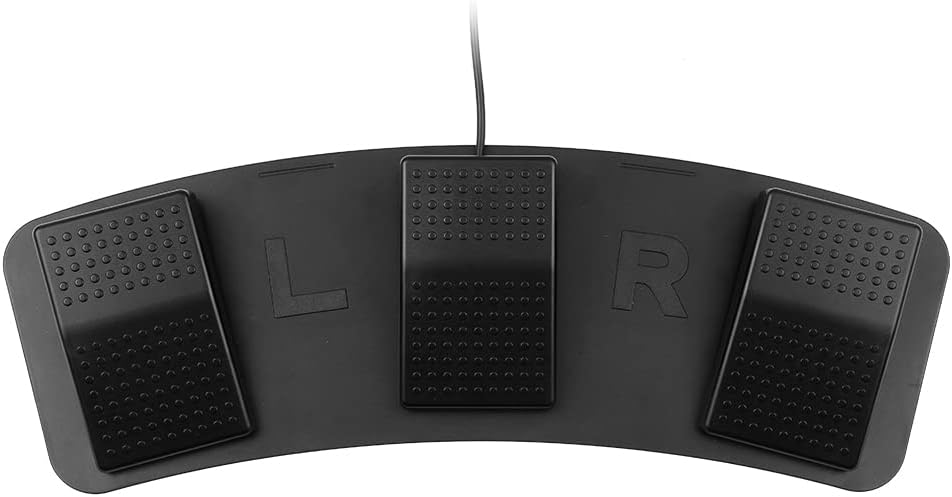
Image 4.1: A visual representation of the five customizable functions: Mouse, Keyboard, Gamepad, Character String, and Multimedia, with examples para cada um.
4.2 Uso Geral
Once configured, simply press the desired pedal to activate its assigned function. The mechanical switches provide clear feedback, ensuring you know when an action has been registered.

Image 4.2: An infographic demonstrating the wide range of applications for the foot pedal, including office work, inspection equipment, music, mechanical equipment, gaming, and audio equipment.
5. Manutenção
- Mantenha o dispositivo limpo, limpando-o com um pano macio e seco.
- Avoid exposing the foot switch to excessive moisture or extreme temperatures.
- Não tente desmontar o dispositivo, pois isso pode anular a garantia e causar danos.
- Ensure the non-slip pads on the bottom are free from dirt or debris to maintain stability.

Image 5.1: The underside of the foot pedal, showing the integrated non-slip pads designed to prevent sliding during use.
6. Solução De Problemas
- Device not recognized: Try plugging the USB cable into a different USB port. Ensure the cable is securely connected. Test on another computer if possible.
- Functions not working: Verify that the customization software has been used to assign functions to the pedals. Ensure the software settings have been saved and applied.
- Pedals feel unresponsive: Check for any physical obstructions. If the issue persists, ensure the device is connected directly to a USB port and not through an unpowered USB hub.
- O dispositivo desliza durante o uso: Ensure the non-slip pads on the bottom are clean and the surface it rests on is dry and flat.
7. Especificações
| Modelo | FS23-PM |
| Cor | Preto |
| Tipo de interruptor | Interruptor mecânico |
| Interface | USB |
| Comprimento do cabo | Approx. 2m (6.56 ft) |
| Tamanho do item (C x L x A) | 37.5 12 x x 4 cm (14.76 4.72 x x 1.57 in) |
| Peso do item | Aproximadamente. 329g (11.61 onças) |
8. Garantia e Suporte
For warranty information and technical support, please refer to the documentation included with your purchase or contact the manufacturer directly through their official webGuarde o comprovante de compra como prova para eventuais solicitações de garantia.