
Introdução
The Yealink DECT Wireless Headset WH63 E2 UC is a single-ear (mono) convertible office headset designed for clear communication in professional environments. It features advanced noise-canceling technology, extended wireless range, and versatile wearing styles to suit individual preferences. This manual provides detailed instructions for setting up, operating, maintaining, and troubleshooting your headset.
O que está na caixa
Carefully unpack your Yealink WH63 E2 UC headset and ensure all items are present:
- WH63 E2 Headset + Base
- Eartips (6 pieces), Earhook (2 pieces), Headband
- 1.2m USB C-C 2.0 Cable
- 1.2m USB C-A 2.0 Cable
- Adaptador de energia
- Manual do usuário (este documento)

Image: All components included in the Yealink WH63 E2 UC package.
Instruções de configuração
1. Conecte a estação base.
- Conecte o adaptador de energia à estação base e ligue-o a uma tomada elétrica.
- Connect the base station to your computer using the provided USB C-A or USB C-C cable.
- For desk phone connectivity, use the appropriate USB cable or an optional EHS62 adapter/telephone cable (purchased separately) to connect the base to your desk phone. Refer to your desk phone's manual for specific connection requirements.
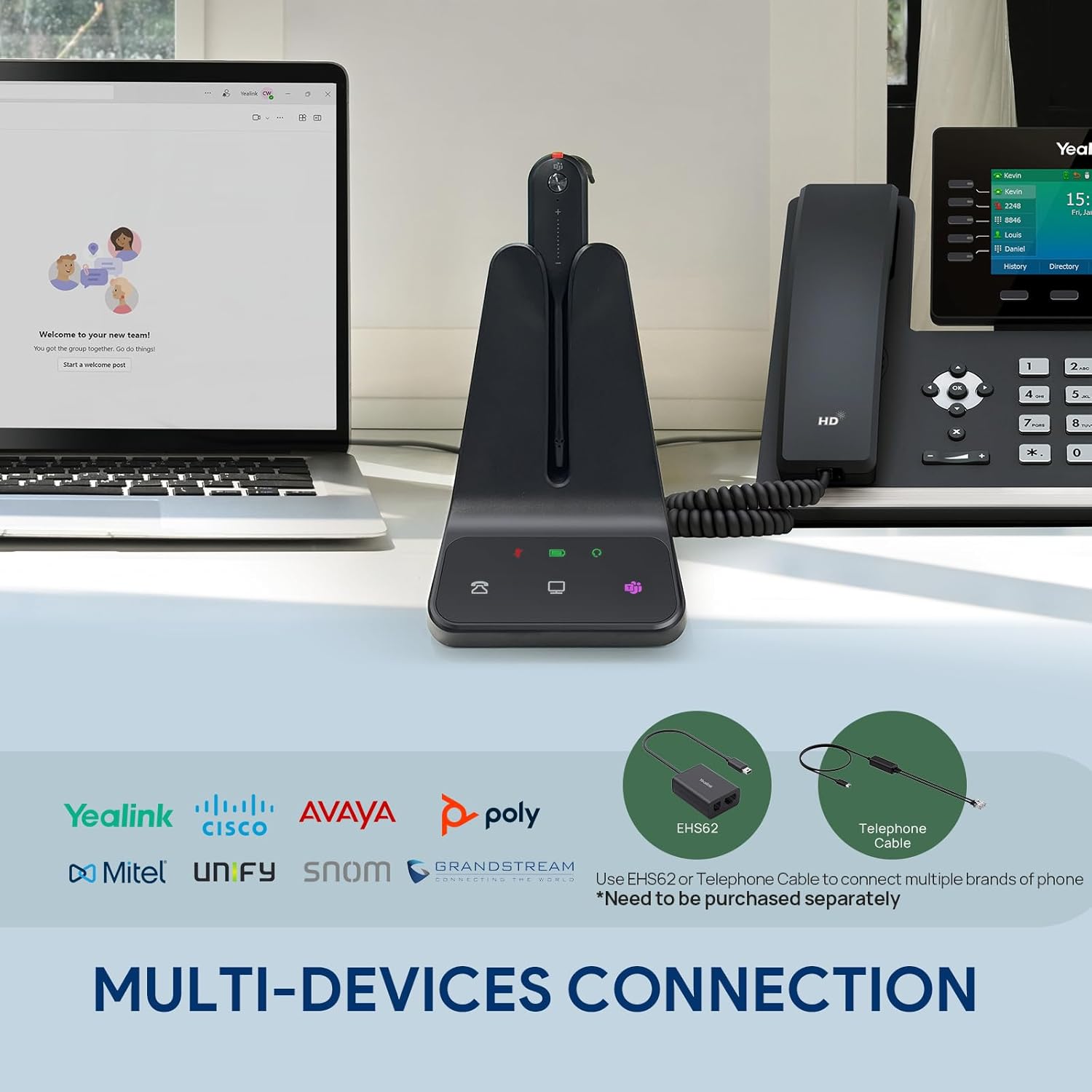
Image: The WH63 E2 UC base connected simultaneously to a computer and a desk phone.
2. Carregue o fone de ouvido
Place the headset onto the base station. The charging indicator on the headset and base will illuminate, indicating that the headset is charging. Ensure the headset is fully charged before first use (approximately 8 hours for a full charge).
3. Select a Wearing Style
The WH63 E2 UC offers three wearing styles: Earhook, Eartip, and Headband. Choose the style that provides the most comfort and security for your needs.
- Gancho de orelha: Attaches to the headset and hooks over your ear.
- Ponta auricular: Inserts directly into your ear canal. Six different sizes are provided for optimal fit.
- Faixa de cabeça: Provides a traditional over-the-head fit for stability.

Image: Visual representation of the Earhook, Eartip, and Headband wearing options.
Instruções de operação
1. Ligar/desligar
The headset automatically powers on when removed from the base and powers off when placed back on the base or after a period of inactivity.
2. Atender/encerrar chamadas
To answer an incoming call, press the Call Control button on the headset or the corresponding button on the base. To end a call, press the Call Control button again.
3. Ativar/desativar o som do microfone
Press the Mute button on the headset to mute or unmute your microphone during a call. A red indicator light on the microphone boom signifies that the microphone is muted.
4. Controle de volume
Use the Volume Up (+) and Volume Down (-) buttons on the headset to adjust the listening volume.
5. Integração com o Microsoft Teams
If using Microsoft Teams, press the Teams button on the headset or base to join a meeting or access Teams functionalities.

Image: The headset's noise-canceling microphone in use, demonstrating clear audio.
6. Alcance sem fio e duração da bateria
The DECT 6.0 technology provides a wireless range of up to 185 meters (607 feet) from the base station. The headset offers up to 8 hours of talk time and 71 hours of standby time on a single charge.
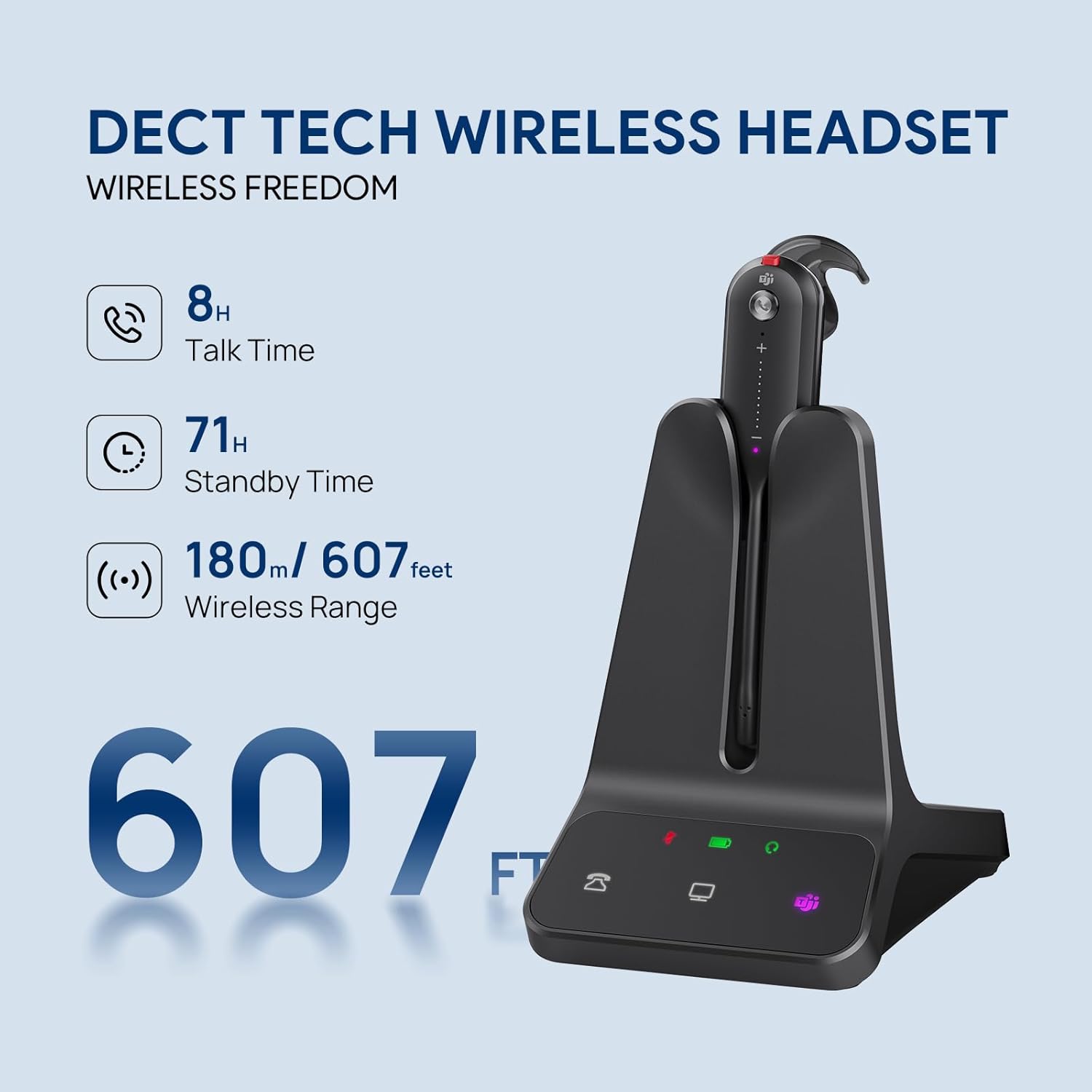
Image: The headset and base showcasing its wireless range and battery performance.
Compatibilidade
The Yealink WH63 E2 UC is certified for Microsoft Teams and Zoom, ensuring seamless integration and optimized performance with these platforms. It is also compatible with a wide range of other Unified Communications (UC) platforms, including:
- Anel Central
- Gênese
- 8x8
- 3CX
- Unificar
- Netsapiens
For desk phone compatibility, the headset supports various Yealink, Teams, Poly, and SNOM IP phones. For other 3rd-party desk phones, connection may require an optional EHS62 adapter or a telephone cable.

Image: Broad compatibility with leading UC platforms and phone systems.
Manutenção
Proper maintenance ensures the longevity and optimal performance of your Yealink WH63 E2 UC headset:
- Limpeza: Use a soft, dry cloth to clean the headset and base. Avoid using harsh chemicals or abrasive materials.
- Armazenar: When not in use, store the headset on its base station to keep it charged and protected.
- Temperatura: Evite expor o dispositivo a temperaturas extremas, luz solar direta ou alta umidade.
- Resistência à água: The headset has a waterproof rating, but avoid submerging it in water.
Solução de problemas
If you encounter issues with your Yealink WH63 E2 UC headset, refer to the following common problems and solutions:
| Problema | Possível causa | Solução |
|---|---|---|
| Sem áudio ou com má qualidade de áudio. | Headset not connected/paired, low battery, incorrect audio settings on computer/phone, out of range. | Ensure headset is charged and properly seated on base. Check audio output settings on your device. Move closer to the base station. |
| Microfone não funciona | Microfone silenciado, dispositivo de entrada incorreto selecionado, haste do microfone mal posicionada. | Press the Mute button to unmute. Verify microphone input settings on your computer/phone. Adjust microphone boom closer to your mouth. |
| Cannot answer/end calls from headset | Software not installed/updated, compatibility issue. | Install or update the Yealink USB Connect software. Ensure your UC platform is supported. |
| Alcance sem fio limitado | Interference from other devices, physical obstructions. | Move the base station away from other electronic devices. Reduce physical obstructions between headset and base. |
| Fone de ouvido não carrega | Improper placement on base, faulty power connection. | Ensure headset is correctly seated on the base. Check power adapter connection to base and outlet. |
Especificações
| Recurso | Detalhe |
|---|---|
| Marca | Yealink |
| Número do modelo | WH63 E2 UC |
| Cor | Preto |
| Colocação da orelha | No ouvido |
| Fator de forma | No ouvido |
| Tecnologia de Conectividade | Sem fio (DECT) |
| Distância wireless | Até 185 metros / 607 pés |
| Tempo de conversação | Até 8 horas |
| Tempo de espera | Até 71 horas |
| Microfone | Noise-Canceling (2 microphones) |
| Faixa de frequência | 20 Hz - 20,000 Hz |
| Método de controle | Botão de pressão |
| Nível de resistência à água | Impermeável |
| Dispositivos compatíveis | Computer Softphone, Deskphone IP phone, Desktops, Laptops, PC |
| Mídia Integrada | 1.2m USB C-C 2.0 Cable, 1.2m USB C-A 2.0 Cable, Eartips*6, Earhook*2, Headband, Power Adapter, User Manual, WH63 E2 Headset + Base |
Vídeo oficial do produto
Vídeo: Um excessoview of the Yealink WH63 E2 DECT Wireless Headset, demonstrating its features and use in an office environment.
Garantia e Suporte
Yealink products are designed for reliability and performance. For detailed warranty information, please refer to the warranty card included with your product or visit the official Yealink website. For technical support, product registration, or to download the latest firmware and software, please visit the Yealink support portal or contact your local reseller.
Recursos on-line: