
1. Introdução
This manual provides essential information for the safe and efficient operation of your DazzlingStage Mini Rechargeable Par Lights. Please read these instructions thoroughly before use and retain them for future reference.
2. Produto acabadoview
The DazzlingStage Mini Rechargeable Par Lights are versatile stage lighting units designed for various events. They feature RGBWA UV 6-in-1 LED lamp beads, offering a wide spectrum of colors and lighting effects. With a built-in high-capacity battery, these lights provide cordless operation, enhancing portability and placement flexibility. Multiple control modes, including APP, Wireless DMX, remote, sound-activated, and auto modes, allow for comprehensive lighting management.

Figura 2.1: Overview of control modes and light effects.

Figure 2.2: The lights offer over 16 million mixable colors for diverse lighting effects.
Principais características:
- Bateria de alta capacidade: Built-in 4400mA rechargeable battery provides approximately 4 hours of full brightness, 8-10 hours for single color, and 8 hours in auto mode.
- Rich Lighting Effects: RGBWA UV 6-in-1 LED lamp beads offer color selection, color shade, color pulse, color transition, strobe, and fade effects.
- Vários modos de controle: Auto control, Sound-Activated control, Master-Slave, DMX512, and APP control.
- Conectividade sem fio: Supports 2.4G wireless signal control (up to 1000m) and WIFI (APP) control (up to 40m in open areas).
- Compacto e portátil: Dimensions of 6*5.8*2.2 inches and weight of 0.9kg for easy transport and placement.
3. Conteúdo da embalagem
Verifique se todos os itens listados abaixo estão incluídos em seu pacote:
- Par Light (quantity as per pack)
- Controle Remoto IR
- Manual de instruções
- Carregador

Figura 3.1: Conteúdo da embalagem do produto.
4. Configuração
Carregamento inicial:
Before first use, fully charge the par light. The charging time is approximately 4 hours. A red indicator light on the charger signifies charging, which turns green upon full charge.
Video 4.1: Demonstration of the charging process for the rechargeable par light.
Montagem e colocação:
The light includes a bracket for versatile placement. It can be placed on the ground or mounted on a truss or stage light stand. Ensure the light is securely positioned to prevent accidental falls.
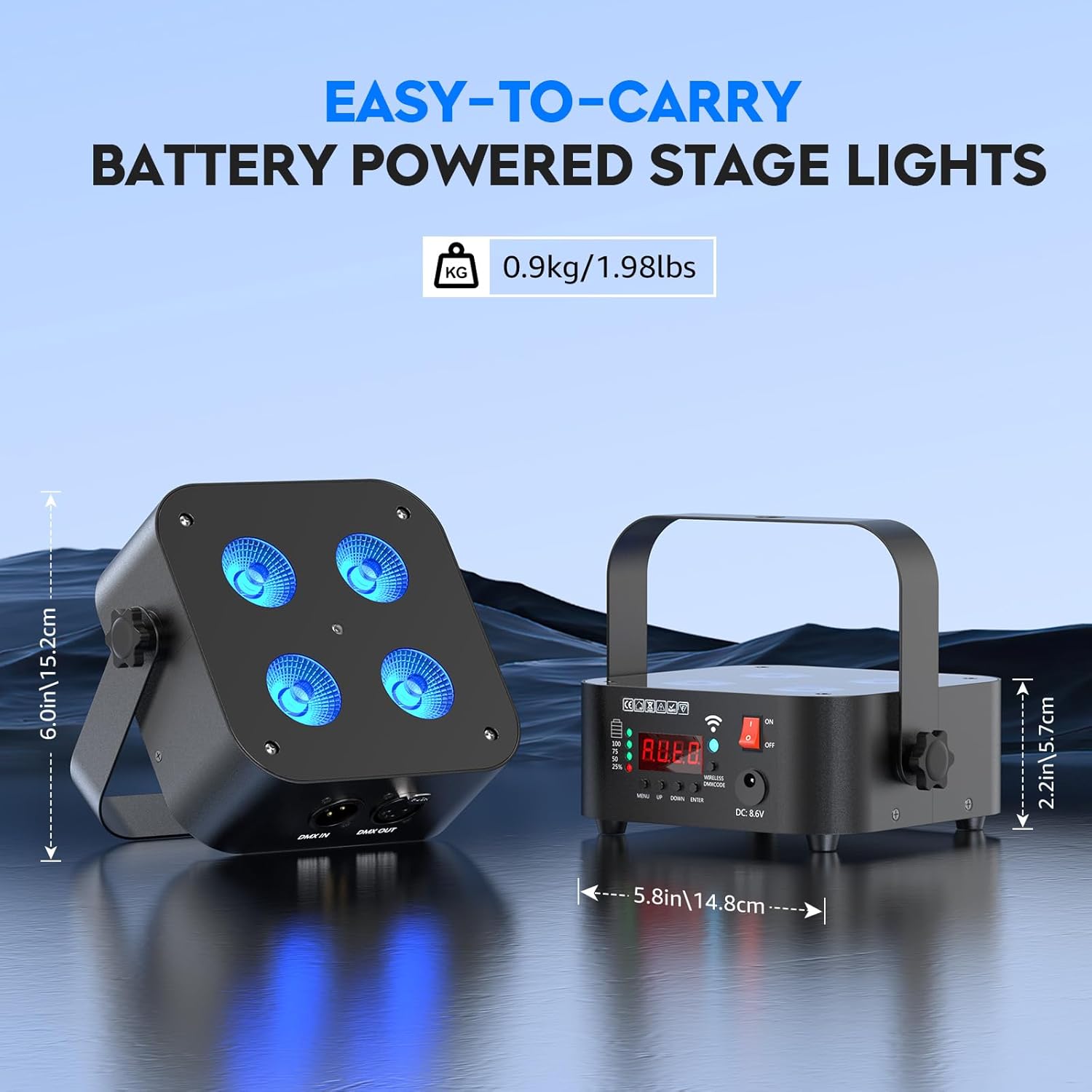
Figure 4.1: The compact size and included bracket allow for easy placement and portability.
5. Modos de operação
The DazzlingStage Mini Rechargeable Par Lights offer several operating modes to suit different lighting needs.
5.1. Manual Control (On-Device):
The unit features a 4-digit display and control buttons (MENU, UP, DOWN, ENTER) on the back for direct mode selection and parameter adjustment. The display shows the current mode and settings.

Figure 5.1: Rear panel controls and indicators.
5.2. Controle remoto:
Use the included IR remote control to easily switch between colors, adjust brightness, and select various effects like strobe and fade. The remote has a range of 8-10 meters.
Video 5.1: Demonstration of remote control functionality for color and effect changes.
5.3. Controle de APP:
Download the dedicated "LED LAMP" app from your app store. Connect your device via WIFI (effective range up to 40 meters in open areas) to control the lights with a simple interface. The app allows for precise color selection and effect management.

Figure 5.2: Steps to connect the light to the mobile application.
Video 5.2: Guide on connecting DazzlingStage Rechargeable Uplights to the APP.
5.4. Sound-Activated Control:
The lights can react to music and sounds, changing colors and effects in rhythm. This mode is ideal for parties and dynamic environments.
5.5. Master-Slave Mode:
Connect multiple lights to synchronize their effects. Designate one unit as the master, and others will follow its programming.
5.6. DMX512 Control:
For professional lighting setups, the lights support DMX512 control. Use DMX IN/OUT ports to integrate with a DMX controller. Wireless DMX signal control is also supported with an effective distance of up to 1000 meters.
6. Carregamento
The built-in 4400mA battery provides extended operation. A full charge takes approximately 4 hours. The battery indicator on the unit displays the current charge level. Ensure to use only the provided charger to prevent damage.

Figure 6.1: Battery specifications and charging information.
7. Manutenção
To ensure the longevity and optimal performance of your DazzlingStage Mini Rechargeable Par Lights, follow these maintenance guidelines:
- Limpeza: Regularly wipe the exterior with a soft, dry cloth. Avoid using harsh chemicals or abrasive materials.
- Armazenar: Store the lights in a cool, dry place away from direct sunlight and extreme temperatures.
- Cuidados com a bateria: For prolonged storage, charge the battery to about 50% every 3 months to maintain battery health.
- Inspeção: Verifique periodicamente os cabos e as conexões para detectar sinais de desgaste ou danos.
8. Solução De Problemas
If you encounter issues with your DazzlingStage Mini Rechargeable Par Lights, refer to the following common troubleshooting steps:
- Luz não acende: Ensure the battery is charged or the unit is plugged into a power source. Check the power switch.
- Controle remoto não funciona: Verify that the remote's batteries are functional and that there are no obstructions between the remote and the light's IR receiver.
- Problemas de conexão com o aplicativo: Ensure Bluetooth and WIFI are enabled on your device and that the light is within the effective range. Restart the app or toggle WIFI on/off if necessary.
- Inconsistent light effects: Check DMX connections if applicable. Ensure all units in a Master-Slave setup are correctly configured.
Para obter mais assistência, entre em contato com o suporte ao cliente.
9. Especificações
| Recurso | Especificação |
|---|---|
| Número do modelo | ZQ01240 |
| Tipo de fonte de luz | RGBWA UV 6-in-1 LED |
| Fonte de luz Wattage | 18 Watts (por LED) |
| Capacidade da bateria | 4400mA |
| Tempo de carregamento | Aproximadamente 4 horas |
| Full Brightness Runtime | Aproximadamente 4 horas |
| Single Color Runtime | 8-10 horas |
| Auto Mode Runtime | 8 horas |
| Modos de controle | Auto, Sound-Activated, Master-Slave, DMX512, APP, Remote |
| Wireless DMX Range | Up to 1000m (2.4G) |
| APP Control Range | Up to 40m (WIFI, open area) |
| IR Remote Range | 8-10m |
| Dimensões do produto | 5"L x 3"W x 5"H (approx. 6*5.8*2.2 inches) |
| Peso do item | 0.9 kg (1.98 libras) |
| Material | Acrílico, Ferro |
10. Garantia e Suporte
DazzlingStage offers a 30-day free return and exchange policy, along with a 180-day warranty service. For any issues or inquiries, please contact our professional after-sales service team. We aim to reply within 24 hours.
11. Cenários de uso
The DazzlingStage Mini Rechargeable Par Lights are suitable for a variety of applications due to their versatile features and portability.
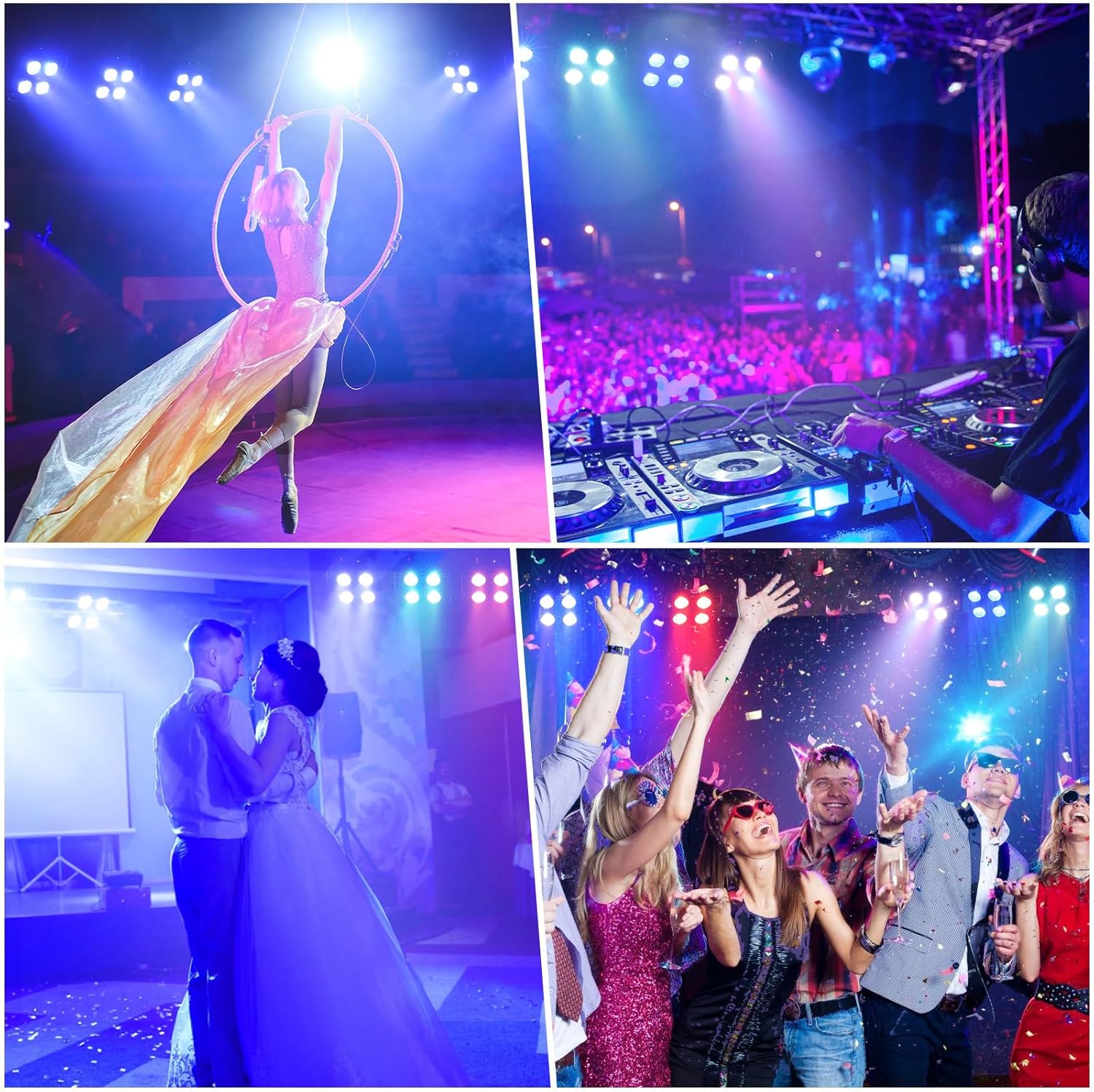
Figura 11.1: Examples of the lights in use at different events.
Video 11.1: Demonstration of rechargeable par lights in various settings.
Video 11.2: Visual showcase of DazzlingStage Rechargeable Uplighting.