
Introdução
The Nitecore NU20 Classic is an ultralight, USB-C rechargeable headlamp designed for various outdoor activities such as backpacking, camping, hiking, jogging, and running. It features a primary white LED with multiple outputs, including SOS and Beacon, and an auxiliary red light. This manual provides detailed instructions for the proper use, maintenance, and troubleshooting of your NU20 Classic headlamp.
O que está incluído
- Nitecore NU20 Classic Headlamp
- Faixa de cabeça
- Cabo de carregamento USB-C
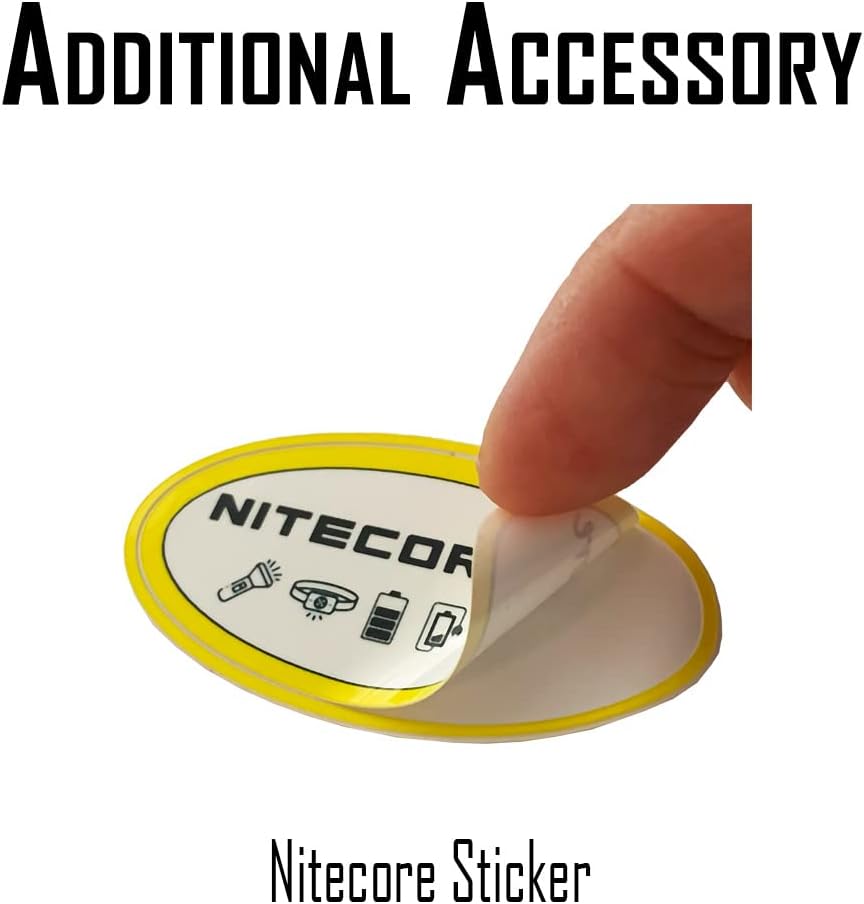
- Adesivo Nitecore


Especificações
| Recurso | Detalhe |
|---|---|
| Peso | 1.34 oz (38g) |
| Dimensões (D x L x A) | 0.96" x 2.05" x 1.3" |
| Brilho Máximo | 360 Lumens (Primary White Light) |
| Tempo de execução máximo | 97 horas (Modo baixo) |
| Distância máxima do feixe | 119 jardas (109 metros) |
| Resistência à água | IP66 |
| Material | Policarbonato |
| Bateria | Bateria de íons de lítio de 500 mAh integrada |
The NU20 Classic is crafted from durable PC material, ensuring it is both lightweight and robust. It offers triple output versatility with a primary white LED, an auxiliary white light (High CRI), and an auxiliary red light. The USB-C rechargeable battery provides long runtimes, and a battery status indicator keeps you informed of the remaining power.


Configurar
Fixando a faixa de cabeça
The NU20 Classic comes with a lightweight, reflective, and glow-in-the-dark headband. To attach it, simply thread the elastic cords through the designated loops on the headlamp body. Adjust the length for a comfortable and secure fit on your head.


Carregando a cabeçaamp
The NU20 Classic features a built-in 500mAh Li-ion battery and a USB-C charging port for fast and convenient charging. To charge, lift the protective cover on the side of the headlamp to reveal the USB-C port and connect the included USB-C cable to a power source. The battery status indicator will show the charging progress.


Instruções de operação
Primary White Light Operation
- Ligar/Desligar: Quando a cabeçaamp is off, short press the Power Button to turn on the primary white light in Low mode. After 3 seconds of no operation, short press the Power Button again to turn it off.
- Ajuste de brilho: When the primary white light is on, quickly press the Power Button again to cycle through brightness levels: Low → Mid → High.
- Modo turbo: When the primary white light is on, long press the Power Button for 1 second to activate Turbo mode (360 lumens).
Auxiliary White Light Operation (High CRI)
- Ligar/Desligar: Quando a cabeçaamp is off, long press the Power Button for 1 second to turn on the auxiliary white light. After 3 seconds of no operation, short press the Power Button or R Button to turn it off.
Auxiliary Red Light Operation
- Ligar/Desligar: Quando a cabeçaamp is off, short press the R Button to turn on the auxiliary red light in Low mode. After 3 seconds of no operation, short press the R Button to turn it off.
- Ajuste de brilho: When the auxiliary red light is on, quickly press the R Button again to cycle through brightness levels: Low → High.
Special Modes (SOS & Beacon)
- Ativar: Quando a cabeçaamp is off, long press the Power Button for 3 seconds to activate SOS mode.
- Modos de ciclo: Within 3 seconds of activating SOS, short press the Power Button again to cycle to Beacon mode.
Bloquear e desbloquear
- Trancar: Quando a cabeçaamp is off, long press both the Power Button and R Button simultaneously for 3 seconds until the headlamp flashes three times. This indicates it is locked.
- Desbloquear: Quando a cabeçaamp is locked, long press both buttons simultaneously for 3 seconds until the white low light turns on. This indicates it is unlocked.
Operational Demonstration Video
Este vídeo fornece uma revisão completa.view and demonstration of the Nitecore NU20 Classic Headlamp's features and operational modes, including primary and auxiliary lights, special modes, and charging.
Manutenção
- Limpeza: Limpe regularmente a cabeçaamp body and lens with a soft, clean cloth to remove dust and debris. Avoid using abrasive cleaners or solvents.
- Cuidados com a bateria: To prolong battery life, recharge the headlamp regularly, even if it's not frequently used. Avoid fully depleting the battery for extended periods.
- Armazenar: Armazene o cabeçalhoamp in a cool, dry place away from direct sunlight and extreme temperatures. If storing for a long time, charge the battery every three months to maintain its health.
Solução de problemas
- Cabeçalhoamp Não liga:
- Verifique se o cabeçalhoamp is in Lockout Mode. Unlock it by long pressing both buttons for 3 seconds.
- Ensure the battery is charged. Connect the USB-C cable to recharge.
- Saída de luz fraca:
- The battery might be low. Recharge the headlamp.
- Certifique-se de que a lente esteja limpa e livre de obstruções.
- Não está carregando:
- Verifique se o cabo USB-C está conectado corretamente a ambas as extremidades do dispositivo.amp e a fonte de alimentação.
- Experimente um cabo USB-C ou adaptador de energia diferente.
- Certifique-se de que a porta de carregamento esteja livre de detritos.
Garantia e Suporte
The Nitecore NU20 Classic Headlamp comes with a limited warranty. For detailed warranty information, please refer to the official Nitecore website ou o cartão de garantia incluído com o seu produto.
If you encounter any issues that cannot be resolved using the troubleshooting guide, or for further assistance, please contact Nitecore customer support or the authorized seller (Lumen Tactical) from whom you purchased the product.